
HiLetgo MAX7219 Dot Matrix Module
4.4Editor score
Operating voltage at five volts standard
Compact dimensions for tight enclosures
Fixed screws with sixty four mounting holes
This guide compares the top ten LCD dot matrix modules for embedded displays, highlighting resolution, backlight options, and microcontroller compatibility for
LCD dot matrix modules provide reliable visual output for embedded systems and industrial panels. They offer clear text and graphics while remaining affordable for hobbyists and professionals alike.
We evaluated ten popular modules based on resolution, interface type, backlight quality, and controller compatibility. Our analysis focuses on real-world usability and integration ease for various projects.
Each pick shows key specifications and ideal use cases to help you choose the right display. Please note that pricing and availability change frequently on retailer platforms.
4.4Editor score

4.1Editor score

4.5Editor score
The following table provides a side-by-side comparison of all ten selected LCD dot matrix modules. It highlights key specifications such as resolution, interface type, backlight color, and controller compatibility to help you make an informed decision based on your specific project requirements.




This Ximimark 12864 LCD module is rated 4.1 stars by users. It stands out for its clear graphic display and easy integration with Arduino projects.
We may earn a commission when you buy through this link, at no additional cost to you.
The module features an integrated potentiometer for adjusting contrast without extra components. The dimmable LED backlight ensures visibility in various lighting conditions.
While the blue backlight is bright, it may not match all enclosure aesthetics. The parallel interface requires more pins than I2C options.
Ideal for makers needing a graphic display without complex drivers. Its price point and library support make it a top pick.
The included library and examples simplify setup for beginners and experts alike.
The onboard potentiometer allows quick contrast tuning without external resistors.
We may earn a commission when you buy through this link, at no additional cost to you.
This generic 12864 graphic LCD module offers a wide viewing angle and high contrast. Users note its compatibility with MEGA 2560 and Nano boards.
We may earn a commission when you buy through this link, at no additional cost to you.
The module provides a full graphic LCD display with 128 x 64 pixels. It includes 2pcs 1×20 pin headers for easy setup.
Packaging quality can vary between orders. The lack of a specified rating makes reliability less predictable.
Best for projects needing a standard 128×64 display with flexible mounting. Its high contrast output ensures readability.
The bright output ensures clear text and graphics even in bright environments.
Works seamlessly with popular boards like MEGA 2560 and Due for quick prototyping.
We may earn a commission when you buy through this link, at no additional cost to you.
This 2-pack 1602 LCD module features a 16 character by 2 line display. It operates at 5V and includes 2 pieces for backup.
We may earn a commission when you buy through this link, at no additional cost to you.
The module shows 16 characters per line across two blue display lines. Its parallel port interface makes it easy to connect to controllers.
The blue backlight may not suit all indoor lighting. Wiring requires more pins than serial alternatives.
Best for budget projects needing basic text output. The 2-pack ensures you have a spare for testing.
Operates reliably from -20 to 70 degrees Celsius for indoor and outdoor use.
Direct connections reduce software complexity for basic text displays.
We may earn a commission when you buy through this link, at no additional cost to you.
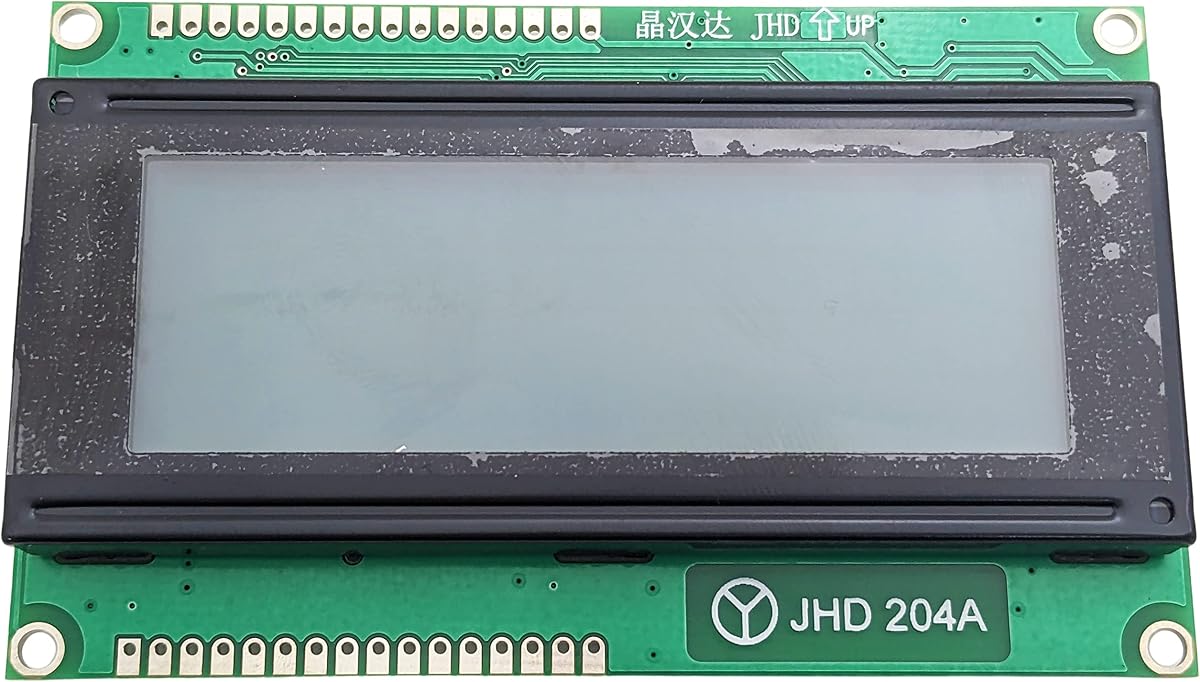
This 20×4 dot matrix LCD module offers a large display area with 20 characters and 4 lines. It includes a driver and controller onboard.
We may earn a commission when you buy through this link, at no additional cost to you.
The reflective positive gray display ensures clear text without backlighting. The module size is 98x60x9.5mm for standard enclosures.
The reflective display may struggle in low light without added illumination. It costs more than basic modules.
Ideal for industrial panels needing robust text output. The included driver simplifies wiring and code.
The onboard controller reduces external component count and wiring complexity.
Four lines of text allow for detailed status information without scrolling.
We may earn a commission when you buy through this link, at no additional cost to you.
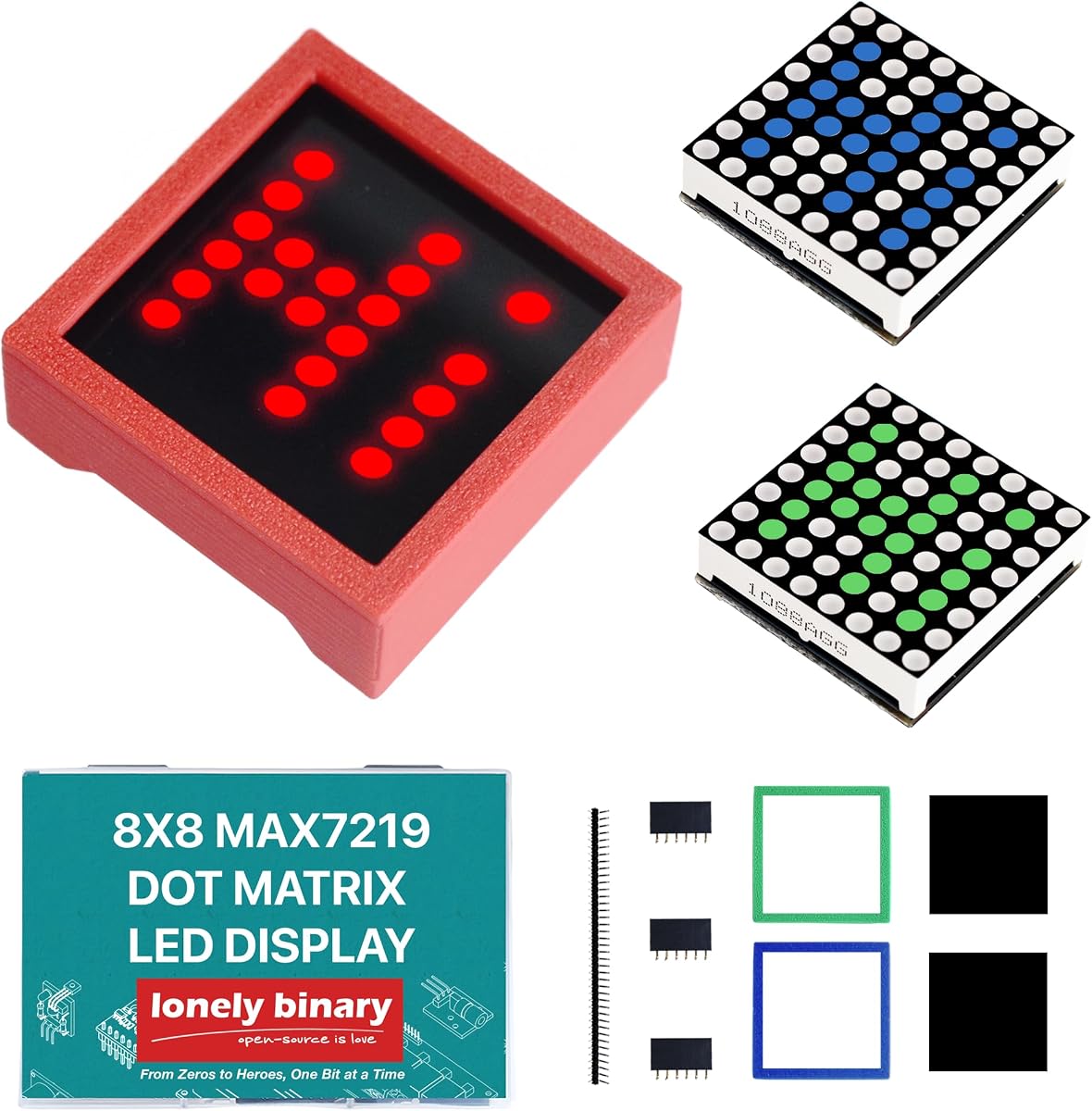
This Lonely Binary pack includes 3 modules in red, green, and blue. Each 8×8 matrix uses MAX7219 driver control.
We may earn a commission when you buy through this link, at no additional cost to you.
The modules are chainable for wider displays like 24×8. Enclosures protect the PCB from dust and scratches.
Basic soldering is required to connect headers. It is not full RGB per pixel.
Best for retro arcade projects and indicators. The 3D printed cases add a professional finish.
Daisy-chain multiple modules to create larger text or game displays easily.
Simple 5-pin SPI control reduces wiring compared to parallel options.
We may earn a commission when you buy through this link, at no additional cost to you.
This HiLetgo MAX7219 module is rated 4.4 stars. It offers a simple 8×8 dot matrix driven by the MAX7219 IC.
We may earn a commission when you buy through this link, at no additional cost to you.
The module measures 12.8×12.8×1.3cm and fits in tight enclosures. It includes 64 holes with 3mm diameter for mounting.
It lacks protective enclosure which may expose the PCB. Only single color output is available.
Best for budget projects needing a basic matrix. Its compact size saves board space.
Direct connection to 5V power simplifies integration with Arduino Uno and Nano.
Multiple screw holes allow secure panel mounting without adhesives.
We may earn a commission when you buy through this link, at no additional cost to you.
This board uses MAX7219 driver to simplify interfacing with 8-digit displays. It supports BCD decoding or direct segment control.
We may earn a commission when you buy through this link, at no additional cost to you.
The serial interface connects via 4-wire SPI. It includes scan limit settings and brightness control.
It requires separate 7-segment displays. Not all users need BCD decoding features.
Best for custom LED arrays needing driver control. Its low power mode suits portable projects.
Choose between BCD decoding and direct segment control for maximum customization.
Shutdown mode and brightness adjustment reduce power consumption.
We may earn a commission when you buy through this link, at no additional cost to you.
This SunFounder LCD2004 module is rated 4.5 stars. It features white characters on a blue background for high readability.
We may earn a commission when you buy through this link, at no additional cost to you.
The module displays 20 characters including letters and symbols in 4 lines. A 50K potentiometer adjusts contrast easily.
The blue background may not suit all designs. It costs more than standard 1602 modules.
Best for professional projects needing detailed text. Its bright backlight ensures readability.
White characters on blue background provide excellent contrast for long viewing.
Internal potentiometer allows fine tuning without external tools.
We may earn a commission when you buy through this link, at no additional cost to you.
This Lonely Binary pack includes 3x32x8 matrices in red green and blue. Each has 256 LEDs for wide displays.
We may earn a commission when you buy through this link, at no additional cost to you.
Modules cascade via DOUT to DIN ports. Includes 3D printed enclosures and pin headers.
Basic soldering is required for wiring. Not full RGB per pixel.
Best for scrolling tickers and scoreboards. The included enclosures offer a finished look.
The 32×8 format allows longer messages without scrolling rapidly.
Includes enclosures headers and sample code for immediate use.
We may earn a commission when you buy through this link, at no additional cost to you.
This 2-pack MAX7219 module set is rated 4.6 stars. It features 5V operation for direct Arduino integration.
We may earn a commission when you buy through this link, at no additional cost to you.
The compact 128mm x 128mm footprint saves space. It includes 64 pre-drilled holes for secure mounting.
Headers must be soldered for connection. The board lacks a protective case.
Best for embedded displays where space matters. Its daisy chain readiness allows expansion.
Slim 13mm profile fits into tight enclosures.
Pre-drilled holes ensure stable installation without adhesives.
We may earn a commission when you buy through this link, at no additional cost to you.
Selecting the right LCD dot matrix module depends on your project needs. Below are key factors to consider.
Resolution determines how much text or graphics you can show. Larger resolutions like 128×64 allow complex output.
Choose a size that fits your enclosure and data requirements.
Backlights improve visibility in low light. Blue or white backlight offers high contrast.
Select a color that matches your design aesthetic and viewing environment.
Interfaces like parallel, SPI, or I2C affect wiring complexity. SPI uses fewer pins but needs specific drivers.
Pick an interface compatible with your microcontroller and available pins.
Some modules need specific controllers like MAX7219. Ensure your software supports the driver.
Verify compatibility with Arduino, ESP32, or other boards before buying.
Most modules run at 5V. Some work with 3.3V boards. Check voltage specs to avoid damage.
Select a module matching your power supply standard.
Mounting holes and dimensions vary. Some include cases or pre-drilled holes.
Check if the module fits your panel or enclosure size.
Modules with libraries simplify coding. Check if libraries exist for your IDE.
Choose drivers with active community support for troubleshooting.
Prices vary by features. Basic modules are cheaper but need more setup.
Set a budget and compare value based on included features.
Connect the module to your microcontroller using the specified interface. Secure wiring to prevent loose connections.
Install the required driver library in your IDE. Follow examples to display text and graphics.
Keep the module clean and avoid direct moisture. Protect exposed PCB with cases for long term use.
LCD dot matrix modules display text and graphics on embedded systems. They are used in industrial panels, DIY projects, and IoT devices for visual feedback.
Yes many modules support ESP32 via SPI or parallel interfaces. Check voltage levels to match 3.3V logic.
Some include drivers like MAX7219 others need external chips. Always check product specs before purchasing.
Modules with potentiometers allow contrast tuning. Rotate the knob until text is clear and readable.
Most have several years of use. Backlights may fade over time but LCD panels remain stable.
Many SPI modules support daisy chaining. Connect DIN to DOUT to expand display width.
The top picks offer reliable displays for varied projects. The Ximimark 12864 stands out for ease of use.
Prioritize interface type and resolution to match your needs. Consider backlight and mounting for enclosure fit.
Check current prices before buying as they fluctuate. Choose a module that balances cost and performance.