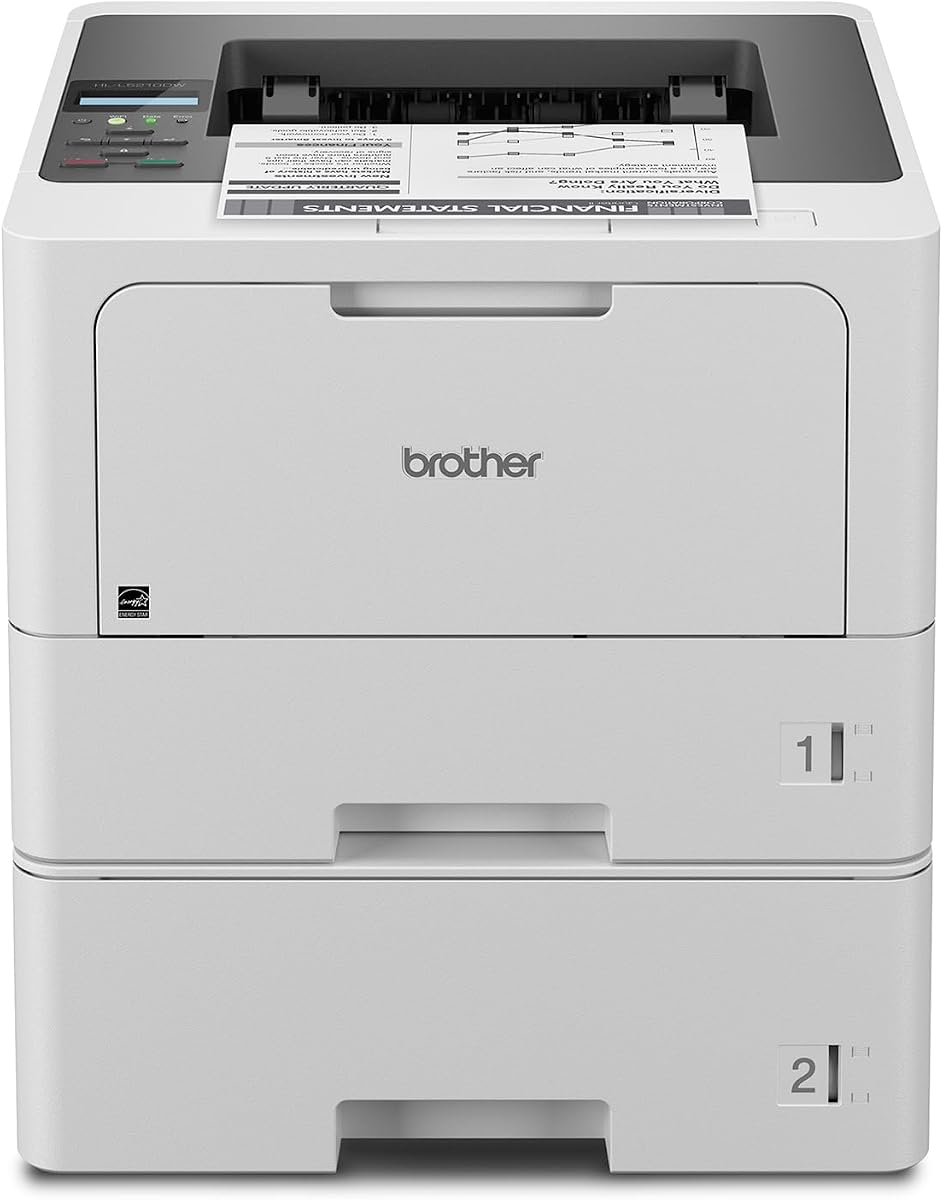
Brother HL-L5210DWT
4.3Editor score
Fast print speed up to 48ppm
Dual paper trays totaling 770 sheets
Includes high-yield toner cartridge for value
This guide compares the top laser printers for large workgroups based on speed capacity security and total cost of ownership to help you choose the right model.
Selecting the right laser printer for large workgroups requires careful consideration of speed, capacity, and security features. Organizations need devices that can handle high volumes without compromising on quality or connectivity options for seamless integration.
We evaluated ten top models from leading manufacturers like Brother and HP. Each product was assessed on print speed, paper handling, security protocols, and overall value to ensure they meet the demanding needs of busy enterprise environments effectively.
Every pick includes detailed specs, pros, cons, and expert insights to guide your decision. Note that availability and pricing fluctuate frequently so verify current details before purchasing to ensure you get the best deal for your specific office requirements today.
4.3Editor score

4.4Editor score

The following table provides a side-by-side comparison of all ten selected laser printers. Review key specifications such as print speed, paper capacity, and connectivity options to quickly identify which model aligns best with your large workgroup requirements and operational needs.


The Brother MFC-L8930CDW stands out as a top-tier color laser all-in-one designed specifically for demanding workgroups. With a rating of 4.4 stars it delivers sharp color and black printing along with impressive scan speeds that boost productivity significantly in busy office environments.
We may earn a commission when you buy through this link, at no additional cost to you.
Its standout qualities include high-speed duplex scanning up to 104ipm which supports an 80-page auto document feeder. This allows teams to digitize large batches of documents quickly while maintaining accuracy. Additionally the 7-inch color touchscreen simplifies navigation and supports customizable shortcuts for frequent tasks.
Honest trade-offs involve the initial investment and ongoing color toner costs which are higher than monochrome units. However the included genuine toner cartridges and options for super high-yield replacements help lower the cost per page over time making it a smart long-term choice.
This printer is ideal for mid-sized to large workgroups requiring reliable color output without sacrificing speed or security. The triple layer security and NFC card reader ensure documents stay protected. For teams needing versatile multifunction capabilities this model offers a balanced blend of performance and advanced features.
Integrated NFC card readers allow badge authentication ensuring only authorized users access sensitive print jobs reducing risks of unauthorized document retrieval.
Energy Star certification and recycled packaging reduce environmental impact while duplex printing lowers paper consumption supporting green office initiatives.
We may earn a commission when you buy through this link, at no additional cost to you.
The Brother HL-L5210DWT is an exceptional monochrome laser printer tailored for cost-conscious large workgroups that prioritize speed and volume. Rated 4.3 stars it offers a high print speed of 48ppm ensuring fast professional quality documents for busy offices handling heavy document loads daily.
We may earn a commission when you buy through this link, at no additional cost to you.
Key strengths include dual paper trays totaling 770 sheets which reduce downtime for refills. The included Brother Genuine TN920XXL super high-yield toner provides 11000 pages helping to reduce operating costs significantly. Flexible connectivity with dual-band wireless and Gigabit Ethernet ensures seamless integration into various network setups.
Trade-offs are clear as this unit lacks scanning or copying capabilities making it strictly a print-only solution. Users needing multifunction features will need separate hardware. However for teams focused purely on high-volume text printing the efficiency and cost savings outweigh this limitation substantially.
Buyers seeking a reliable budget-friendly printer for large workgroups should consider this model highly. It excels in pure printing tasks while maintaining enterprise-level security and network flexibility. For offices aiming to streamline document output without overspending on unnecessary features this printer delivers outstanding value.
Using high-yield toner cartridges reduces the cost per page dramatically enabling organizations to manage budgets more effectively over the printer lifespan.
Built-in Gigabit Ethernet and dual-band wireless allow smooth sharing across wired or wireless networks enhancing accessibility for all team members.
We may earn a commission when you buy through this link, at no additional cost to you.
The HP LaserJet Enterprise M406dn is designed to empower workteams with simple management and quick printing. With a rating of 4.4 stars it delivers speeds up to 42ppm and dynamic security features that guard against threats making it a solid choice for entry-level enterprise environments.
We may earn a commission when you buy through this link, at no additional cost to you.
Strengths include enhanced productivity through HP third-party solutions and card reader support. The ability to print directly from the 2.7-inch color display adds convenience. FutureSmart firmware ensures the printer stays up-to-date with latest features protecting your investment for years to come effectively.
Trade-offs include the lack of a touchscreen display which limits interactive customization options. Also paper capacity is not as large as other models here. However for teams needing reliable fast printing with strong security these limitations are acceptable for basic document needs.
This printer is best for workgroups needing dependable monochrome output with minimal fuss. Its security features and easy management tools make it a practical choice. For those prioritizing speed and data protection over advanced features this model offers robust performance and peace of mind.
HP Wolf Enterprise Security provides defensive layers against malware ensuring data remains secure while firmware updates keep the device current.
Automatic two-sided printing accelerates tasks and conserves paper supporting both productivity and sustainability goals in busy office settings.
We may earn a commission when you buy through this link, at no additional cost to you.
The Brother MFC-L6810DW delivers exceptional speed and volume capabilities for mid to large-sized workgroups. Rated 4.1 stars it offers print and copy speeds up to 52ppm ensuring fast professional quality documents. This enterprise model focuses on productivity with high-volume scanning and large paper handling.
We may earn a commission when you buy through this link, at no additional cost to you.
Key strengths include an 80-page auto document feeder with single-pass two-sided scanning up to 200ipm. This allows rapid digitization of large documents. The lifetime value with included genuine toner and options for 18000-page replacements lowers operating costs significantly. Advanced security with NFC reader keeps data safe.
Trade-offs involve the higher price point and larger physical size which may challenge smaller spaces. However for high-volume offices the speed and capacity justify the cost. Teams needing quick document workflow will find the speed and connectivity features highly beneficial and intuitive.
This printer is recommended for large workgroups prioritizing speed and advanced document handling. The integration with Alexa adds modern convenience. For businesses seeking an enterprise-level all-in-one with unmatched speed this model provides robust performance and flexibility for demanding office environments.
Single-pass two-sided scanning speeds up document intake allowing teams to process large volumes quickly without manual page turning.
Ultra high-yield toner cartridges extend usage and reduce replacement frequency improving total cost of ownership over time.
We may earn a commission when you buy through this link, at no additional cost to you.
The Brother HL-6210DW dominates office printing with an impressive 50ppm output speed ensuring high-volume jobs are completed with precision. Rated 4.1 stars it is built for dependable performance and professional results making it a strong candidate for busy teams needing rapid document throughput.
We may earn a commission when you buy through this link, at no additional cost to you.
Strengths include a robust 520-sheet main tray and a multipurpose tray expandable up to 1660 sheets. This minimizes refills during peak hours. The cost-efficient ultra high-yield replacement toner delivering up to 18000 pages significantly reduces operational costs. Advanced connectivity supports seamless mobile device printing.
Trade-offs include a basic design without a touchscreen which may limit navigation customization. For high-volume teams speed and capacity are paramount making this acceptable. The focus on performance rather than flair makes it a practical choice for offices needing reliability over style.
This printer is ideal for large workgroups focused on speed and cost efficiency. The security features protect sensitive data while flexible connectivity ensures accessibility. For teams needing to print large volumes without frequent interruptions this model offers excellent performance and value.
Optional trays allow expansion to 1660 sheets ensuring uninterrupted printing for large batches without constant refilling or delays.
High-yield toner options minimize supply costs enabling better budget control and reduced administrative tasks for office managers.
We may earn a commission when you buy through this link, at no additional cost to you.
The Brother MFC-L5915DW combines speed and multifunctionality for busy offices needing fast professional quality documents. With a rating of 4.3 stars it delivers print and copy speeds up to 50ppm ensuring productivity stays high. Its design supports high-volume output with low-cost output options.
We may earn a commission when you buy through this link, at no additional cost to you.
Key strengths include the 70-page capacity auto document feeder for single-pass two-sided scanning up to 56ipm. The flexible connectivity with Gigabit Ethernet and dual-band wireless enables seamless sharing. High-yield toner options help reduce operating costs making it cost-efficient over time.
Trade-offs include a smaller ADF compared to enterprise models which may slow large scanning jobs. Also it lacks the advanced NFC security features of premium units. However for general office needs the balance of speed and functionality remains strong and reliable.
This printer suits teams needing quick document handling without enterprise bulk. The high speed and cost efficiency make it a practical choice. For workgroups wanting a dependable all-in-one with solid speed this model provides consistent performance and easy management.
Ultra high-yield toner cartridges reduce long-term expenses ensuring lower per-page costs for high-volume office printing needs.
Dual-band wireless and Ethernet options support various setups enabling smooth integration into diverse office network environments.
We may earn a commission when you buy through this link, at no additional cost to you.
The HP LaserJet Enterprise M507n redefines business expectations with consistent high-quality documents and strong security. Rated 4.0 stars it offers over 200 embedded security features to protect data and thwart malware. This model is designed for growing businesses needing centralized control.
We may earn a commission when you buy through this link, at no additional cost to you.
Key strengths include HP Web JetAdmin for adding devices and applying corporate policies easily. The optional mobile printing allows printing from smartphones and tablets with minimal setup. Original HP toner cartridges ensure quality and avoid wasted supplies or service calls effectively.
Trade-offs include a slower speed compared to others and no automatic duplex printing built-in. This might limit efficiency for high-volume teams. However for those prioritizing security and centralized management this printer delivers reliable performance and peace of mind for IT staff.
This printer is ideal for enterprises focused on security and control. The robust features protect sensitive information while centralized tools simplify IT tasks. For organizations needing reliable secure printing this model provides a solid foundation for document management.
Over 200 embedded security features detect and stop attacks ensuring data integrity and compliance with corporate policies.
HP Web JetAdmin allows efficient device management enabling IT to update and manage policies across multiple printers.
We may earn a commission when you buy through this link, at no additional cost to you.
The HP LaserJet Enterprise MFP M634z delivers world's most secure printing with high-speed performance and energy efficiency. Rated highly for enterprise needs it combines performance with security and energy efficiency. This model is designed for large offices needing maximum volume and reliability.
We may earn a commission when you buy through this link, at no additional cost to you.
Key strengths include massive paper handling with 2300-sheet input capacity and a 3-bin stapler/stacker. The 150-page auto-document feeder enhances workflow with single-pass 2-sided scanning. A 9-inch color touchscreen simplifies navigation while security features protect network and sensitive data continuously.
Trade-offs involve high upfront costs and physical size which may limit placement. For enterprise-scale needs these investments pay off in reduced overhead. Teams needing maximum capacity and speed will find the features justified and essential for daily operations.
This printer is perfect for large workgroups needing top-tier capabilities. The security and capacity ensure smooth operations. For businesses seeking maximum performance and efficiency this model provides a premium solution for complex document management.
55ppm speed with low energy use keeps business moving without increasing overhead or energy consumption costs.
Embedded features protect sensitive data and detect attacks ensuring network safety and data integrity at all times.
We may earn a commission when you buy through this link, at no additional cost to you.
The Brother HL-L8430CDWT is built for dependable performance and professional results with vibrant color and sharp black output. Rated 4.6 stars it offers print speeds up to 33ppm ensuring reliable support for busy offices. This color laser prioritizes cost efficiency and security.
We may earn a commission when you buy through this link, at no additional cost to you.
Key strengths include dual paper trays totaling 770 sheets for mixed media flexibility. Built-in value with included toner and super high-yield replacement options help lower costs. Triple Layer Security and NFC card reader keep devices and networks secure from threats effectively.
Trade-offs include standard color speeds which may lag behind mono models. Also touchscreen is basic compared to others. However for teams needing color with low running costs these are acceptable. The sustainability features also appeal to eco-conscious businesses.
This printer suits teams needing color with reliable performance and security. The cost efficiency makes it a strong choice for budget-conscious buyers. For workgroups needing high-quality color and robust security this model delivers strong results and peace of mind.
Super high-yield toner cartridges lower page costs enabling efficient budget management for color printing over time.
NFC card readers and Layer Security protect data and devices from unauthorized access and network threats.
We may earn a commission when you buy through this link, at no additional cost to you.
The Brother HL-L6310DW delivers high-quality output with 52ppm speed for mid to large-sized workgroups. Rated 4.2 stars it offers lifetime value with included toner and ultra high-yield replacements. This enterprise model focuses on productivity and seamless integration.
We may earn a commission when you buy through this link, at no additional cost to you.
Key strengths include large expandable paper capacity and optional cabinet for floor-standing config. Device management solutions enable mass distribution of settings ensuring smooth IT workflows. NFC card reader and security features safeguard data while Alexa compatibility adds convenience for users.
Trade-offs include reliance on network and internet for full features which may complicate offline needs. For high-volume teams speed and security are paramount making this acceptable. The focus on connectivity makes it a practical choice for modern offices.
This printer is ideal for teams needing speed and easy management. The connectivity and capacity support high-volume needs. For workgroups wanting a flexible enterprise printer this model provides strong performance and modern smart office integration.
Device management solutions enable easy configuration distribution ensuring security settings and updates stay consistent across fleet.
Works with Alexa allowing voice commands for basic tasks enhancing accessibility and user convenience in office settings.
We may earn a commission when you buy through this link, at no additional cost to you.
Selecting the right laser printer for large workgroups involves evaluating several critical factors to ensure performance meets your needs.
Print speed is measured in pages per minute (ppm) and dictates how fast documents are produced. For large workgroups speeds of 40ppm or higher are often necessary to prevent bottlenecks during peak hours. Always compare both black and color speeds if color output is required.
Prioritize printers with high ppm ratings to maintain workflow efficiency and minimize waiting times for busy teams.
Paper capacity determines how often the printer needs refilling which impacts productivity. Large workgroups benefit from printers with multiple trays totaling over 700 sheets. Look for expandable options to accommodate future growth or high-volume needs.
Choose models with dual or multiple trays to ensure uninterrupted printing during busy periods.
Security is critical for businesses protecting sensitive documents. Look for features like secure print NFC card authentication and network security layers. These prevent unauthorized access and protect data during transmission.
Invest in printers with advanced security protocols like Triple Layer Security to safeguard your network and data.
Connectivity options like Gigabit Ethernet wireless and mobile support ensure all team members can access the printer. Dual-band Wi-Fi offers stability in crowded networks. Ensure the printer integrates smoothly with your existing infrastructure.
Select a printer with flexible connectivity options to support diverse device usage and network setups.
Evaluate the total cost of ownership including toner prices and replacement frequency. High-yield cartridges significantly reduce costs per page. Some printers include starter cartridges which affect initial value but check replacement pricing carefully.
Opt for models with high-yield toner options to lower long-term operational expenses.
Determine if you need scanning copying or faxing alongside printing. All-in-one units save space and cost if multiple functions are required. For pure printing needs dedicated laser printers offer better value and speed.
Choose an all-in-one only if your workflow requires scanning and copying tasks regularly.
Features like intuitive touchscreens and device management software simplify IT tasks. Look for printers that support firmware updates and easy configuration. Alexa compatibility or similar smart features can enhance user experience.
Prioritize user-friendly interfaces and management tools to reduce administrative workload.
Energy-efficient models reduce power consumption and environmental impact. Look for ENERGY STAR certification and features like automatic sleep modes. Sustainability features may also align with corporate green initiatives.
Select ENERGY STAR certified models to reduce environmental footprint and utility costs.
Start by placing the printer on a stable surface away from direct sunlight and dust. Connect it to your network using Ethernet or Wi-Fi and install drivers on all necessary devices. Ensure firmware is updated to latest versions for security.
Load paper into trays carefully and adjust guides to avoid jams. Regularly clean the interior and glass using a soft dry cloth. Avoid harsh chemicals and keep the printer covered when not in use to prevent dust accumulation.
Schedule periodic maintenance like clearing paper paths and checking rollers. Use genuine or certified compatible toner to maintain print quality and prevent damage. Monitor usage via software to stay ahead of maintenance needs and toner levels.
For large workgroups aim for printers with speeds of at least 40ppm to ensure documents are produced quickly. Faster printers reduce wait times and keep teams productive during busy periods. Models offering up to 55ppm are ideal for high-demand environments.
Security is critical to protect sensitive business data and prevent unauthorized access. Look for features like secure printing NFC authentication and network protection layers. Advanced security protocols safeguard documents during transmission and storage.
Choose monochrome if your workgroup primarily prints text documents to save on toner costs. Color is necessary if reports or presentations require graphics. Evaluate your typical print volume and content needs before deciding.
Most modern printers support mobile printing via apps or built-in wireless protocols. Ensure the printer offers compatibility with common mobile platforms like iOS or Android. This enables seamless printing from smartphones and tablets.
Look for printers with total capacity of at least 700 sheets to minimize refills. Larger trays support sustained productivity and reduce interruptions. Consider expandable options if your team has varying volume needs.
Use high-yield toner cartridges to lower the cost per page significantly. Compare printer models based on recommended toner prices. Proper maintenance also extends cartridge life and prevents unnecessary replacements.
Most business-grade printers include duplex printing to save paper and cost. Always verify specs before purchasing as some entry-level models may lack this. Duplex printing is a standard feature for most enterprise solutions.
Use centralized management software to configure settings and update firmware across devices. Look for printers compatible with tools like HP Web JetAdmin. Centralized control ensures consistent security and performance.
We reviewed ten top laser printers tailored for large workgroups balancing speed capacity and security. From the Brother MFC-L8930CDW to the HP LaserJet MFP M634z each model offers unique strengths for different office needs.
Prioritize features like high-speed output and robust security to ensure reliability. Consider total costs and ease of management for long-term satisfaction. Choose a printer that supports your team's growth and document volume.
Remember that availability and pricing can change frequently so check current details before purchasing. By focusing on your specific requirements you will find the ideal solution for your large workgroup.