
Dell Precision 3581 Workstation
Core i7 13th Gen
32GB DDR5 RAM
Nvidia GeForce RTX A500
Finding the right laptop for computer-aided design requires balancing raw processing power with display accuracy and portability. Professionals need machines that can handle complex 3D modeling without sacrificing battery life or build quality. This guide explores the best options available today for engineers architects and designers.
We evaluated these laptops based on their processor speed graphics capabilities memory capacity and screen quality. Each model was selected for its ability to run demanding CAD software smoothly while maintaining reliability. The list includes a range of options from portable workstations to powerful desktop replacements.
Each pick highlights specific strengths and ideal use cases to help you narrow down your choice. Keep in mind that availability and configurations can change so always verify details before purchasing. We aim to provide clear insights so you can invest in a machine that supports your workflow effectively.

4.4Editor score

5.0Editor score
As an Amazon Associate we earn from qualifying purchases.
The following comparison table outlines the key specifications of each laptop to help you quickly identify the best fit for your specific CAD requirements and budget constraints.




The Dell Precision 7680 is a powerful workstation designed for demanding CAD workflows. It features a top tier Intel Core i9 processor and 32GB of fast DDR5 RAM. With ISV certifications it ensures smooth performance on professional design software.
We may earn a commission when you buy through this link, at no additional cost to you.
Its display offers crisp visuals suitable for detailed design work while the robust build quality supports reliability. The CAMM RAM technology provides faster speeds and a thinner profile compared to traditional modules. Connectivity includes Thunderbolt 4 and multiple USB ports for flexible setups.
While it is heavier than ultraportable laptops the performance benefits justify the weight for stationary or occasional travel use. Battery life is moderate given the high power components but sufficient for typical work sessions. The thermal management keeps the system cool under load.
This laptop is ideal for engineers and architects who need top tier performance in a portable chassis. If you require certified reliability and raw power for complex 3D models this is a strong choice to consider for your daily workstation needs.
The Intel Core i9 processor handles complex calculations and rendering tasks with ease ensuring smooth operation during intensive CAD work.
The 16 inch FHD Plus display provides sharp visuals and accurate colors essential for precise design and drafting tasks.
We may earn a commission when you buy through this link, at no additional cost to you.
This renewed Dell Precision 3581 offers professional workstation capabilities at a more accessible price point. It comes with a Core i7 processor and 32GB of DDR5 RAM which supports efficient multitasking. The dedicated RTX A500 GPU handles 3D rendering well.
We may earn a commission when you buy through this link, at no additional cost to you.
The system includes a large 1TB SSD for fast storage and quick access to project files. It is tested to meet professional standards ensuring reliability for daily use. The display provides clear visuals for design work without excessive strain.
As a renewed model it may have minor cosmetic wear but functions like new with warranty support. Users might need to upgrade the operating system to Pro for advanced IT features. The graphics card is suitable for most CAD tasks but not the highest tier.
This laptop is perfect for students or professionals seeking high performance without a premium price tag. It balances cost and capability effectively making it a smart choice for budget conscious buyers needing a reliable CAD machine.
Renewed options provide access to powerful workstations at lower costs while maintaining essential performance features for CAD tasks.
The RTX A500 GPU delivers adequate power for rendering and modeling within reasonable timeframes for most engineering projects.
We may earn a commission when you buy through this link, at no additional cost to you.
The Dell Precision 7780 is a flagship workstation built for the most demanding CAD and rendering workloads. It features an RTX 4000 Ada GPU with 12GB memory for advanced visualization. The large 17.3 inch screen offers ample workspace for complex designs.
We may earn a commission when you buy through this link, at no additional cost to you.
Performance is top tier with an Intel Core i9 processor and CAMM RAM ensuring fast processing speeds. The display is bright and color accurate which is crucial for design professionals. Connectivity options are extensive supporting multiple external monitors.
Portability is limited due to the size and weight making it better suited for desktop replacement use. Battery life is short under load but manageable with access to power. The cooling system keeps performance stable during extended rendering sessions.
This laptop is best for users who prioritize maximum performance and screen real estate over portability. It serves as a powerful tool for heavy duty CAD and simulation tasks where raw power is essential for productivity.
The RTX 4000 Ada GPU provides exceptional rendering speeds and handles complex 3D scenes with high efficiency.
The 17.3 inch screen allows for larger toolbars and views improving workflow efficiency during detailed design work.
We may earn a commission when you buy through this link, at no additional cost to you.
The HP ZBook 8 G1i focuses on providing substantial memory and storage for data heavy workflows. It includes 64GB of DDR5 RAM which is excellent for large assemblies and simulation tasks. The 2TB SSD ensures plenty of space for project files.
We may earn a commission when you buy through this link, at no additional cost to you.
ISV certifications ensure compatibility with major CAD applications for reliable performance. The touchscreen allows for intuitive interaction with design tools. Wi-Fi 7 offers fast wireless speeds for cloud collaboration and file transfers.
The RTX 500 Ada GPU is suitable for lighter rendering but may struggle with highly complex scenes. Display brightness is moderate which might be challenging in bright environments. Overall it balances memory capacity with mobile workstation features.
This laptop is suitable for professionals who need significant RAM for multitasking and large datasets. If your workflow requires extensive memory over top tier graphics this machine offers strong value for specialized engineering tasks.
64GB of RAM allows for running multiple large applications simultaneously without slowdowns or performance bottlenecks.
A 2TB SSD provides room for extensive libraries and project archives ensuring you never run out of storage.
We may earn a commission when you buy through this link, at no additional cost to you.
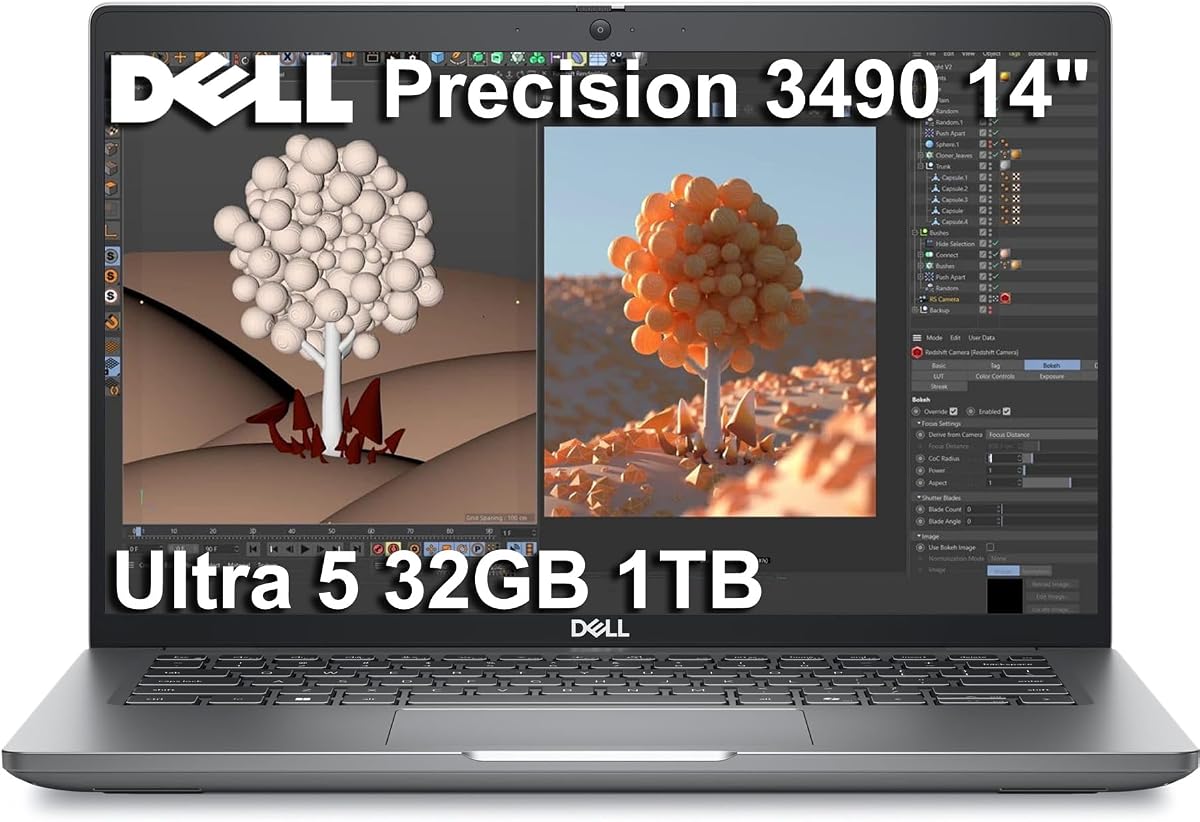
The Dell Precision 3490 brings workstation capabilities to a compact and portable design. It weighs just over three pounds making it easy to carry for site visits. The 14 inch display is sharp but limits workspace compared to larger models.
We may earn a commission when you buy through this link, at no additional cost to you.
ISV certifications ensure it runs CAD software reliably. With 32GB of RAM it handles multitasking well. The Intel graphics are efficient for 2D drafting but less suited for heavy 3D rendering. Battery life is solid for a workstation class machine.
This machine is best for users who travel frequently but need professional grade performance. The durability testing adds confidence for field use. While not the most powerful option it offers a great balance of size and capability.
Consider this laptop if portability is a top priority alongside workstation reliability. It serves well for 2D CAD work and general engineering tasks on the go without sacrificing build quality.
The lightweight design allows professionals to work from anywhere without the burden of heavy hardware.
MIL STD testing ensures the device can withstand rugged conditions encountered in various work environments.
We may earn a commission when you buy through this link, at no additional cost to you.
This configuration of the Precision 7680 offers a balance of CPU and GPU power for general CAD work. The RTX 2000 Ada provides decent rendering performance for moderate complexity projects. It includes 32GB of RAM for smooth multitasking.
We may earn a commission when you buy through this link, at no additional cost to you.
ISV certifications ensure reliable operation with professional software. The 16 inch display offers a good viewing area for design work. Connectivity includes Thunderbolt 4 and multiple USB ports for versatile peripheral use.
User ratings indicate some variability in performance or satisfaction which may depend on specific unit quality. Battery life is typical for this class of machine. It is a solid choice for those needing a middle ground in performance.
This laptop is suitable for engineers who need reliable performance without the highest tier specs. If you work on standard CAD projects and value certification this model delivers consistent results for daily use.
The RTX 2000 Ada handles most rendering tasks efficiently making it suitable for a wide range of design projects.
Certified compatibility with professional software ensures stable performance and reduces potential software conflicts.
We may earn a commission when you buy through this link, at no additional cost to you.
This configuration of the Precision 7780 stands out with its massive 128GB of RAM for extreme multitasking. It pairs a high end Intel Core i9 processor with the RTX 4000 Ada GPU. The display is bright at 500 nits for clear visuals.
We may earn a commission when you buy through this link, at no additional cost to you.
Ideal for handling very large assemblies and complex simulations that require significant memory. The system is built to sustain high performance under load. Connectivity is extensive supporting multiple external monitors and peripherals.
The size and weight make it a desktop replacement rather than a travel machine. Battery life is limited under heavy workloads. The high cost reflects the premium specifications intended for specialized professional needs.
This machine is best for enterprises or professionals working on extremely complex models. If memory and processing power are critical constraints this configuration removes bottlenecks for the most demanding CAD workflows.
128GB of RAM allows for handling massive datasets and complex simulations without performance degradation.
The RTX 4000 Ada delivers top tier rendering speeds and visual fidelity for professional design tasks.
We may earn a commission when you buy through this link, at no additional cost to you.
This model upgrades the standard 7680 with 64GB of RAM for improved multitasking capabilities. It features an RTX 2000 Ada GPU and a strong i7 processor for solid performance. The ISV certifications ensure reliable CAD software compatibility.
We may earn a commission when you buy through this link, at no additional cost to you.
The 16 inch display provides a comfortable working area. Connectivity options support multiple monitors for expanded workflows. It handles complex projects better than lower RAM configurations. The build quality meets MIL STD standards for durability.
Portability is limited due to the weight but it remains a capable mobile workstation. Battery life is average under typical usage loads. This configuration suits users needing more memory without moving to the highest GPU tier.
It is a good choice for engineers managing larger assemblies or multiple applications simultaneously. The extra RAM helps maintain responsiveness during demanding tasks making it a practical upgrade for complex CAD workflows.
64GB of RAM ensures smooth performance when working with large files and multiple CAD applications at once.
The RTX 2000 Ada provides consistent rendering power for standard design and simulation tasks.
We may earn a commission when you buy through this link, at no additional cost to you.
The Lenovo ThinkPad P16s Gen 4 balances portability with workstation capabilities. It features an Ultra 7 processor and 32GB of RAM for efficient multitasking. The ISV certifications ensure reliable performance with professional applications.
We may earn a commission when you buy through this link, at no additional cost to you.
MIL STD testing provides confidence in its durability for travel and field use. The 16 inch display offers a good workspace for design work. Connectivity includes Thunderbolt 4 and HDMI for versatile setups. Battery life is solid for daily tasks.
Integrated graphics limit performance for complex 3D rendering. It is better suited for 2D CAD or lighter modeling work. Overall it offers a robust and reliable platform for mobile professionals.
This laptop is ideal for users who prioritize portability and reliability over heavy rendering power. It serves well for on-site work and general engineering tasks where mobility is key.
Lightweight construction allows professionals to work comfortably from various locations without compromising on features.
Certifications guarantee that the system works efficiently with major CAD software for professional reliability.
We may earn a commission when you buy through this link, at no additional cost to you.
This version of the Precision 7680 provides a more accessible entry into the workstation lineup. It features a capable i5 processor and 32GB of RAM for smooth operation. The RTX 1000 Ada handles lighter CAD tasks efficiently.
We may earn a commission when you buy through this link, at no additional cost to you.
ISV certifications ensure reliable performance with design software. The 16 inch display offers good visuals for daily work. Build quality remains robust with MIL STD testing. Connectivity supports multiple external monitors for expanded productivity.
It is best for users with moderate CAD needs or those starting with professional design. Heavier rendering tasks may be slower. The balance of cost and reliability makes it a practical option for many professionals.
Consider this laptop if you need a certified workstation for general CAD and drafting. It delivers solid performance for everyday engineering tasks without the premium cost of higher specs.
This model offers professional reliability and ISV certification at a lower price point for entry level needs.
The combination of i5 CPU and RTX 1000 GPU handles standard design tasks smoothly and efficiently.
We may earn a commission when you buy through this link, at no additional cost to you.
Selecting the right laptop for computer-aided design involves evaluating several key factors to ensure your device can handle your specific workflow demands.
The processor is the brain of your CAD workflow handling calculations and data processing. Look for multi-core Intel Core i7 or i9 processors or AMD Ryzen 7 or 9 chips for smooth performance. Higher core counts help with complex simulations and rendering tasks.
Prioritize processors with high clock speeds to ensure responsiveness during design edits.
A dedicated graphics card is essential for 3D modeling and rendering. Professional GPUs like NVIDIA RTX A series are optimized for CAD software stability. Integrated graphics may suffice for simple 2D drafting but limit 3D capabilities.
Ensure your GPU has sufficient VRAM to handle large models without slowdowns.
RAM allows you to run multiple applications and handle large assemblies efficiently. Aim for at least 32GB of DDR5 memory for professional work. Fast SSD storage improves boot times and file access speeds significantly.
Opt for 1TB SSDs or more to store extensive project files and libraries.
A high resolution display with accurate colors is crucial for design precision. Look for IPS panels with at least Full HD or higher resolution. Anti glare coatings help reduce eye strain during long work sessions.
Color accuracy and brightness levels matter for visualizing designs correctly.
Consider where you will use the laptop. Portable models weigh less but may sacrifice performance. Desktop replacements offer power but are heavier. Check battery life for mobile work away from power sources.
Ensure the build quality meets durability standards for your work environment.
ISV certification ensures compatibility with specific professional software like AutoCAD or SolidWorks. Certified systems provide tested performance and stability. This reduces the risk of software errors during critical design phases.
Choose certified laptops for guaranteed reliability with your primary CAD tools.
Access to multiple ports like USB-C, HDMI, and Ethernet facilitates peripheral connections. Thunderbolt 4 support allows for fast data transfer and external displays. Good wireless connectivity ensures smooth collaboration.
Verify you have enough ports for your monitors and tools without needing extra docks.
Proper cooling keeps the system running at peak performance under load. Look for laptops with robust thermal designs to prevent throttling. Efficient cooling also ensures quieter operation during intensive tasks.
A well cooled system maintains consistent speeds for uninterrupted work sessions.
Keep your system updated with the latest drivers and software patches to ensure compatibility and security. Regularly clean vents and use cooling pads to maintain optimal thermal performance during long sessions.
Back up your project files to external drives or cloud storage frequently to avoid data loss. Organize folders efficiently to streamline access to libraries and assets for faster workflows.
Use ergonomic accessories like external mice and stands to improve comfort during extended design work. Adjust display brightness and use blue light filters to protect your eyes during late hours.
A multi-core processor like Intel Core i7 or i9 or AMD Ryzen 7 or 9 is ideal. These offer the speed and parallel processing needed for complex calculations and rendering.
Yes for 3D modeling and rendering. Dedicated GPUs provide better performance and stability compared to integrated graphics which may lag on complex scenes.
At least 32GB of RAM is recommended for professional workflows. This allows smooth multitasking and handling large assemblies without slowdowns.
Yes they ensure tested compatibility and stability with professional software. Certified systems reduce the risk of crashes during critical design tasks.
A 15 to 17 inch display offers a good balance of workspace and portability. Higher resolution and color accuracy are key for design precision.
Yes models with RTX graphics cards are well suited for rendering tasks. Ensure your GPU has sufficient VRAM for your project complexity.
Lower screen brightness close unused apps and use power saving modes when not rendering. Keeping the system cool also helps maintain battery efficiency.
A 1TB SSD or larger provides fast access to files and room for libraries. Fast PCIe NVMe SSDs improve overall system responsiveness.
We have reviewed ten powerful laptops ranging from portable workstations to high performance desktop replacements. Each model offers unique strengths depending on your balance of performance and mobility needs.
Prioritize processor power graphics capability and ISV certifications to ensure your machine handles complex design tasks reliably. Consider portability if you need to work on site or travel frequently.
Prices and configurations change regularly so verify the latest specs and availability before purchasing. Choosing the right tool today will support your professional workflow for years to come.