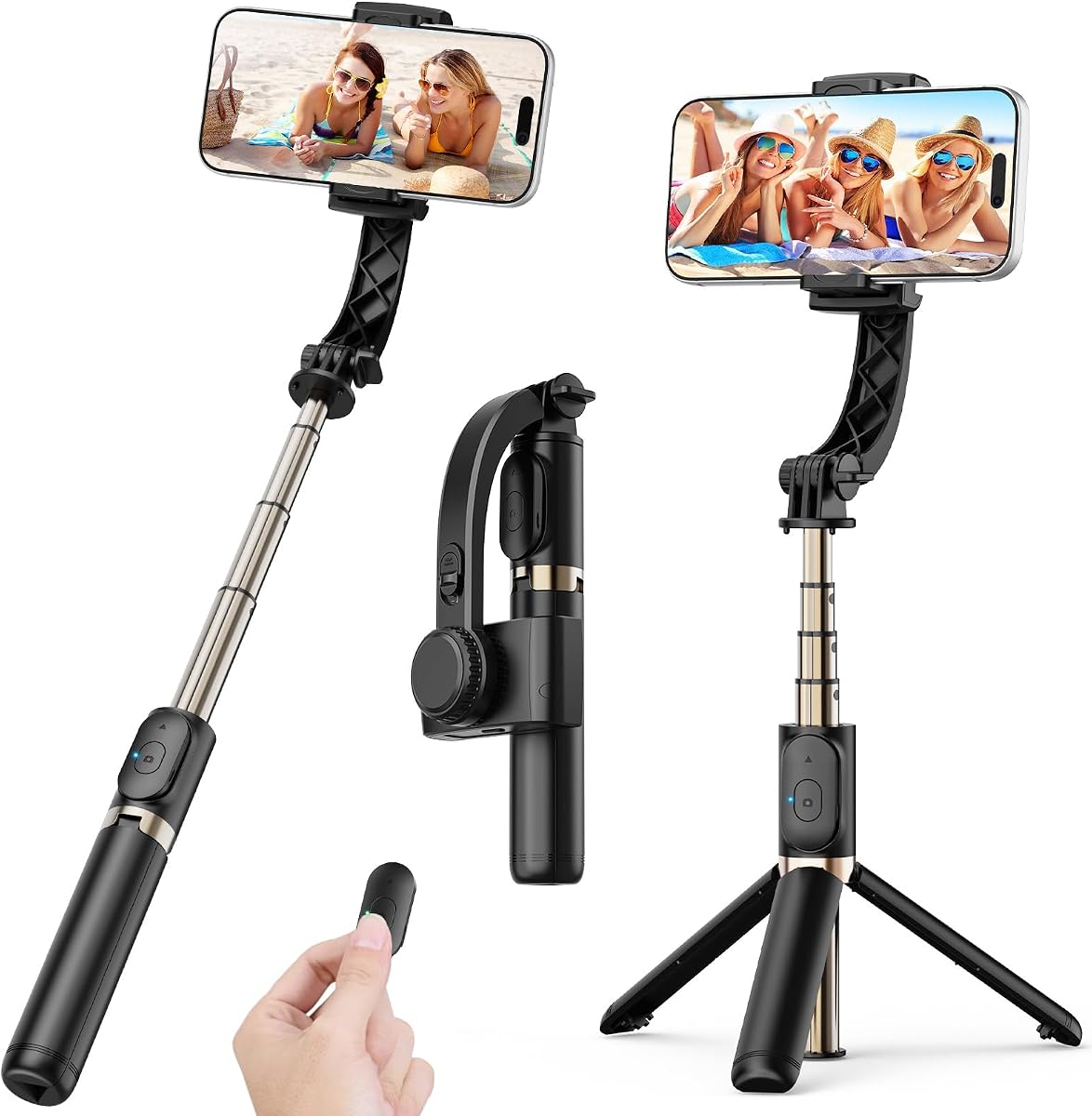
Gimbal Stabilizer for Smartphone 1-Axis
4.7Editor score
No app required simple operation
Lightweight and portable design
Includes detachable Bluetooth remote
Discover the top 10 gimbal for beginners options reviewed for stability and ease of use. Compare features, battery life, and compatibility to find your perfect
Finding the right gimbal for beginners can transform your mobile videography from shaky clips to smooth cinematic content. These devices use motors to stabilize your phone, ensuring professional-looking footage even when you are moving quickly or walking.
We have evaluated ten top-rated stabilizers based on build quality, stabilization performance, battery life, and user-friendly features. Our analysis focuses on models that offer the best value and ease of use for those new to content creation and video recording.
Each pick below highlights specific strengths like tracking capabilities, design, and app integration. While prices may vary over time, these selections represent the most reliable tools for aspiring creators looking to elevate their video quality without a steep learning curve.
4.7Editor score

4.4Editor score

4.5Editor score
This comparison table summarizes the key specifications and capabilities of each stabilizer to help you make an informed decision based on your specific shooting needs and budget constraints.



The DJI Osmo Mobile 8 stands out as a top choice for beginners who want professional results without complex setups. Its robust 3-axis stabilization ensures your footage remains smooth even during active movement. The device includes advanced features like native tracking with audio reception and lighting to enhance shot quality.
We may earn a commission when you buy through this link, at no additional cost to you.
One of its strongest assets is the integrated multifunctional module which supports audio and lighting capabilities. This allows you to capture clear sound and well-lit scenes without extra gear. The built-in tripod and extension rod add flexibility for low-angle shots and wide group selfies making it versatile for travel and events.
While the device is feature-rich it does have some limitations regarding app availability on certain platforms. Users may need to download the DJI Mimo app from the official website rather than Google Play which can be an initial hurdle. However the overall functionality and stabilization performance outweigh this minor inconvenience for most creators.
This gimbal is ideal for vloggers and content creators who need a reliable all-in-one solution for daily recording and live streaming. The long battery life ensures you can film throughout the day without worrying about power. With its ergonomic design and intuitive controls it is a solid investment for anyone serious about improving their mobile video quality.
The integrated module allows for seamless subject tracking while capturing audio and adjusting lighting simultaneously. This reduces the need for external microphones or lights streamlining your workflow during shoots.
The foldable design and comfortable grip make it easy to carry anywhere. The built-in tripod allows for hands-free recording which is essential for solo creators capturing tutorials or group moments.
We may earn a commission when you buy through this link, at no additional cost to you.
The hohem iSteady X3 SE offers an excellent entry point for beginners looking for a budget-friendly stabilizer without sacrificing core functionality. It features advanced 3-axis stabilization technology that ensures smooth footage even during active movements like jogging or jumping. The device is designed with portability in mind making it easy to carry on trips.
We may earn a commission when you buy through this link, at no additional cost to you.
A standout feature is the detachable magnetic remote controller which allows you to control selfies and videos from up to 32 feet away. This is incredibly useful for family gatherings or solo travel moments where having a helper is not an option. The app integration offers creative templates and AI tracking to help you enhance your content quickly.
While it is a budget model it does have limitations in payload capacity compared to more expensive units. It may struggle with very large phones with heavy cases but handles most standard devices well. The learning curve is minimal making it a great choice for first-time gimbal users who want immediate results.
This gimbal is perfect for vloggers and travelers who need a reliable and portable tool for day-long shoots. The battery life supports continuous operation without frequent recharging ensuring you do not miss key moments. For those seeking value and ease of use the X3 SE is a highly recommended option.
The detachable remote adds significant convenience for capturing distant shots or self-recorded content without physical interaction. This feature bridges the gap between basic tripods and advanced camera rigs.
The foldable design reduces the device to a pocket-sized tool which fits easily into bags. This ensures you can bring your stabilizer on hikes or city walks without added bulk or weight.
We may earn a commission when you buy through this link, at no additional cost to you.
The DJI Osmo Mobile 7 delivers high-end stabilization performance in a lightweight package ideal for creators seeking professional results. Its dual-lens enhanced tracking system provides smarter and steadier subject tracking ensuring that even fast-moving action stays in focus. The device supports shot guides and one-tap editing to streamline your workflow.
We may earn a commission when you buy through this link, at no additional cost to you.
The ergonomic design ensures a comfortable grip for extended use without causing wrist strain. The built-in tripod allows for quick setup and hands-free recording making it perfect for solo creators capturing tutorials or static shots. The battery life supports up to 10 hours of operation which is sufficient for most daily filming needs.
While highly capable the device does have some app compatibility limitations on certain Android platforms. Users may need to install the DJI Mimo app from the official website instead of Google Play. Additionally advanced tracking features may require a separate purchase which could add to the overall cost.
This gimbal is best suited for content creators who prioritize video quality and ease of editing. The lightweight build makes it easy to carry for travel vlogging or daily documentation. With its robust features and reliable performance it is a top choice for those willing to invest in premium mobile stabilization tools.
The dual-lens tracking allows for more accurate subject following even in complex scenarios. This ensures your subject remains sharp and centered without manual adjustments during dynamic shots.
Integrated shot guides and one-tap editing features help you produce polished videos quickly. These tools reduce post-processing time allowing you to focus on creativity rather than technical details.
We may earn a commission when you buy through this link, at no additional cost to you.
The DJI Osmo Mobile 7P is a versatile stabilizer designed for creators who need both audio and video support in one unit. Its multifunctional module integrates tracking lighting and microphone reception into a compact design. This all-in-one approach simplifies your gear setup for professional looking vlogs and live streams.
We may earn a commission when you buy through this link, at no additional cost to you.
The magnetic design allows for quick and secure phone attachment without complex mounting processes. The built-in extension rod and tripod provide flexibility for capturing wide selfies and steady vlogs from various angles. The gimbal also delivers extra power to your phone when the module acts as a mic receiver ensuring uninterrupted recording.
While the module enhances functionality it does add to the cost and complexity. Users may need to buy the tracking kit separately to unlock all advanced features. Additionally app compatibility on Android devices may require manual downloads from the official website which can be a minor hassle.
This model is ideal for content creators who prioritize audio quality and need a unified solution for recording. The integrated lighting and mic support make it perfect for interviews and tutorials. With its seamless connectivity and robust stabilization it offers a professional experience for serious mobile videographers.
The module combines multiple tools into one unit reducing the need for external accessories. This integration ensures high-quality audio and lighting without cluttering your setup with extra cables.
The magnetic connection simplifies the setup process allowing for instant attachment and detachment. This is especially useful for creators who switch between multiple devices or need to film quickly.
We may earn a commission when you buy through this link, at no additional cost to you.
The Gimbal Stabilizer for Smartphone offers a straightforward solution for users who need basic stabilization without complex settings. It features a built-in gyroscope that reduces hand shake and delivers smooth video footage for vlogging and social media content. The one-axis design keeps it simple and easy to use for beginners.
We may earn a commission when you buy through this link, at no additional cost to you.
One of its key advantages is the app-free operation which allows you to focus on capturing moments instead of troubleshooting software. The included Bluetooth remote works up to 32 feet away making it easy to take group photos or record videos from a distance. The device is incredibly lightweight and folds down for easy storage.
While effective for basic stabilization it lacks the multi-axis support of more advanced models. This may limit its ability to handle complex movements but it is sufficient for walking or static shots. The battery life is shorter compared to premium options which might require frequent charging during long shoots.
This stabilizer is perfect for casual users who want an affordable and easy-to-use tool for travel and social media. Its versatility as a selfie stick and tripod adds value to the package. For those seeking simplicity and value it is a practical choice for everyday recording needs.
The absence of required apps simplifies the user experience allowing instant access to stabilization features. This reduces technical barriers for users who prefer a plug-and-play approach.
The extendable aluminum alloy rod allows for wider angles and group shots without needing a separate stick. This multifunctionality enhances its utility for various content creation scenarios.
We may earn a commission when you buy through this link, at no additional cost to you.
The AOCHUAN Smart XE is a foldable gimbal designed for creators who need a balance of performance and portability. It features a versatile compatibility with most smartphones and includes a focus wheel for precise adjustments. The 3-axis stabilization ensures smooth output even during dynamic movements like hiking or sports.
We may earn a commission when you buy through this link, at no additional cost to you.
Its compact size makes it easy to carry anywhere without adding bulk to your bag. The app offers various shooting modes including panoramic and cinematic options to enhance your creative options. The battery capacity supports up to 10 hours of continuous shooting which is suitable for day-long events.
While the features are robust the device may not handle heavier phones as well as larger models. The reliance on the app for advanced settings like face tracking can be a limitation for those who prefer physical controls. Overall it offers a solid feature set for the price point.
This gimbal is well-suited for vloggers and travelers who prioritize portability. The ability to switch quickly between modes allows for creative flexibility during shoots. For users seeking a compact solution with professional features it is a worthy consideration for mobile videography.
The dedicated focus wheel allows for manual control over focus speed and zoom enhancing cinematic possibilities. This level of control is rare in budget-friendly models.
The foldable design reduces storage space significantly allowing you to pack it easily. This ensures your stabilizer is always ready for impromptu recording opportunities.
We may earn a commission when you buy through this link, at no additional cost to you.
The DJI RS 3 Mini is a compact gimbal designed specifically for mirrorless cameras allowing for professional stabilization in a small package. It features a high-torque motor capable of handling various camera and lens combinations. The 1.4-inch touchscreen provides intuitive access to settings and controls making operation seamless.
We may earn a commission when you buy through this link, at no additional cost to you.
Bluetooth shutter control allows for automatic reconnection and easy control of photo and video recording directly from the gimbal. The vertical shooting capability is excellent for creating social media content without rotating the camera physically. The lightweight design ensures comfortable handling during extended shoots.
While powerful it is more expensive than phone gimbals and may not be necessary for mobile-only users. The app requirements for full functionality mean you may need to download software manually. However for camera users looking for a travel-friendly stabilizer it is a strong option.
This gimbal is ideal for hybrid shooters who need a reliable tool for both travel and professional work. The broad compatibility ensures it works with most major camera brands. With its advanced stabilization and compact form it brings pro-level quality to smaller setups.
The full-color touchscreen displays settings clearly allowing for quick adjustments without a separate monitor. This simplifies the workflow for capturing dynamic shots.
The ability to switch to vertical mode easily supports platforms like TikTok and Instagram Reels. This feature saves time during post-production for social media creators.
We may earn a commission when you buy through this link, at no additional cost to you.
The hohem iSteady Mobile Plus is designed to address common limitations with wide-angle shooting on smartphones. Its ultra-wide-angle mode prevents motor interference from blocking the camera view ensuring a broader field of view. The enhanced stability technology handles even large smartphones like the iPhone 15 Pro Max with ease.
We may earn a commission when you buy through this link, at no additional cost to you.
With a battery life of up to 13 hours it is ideal for extended outdoor shoots and events. The device can also charge your phone acting as a power bank to keep you running. The creative modes like 3D fantasy auto-rotation add unique effects to your videos with one click.
The manual balancing process can be slightly challenging for beginners especially with heavier phones. Also the wide-angle feature may not work perfectly on all models due to motor interference. However the overall performance and long battery life make it a reliable choice for creators.
This gimbal is perfect for content creators who prioritize creative modes and long-lasting power. The power bank feature ensures you can film without interruption. With its robust build and unique angle options it is a strong contender for travel and vlogging content.
This mode eliminates motor obstruction ensuring your shots remain unobstructed during ultra-wide recording. This capability enhances the creative potential of your mobile videos.
The ability to charge your phone while filming extends your shooting time significantly. This feature is essential for travel and live streaming scenarios where power access is limited.
We may earn a commission when you buy through this link, at no additional cost to you.
The FeiyuTech SCORP Mini 2 is a versatile stabilizer capable of handling mirrorless cameras as well as smartphones and action cameras. It features a 1.2 kg payload capacity which allows for a wide range of devices. The integrated AI tracker enables face tracking without needing to connect to an app.
We may earn a commission when you buy through this link, at no additional cost to you.
The 1.3-inch touchscreen offers intuitive control over settings and modes allowing for quick adjustments during shoots. The kit includes a carrying case and extension rod providing everything needed for immediate use. The fill light helps improve lighting conditions for better video quality in low light.
While the payload is high the added weight may be cumbersome for casual users or extended handheld use. The setup process involves more steps compared to phone-only models which can be challenging for beginners. However the versatility it offers justifies the complexity for hybrid creators.
This gimbal is ideal for creators who need a single device for multiple camera types. The inclusion of accessories and the high payload make it a professional tool for diverse content creation. For those seeking flexibility and power it is an excellent investment for advanced work.
The ability to support mirrorless cameras allows for higher quality images alongside mobile video. This flexibility makes it a valuable tool for hybrid shooters.
The independent AI tracking ensures smooth subject following without app dependency. This feature enhances reliability during dynamic shoots where connectivity may be an issue.
We may earn a commission when you buy through this link, at no additional cost to you.
The Hohem iSteady M6 Kit integrates a magnetic fill light and OLED display for enhanced control and lighting. The OLED screen visualizes status and settings allowing for easy monitoring of parameters like battery and mode. Its stabilization algorithms ensure smooth footage during movement and action shots.
We may earn a commission when you buy through this link, at no additional cost to you.
The magnetic fill light allows for customizable lighting with cold warm and RGB options to suit different scenarios. The heavy payload capacity of 400g ensures compatibility with most smartphones even with large cases. The control wheel offers versatile adjustment for focus and lighting without touching the screen.
While the lighting features are advanced they may require some learning to master for optimal results. The reliance on the magnetic light means you need to attach it properly for best performance. However the creative control it offers is a significant advantage for content creators.
This gimbal is best suited for creators who prioritize lighting and customization in their workflow. The OLED display adds a professional touch to the device. With its robust support and unique lighting options it is a strong choice for vloggers and social media content.
The customizable lighting options allow for creative control over the mood of your shots. This feature enhances video quality in low-light environments.
The OLED screen provides a clear view of all gimbal parameters at a glance. This ensures you stay informed without checking your phone screen during recording.
We may earn a commission when you buy through this link, at no additional cost to you.
Selecting the right gimbal requires understanding your specific needs and technical constraints.
3-axis gimbals provide the smoothest footage by compensating for movement in three directions. 1-axis models are cheaper but may not handle complex motion as well. Beginners should aim for at least 3-axis stabilization for professional results.
Ensure the gimbal can support your phone's weight including any heavy cases or accessories. Exceeding the payload limits can cause motor strain and poor performance. Check the specs to confirm compatibility with your device before purchasing.
Look for models offering at least 8 to 10 hours of continuous use for day-long shoots. Short battery life can interrupt recording sessions especially during travel or events. Features like power bank charging can add extra convenience to your workflow.
Many gimbals rely on mobile apps for advanced features like tracking and editing. Check if the app is available on your device platform before buying. Some models allow app-free operation which can be helpful if you face compatibility issues.
Foldable designs and lightweight materials make it easier to carry the gimbal on trips. Heavy units can cause fatigue during long shoots. Choose a model that balances durability with ease of carrying for your lifestyle.
Features like built-in tripods lighting or remotes can add significant value. These tools reduce the need for extra gear. Consider which features align with your specific content needs like live streaming or vlogging.
Always balance your phone on the gimbal before turning it on to prevent motor strain. Most devices have indicators to help you align the phone correctly for smooth operation.
Keep the gimbal clean and free of dust by using a soft cloth. Avoid exposing it to extreme temperatures or water unless specified as waterproof by the manufacturer.
Store the gimbal in its case when not in use to protect it from scratches and impact. Regularly update the firmware via the app to ensure optimal performance and new features.
While many advanced features like tracking and editing require an app basic stabilization works without one. Some models offer app-free modes for simple operation but downloading the official app unlocks the full potential of the device.
Most modern gimbals are designed to accommodate phones with cases provided the total weight stays within the payload limit. However bulky cases may interfere with mounting so check the manufacturer's compatibility guidelines before use.
Battery life varies by model but most offer between 8 to 13 hours of continuous use. It is advisable to check the specific battery specs if you plan long shoots and consider carrying a power bank for extended trips.
Gimbals generally work with most smartphones within their weight and size limits. You should verify the device dimensions and weight before purchase to ensure a secure fit. Some models are optimized for specific brands but universal compatibility is common.
While not strictly necessary a gimbal significantly improves video quality by eliminating shake. For casual use a simple handheld grip may suffice but a gimbal provides smoother and more professional results even for short clips.
Use a soft dry cloth to wipe down the exterior and avoid exposing it to moisture. Store it in a protective case to prevent accidental drops and keep it away from extreme temperatures to preserve motor health.
Our selection of ten gimbals highlights a range of options for beginners from budget-friendly models to premium devices with advanced features. Each pick offers unique strengths whether you need portability battery life or creative tools.
When choosing prioritize features that match your content style such as tracking lighting or app integration. A lightweight design is also crucial for travelers and vloggers who need to carry gear for extended periods.
Remember to check current availability and compatibility with your specific phone model before buying. Prices and availability can change so reviewing the latest product details ensures you get the best value for your investment.