
Entina Tina2C
4.4Editor score
Starts in eight minutes
WiFi app control
Compact mini size
This guide compares the top easy to use 3D printers for beginners and experts, focusing on setup speed, calibration features, and user friendly interfaces.
Choosing an easy to use 3D printer can transform complex designs into reality without technical headaches. Modern machines now feature automatic calibration and intuitive interfaces that remove the learning curve entirely.
We evaluated ten top rated models based on setup time, calibration automation, noise levels, and overall print reliability. Our analysis highlights devices that deliver consistent results with minimal manual intervention.
Each pick showcases unique strengths from rapid printing speeds to AI driven creativity tools. Note that prices and availability change frequently so verify current details before purchasing your next device.
4.4Editor score

4.7Editor score

4.5Editor score
The following table provides a side-by-side comparison of all ten featured printers including key specifications and links to verified product pages for further review.




The Bambu Lab A1 stands out as a top choice for those seeking effortless 3D printing without sacrificing performance. With a rating of 4.7, it delivers high-speed precision and full-auto calibration that removes manual hassles entirely.
We may earn a commission when you buy through this link, at no additional cost to you.
Its acceleration of 10000mm/s2 ensures blazing-fast prints while active flow rate compensation maintains flawless detail. The intuitive touchscreen interface and active motor noise canceling make it perfect for quiet home or studio environments.
While the AMS lite accessory is needed for multi-color projects which can increase costs the core printer remains robust. The quick swap nozzle and automatic leveling ensure consistent first layers so users focus on creation not troubleshooting.
Ideal for beginners and hobbyists alike this printer offers a seamless experience from setup to final model. Its reliability and advanced features justify the investment for anyone wanting professional results with minimal effort.
Automatic calibration handles Z-offset and bed leveling so you never need manual adjustments for perfect first layers.
Active flow rate compensation ensures consistent smooth prints even at maximum acceleration speeds for detailed models.
We may earn a commission when you buy through this link, at no additional cost to you.
The FLASHFORGE Adventurer 5M is engineered for speed and efficiency making it ideal for rapid prototyping and high-volume tasks. Its 600mm/s travel speed and 3-second nozzle swaps keep workflows moving without unnecessary downtime.
We may earn a commission when you buy through this link, at no additional cost to you.
Features like automatic bed leveling and smart mobile app monitoring allow you to manage prints remotely while ensuring consistent quality. The direct drive extruder supports high-temperature filaments expanding your material options significantly.
However the rating of 3.9 suggests some users may encounter minor setup quirks compared to more polished alternatives. The CoreXY structure provides stability but the learning curve might be steeper for absolute beginners.
This printer suits users prioritizing raw speed and material versatility. Its efficient design and remote control capabilities make it a strong contender for those needing quick turnaround on technical projects.
12x faster printing combined with 3-second nozzle changes drastically reduces production cycles for rapid iterations.
Flash Studio app enables real-time progress checks and alerts so you can manage prints from anywhere.
We may earn a commission when you buy through this link, at no additional cost to you.
The Bambu Lab A1 mini brings the power of the larger A1 into a compact footprint perfect for small spaces. Including an LED Lamp Kit it encourages creative projects immediately upon unboxing without extra purchases.
We may earn a commission when you buy through this link, at no additional cost to you.
It maintains the full-auto calibration and high-speed reliability of its bigger sibling ensuring easy daily creativity. The connected ecosystem via Bambu Handy app simplifies model management and print tracking for all skill levels.
The trade-off lies in the smaller build volume which restricts larger projects. However for everyday toys and decor it offers a seamless experience that fits naturally into any home or studio.
Best for hobbyists needing a small reliable workhorse this printer delivers high quality in a minimal package. Its user-friendly design ensures focus remains on creating rather than technical setup steps.
The included LED Lamp Kit lets you print and assemble functional decorative lights right out of the box.
Access MakerWorld models and manage prints via the Bambu Handy app for a smarter printing workflow.
We may earn a commission when you buy through this link, at no additional cost to you.
The Bambu Lab P1S combines premium features with user-friendly operation ideal for advanced users needing reliability. Its enclosed design allows printing with advanced filaments that require temperature stability without external enclosures.
We may earn a commission when you buy through this link, at no additional cost to you.
With speeds up to 500mm/s and full-auto leveling it delivers masterpieces quickly while maintaining high precision. The ecosystem supports up to 16 colors when connected to an AMS system expanding creative possibilities further.
While the initial investment is higher the performance and versatility justify it for professional needs. The straightforward assembly means less time building and more time printing right from the start.
This printer is best for makers seeking a robust enclosed machine ready for complex tasks. Its blend of speed quality and multi-material support makes it a top-tier choice for serious creators.
The enclosed body improves performance with PET ABS ASA and other materials needing temperature stability.
Acceleration up to 20000mm/s2 lets you focus on creating rather than waiting for long print jobs.
We may earn a commission when you buy through this link, at no additional cost to you.
The AOSEED AI 3D Printer redefines creativity for families by integrating voice and image prompts into the design process. With access to over 8000 models it serves as a toy factory bringing endless DIY fun home.
We may earn a commission when you buy through this link, at no additional cost to you.
Its enclosed pinch-resistant design ensures safety while features like AI MiniMe transform photos into cartoon figures effortlessly. The built-in camera allows real-time monitoring so parents can track progress remotely.
Though it supports only single-color printing the ability to assemble multi-colored parts provides flexibility. The intuitive app controls and included filament kits simplify the initial experience for young users.
This device is perfect for families seeking educational STEM tools that spark imagination. Its blend of safety AI features and ease of use makes 3D printing accessible for children.
Children create custom 3D models using voice text or images without needing design skills.
Built-in camera lets families watch progress via app and create time-lapse videos automatically.
We may earn a commission when you buy through this link, at no additional cost to you.
The Entina Tina2C offers an entry point into 3D printing that starts in just eight minutes with no assembly hassle. Designed for beginners it features guided setup and a massive library of STEM models to inspire young minds.
We may earn a commission when you buy through this link, at no additional cost to you.
With both WiFi and offline printing options it provides flexibility for classrooms or homes. Intelligent auto-leveling and self-cleaning nozzles reduce maintenance while power-loss recovery ensures completed jobs survive outages.
While the print volume is compact it remains sufficient for small builds and educational projects. The quiet operation and rounded edges make it safe and pleasant for shared environments.
Best for students and families on a budget this printer combines affordability with essential smart features. Its ease of use ensures that creativity remains the focus rather than technical troubleshooting.
Guided setup via app lets users begin first prints in as fast as 8 minutes.
Supports 2.4G WiFi and TF card offline for flexible print workflows anytime.
We may earn a commission when you buy through this link, at no additional cost to you.
The FLASHFORGE AD5M combines robust all-metal construction with user-friendly features that simplify complex printing tasks. Its one-click leveling system ensures flawless first layers without manual tools making it reliable for daily use.
We may earn a commission when you buy through this link, at no additional cost to you.
The CoreXY motion structure supports speeds up to 600mm/s while maintaining precision. Quick-swap nozzles and network monitoring capabilities allow seamless maintenance and remote management for busy creators.
While users might notice some noise during high-speed operations the print quality justifies the performance. The flexible PEI plate makes model removal easy while power-loss recovery prevents wasted material.
This model balances speed and affordability well for users needing consistent output. Its durable design and intuitive calibration make it a solid choice for hobbyists upgrading their setup.
Automatic one-click leveling measures nozzle distance precisely to ensure perfect first layers every time.
Resumes prints automatically after power outages so ongoing layers are saved and material is not wasted.
We may earn a commission when you buy through this link, at no additional cost to you.
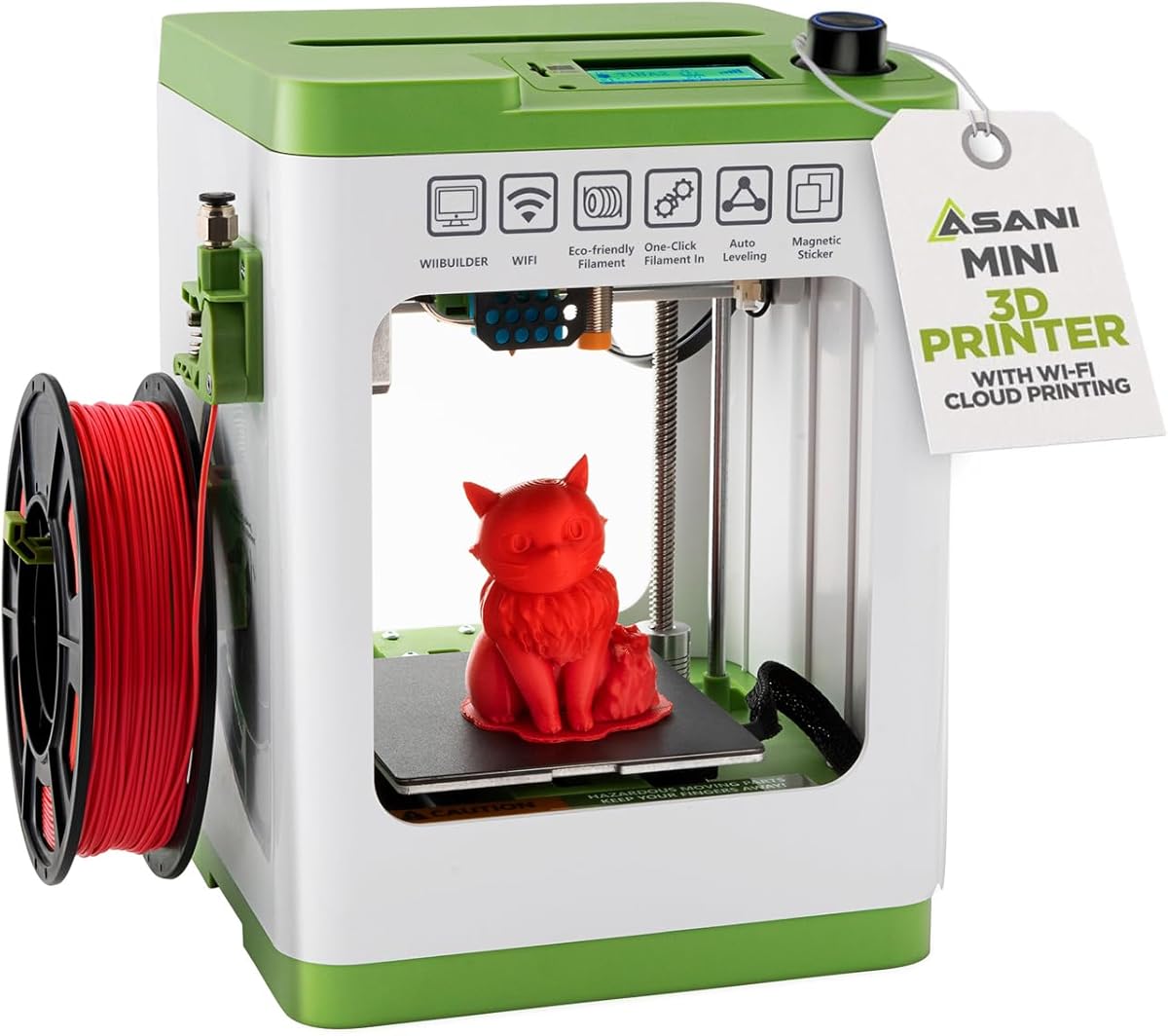
The TINA2S Mini comes as a fully assembled starter kit that includes filament accessories and model designs for immediate printing. It eliminates assembly stress making it an ideal gift or classroom tool.
We may earn a commission when you buy through this link, at no additional cost to you.
Auto leveling and one-touch filament loading simplify operations significantly. The dual Z-axis rail ensures precision while open-source compatibility allows users to explore diverse slicing software options.
Users must use the specific magnetic plate to avoid sensor malfunctions which is a minor limitation. The compact size saves space and makes it suitable for dorms and small studios.
Best for those wanting a ready-to-run solution this kit offers reliable performance and essential tools. Its simplicity ensures that new users can start creating immediately without technical barriers.
Includes printer 10m filament microSD card models and accessories so setup is just imagination.
Compatible with major slicers and platforms for flexible customization and software learning.
We may earn a commission when you buy through this link, at no additional cost to you.
The Creality Ender 3 V3 SE delivers reliable performance at an accessible price point making it ideal for new users. Assembly is straightforward with CR Touch auto leveling ensuring consistent first layers.
We may earn a commission when you buy through this link, at no additional cost to you.
High-speed printing up to 250mm/s combined with a proven direct drive extruder supports PLA PETG and TPU smoothly. The quiet mainboard reduces noise so printing remains pleasant even in shared spaces.
While it lacks some advanced features of premium models it covers the essentials effectively. Dual Z-axis screws and linear shafts provide stability for long print jobs.
Best for hobbyists on a budget seeking quality and speed this printer offers strong value. Its simplicity and reliability make it a trusted choice for learning the craft.
Print speeds up to 250mm/s help complete prototypes and functional parts more efficiently.
32-bit silent mainboard reduces noise for a more comfortable experience in any room.
We may earn a commission when you buy through this link, at no additional cost to you.
The Anycubic Kobra X brings multicolor printing to the masses with native support for four colors right out of the box. This eliminates purging waste and doubles speed compared to standard systems.
We may earn a commission when you buy through this link, at no additional cost to you.
LeviQ 3.0 leveling ensures flawless first layers while spaghetti detection alerts prevent failed prints. A vast model library and smart monitoring via app make it user-friendly for home use.
While filament isn't included and setup may take care the multicolor feature offers unmatched value. The hardened steel nozzle ensures durability during high-speed operations.
Best for artists needing multicolor output this printer balances cost and capability. Its advanced features and speed make it a standout for creative professionals and hobbyists alike.
Built-in 4-color system enables vibrant prints without external hardware for seamless workflows.
Spaghetti detection foreign object detection and remote control keep prints safe and efficient.
We may earn a commission when you buy through this link, at no additional cost to you.
Selecting the right printer requires understanding key features that impact ease of use and output quality.
Automatic calibration handles leveling and Z-offset so users skip manual adjustments for perfect first layers.
Look for models with auto-level sensors to reduce setup time significantly.
Higher speeds mean faster turnaround for prototypes and projects without losing detail.
Accelerations over 5000mm/s2 offer better efficiency for daily printing.
Ensure the build size fits your typical project dimensions to avoid splitting models.
Standard 220mm x 220mm x 220mm works for most hobbyist needs.
Enclosed designs stabilize temperature for better material variety while open frames suit beginners.
Choose enclosed if you plan to use high-temp filaments frequently.
Verify the printer supports PLA PETG and TPU before buying to match project needs.
High-temperature extruders expand material options for engineering tasks.
WiFi and app control allow remote monitoring which is essential for unattended prints.
Check for remote features that help manage print progress easily.
Quiet printers reduce disturbance in shared spaces making them better for home offices.
Active noise canceling or silent mainboards improve user comfort.
Strong community support ensures access to tips and firmware updates when needed.
Prefer brands with active forums and easy troubleshooting guides.
Start by leveling the bed using the auto-leveling feature to ensure consistent first layers on every print.
Keep the machine clean by removing dust and debris from the build plate and extruder regularly.
Monitor prints remotely via app and replace the nozzle if extrusion becomes inconsistent.
Automatic calibration, intuitive touchscreens, and quick setup times define easy-to-use printers. Models with app support and guided onboarding further reduce complexity for beginners.
No modern printers simplify the process so technical skills are not required. Features like one-click leveling and preset materials handle the heavy lifting for you.
Most easy-to-use models assemble in under 15 minutes. Some units come fully pre-assembled so users can start printing immediately without tools.
FDM printers use filament for sturdy parts while resin uses liquid resin for detailed miniatures. FDM is generally easier to maintain for general home use.
Many models include enclosed designs and safety features for children. Always supervise younger users and select printers with pinch-resistant builds.
Most starter kits include filament and tools so extra purchases are unnecessary initially. Some multi-color systems require additional modules for expanded capabilities.
Use quick-swap nozzles for easy cleaning and replace them if clogging occurs. Periodic heating cycles help prevent debris buildup inside the hotend.
Printers usually come with proprietary slicers or support open-source options like Cura. These applications prepare models for printing and adjust settings automatically.
The top picks like the Bambu Lab A1 and Entina Tina2C offer the most accessible features for varied budgets and needs.
Prioritize models with auto-calibration and remote monitoring to ensure smooth printing experiences without frustration.
Verify current prices and availability before purchasing as deals change often across different retailers.