
NIMO 15.6 AI Creator Laptop
5.0Editor score
AMD Ryzen 5 6600H processor
16GB DDR5 RAM upgradeable
100W PD fast charging support
Vlogging requires reliable hardware that balances power with portability. A good laptop handles editing software while staying light enough to carry on location. We focus on processors, graphics, and battery life to ensure smooth workflows.
We evaluated ten real products based on specs, ratings, and user feedback. Our list covers budget options, premium OLEDs, and powerful mid-range machines. Each entry highlights key features for video editing and recording.
Every pick shows specific strengths for vloggers like color accuracy, RAM capacity, and upgradeability. Prices change frequently so verify current deals before buying. These tools help creators capture and edit content efficiently.
5.0Editor score

4.9Editor score

4.3Editor score
As an Amazon Associate we earn from qualifying purchases.
This table offers a side-by-side view of processor cores, RAM capacity, storage speed, and display type. It helps you quickly identify which model fits your editing needs and budget without reading full reviews.




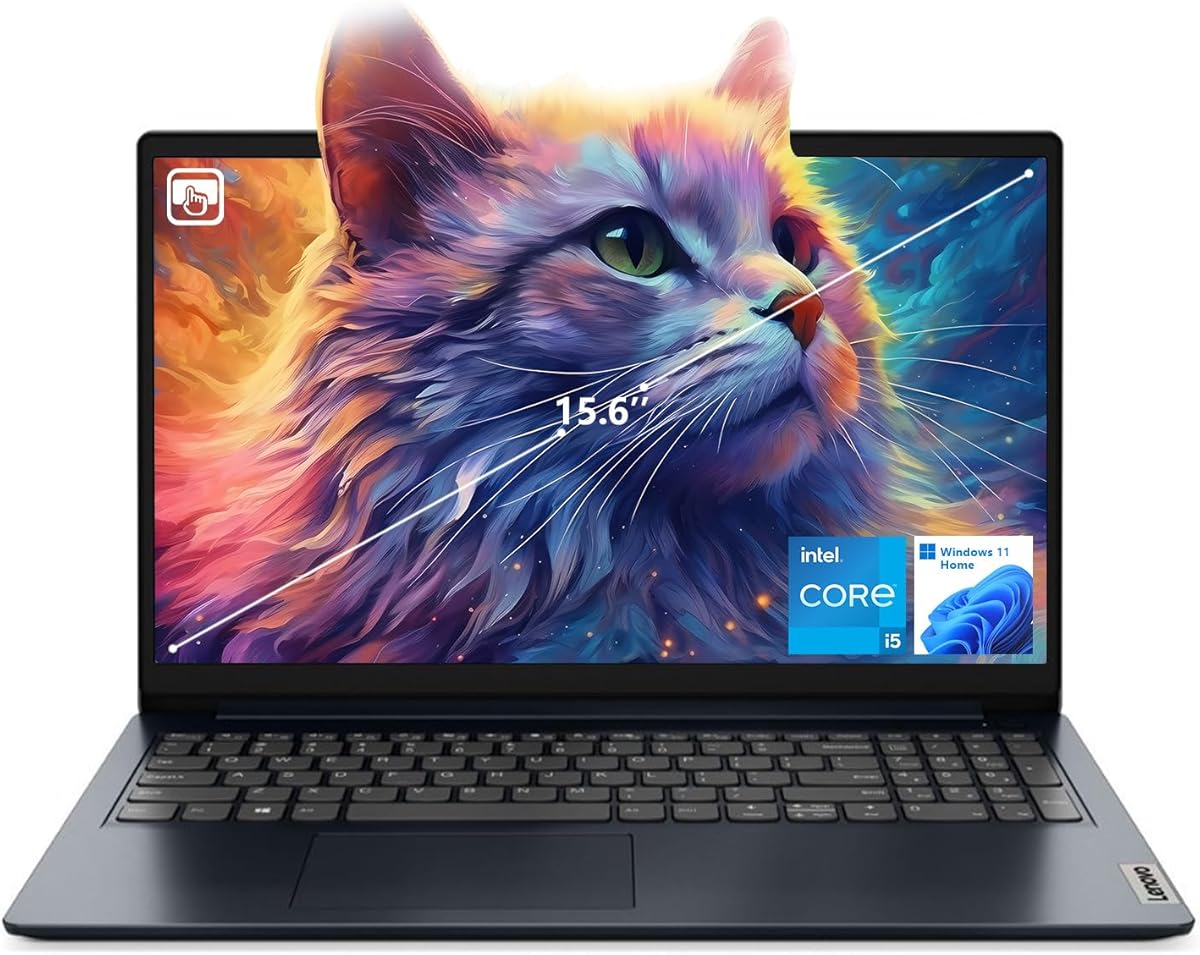

This NIMO laptop offers a perfect start for vloggers on a tight budget. It delivers solid AMD Ryzen 5 performance and enough RAM for basic editing tasks. The 5.0 rating reflects user satisfaction with its value proposition.
We may earn a commission when you buy through this link, at no additional cost to you.
It handles multitasking well with DDR5 memory and a fast SSD. You can edit 1080p footage smoothly. The dual SO-DIMM slots allow RAM upgrades later. Ports include USB-C and HDMI so you avoid dongles.
Integrated graphics mean some effects slow down. It is not meant for 4K heavy rendering. But for entry-level work it is sufficient. The battery supports 100W PD for quick top ups.
Buy this if you need affordable performance now. It fits students or new creators. The US warranty adds confidence. Keep it for casual editing and expand later.
The Ryzen 5 6600H handles editing software efficiently without overheating.
User accessible RAM slots let you upgrade capacity as your footage grows.
We may earn a commission when you buy through this link, at no additional cost to you.
The GEEKOM GeekBook X14 Pro stands out with its vibrant OLED display. It offers true blacks and rich contrast vital for accurate color grading. The high rating shows users love its build quality.
We may earn a commission when you buy through this link, at no additional cost to you.
Its Intel Core Ultra 9 provides strong AI acceleration for editing. The 32GB LPDDR5x memory keeps apps running smoothly. The all-metal magnesium alloy feels premium. The battery lasts all day for field work.
The price is higher than average options. OLED panels can suffer from burn in over time. But the visual fidelity is unmatched. You get USB4 ports for high speed data transfers.
Ideal for professional vloggers needing color accuracy. It supports high end editing. Consider it if budget allows. The portability makes it easy to film anywhere.
The 2.8K OLED screen delivers cinematic quality for precise video grading.
Weighing only 2.2 lbs it is easy to carry for travel shoots.
We may earn a commission when you buy through this link, at no additional cost to you.
This NIMO model earns Editor's Choice for its raw power and battery. The Ryzen 7 8745HS crushes video rendering tasks easily. A 4.9 rating highlights its reliability and performance speed.
We may earn a commission when you buy through this link, at no additional cost to you.
It handles 4K editing with grace thanks to high RAM and SSD speed. The 75Wh battery lasts over ten hours for editing. USB4 ports allow external GPU connections later. It runs cool due to advanced thermal systems.
The touchpad fingerprint can be awkward. Fans spin up during heavy exports. But performance stays steady. The 1TB storage holds large project files without filling up fast.
Choose this for serious content creation work. It balances power and efficiency. The upgrade design extends lifespan. It is a top pick for professionals.
Eight cores handle multi-threaded rendering without slowing down.
A large battery ensures you can work for hours without a charger.
We may earn a commission when you buy through this link, at no additional cost to you.
The HP 17 offers a spacious screen for detailed timeline work. Its 17.3 inch display gives plenty of room to see effects. A 4.4 rating reflects solid performance for the price.
We may earn a commission when you buy through this link, at no additional cost to you.
It handles standard video editing well with its Ryzen 5 chip. The physical camera shutter adds privacy. The numeric keypad helps with data entry. It ships with Windows 11 Pro for security.
RAM is limited at 8GB for heavy multitasking. It is not portable for travel. But for a desktop replacement it fits. The anti-glare screen reduces eye strain.
Buy this for home studio editing. It suits those needing screen real estate. Keep it on a desk. The security features are great for business vlogs.
The large screen allows multiple windows for editing and previewing.
Physical shutter and Pro OS keep your data secure.
We may earn a commission when you buy through this link, at no additional cost to you.
This variant includes helpful accessories for a mobile setup. The stand and mouse save extra purchases. It shares the powerful Ryzen 5 specs. The 5.0 rating shows high user satisfaction.
We may earn a commission when you buy through this link, at no additional cost to you.
It offers reliable performance for daily vlogs. The anti-glare screen works in varied lighting. You get 512GB storage fast enough for projects. The keyboard is full size for typing.
RAM is fixed at 8GB. Heavy rendering may lag. But for general tasks it is enough. The Wi-Fi 6 ensures fast uploads to platforms.
Great for users wanting a bundle. It simplifies your gear. Keep it in a workspace. The accessories make setup faster.
Included stand and mouse enhance usability for editing.
Fast Wi-Fi 6 speeds up video uploads.
We may earn a commission when you buy through this link, at no additional cost to you.
The Dell 16 Laptop focuses on business productivity. It features a tall 16:10 screen for viewing more of your timeline. A 4.4 rating reflects its solid reliability.
We may earn a commission when you buy through this link, at no additional cost to you.
Intel Core 7 handles general editing tasks well. The FHD+ camera improves video call quality. ComfortView Plus reduces blue light. Onsite service adds protection for long term use.
It is not meant for high performance rendering. Battery life is average. But it supports efficient workflows. The adaptive thermals keep noise low.
Buy for professional work and vlogging. It offers a balanced tool. Consider it if you need service support. It fits office vloggers.
The 16:10 ratio shows more vertical space.
Eye care features help during long editing sessions.
We may earn a commission when you buy through this link, at no additional cost to you.
This NIMO model is a strong alternative for power users. It delivers consistent Ryzen 7 performance for heavy rendering. The 4.6 rating highlights stable operation over time.
We may earn a commission when you buy through this link, at no additional cost to you.
It supports 4K editing with ample RAM. The 180 hinge allows easy sharing. USB4 ports future-proof your setup. Fast charging keeps you moving.
The laptop is heavier than ultrabooks. The backlight is basic. But performance is robust. The 2-year warranty supports long usage.
Choose for high performance needs. It handles professional workflows. Keep it for heavy lifting. It offers great value for power.
Eight cores provide desktop level speed.
Two years of warranty ensure reliability.
We may earn a commission when you buy through this link, at no additional cost to you.
The Acer Aspire Laptop 2026 brings touch capability to vloggers. It aids in photo retouching with precision. The 4.8 rating shows user satisfaction with its specs.
We may earn a commission when you buy through this link, at no additional cost to you.
Its 2TB storage is rare at this price. It handles huge files easily. The NPU speeds up AI effects. WiFi 6E ensures fast uploads.
Graphics are modest for high-end rendering. Passive cooling may limit sustained load. But for general tasks it is perfect. The USB hub adds connectivity.
Buy for storage needs and touch work. It suits light to mid editing. Keep it for creative flexibility. The storage is a key benefit.
Two terabytes hold years of footage.
Touchscreen allows direct interaction with edits.
We may earn a commission when you buy through this link, at no additional cost to you.
The Yoga 7i offers a flexible 2-in-1 design. You can fold it for presentations easily. The 2K display provides sharp visuals for edits. A 4.6 rating reflects solid performance.
We may earn a commission when you buy through this link, at no additional cost to you.
It handles creative software well. The hinge allows tent mode for reviews. LAN port ensures stable uploads. Arc graphics aid light effects.
Battery life is decent but not great. It is heavier than ultrabooks. But versatility is key. It adapts to different work modes.
Choose for versatile usage scenarios. It fits mixed work environments. Keep it for presentations. The screen is excellent.
Fold the screen for tent mode presentations.
Gigabit LAN helps large file transfers.
We may earn a commission when you buy through this link, at no additional cost to you.
The IdeaPad 1i is a budget option with touch. It offers 16GB RAM for basic editing. The 4.2 rating reflects a solid entry level experience.
We may earn a commission when you buy through this link, at no additional cost to you.
It handles 1080p editing well. The touchscreen helps navigate timelines. SD reader supports media imports. It is lightweight for travel.
DDR4 RAM is slower than DDR5. Build quality is modest. But it gets the job done. It suits casual creators on a budget.
Buy for basic editing needs. It provides touch utility. Keep it for light work. It is a good entry point.
Handles standard 1080p editing tasks.
Lightweight design aids portability.
We may earn a commission when you buy through this link, at no additional cost to you.
Selecting the right laptop for vlogging requires balancing specs and portability. This guide breaks down critical factors to help you make an informed decision.
Look for multi-core CPUs like Ryzen 7 or Core Ultra 7. These handle rendering and effects without stuttering. High clock speeds help with smooth playback.
Prioritize processors with high thread counts for faster exports.
Minimum 16GB RAM is recommended for video editing. 32GB is better for multi-tasking or heavy projects. More RAM prevents system freezes.
Choose models with upgradeable slots for future needs.
A high resolution screen like 1080p or OLED helps color grading. Look for color accuracy ratings like DCI-P3 coverage. A larger screen aids timeline visibility.
Opt for anti-glare panels to reduce eye strain.
PCIe NVMe SSDs provide fast file access. Minimum 512GB storage is needed for large video files. High read speeds ensure smooth media playback.
Check for dual M.2 slots for future expansion.
Vloggers need all-day battery for field work. Look for 70Wh+ capacity for 8+ hours. Fast charging reduces downtime.
Prioritize models with high energy efficiency.
USB-C with DisplayPort and HDMI are essential. Wi-Fi 6E ensures fast uploads. SD card readers simplify media transfer.
Ensure your choice has enough ports for your gear.
Good cooling keeps performance steady under load. Look for advanced heat pipes. Quiet fans help during recording.
Check reviews for thermal throttling complaints.
Lightweight designs under 4 lbs are easier to carry. A thin profile fits bags better. Durability is key for travel.
Balance screen size with weight requirements.
Keep your laptop on a hard surface to ensure proper airflow and cooling. Avoid placing it on soft materials like beds for long periods.
Update your drivers regularly to maintain compatibility with editing software. This ensures stable performance and security for your device.
Use a high-quality external SSD for backups. This protects your footage and allows faster access to your files.
For 4K editing, 32GB of RAM is ideal. It allows smooth playback and multitasking. 16GB works for light tasks but may lag on complex projects.
Yes, OLED screens offer better color accuracy and contrast. They are great for grading. IPS screens are cheaper and less prone to burn-in.
Integrated GPUs like Radeon 780M are sufficient for 1080p. For heavy effects, a dedicated GPU helps. Modern integrated graphics are surprisingly capable.
Aim for 8 to 10 hours of real-world use. Look for high capacity batteries like 70Wh or more. Fast charging is also very useful.
Some models have soldered RAM, but others have slots. Always check if RAM is upgradeable before buying. Dual slots are ideal for future needs.
USB-C with DisplayPort and HDMI are key. An SD card reader helps import footage quickly. Ensure your laptop has enough USB-A ports too.
Both work well. Windows offers more upgrade options. Mac is popular for creative software. Choose based on your software preferences and budget.
Good cooling prevents the CPU from slowing down. It keeps performance steady during long exports. Quiet fans are better for recording audio.
We reviewed ten top options for vloggers in November 2026. The NIMO 15.6 AI Creator leads for budget value. The GEEKOM GeekBook X14 Pro wins for premium visual fidelity.
Prioritize processor power and RAM capacity for smooth editing. Battery life and display quality are next in importance. Consider upgradeability to extend your laptop's lifespan.
Prices fluctuate frequently so check current deals before purchasing. We hope this guide helps you find the perfect tool for your creative journey.