
Cable Matters 3-Pack 15-Pin SATA Power Extension Cable, 12 inches
4.7Editor score
12 inch extension length
Reduces connector stress
3 pack value set
This guide compares the best hard drive power cables for SATA and Molex connections, featuring splitter, extension, and combo options for reliable power
Reliable power is critical for storage. A good hard drive power cable ensures stable voltage and prevents data loss. Quality connectors fit snugly and reduce stress on ports.
We reviewed ten top-rated cables from trusted brands. Our comparison covers splitters, extensions, and legacy adapters. Each pick balances durability, length, and ease of installation for various builds.
Every review details specific features and real-world benefits. Prices and availability may change over time. Always check the current listing before purchasing to ensure compatibility with your system.
4.7Editor score

4.8Editor score

4.7Editor score
The following table provides a side-by-side comparison of all ten selected hard drive power cables. Each entry highlights key specifications and product images to help you quickly identify the right fit for your storage expansion needs.



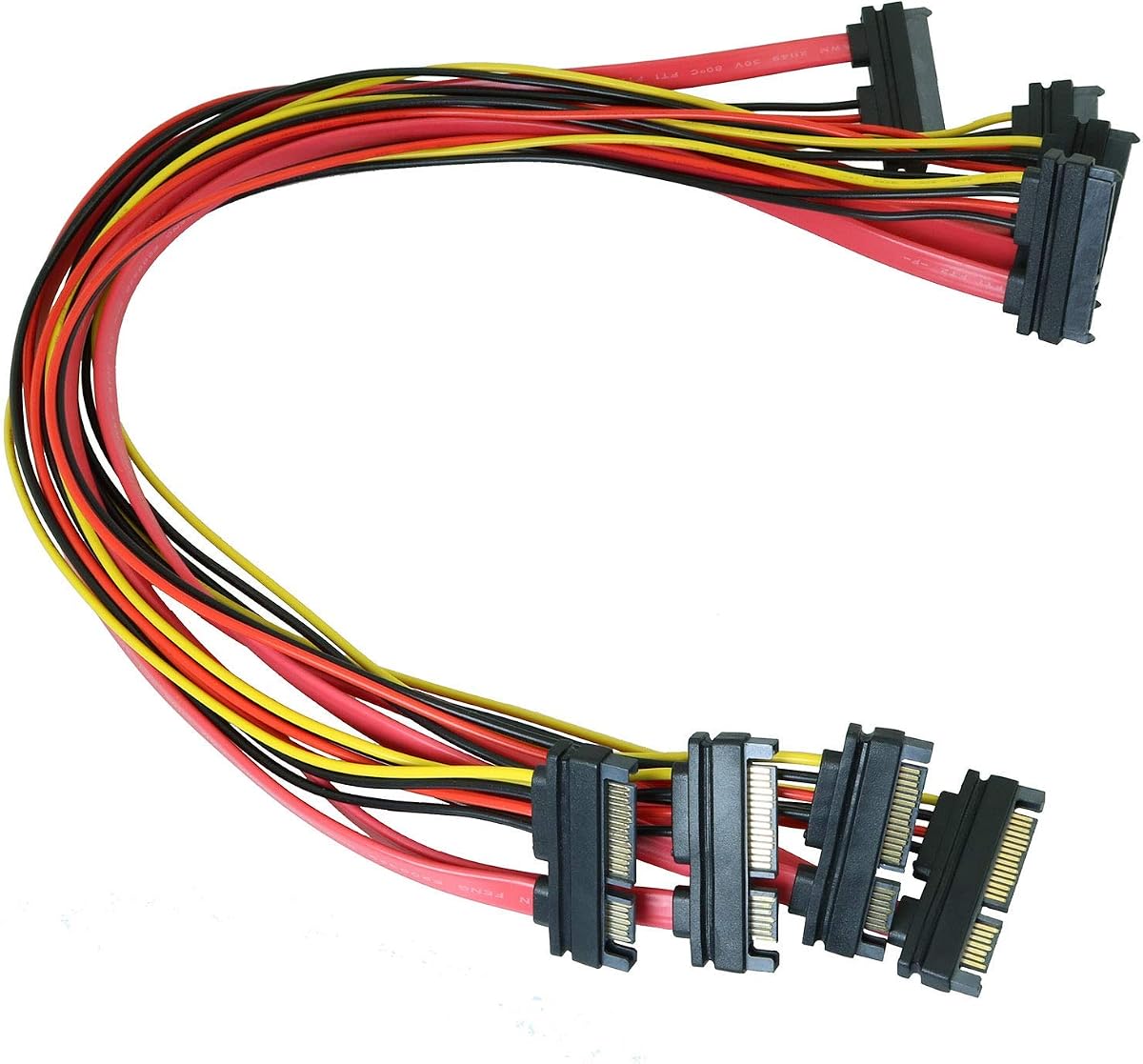

This SATA power splitter cable is designed to expand a single 15-pin SATA power source into six separate connectors. It earns an Editor's Choice badge for its ability to power multiple HDDs, SSDs, and optical drives simultaneously without compromising stability.
We may earn a commission when you buy through this link, at no additional cost to you.
Its standout quality is the efficient power transmission that ensures each connected device receives optimal voltage. The sturdy construction prevents interruptions, making it a reliable choice for complex storage arrays where consistent power is critical.
The trade-off is that managing six cables can increase clutter inside the case. However, this is acceptable given the value of expanding capacity without buying a new PSU. Proper routing with zip ties solves most space issues.
This cable is best for users needing high drive density in a single PSU. If you require six drives and lack ports, this splitter provides a cost-effective and durable solution for your system power needs.
Split one power port into six to connect multiple drives without needing a new power supply unit.
High-quality materials and design prevent power interruptions, keeping your storage array running smoothly.
We may earn a commission when you buy through this link, at no additional cost to you.
This kit offers a complete solution with both data and power cables for new PC builds. It features premium copper conductors for stable signal transmission and includes dual power splitters to adapt legacy PSUs.
We may earn a commission when you buy through this link, at no additional cost to you.
The key strength is its support for SATA III speeds, ensuring blazing-fast transfers twice as fast as SATA II. The latching lock connectors on both ends prevent loose disconnections, which is vital for reliable file operations.
One trade-off is that the 90-degree right-angle cables may not fit all cases depending on space. Still, they are ideal for small form factor builds where clean wiring is a priority.
Choose this kit if you are building a new system or upgrading storage. It saves time by providing all necessary cables and adapters in one package for immediate connectivity.
Get straight and right-angle data cables plus power splitters in one comprehensive package for upgrades.
Built-in locking latches ensure stable links that prevent accidental disconnection during use.
We may earn a commission when you buy through this link, at no additional cost to you.
This cable connects modern Serial ATA HDDs and optical drives to legacy power supplies with 4-pin Molex ports. It is a reliable solution for upgrading older PC systems while maintaining stable power delivery.
We may earn a commission when you buy through this link, at no additional cost to you.
Its flexible design and 6-inch length are perfect for internal routing to reduce clutter. The compact size ensures efficient connection between SATA devices and Molex-based power supply units without excess slack.
The trade-off is that it does not support newer power supplies lacking Molex outputs. However, for users reusing older PSUs, it eliminates the need to replace a fully functional power unit.
Buy this if you are working with an older case or PSU. It provides spare options and enables safe operation for 5V SATA devices in legacy hardware setups.
Reuse your existing PSU by connecting modern drives with this adapter to 4-pin Molex ports.
The 6-inch design fits tight spaces and keeps internal routing neat and organized.
We may earn a commission when you buy through this link, at no additional cost to you.
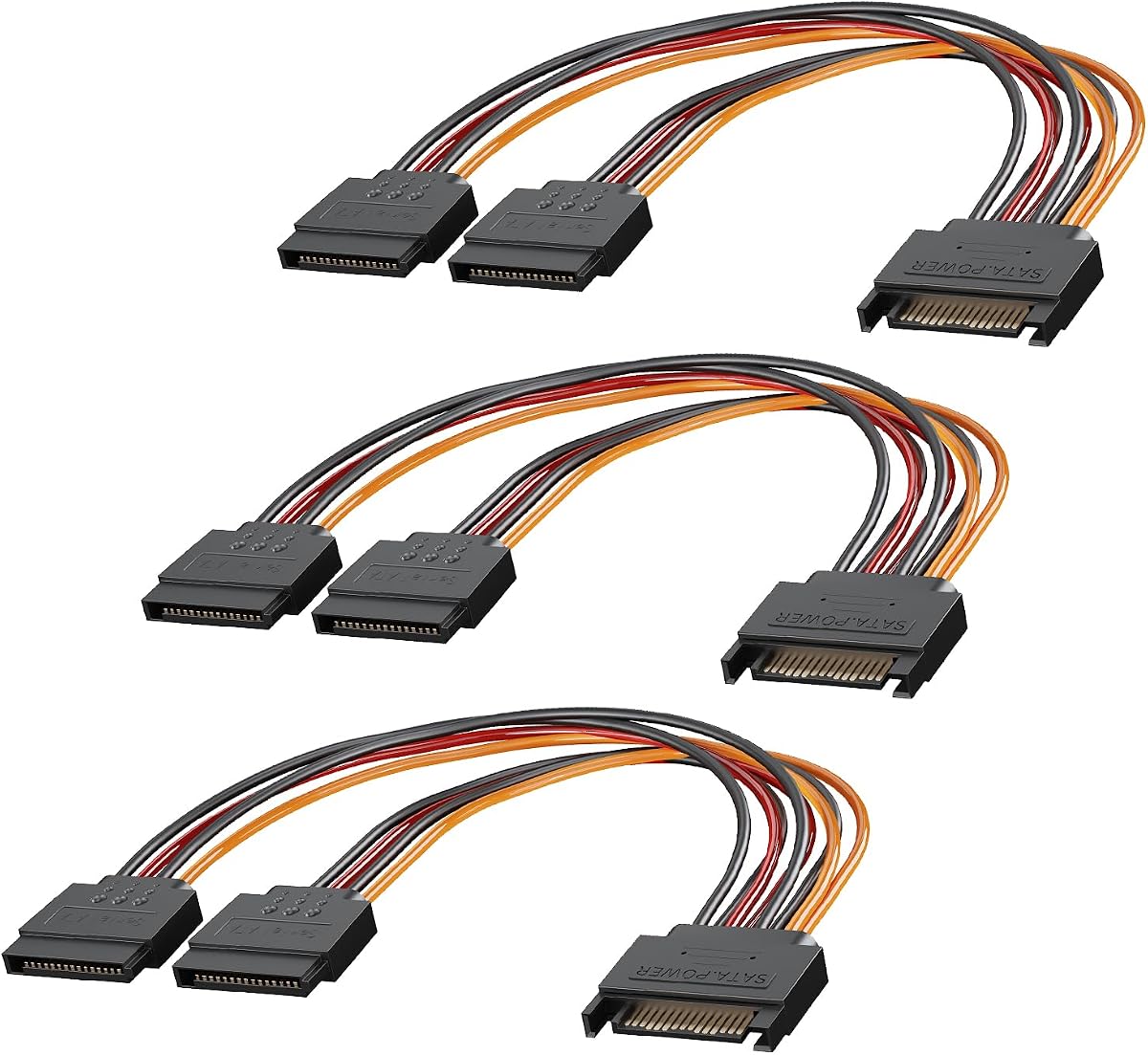
This splitter cable is designed to split one 15-pin SATA connector into two separate connectors. It offers an easy installation process and stable power transmission to prevent interruptions in device performance.
We may earn a commission when you buy through this link, at no additional cost to you.
The reliable performance ensures effective power delivery to each individual device, ensuring optimal functionality. Its durable construction makes it a reliable choice for your power supply needs over the long term.
A trade-off is that it only supports two devices, so it is not for large arrays. However, for typical users needing one extra drive, this is a cost-effective and convenient solution.
Select this pack if you need to add one or two drives to your setup. The durable construction and user-friendly design make it a solid choice for general power needs.
Split one power port into two to easily connect an additional HDD or SSD without changing hardware.
Made with high-quality materials, this splitter is built to last for reliable power supply needs.
We may earn a commission when you buy through this link, at no additional cost to you.
This Y-splitter provides one male SATA connector to two female outputs, allowing you to power two drives from a single port. It earns a top spot for secure connections and heavy-duty multi-voltage support.
We may earn a commission when you buy through this link, at no additional cost to you.
The key strength lies in its secure and reliable connections. Snug-fitting connectors with channel guides ensure a safe link that won't accidentally disconnect, vital for stable SATA I/II/III drives.
The 8-inch length keeps internal cabling neat but might be tight for some rear PSU mounting. Still, it provides sufficient reach for most PC tower configurations and reduces clutter effectively.
Choose this for IT repair kits or system upgrades. It saves expense on a new PSU and provides spare cables for future builds at a great value.
Snug-fitting connectors with channel guides ensure a safe connection that won't accidentally disconnect.
Heavy-duty conductors support 3.3V, 5V, and 12V safely for all SATA-powered components.
We may earn a commission when you buy through this link, at no additional cost to you.
This splitter converts one SATA power plug into four receptacles, expanding connectivity significantly. It is built with durable construction and offers a 15.7-inch length for better routing in server or workstation chassis.
We may earn a commission when you buy through this link, at no additional cost to you.
The key strength is its professional-grade ability to handle multiple drives from a single port. This is essential for users needing to expand storage capacity without changing the entire PSU.
The trade-off is the higher cost compared to basic splitters. However, the reliability and length justify the expense for business or data center environments where failure is not an option.
Select this cable if you need to expand to four drives from one port. Its durable build ensures reliable performance in high-demand setups like servers.
Connect up to four drives with a single power plug to maximize storage without hardware changes.
Durable construction ensures reliable performance for business or workstation environments.
We may earn a commission when you buy through this link, at no additional cost to you.
This extension cable extends your existing PSU connection, providing a reliable link between the power supply and SATA devices. It is designed to reduce connector stress and improve internal cable routing.
We may earn a commission when you buy through this link, at no additional cost to you.
The key strength is its 12-inch length which offers an ideal balance between flexibility and space-saving design. This makes it suitable for PC towers requiring a clean internal layout without tension on connections.
The trade-off is that it does not split ports, only extends them. However, for users with drives far from PSU connectors, this provides perfect fit without excess slack.
Buy this pack for system builders needing multiple replacements. It saves expense on a new PSU while adding spare cables for future builds or repairs.
12 inch length offers ideal balance between flexibility and space-saving design for most PC towers.
Designed to reduce strain on tight motherboard and PSU connections improving internal airflow.
We may earn a commission when you buy through this link, at no additional cost to you.
This combo cable combines both SATA data and power into a single line, making it very convenient for devices like HD players. It uses copper material for quality transmission and features a thin design.
We may earn a commission when you buy through this link, at no additional cost to you.
The key strength is the thin cable design which helps reduce clutter and increase airflow in the computer or server chassis for optimal system performance. It allows direct connection between device and hard disk.
The trade-off is that it is specialized for combo use and may not replace separate cables in standard PCs. Still, for specific setups needing one wire, it simplifies wiring significantly.
Use this for systems where space is tight or specific drives need combo lines. It is highly rated and perfect for server chassis requiring optimal airflow.
Combine data and power into one wire to simplify connection between device and hard disk.
Thin cable design helps reduce clutter and increase airflow in the computer or server chassis.
We may earn a commission when you buy through this link, at no additional cost to you.
This premium cable from Be Quiet is built for high-end systems where reliability and noise reduction are critical. It provides stable power delivery with a focus on silent operation.
We may earn a commission when you buy through this link, at no additional cost to you.
The key strength is the premium build quality that ensures reliable power for components in a silent PC build. It is designed to minimize interference and physical stress on connections.
The trade-off is the higher cost compared to generic cables. However, for enthusiasts who demand the best materials and brand trust, the investment in stability is worth the price.
Buy this if you are building a high-end silent system. It offers consistent performance and fits the premium requirements of custom workstation builds.
Designed for high-end systems where reliable power and silent operation are critical.
Premium build quality ensures reliable power for components in a silent PC build.
We may earn a commission when you buy through this link, at no additional cost to you.
This adapter cable plugs into a 4-pin Molex power plug and provides four 15-pin SATA power connectors. It is backed by Monoprice's lifetime warranty for confidence in your purchase.
We may earn a commission when you buy through this link, at no additional cost to you.
The key strength is the rugged design and rigid quality control standards that deliver high-quality products. It allows existing system cases to adapt older power supplies to modern drives.
The trade-off is that 2 feet may not reach all slots in large cases. However, the lifetime warranty ensures long-term support for your storage upgrade needs.
Choose this for existing systems with Molex connectors. It solves insufficient SATA connector issues and provides four ports from one legacy output.
Lifetime warranty and rigid quality control standards deliver high-quality products at fair prices.
Converts existing Molex connectors to four SATA power connectors for modern drives.
We may earn a commission when you buy through this link, at no additional cost to you.
Choosing the right power cable involves matching your PSU ports and device needs. This guide covers connector types, cable length, and durability factors to ensure stable operation.
Most modern drives use 15-pin SATA power connectors. Older PSUs may have 4-pin Molex ports requiring adapters. Ensure the cable matches your supply output and drive input to avoid compatibility issues.
Always verify both ends of the cable are compatible with your hardware before purchasing.
Measure the distance between your PSU and drive bays. Cables too short cause strain and disconnection risks, while too long cables create clutter. 6 to 12 inches is standard for towers.
Select a length that reaches comfortably without excess slack inside the case.
Splitters expand one port into multiple outputs for high-density builds. Extensions simply add reach to existing ports. Choose splitters if you lack ports, or extensions if you need extra distance.
Decide based on whether you need more connections or more reach for your drives.
Look for cables made with high-quality materials like copper conductors. Durable construction ensures long-lasting reliability and safe power transmission over time.
Prioritize sturdy connectors and thick conductors to prevent wear and signal loss.
Latching locks or snug connectors prevent accidental disconnection. This is critical for system stability, especially during vibration or movement.
Check for locking mechanisms to ensure stable power delivery during use.
Budget options are often cheaper but may lack protection. Premium brands may offer warranties or better quality control for long-term use.
Consider the cost of replacing cheap cables versus investing in reliable ones.
Most cables support standard 3.3V, 5V, and 12V requirements. Ensure the cable supports all voltage rails required by your devices.
Verify voltage ratings match your drive specifications for safe operation.
Confirm support for HDDs, SSDs, and optical drives. Some cables are designed for specific drive types or combo interfaces.
Always check the product details to ensure full support for your specific devices.
When installing, ensure the PSU is powered off to prevent electrical shorts. Align the connector pins carefully and push firmly until the latch clicks into place.
Route cables to avoid blocking airflow or touching moving parts like fans. Use zip ties to bundle excess cable length for a clean interior.
Regularly inspect cables for wear or damage, especially near connector ends. If you notice melting or discoloration, replace the cable immediately to protect your hardware.
Most modern SATA drives use 15-pin power connectors. However, some older or specialized drives may require different connectors. Always verify your device specs before purchasing to ensure a perfect fit.
Yes, these adapters allow legacy power supplies to power modern SATA drives. Ensure the adapter is rated for the correct voltage and has a secure connection to prevent power issues.
A length between 6 and 12 inches is ideal for most standard towers. This provides enough reach without creating excess clutter inside the case.
If the splitter is high quality and your PSU has enough capacity, performance remains stable. However, ensure your power supply can handle the total wattage of all connected devices.
Replace cables immediately if you see damage or overheating. Otherwise, durable cables can last many years without issues if installed and cared for properly.
Signs include loose connections, physical fraying, melting, or drive disconnection. If you notice these, replace the cable to avoid data loss or hardware damage.
Yes, extension cables work well with SSDs as long as they provide stable power. Ensure the extension is rated for the correct voltages.
Most optical drives use standard 15-pin SATA connectors. If your PSU has enough ports, you can use the same type of cable as for HDDs.
We compared ten top-rated cables including splitters, extensions, and legacy adapters. The Cable Matters Y-Splitter and the 6-way splitter offer excellent value for different needs.
Prioritize connector compatibility and build quality to ensure stable power delivery. Whether you need simple reach or high drive density, choose a cable rated for your PSU.
Prices and availability change frequently. Always check current listings and warranty details before purchasing to ensure the best fit for your system.