
Ubiquiti Unifi Security Appliance (USG)
4.5Editor score
Seamless Unifi Controller integration
Supports VLAN and QoS
Compact wall mountable design
This guide compares the top firewall appliances for 2026 focusing on performance security features and value to help you secure your network effectively.
Firewall appliances are essential hardware devices designed to monitor and control incoming and outgoing network traffic based on predetermined security rules. They act as a barrier between your trusted internal network and untrusted external networks like the internet preventing unauthorized access and cyber threats.
To compile this list we evaluated ten leading firewall appliances based on throughput performance security features ease of use and value. We considered hardware specifications software compatibility and vendor support to ensure each pick meets the needs of different users ranging from home labs to small businesses.
Each pick below highlights key specifications strengths and ideal use cases to help you make an informed decision. Note that availability and pricing can change frequently so always check the current details on the product page before purchasing to ensure it meets your requirements.
4.5Editor score

4.4Editor score

4.6Editor score
The following table provides a side-by-side comparison of all ten selected firewall appliances highlighting their core specifications and key capabilities to help you quickly identify the right fit for your network needs.



The Protectli Vault FW4B stands out as a versatile and powerful firewall appliance designed for users who demand flexibility and performance. With a rating of 4.6 stars it is widely recognized for its robust hardware and ability to run popular open-source firewall operating systems like pfSense and OPNsense.
We may earn a commission when you buy through this link, at no additional cost to you.
Its Intel Quad Core Celeron J3160 processor provides sufficient processing power to handle complex routing tasks while the 4x Intel Gigabit Ethernet ports ensure ample connectivity for LAN WAN and DMZ segments. The 8GB DDR3L RAM and 120GB mSATA SSD offer enough resources for smooth operation and logging without the noise of a cooling fan.
One trade-off is that the device does not come with an operating system pre-installed requiring users to install their preferred software manually. This is acceptable for tech-savvy users who value control over their security stack but may be a hurdle for those seeking plug-and-play simplicity.
If you are looking for a highly customizable and reliable hardware platform to build your own secure network environment the Protectli Vault FW4B is an excellent choice. Its combination of performance connectivity and open compatibility makes it a top recommendation for enthusiasts and small businesses alike.
The hardware is tested with pfSense untangle OPNsense and other open-source solutions giving you the freedom to choose the software that best fits your security policies.
Designed with a fanless architecture this appliance runs silently making it ideal for home offices or quiet environments where noise would be disruptive.
We may earn a commission when you buy through this link, at no additional cost to you.
The FortiGate-60F is engineered for enterprises that need high-performance security without compromising on connectivity. It delivers impressive throughput metrics and includes a rich set of ports to support diverse network topologies making it a strong contender for growing business networks.
We may earn a commission when you buy through this link, at no additional cost to you.
Featuring 10 Gigabit Ethernet RJ45 ports this appliance provides extensive connectivity options including dedicated WAN DMZ and internal ports. The powerful system-on-a-chip acceleration ensures top-tier security with 1.4 Gbps IPS throughput which is crucial for maintaining speed while inspecting traffic for threats.
While the hardware is robust note that a subscription is needed to unlock the full range of security services like advanced threat protection and SD-WAN features. This is a standard model for enterprise appliances but buyers should budget accordingly for ongoing costs to maintain protection.
For organizations requiring high-density connections and advanced security processing the FortiGate-60F offers a reliable and scalable solution. Its ability to integrate seamlessly with Fortinet's Security Fabric simplifies management and enhances visibility across the entire network infrastructure.
The purpose-built security processor technology delivers industry-leading SSL inspection performance ensuring that encrypted traffic is scanned effectively without slowing down network operations.
With a user-friendly management console and Zero Touch Integration deployment is streamlined allowing administrators to automate network configurations and maintain visibility effortlessly.
We may earn a commission when you buy through this link, at no additional cost to you.
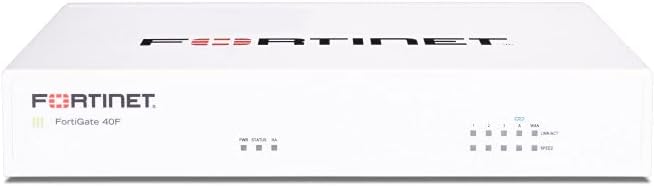
The FortiGate-40F is tailored for small to mid-sized businesses that require enterprise-grade security in a compact form factor. Its fanless design ensures quiet operation while the robust connectivity options allow for flexible network configurations suitable for branch offices or small workspaces.
We may earn a commission when you buy through this link, at no additional cost to you.
Equipped with 5 Gigabit Ethernet RJ45 ports it provides essential connectivity for WAN internal and DMZ needs. The purpose-built security processor technology delivers up to 1 Gbps IPS throughput ensuring that SSL encrypted traffic is inspected efficiently without creating bottlenecks in daily operations.
Like other Fortinet devices this appliance relies on a subscription for advanced threat protection services via FortiGuard Labs. While the hardware itself is powerful and silent the ongoing cost of services should be considered when planning your security infrastructure budget.
If you need a reliable and quiet firewall solution that scales with your business needs the FortiGate-40F is an ideal choice. Its combination of compact design and high-performance security makes it well-suited for environments where space and noise are concerns.
The fanless desktop form factor minimizes space usage and ensures quiet operation making it perfect for placement in shared office spaces or retail environments.
Integrated AI-powered FortiGuard Labs identify and mitigate both known and unknown threats providing comprehensive cybersecurity across all network traffic including encrypted channels.
We may earn a commission when you buy through this link, at no additional cost to you.
The Ubiquiti Unifi Security Appliance is a favorite among users who already utilize the Unifi ecosystem for their networking needs. It offers powerful firewall performance that integrates directly with the Unifi Controller providing a unified management experience for network security and wireless access.
We may earn a commission when you buy through this link, at no additional cost to you.
With three Gigabit Ethernet ports it supports essential networking tasks including VLAN segmentation and QoS for enterprise VoIP. The ability to manage traffic priorities ensures that voice and video communications remain clear and uninterrupted even during high network usage periods.
This device is designed to be mounted on a wall or placed on a desktop offering flexibility in installation. However it relies on the Unifi Controller for configuration and monitoring which means you will need to run that software to make full use of its capabilities.
For those invested in the Unifi platform the USG provides a cost-effective and integrated security solution. Its simplicity and robust feature set make it a practical choice for small businesses and enthusiasts looking to manage their network securely.
The seamless integration allows for centralized management of network security and wireless settings simplifying administration for IT teams and solo administrators alike.
VLAN and QoS features enable you to segment your network effectively ensuring critical traffic like VoIP receives priority over less important data streams.
We may earn a commission when you buy through this link, at no additional cost to you.
The SonicWall TZ280 delivers next-generation firewall capabilities with impressive inspection speeds that keep up with modern network demands. Its patented Reassembly-Free Deep Packet Inspection engine ensures that traffic is analyzed quickly and effectively without compromising performance or latency.
We may earn a commission when you buy through this link, at no additional cost to you.
This appliance features a flexible mix of 8 Gigabit Ethernet ports and 2 SFP ports allowing for a variety of connection configurations suitable for small businesses and branch offices. Zero-touch deployment options enable quick setup whether managed locally on-box or via the cloud Network Security Manager.
To activate full protection including intrusion prevention and anti-malware a service subscription is necessary. This is common for enterprise-grade security appliances but users should factor in the recurring cost when budgeting for a complete security solution.
The SonicWall TZ280 is an excellent choice for environments that require robust threat prevention and flexible connectivity. Its combination of high performance and comprehensive security features makes it a reliable guardian for distributed sites and remote workers.
The Reassembly-Free Deep Packet Inspection engine allows for high-speed inspection of traffic ensuring that security checks do not become a bottleneck in your network.
With 8x1GbE and 2x1G SFP ports you can adapt the appliance to fit various network topologies whether you need copper or fiber connections for your segments.
We may earn a commission when you buy through this link, at no additional cost to you.
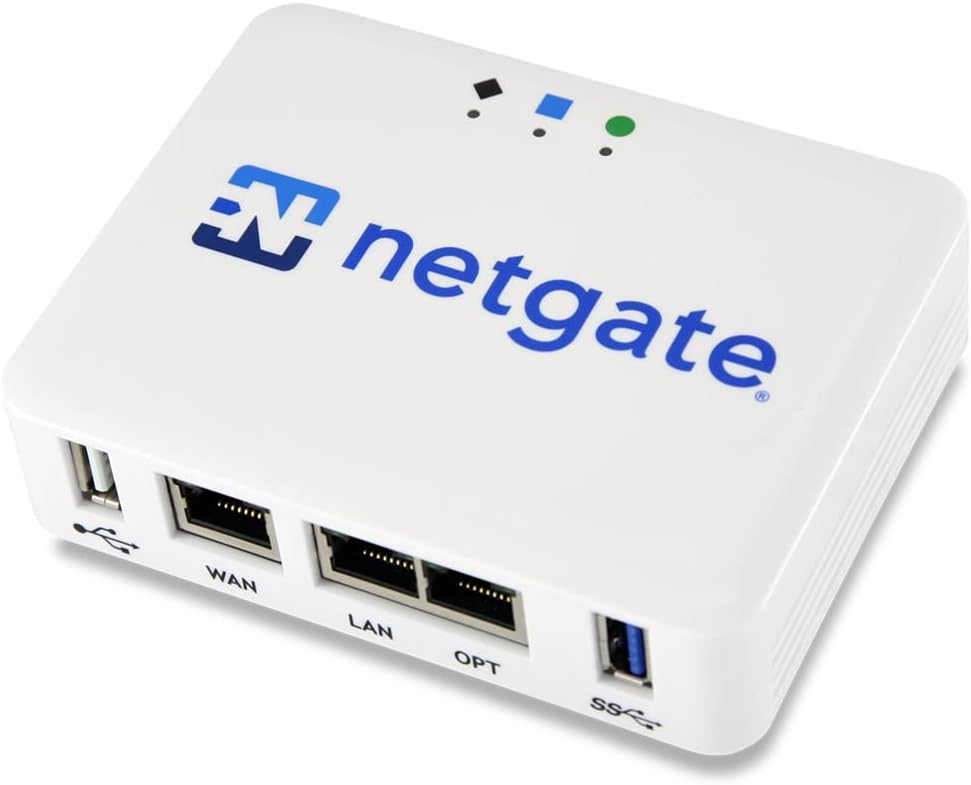
The Netgate 1100 is a reliable security gateway that comes pre-loaded with pfSense+ software allowing you to get up and running quickly. It is designed for users who value the flexibility of open-source security while wanting the convenience of official hardware support and updates.
We may earn a commission when you buy through this link, at no additional cost to you.
Featuring a dual core ARM Cortex-A53 processor it delivers near gigabit routing for common traffic and over 650 Mbps of firewall throughput. The compact form factor and low power draw allow it to run silently on a desktop or wall making it unobtrusive in office or home environments.
While the ARM processor provides sufficient power for many use cases it may have limitations compared to x86 options for extremely high-throughput requirements. However the inclusion of lifetime software updates and technical support adds significant value for long-term reliability.
For those seeking an open-source based firewall that is easy to deploy and maintain the Netgate 1100 is a solid option. Its balance of performance and official support makes it ideal for home labs and small office networks.
With pfSense+ software updates included for the product lifetime you ensure your firewall stays current with the latest security features and performance improvements.
Netgate TAC Lite technical support is available 24/7 providing expert help with setup and troubleshooting to minimize downtime and configuration issues.
We may earn a commission when you buy through this link, at no additional cost to you.
The FORTINET FG-100E is a robust network security appliance designed to protect against a wide range of cyber threats including known exploits and malicious websites. It leverages advanced detection capabilities to identify unknown attacks ensuring that your network remains secure even against evolving threats.
We may earn a commission when you buy through this link, at no additional cost to you.
Its ability to identify thousands of applications allows for granular control over network traffic enabling administrators to enforce policies based on specific application usage. This level of visibility is crucial for maintaining compliance and preventing unauthorized data exfiltration.
While highly effective this appliance is geared towards enterprise environments which may require more expertise to configure and manage compared to consumer-grade options. The benefits of deep inspection and broad threat coverage often outweigh the complexity for organizations with security needs.
If you need a powerful appliance that offers comprehensive protection against both known and unknown threats the FORTINET FG-100E is a strong candidate. Its application identification and malware protection features make it a valuable asset for securing complex network environments.
The appliance identifies unknown attacks to ensure that your network is protected against zero-day threats that traditional signature-based defenses might miss.
Identifying thousands of applications allows for precise control over what traffic is allowed or blocked enhancing security and optimizing bandwidth usage.
We may earn a commission when you buy through this link, at no additional cost to you.
The Palo Alto PA-220 offers a compact solution for next-generation firewall needs providing essential security features in a desktop-friendly design. Its 8-port configuration allows for reasonable connectivity options making it suitable for smaller office setups that require managed security.
We may earn a commission when you buy through this link, at no additional cost to you.
As a security appliance unit it integrates core firewall capabilities that help protect against common threats and manage network traffic. The form factor is designed to fit easily into existing network cabinets or desk setups without taking up excessive space.
While the hardware offers solid baseline protection user feedback suggests that more advanced features or support may be limited compared to higher-end models. This makes it more suitable for straightforward security needs rather than complex enterprise environments.
For users seeking a compact and functional firewall appliance with reliable standard features the Palo Alto PA-220 provides a viable option. It serves well as a basic gateway for securing small networks with minimal footprint requirements.
The compact form factor allows for easy placement in small offices or branch locations where rack space is limited or desktop installation is preferred.
Core security features such as traffic management and basic threat protection are included to ensure a baseline level of network security for small businesses.
We may earn a commission when you buy through this link, at no additional cost to you.
The Protectli Vault FW4C is designed for users who need high-speed connectivity in a compact form factor. With 4x 2.5 Gigabit Ethernet ports it offers faster throughput options than standard Gigabit models making it suitable for networks that require higher bandwidth capacities.
We may earn a commission when you buy through this link, at no additional cost to you.
Powered by an Intel J3710 Pentium Quad Core processor it includes AES-NI hardware support for efficient encryption and decryption tasks. The 4GB RAM and 32GB SSD provide essential resources for routing and logging although they may be limited for extensive add-ons or virtualization.
Similar to other Protectli models it does not come with an operating system pre-installed requiring you to install your preferred firewall software. This allows for maximum flexibility but adds a step to the setup process that may be challenging for beginners.
If you are looking for an affordable yet powerful platform with faster network ports the Protectli Vault FW4C is an excellent choice. Its silent operation and compatibility with open-source solutions make it a versatile tool for home labs and small office networks.
The four 2.5 Gigabit Ethernet ports provide faster network speeds than standard Gigabit options allowing for smoother data transfer and reduced latency.
The fanless design ensures quiet operation which is ideal for placement in living rooms or offices where noise levels matter for comfort and productivity.
We may earn a commission when you buy through this link, at no additional cost to you.
The FortiGate-60F Bundle provides a complete security solution by including the hardware appliance along with 1 year of FortiGuard Unified Threat Protection and FortiCare Premium. This all-in-one package ensures that your network is protected against advanced threats from day one without needing separate subscriptions.
We may earn a commission when you buy through this link, at no additional cost to you.
With comprehensive web filtering and anti-botnet technologies this bundle secures your network against a wide range of online dangers. The FortiCare Premium service ensures high-quality support and service continuity helping to maintain the reliability and uptime of your security infrastructure.
While the initial investment is higher than buying the hardware alone the value of having immediate protection and support can be significant for businesses that cannot afford downtime or security gaps. After the first year you will need to renew the services to maintain full functionality.
For medium-sized businesses needing robust security without the infrastructure of larger enterprises this bundle offers a convenient and effective solution. The combination of strong hardware and immediate advanced protection makes it a smart choice for organizations seeking peace of mind.
The included UTP license secures against advanced online threats with comprehensive web filtering and anti-botnet technologies ensuring broad coverage for your network.
FortiCare Premium ensures high-quality support and service continuity giving you access to expert assistance when you need it most.
We may earn a commission when you buy through this link, at no additional cost to you.
Selecting the right firewall appliance requires balancing performance needs security features and ease of management to ensure your network remains protected without sacrificing speed.
Throughput refers to the amount of traffic a firewall can process while maintaining security functions. Look for appliances with IPS and threat protection throughput that match your internet speed and internal traffic demands to avoid bottlenecks.
Ensure the device supports the maximum bandwidth of your internet connection to maintain fast speeds without dropping packets or lagging during peak usage times.
The number of physical ports determines how many devices or networks you can connect directly. Consider how many segments you need such as WAN LAN DMZ or separate VLANs when choosing a model.
Select an appliance with enough Ethernet or SFP ports to connect all your required devices without needing additional switches or external routers.
Some appliances come with proprietary OS while others allow open-source options like pfSense or OPNsense. Decide whether you prefer a pre-configured system or the flexibility to install custom software.
Choose hardware that supports your preferred OS to ensure you have the features and updates you need for long-term security.
Modern firewalls offer features like Deep Packet Inspection SSL decryption and intrusion prevention systems. Evaluate which features are necessary for your threat model and compliance requirements.
Prioritize appliances that offer up-to-date threat intelligence and encryption inspection to defend against modern cyber attacks effectively.
A user-friendly management console simplifies monitoring and configuration. Look for web interfaces cloud management options or integration with existing tools you use daily.
Choose a firewall that offers intuitive controls and reporting tools to reduce the time needed for administration and maintenance.
Many enterprise appliances require annual subscriptions for full security services and updates. Factor in the long-term cost of these subscriptions when budgeting for your purchase.
Ensure the vendor provides reliable technical support and regular firmware updates to keep your appliance secure and functioning properly over time.
Consider where the appliance will be placed and whether noise is a concern. Fanless models are quieter but may have thermal limits while rack-mounted units are more scalable.
Select a design that fits your physical space requirements and operational environment to avoid issues with overheating or noise disruption.
Choose an appliance that can grow with your business. Models with upgradeable memory or modular ports provide room for expansion as your network needs increase.
Invest in hardware that offers some headroom in processing power and memory to handle future network growth without immediate replacement.
Begin by connecting the firewall appliance to your modem and internal network switch using the provided Ethernet cables. Ensure you connect the WAN port to your internet source and LAN ports to your internal devices to establish proper traffic flow.
Access the device interface through a web browser or dedicated management console to configure your initial settings such as network addresses passwords and security policies. Follow the manufacturer's setup wizard to enable essential protections like intrusion prevention and malware scanning.
Regularly update the firmware and security signatures to protect against new threats. Schedule periodic reviews of your firewall logs to analyze traffic patterns and adjust rules as needed to maintain optimal performance and security.
A firewall appliance is a dedicated hardware device designed to handle network traffic independently of other computers. Software firewalls run on individual devices and can consume system resources. Appliances generally offer better performance and centralized management for entire networks.
Most appliances work without a subscription but advanced features like threat intelligence and web filtering often require one. Basic firewall rules and routing function without payment but you lose access to automatic updates and protection against new threats.
Many appliances especially mini PCs support open-source software like pfSense and OPNsense. These platforms offer powerful customization and free licensing but may require more technical expertise to configure and maintain compared to proprietary systems.
Count the number of connections you need including internet inputs internal LANs and DMZs. Always choose a device with slightly more ports than your current needs to allow for future expansion without needing extra switches.
Deep Packet Inspection analyzes the data inside network packets to detect threats that simple filtering might miss. It is important because it allows the firewall to identify malware hidden inside encrypted traffic or complex protocols effectively.
You should apply firmware updates as soon as they are released by the vendor to patch security vulnerabilities. Many modern appliances support automatic updates but you should still review release notes before applying major changes to avoid disruption.
We have reviewed ten top firewall appliances ranging from compact desktop models to powerful enterprise solutions. Each option offers unique strengths in terms of performance connectivity and security features suitable for different use cases.
When choosing prioritize the performance metrics and security features that align most closely with your specific network requirements. Balancing budget with long-term value is crucial for ensuring your network remains secure and efficient.
Keep in mind that pricing and availability fluctuate so verify the current specifications and offers on the product pages before making your final decision. Choosing the right appliance today will provide lasting protection for your digital assets.