
VSD Mini Macro Pad Shortcut Keypad
4.1Editor score
6 customizable LCD keys
Compact mini portable design
Dual side RGB light bars
This guide compares the top macro pads for streaming including features like LCD keys RGB lighting and plugin support to help streamers choose the right
Macro pads for streaming have become essential tools for content creators who need quick access to complex commands during live broadcasts. These devices allow you to control software, switch scenes, and manage audio without interrupting your flow or losing viewer engagement.
We evaluated ten top-rated models based on key features such as customizable keys, software compatibility, build quality, and unique functionalities like RGB lighting and plugin ecosystems. Our analysis focuses on how each device enhances workflow efficiency for gamers and professional broadcasters alike.
Each recommendation highlights specific strengths tailored to different needs whether you require a compact budget option or a premium deck with advanced audio controls. Please note that product availability and pricing may vary so always check the latest details before making your final decision.
4.1Editor score

4.4Editor score

4.8Editor score
The following table provides a side-by-side comparison of the ten top-rated macro pads to help you identify key specifications and features quickly.



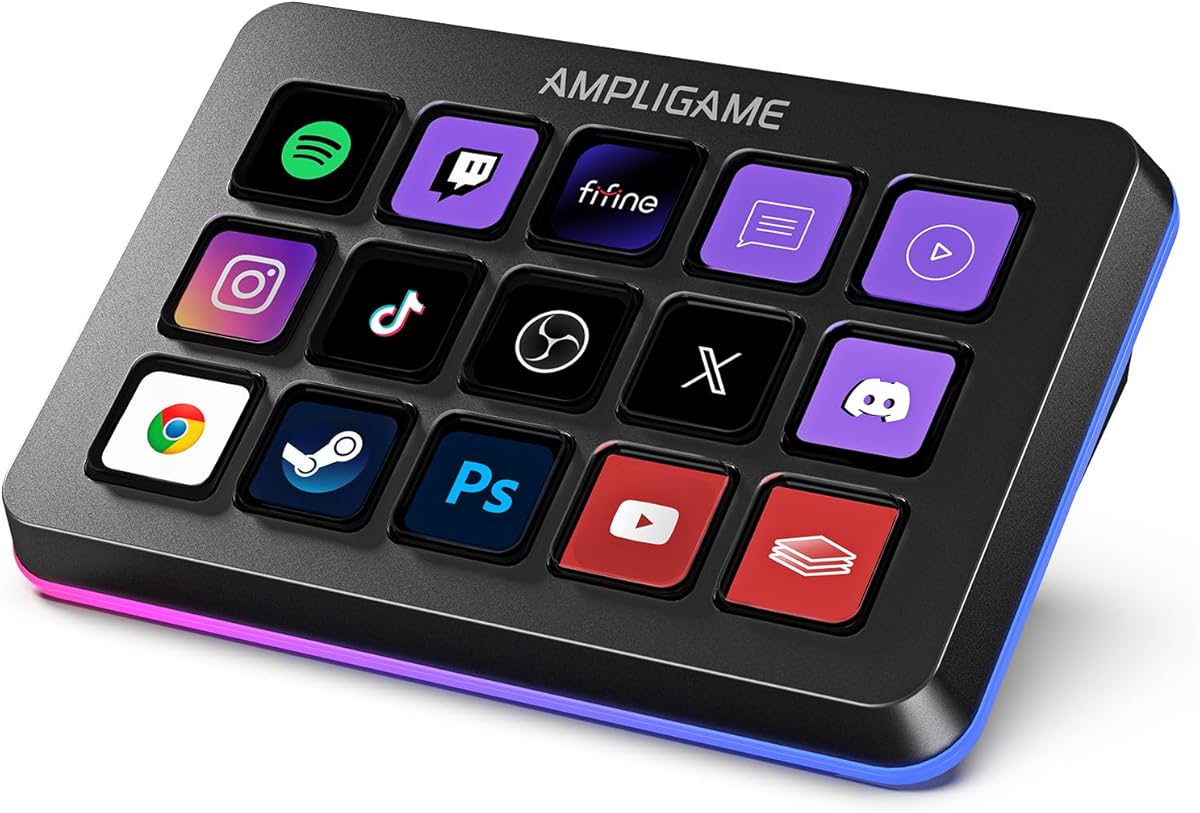


The VSD M18 Macro Pad stands out as a versatile solution for streamers needing extensive control over their broadcasting setup. With a high rating and robust feature set it balances performance and cost effectively for both newcomers and experienced creators.
We may earn a commission when you buy through this link, at no additional cost to you.
Its eighteen programmable keys including fifteen LCD visual keys provide ample space to map complex macros and shortcuts. The ability to assign JPG PNG and GIF images to each key enhances workflow efficiency by offering immediate visual recognition during live streams.
While the device is highly capable users should note that native Linux support is not available requiring SDK development for custom solutions. Additionally the reliance on specific software for setup may deter those preferring plug-and-play simplicity without configuration steps.
For streamers prioritizing functionality and customization without breaking the budget this macro pad delivers exceptional value. It integrates seamlessly with major platforms like OBS and Twitch making it a reliable choice for daily production workflows.
Customizable LCD keys allow you to upload images and animations that represent specific actions for quick identification during streams.
One tap multi-shortcut support enables complex multi-step sequences to run in custom orders simplifying repetitive tasks.
We may earn a commission when you buy through this link, at no additional cost to you.
The Streaming Deck N1 offers a unique vertical design that addresses common desk space constraints faced by many streamers and professionals. Its high user rating reflects strong satisfaction with its versatile three-mode functionality and ease of integration.
We may earn a commission when you buy through this link, at no additional cost to you.
Featuring fifteen LCD keys the device supports three practical switchable modes including a left-hand shortcut keyboard calculator and numeric keypad. This flexibility allows users to adapt the device to various tasks without needing multiple hardware peripherals cluttering their workspace.
Despite its strengths some users may need to consult tutorial videos for optimal setup which adds a small learning curve. The software dependency also means functionality relies on stable internet access for plugin downloads and updates which could impact offline workflows.
Ideal for those with limited desk real estate this macro pad combines utility with a compact footprint. Its compatibility with major creative and streaming software ensures it remains a practical tool for enhancing productivity and stream quality.
The vertical layout minimizes desk footprint while maintaining a full set of customizable keys for efficient workflow management.
Switch between shortcut keyboard calculator and numeric keypad modes to suit different tasks without extra hardware.
We may earn a commission when you buy through this link, at no additional cost to you.
The VSD M18 Stream Controller emphasizes efficiency with its one-touch operation design allowing users to execute complex macros instantly. With a solid rating it appeals to creators who prioritize speed and reliability during live broadcasts or editing sessions.
We may earn a commission when you buy through this link, at no additional cost to you.
Its eighteen customizable keys support individual or series of actions which streamlines tasks like launching apps controlling media or switching OBS scenes. The surrounding RGB light ring adds a visually appealing element that enhances the overall desktop ambiance for streaming setups.
However users on Linux systems may find native plug-and-play support absent requiring additional configuration via SDK documents. The dependency on exclusive software for full functionality can also be a slight barrier for those seeking minimal setup complexity.
For streamers needing rapid access to essential controls this controller delivers consistent performance and aesthetic appeal. Its robust build and integration with popular tools make it a dependable addition to any professional or hobbyist streaming station.
One-touch operation allows immediate triggering of pre-set macros reducing latency and keeping your stream flow uninterrupted.
The customizable RGB light ring provides adjustable visual lighting that matches gaming or streaming moods effectively.
We may earn a commission when you buy through this link, at no additional cost to you.
The VSD Mini Macro Pad delivers exceptional value for budget-conscious users seeking basic streaming control without sacrificing essential features. Its smaller form factor and solid performance make it an ideal entry-level device for beginners or secondary setups.
We may earn a commission when you buy through this link, at no additional cost to you.
Equipped with six customizable LCD keys it supports quick actions like switching OBS scenes launching apps or controlling media. The dual side RGB light bars add a stylish visual element that enhances desk ambiance while maintaining a minimalist compact footprint.
The limited number of keys may restrict complex workflows compared to larger models and the software requirement means users must install VSD Craft for full functionality. This can be a drawback for those preferring immediate out-of-box usability without additional steps.
Despite these limitations this macro pad offers a cost-effective solution for essential macro tasks. Its USB-powered design ensures continuous operation during long sessions making it a practical choice for students or casual streamers.
The mini portable size saves desk space while retaining full macro customization functions for easy transport and storage.
Dual side RGB light bars provide stylish desktop ambiance without cluttering your workspace with bulky lighting fixtures.
We may earn a commission when you buy through this link, at no additional cost to you.
The VSD N4 Pro is designed for users who demand advanced audio control alongside standard macro functions. Its combination of LCD keys RGB knobs and a sound deck makes it a powerful tool for professional audio streaming and production work.
We may earn a commission when you buy through this link, at no additional cost to you.
Featuring ten customizable LCD keys and four RGB knobs this controller allows precise adjustments for volume media playback and timeline controls. The USB sound deck capability enables users to trigger sound effects and manage audio atmospheres directly from the device.
Although it lacks built-in speakers for direct audio output which may limit standalone sound playback the device excels as a command center for audio mixing. The higher price reflects these advanced capabilities which may be unnecessary for simpler streaming setups.
Streamers and content creators requiring precise audio manipulation will appreciate its robust functionality and ergonomic design. The built-in USB dock and extensive plugin support further enhance its utility for complex multi-device workflows and daily tasks.
The USB sound deck triggers play pause and audio operations allowing seamless sound effects integration during live streams.
Four RGB knobs provide tactile control for volume and timeline adjustments offering precise feedback during editing.
We may earn a commission when you buy through this link, at no additional cost to you.
The Fifine D6 RGB Macro features a visual operation keypad that simplifies control by displaying active applications directly on the touchscreen keys. This intuitive design reduces window switching and enhances efficiency for users managing multiple apps simultaneously.
We may earn a commission when you buy through this link, at no additional cost to you.
With fifteen customizable macro keys and a glowing RGB ring this device offers vivid visual feedback and high customizability. The extensive plugin options allow users to tailor the interface to specific workflows whether for gaming streaming or office productivity.
Users should ensure firmware and software are updated prior to initial use to avoid compatibility issues which may affect initial setup experience. Additionally the reliance on specific software for full feature access means online connectivity is often required for optimal functionality.
For creators prioritizing visual feedback and workflow organization this controller provides a streamlined experience. Its robust plugin ecosystem and multi-tasking capabilities make it a strong contender for versatile and dynamic production environments.
See the application directly on the touchscreen keys for instant control without opening multiple windows or interfaces.
Nine different controllable RGB modes allow matching shortcut button aesthetics to gaming or streaming personal preferences.
We may earn a commission when you buy through this link, at no additional cost to you.
The TreasLin VSDinside N1 distinguishes itself with support for dynamic animated icons bringing life to standard static key visuals. This feature enhances personalization and recognition during streaming sessions making the interface more engaging and intuitive to use.
We may earn a commission when you buy through this link, at no additional cost to you.
Featuring eighteen customizable macro keys including rotary knobs this device offers extensive control flexibility for various scenarios. The extensive plugin marketplace provides thousands of options allowing deep customization for Discord Twitch and OBS workflows.
Users relying on Spotify integration must have an active Premium account which limits functionality for free tier users. The software dependency and initial setup may also require time investment to fully leverage all customizable features effectively.
Streamers seeking unique visual customization and broad plugin support will find this controller highly adaptable. Its ability to support animated icons and multiple operational modes makes it a standout choice for creative content creation workflows.
Support for dynamic animated icons transforms interfaces from dull static to uniquely vibrant and full of personality.
Dedicated scenarios for daily work media and live streaming modes allow tailored setups for different usage requirements.
We may earn a commission when you buy through this link, at no additional cost to you.
The Streonor S15 enhances productivity with three dedicated non-touch status display panels providing at-a-glance system information. This feature allows streamers to monitor CPU temperature memory usage or weather without cluttering their main screen.
We may earn a commission when you buy through this link, at no additional cost to you.
Featuring fifteen customizable LCD keys and action flows the device supports complex multi-command sequences triggered by single keys. The extensive plugin and icon library further empowers users to personalize workflows for editing streaming or daily office tasks.
Linux users should note that this device does not support Linux operating systems limiting its compatibility for certain development environments. Some third-party connections may also require active subscriptions which adds additional costs for full integration.
For users prioritizing system monitoring and workflow automation this controller offers practical and powerful tools. Its robust plugin support and customizable layouts make it an excellent choice for maintaining awareness and efficiency during demanding sessions.
Three status panels display weather time CPU GPU and memory usage to keep you informed while working.
Build action flows triggering multiple commands with one key simplifying complex repetitive tasks efficiently.
We may earn a commission when you buy through this link, at no additional cost to you.
The Streonor S10 combines LCD keys an integrated touchscreen and rotary knobs to deliver a premium console for demanding workflows. Its exceptional user rating reflects high satisfaction among streamers and editors needing instant commands and precise adjustments.
We may earn a commission when you buy through this link, at no additional cost to you.
Ten customizable keys support standard macros while the touchscreen provides access to supported information and controls without switching apps. The four programmable rotary knobs allow direct physical adjustments for volume scrolling or timeline movements enhancing tactile interaction.
Linux users may find compatibility limited as this device does not support Linux operating systems. Additionally some third-party services require active accounts or subscriptions which may increase overall costs for full feature utilization.
Content creators requiring a unified console for both audio mixing and macro control will appreciate this versatile design. Its high build quality and extensive plugin support ensure it remains a reliable tool for complex professional multimedia sessions.
Access supported information and controls directly through the touchscreen without needing to switch between multiple windows.
Four programmable knobs provide physical feedback for adjusting volume mic levels and timeline movements accurately.
We may earn a commission when you buy through this link, at no additional cost to you.
The Elgato Stream Deck MK.2 sets the industry standard for reliability and ease of use in macro control devices. With a high rating it delivers consistent performance and extensive integration with a wide range of streaming and productivity platforms.
We may earn a commission when you buy through this link, at no additional cost to you.
Featuring fifteen customizable LCD keys the device enables instant control of apps tools and platforms through one-touch operations. Visual feedback confirms command execution reducing errors and ensuring seamless workflow management during live productions or edits.
Its premium pricing may be a barrier for budget-conscious buyers and some users may find fewer customizable options compared to alternative brands. However the stability and extensive plugin support often justify the cost for professional users requiring dependable performance.
Streamers prioritizing reliability and broad compatibility will find this controller a robust choice for long-term use. Its proven track record and powerful plugin ecosystem make it a top-tier option for serious content creators and broadcasters.
Extensive support for major apps ensures seamless integration with OBS Twitch Twitter Discord and other streaming services.
Immediate visual feedback confirms command execution preventing errors and streamlining your streaming workflow.
We may earn a commission when you buy through this link, at no additional cost to you.
Selecting the right macro pad involves evaluating several critical factors to ensure it meets your specific streaming and productivity needs effectively.
Consider the total number of programmable keys available as this determines how many shortcuts or macros you can map simultaneously. Devices range from compact models with six keys to professional units with eighteen or more offering greater flexibility for complex workflows.
Look for models that allow visual customization of keys using images or GIFs for intuitive recognition during high-pressure streaming sessions.
Ensure the macro pad supports your primary streaming and editing software through plugins that extend functionality beyond basic key presses. A robust plugin ecosystem allows integration with services like Discord Twitch and OBS for seamless workflow automation.
Prioritize controllers with easy-to-use software interfaces that minimize setup time and provide access to free or affordable plugin options.
Select devices constructed from high-quality materials designed to withstand repeated use over long streaming sessions or daily work hours. Solid construction ensures longevity and reduces the likelihood of mechanical failure during critical broadcasts or editing work.
Check for warranties and customer support options that provide assurance against defects and help resolve setup or operational issues quickly.
Verify that the controller is compatible with your operating system whether Windows macOS or Linux to avoid installation hurdles. Some devices offer full native support while others require SDK development files for partial functionality on non-standard platforms.
Confirm that essential features are fully operational on your system before purchase to ensure seamless integration with your existing setup.
Choose a design that fits comfortably on your desk and allows easy access to keys without strain during extended use. Vertical or compact layouts may save space while ergonomic stands or adjustable angles improve visibility and reduce hand fatigue.
Consider devices with tactile feedback or adjustable stands that align with your preferred viewing angle for optimal comfort and efficiency.
Evaluate optional RGB lighting features that enhance the aesthetic appeal of your setup while providing visual indicators for different profiles or modes. Dynamic lighting effects can add professionalism to your stream and help distinguish between various functional states.
Look for devices offering customizable color schemes and lighting patterns that sync with other peripherals for a cohesive visual environment.
Balance the features offered against your budget to find a controller that delivers essential capabilities without unnecessary costs. Entry-level models may suffice for basic streaming while advanced units justify higher prices with additional audio and plugin functionalities.
Consider long-term value by assessing durability software updates and community support which impact the device lifespan beyond initial purchase.
Opt for controllers with reliable USB connections such as USB-C to ensure stable communication with your computer and avoid latency issues. Some models are USB-powered while others require external power adapters affecting portability and desk management.
Confirm that the power source aligns with your setup needs and consider models that support plug-and-play functionality for convenience.
Begin by connecting your macro pad to your computer using the included USB cable and installing any required software from the manufacturer website. Follow the on-screen instructions to create your first profile mapping keys to specific actions like opening apps or switching OBS scenes.
Customize key labels by uploading images or GIFs that represent each function for intuitive recognition during live streams. Organize keys into separate profiles or pages based on tasks such as gaming editing or live broadcasting to streamline access to different tools.
Maintain your device by keeping it clean and free from dust using a soft dry cloth to wipe surfaces regularly. Avoid exposing the controller to liquids or extreme temperatures and store it in a protective case when transporting to prevent physical damage.
Most macro pads come with official plugins or software support that integrate seamlessly with OBS and Streamlabs. This allows you to trigger scene switches start recording or manage audio directly from the controller without leaving your streaming software.
No programming knowledge is required to use most macro pads as they feature user-friendly graphical interfaces for setting up macros. Simply drag and drop desired actions onto keys using built-in menus to create custom commands for your workflow.
Many modern macro pads support both Windows and macOS though some may have limited functionality on Linux systems. Always check the product specifications to confirm full cross-platform compatibility before purchasing to match your operating system needs.
LCD keys provide visual feedback by displaying images animations or icons that change based on active profiles or modes. This enhances workflow efficiency by allowing immediate recognition of key functions without memorizing complex keyboard shortcuts.
Most streaming macro pads are powered directly via USB cables connected to your computer which ensures consistent power during long sessions. Some models may include rechargeable batteries but USB-powered designs eliminate the need for battery replacements and reduce downtime.
Many models feature RGB lighting that allows full customization of colors lighting patterns and effects through dedicated software. You can adjust these settings to match your streaming theme or differentiate between various functional modes and profiles.
While initial setup and plugin downloads require an internet connection most macro functions work offline once configured and saved locally. However some features like live updates or remote access may rely on continuous network connectivity for optimal performance.
Most basic software is included free of charge though some advanced plugins may require a subscription or one-time purchase. Check the manufacturer website or plugin marketplace for pricing details before deciding on a specific controller model.
Choosing the right macro pad depends on your specific streaming needs whether you require extensive programmability advanced audio controls or a compact budget-friendly design. The top picks highlight diverse options catering to different workflows and technical requirements for streamers.
Prioritize features like plugin compatibility visual feedback and software ease of use to ensure the device enhances your productivity without adding unnecessary complexity. A well-matched controller simplifies your broadcast process and allows you to focus more on engaging with your audience.
Always verify the latest specifications and availability before purchase as product details and pricing can change over time. Regularly updating your controller software and exploring new plugins will keep your streaming setup efficient and up to date with industry standards.