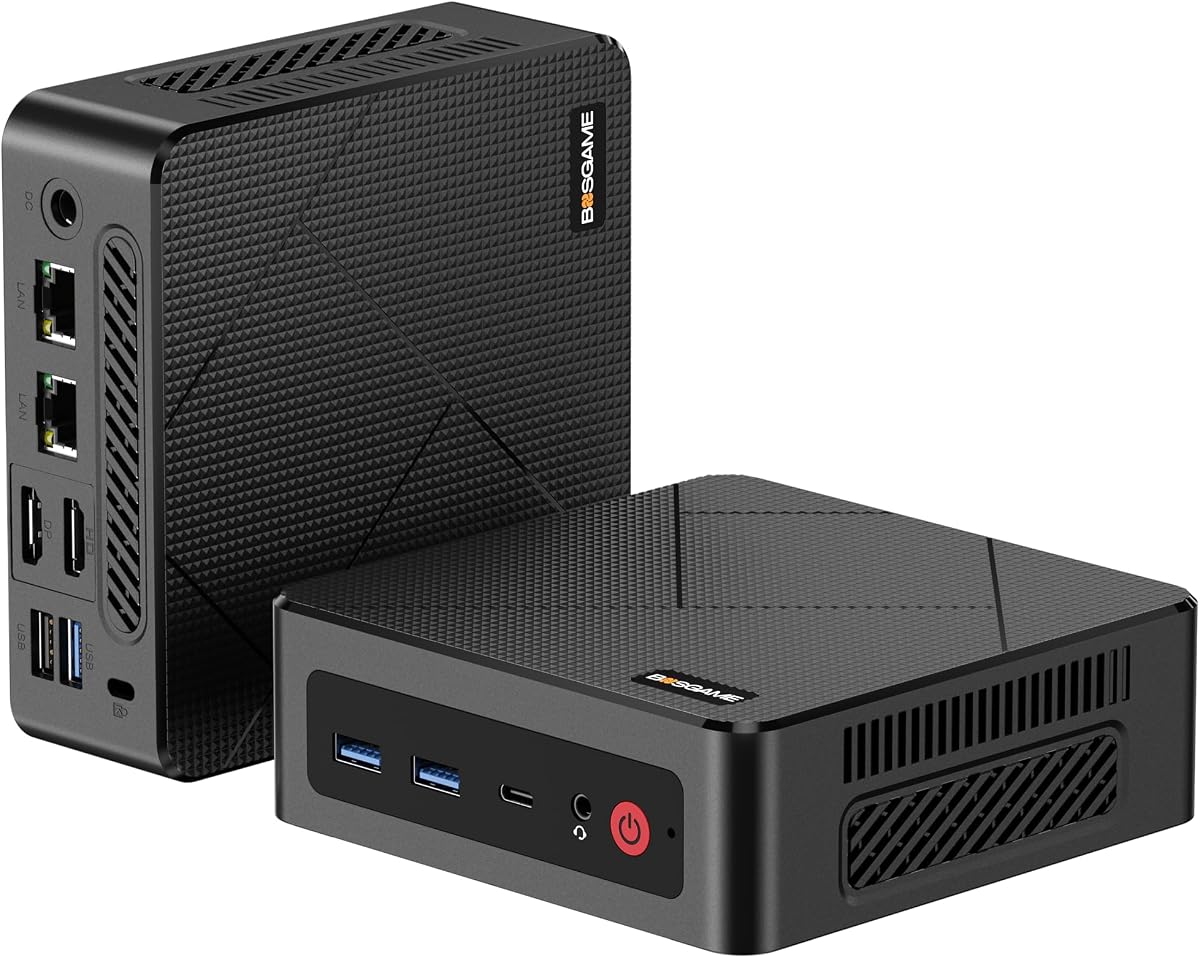
BOSGAME E4 Air
4.2Editor score
Affordable Ryzen 5 3500U
Triple 4K output capable
Dual gigabit ethernet ports
Discover the top Linux Mini Pcs for 2026. Our guide compares performance, connectivity, and OS support to help you choose the ideal compact system.
Linux Mini Pcs offer a powerful alternative to traditional desktops for developers and enthusiasts seeking open-source flexibility. These compact machines deliver robust performance while occupying minimal desk space.
We evaluated ten top models based on processor power, expandability, and Linux compatibility. Our analysis covers everything from budget-friendly options to high-end workstations ready for complex tasks.
Each pick highlights key strengths and ideal use cases for different users. Note that availability and pricing may shift over time so always verify details before purchasing your unit.
4.2Editor score

4.5Editor score

4.8Editor score
This side-by-side comparison outlines the core specifications of each unit. Use this table to quickly identify memory limits port counts and processor types across the lineup.


The TK Node Mini PC stands out for its pre-installed Zorin OS Core and Texas-based support. It offers solid reliability for those needing Linux systems from day one without complex setup steps.
We may earn a commission when you buy through this link, at no additional cost to you.
Its dual NVMe slots allow massive storage expansion up to 4TB combined. The flexible RAM options mean you can upgrade to 64GB for heavy multitasking or virtualization needs effectively.
While base RAM is 8GB the upgrade path is clear. The lack of Thunderbolt might limit high-speed peripherals but standard USB-C covers most modern connection requirements for daily work.
This unit is ideal for developers or businesses needing consistent Linux desktop environments. Its compact footprint and quiet operation make it a strong candidate for office or home deployment.
Dual NVMe SSD slots enable up to 4TB total storage for large project files or virtual machine images.
Zorin OS Core provides a familiar Ubuntu-based desktop that eases the transition for new Linux adopters.
We may earn a commission when you buy through this link, at no additional cost to you.
The Beelink SER3 balances cost and performance with 16GB RAM and a Ryzen 3 3200U processor. It suits users who need reliable multitasking without premium prices.
We may earn a commission when you buy through this link, at no additional cost to you.
Dual HDMI ports enable dual 4K monitors for enhanced productivity. The included RAM amount saves immediate upgrade costs and ensures smooth daily operations right out of the box.
The older processor may struggle with very intensive workloads compared to newer chips. However for general office tasks web browsing and light creative work it performs admirably.
This system is a practical choice for small offices or students. Its dual display support and decent thermal management offer good usability for standard Linux desktop environments.
Two HDMI 2.0 ports let you run two external 4K displays for extended workspace.
Beelink provides a 3-year warranty and lifetime technical support for long-term peace of mind.
We may earn a commission when you buy through this link, at no additional cost to you.
The ASUS NUC 14 Pro delivers flagship performance with Intel Ultra 7 and Linux Mint pre-installed. It is built for developers needing powerful hardware and open-source freedom.
We may earn a commission when you buy through this link, at no additional cost to you.
DDR5 memory and Thunderbolt 4 provide blazing speeds for data transfers and external GPUs. The high RAM count ensures smooth multitasking even with heavy virtual machines running.
Its premium price limits accessibility for casual users. However for AI researchers and professional developers the efficiency and flexibility it offers justify the investment completely.
This unit is best for high-end workloads needing maximum power. Its cooling design ensures stable operation under load making it a reliable server or desktop alternative.
Intel Core Ultra 7 includes AI accelerators beneficial for machine learning and advanced development tasks.
Thunderbolt 4 enables ultra-fast data transfer and docking with external high-speed peripherals.
We may earn a commission when you buy through this link, at no additional cost to you.
Beelink Mini S12 Pro uses an efficient N100 chip suitable for NAS or home labs. It offers 16GB RAM and dual display options for a balanced budget-friendly setup.
We may earn a commission when you buy through this link, at no additional cost to you.
Support for additional SATA drives allows flexible storage expansion beyond the SSD. The low thermal design ensures it runs quietly even during continuous operation like file serving.
The single RAM slot limits expansion potential but 16GB covers most needs. Its modest performance fits media streaming and basic computing tasks better than high-end workloads.
Choose this for home media centers or lightweight servers. The combination of connectivity and efficiency makes it a practical choice for 24/7 operation without high power costs.
A dedicated SATA interface allows adding a 2.5 inch drive for extra storage capacity.
Optimized fan design keeps noise levels low for discreet home or office use.
We may earn a commission when you buy through this link, at no additional cost to you.
The KAMRUI Pinova P2 supports triple 4K displays using HDMI DP and USB-C. This setup suits multitaskers who need extensive screen real estate on a budget.
We may earn a commission when you buy through this link, at no additional cost to you.
Its Zen3 architecture provides efficient processing for daily tasks. The 16GB RAM ensures smooth performance even when running multiple applications across three screens simultaneously.
Base storage is limited so adding an extra drive is recommended early. The compact chassis saves desk space but port availability might require adapters for some peripherals.
Ideal for financial traders or home offices needing multiple views. Its energy efficiency and display capabilities offer great value for specific multi-monitor productivity scenarios.
Three 4K displays can be driven simultaneously via HDMI DisplayPort and USB-C for productivity.
Zen3 architecture delivers high performance per watt for balanced energy consumption.
We may earn a commission when you buy through this link, at no additional cost to you.
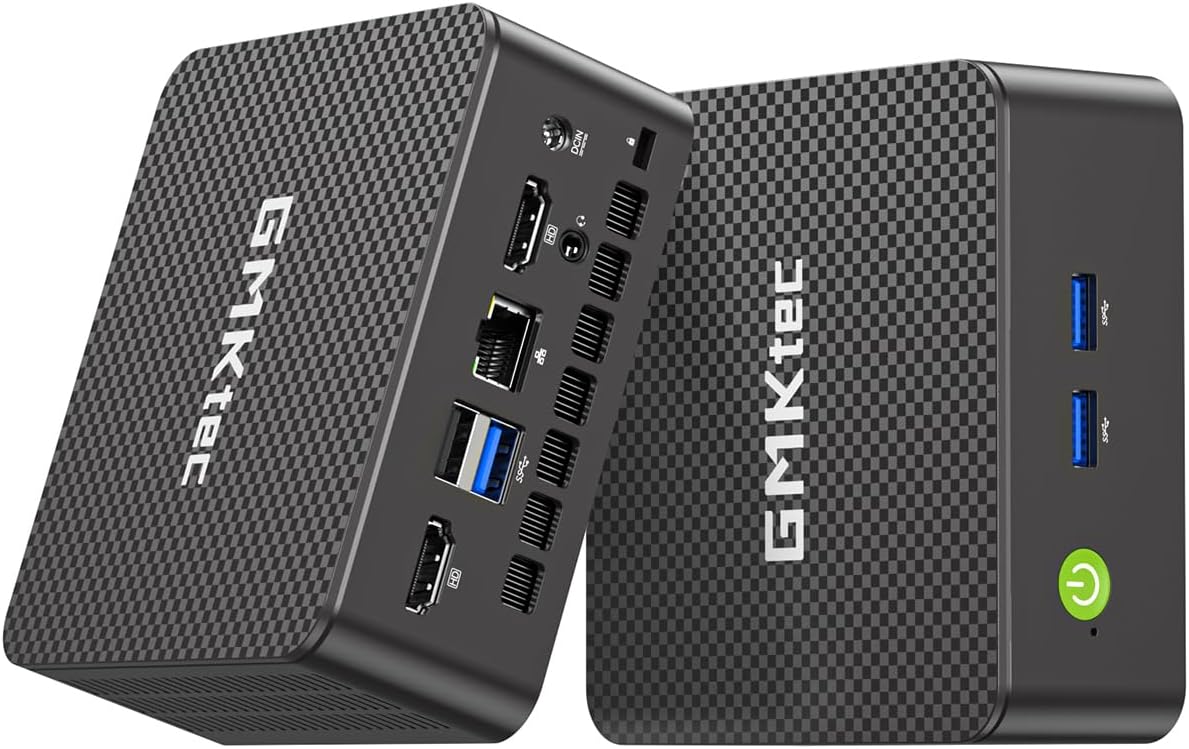
GMKtec G11 features dual 2.5GbE ports making it perfect for virtual routers or firewalls. Its Ryzen Embedded R2514 ensures stable performance for network appliances.
We may earn a commission when you buy through this link, at no additional cost to you.
Dual-channel memory boosts GPU performance for smooth 4K playback. This unit excels in home lab scenarios where multiple network connections are vital for isolation or testing.
The embedded CPU is not designed for heavy general computing tasks. It prioritizes network throughput and stability which limits its use as a primary desktop PC.
Choose this if you need a dedicated networking node. Its robust connectivity and compact form factor allow seamless integration into advanced home lab setups easily.
Two 2.5GbE LAN ports enable high-speed routing or NAS configurations directly.
Radeon GPU outperforms many rivals in 3D and media decoding tasks for this class.
We may earn a commission when you buy through this link, at no additional cost to you.
CyberGeek Mini PC combines a high-end Core i9 with Ubuntu Linux for gamers seeking compact power. It offers 32GB RAM to handle game engines and virtual machines well.
We may earn a commission when you buy through this link, at no additional cost to you.
Triple 4K display support allows immersive multi-monitor setups. The dual LAN ports add flexibility for networked gaming or dedicated gaming servers running locally.
Integrated graphics limit ultra-high graphical settings in demanding titles. Thermal management is key here as sustained loads may cause throttling without proper airflow.
This machine suits Linux gaming enthusiasts with moderate graphics needs. Its high CPU power compensates for GPU limits in many productivity or simulation based game titles.
Three 4K monitors via DP HDMI and Type-C create wide immersive gaming experiences.
8 cores and 16 threads handle complex gaming logic and background tasks smoothly.
We may earn a commission when you buy through this link, at no additional cost to you.
The BOSGAME E5 features dual 2.5GbE LAN ports ideal for secure networking or virtualization. It delivers solid daily performance with 16GB RAM and fast NVMe storage.
We may earn a commission when you buy through this link, at no additional cost to you.
Full-function Type-C enables video and power delivery making it versatile for docking. The expandable storage options ensure long-term usability without replacing the whole unit.
Its GPU performance is sufficient for general use but not heavy 3D rendering. Dual LAN ensures robust network isolation which appeals to home lab enthusiasts highly.
This unit fits security researchers or advanced home users. Its balance of memory networking and storage expansion offers flexibility for complex Linux deployment scenarios.
Dual 2.5GbE ports allow separate physical networks for security or virtualization testing.
Dual NVMe slots enable adding more SSD storage without removing existing drives.
We may earn a commission when you buy through this link, at no additional cost to you.
BOSGAME E4 Air offers a cost effective Linux Mini PC with Ryzen 5 3500U. It handles basic tasks and media streaming smoothly thanks to triple 4K display support.
We may earn a commission when you buy through this link, at no additional cost to you.
Dual RJ45 LAN ports add networking versatility for home servers or routers. The triple display capability ensures productivity remains high even on a budget setup.
Limited RAM and SATA speeds may lag with heavy workloads. Upgrading RAM is recommended but the base configuration serves entry-level users well for now.
Ideal for students or small businesses needing a cheap Linux unit. Its low cost and decent performance make it an attractive starter option for learning Linux.
Three 4K monitors via HDMI DisplayPort and USB-C enable multi-screen productivity cheaply.
Two gigabit LAN ports allow dual network connections for better routing or backup.
We may earn a commission when you buy through this link, at no additional cost to you.
GMKtec G3S uses Intel N95 for energy efficient office computing. Its dual HDMI outputs support two 4K screens for better workflow in small office spaces.
We may earn a commission when you buy through this link, at no additional cost to you.
Dual HDMI 4K support helps extend workspace for documents and reference. The compact design saves desk space while still handling web browsing and email tasks well.
RAM is limited to 8GB which may slow heavy multitasking. Storage expansion is not built-in so consider external drives if you need more data storage.
Best for light office use or digital signage. Its low power draw and reliable build make it suitable for 24/7 operation in business kiosks.
Two HDMI 2.0 ports enable dual 4K 60Hz displays for multitasking.
Intel N95 processor ensures low heat output and energy savings.
We may earn a commission when you buy through this link, at no additional cost to you.
Choosing a Linux Mini PC involves balancing processor power memory capacity and connectivity to match your workflow needs.
Select a CPU with enough cores for your workload. AMD Ryzen and Intel Core usually offer strong support for modern Linux kernels.
Prioritize multi-core counts for virtualization or heavy multitasking tasks.
Linux environments can use memory efficiently but 16GB is recommended for smooth operation. Ensure the unit supports upgrades if your needs grow.
Look for dual-channel memory support to boost performance for integrated graphics.
SSD speed matters for boot times and file access. Check for M.2 slots or SATA ports to expand storage capacity over time.
Multiple NVMe slots allow better data management for large files.
Verify the number of HDMI or DisplayPort outputs for your monitors. USB-C with DisplayPort Alt Mode adds flexibility for modern setups.
Ensure 4K 60Hz support if you need sharp resolution for media work.
Dual LAN ports are crucial for advanced networking like routers or firewalls. Gigabit or 2.5GbE ensures fast file transfers.
Wi-Fi 6 or 6E improves wireless performance for remote desktop tasks.
Check that your chosen distro works with the hardware. Pre-installed options like Zorin OS or Linux Mint simplify initial setup.
Verify driver support for wireless and graphics adapters on your preferred distro.
Reliable customer support is vital for hardware issues. Look for units with at least one year warranty and available US-based service centers.
Extended warranties add peace of mind for business deployments.
Proper cooling ensures the system runs quietly under load. Aluminum cases help dissipate heat better than plastic chassis.
Consider fan noise levels if the PC will be in quiet rooms.
Connect your Mini PC using HDMI or USB-C for display and power. Ensure ventilation gaps are free from dust to maintain cooling efficiency.
Install your preferred Linux distro using a USB drive if not pre-loaded. Keep firmware and drivers updated regularly for better hardware compatibility.
Use VESA mounts to attach the unit behind monitors to save space. Regularly clean air vents with compressed air to prevent overheating issues.
Some models like the TK Node and ASUS NUC 14 Pro include Linux systems out of the box. Others allow you to install your preferred distro easily after purchase.
Most models feature SO-DIMM slots allowing RAM upgrades to 64GB. Check the specific product details for maximum supported capacity before purchasing.
Standard ports include HDMI DisplayPort USB-C Ethernet and audio jacks. Higher-end models may add Thunderbolt 4 for ultra-fast data and video transfer.
Yes several units offer dual LAN ports and low power draw ideal for home servers or virtualization. Ensure thermal management supports 24/7 operation.
The TK Node Mini PC with Zorin OS provides a user-friendly experience. It offers easy transition from Windows with intuitive interface and robust support.
Light gaming works well on integrated graphics. For high-end gaming look for models with better GPUs or support for external GPU enclosures via Thunderbolt.
Our top picks include TK Node for flexibility and ASUS NUC 14 Pro for premium power. Each unit offers unique strengths for diverse Linux computing needs.
Prioritize RAM and connectivity options that match your specific workflow. Budget units like BOSGAME E4 Air remain strong options for entry-level users.
Always check current prices and availability before buying to ensure the best deal. Our guide helps narrow choices but details change frequently.