
Lenovo Business Laptop Linux Mint
4.6Editor score
Intel i5-1335U Processor
16GB DDR4 RAM
Linux Mint Cinnamon OS
Linux laptops offer a robust alternative to traditional operating systems, providing developers and professionals with greater control and security. Choosing the right device requires balancing hardware specifications with software compatibility to ensure a seamless workflow across diverse tasks.
Our team evaluated ten leading models based on processor power, memory capacity, and build quality. We prioritized devices that ship with native Linux distributions to eliminate compatibility issues and maximize performance out of the box.
Each selection highlights key strengths for specific use cases, from rugged field work to high-end AI development. Note that availability and specifications may shift rapidly, so verify current details before making a final purchasing decision today.
4.6Editor score

5.0Editor score

5.0Editor score
As an Amazon Associate we earn from qualifying purchases.
This table provides a side-by-side overview of the ten selected models, highlighting their core specifications and operating systems to help you quickly identify the device that best fits your technical requirements.


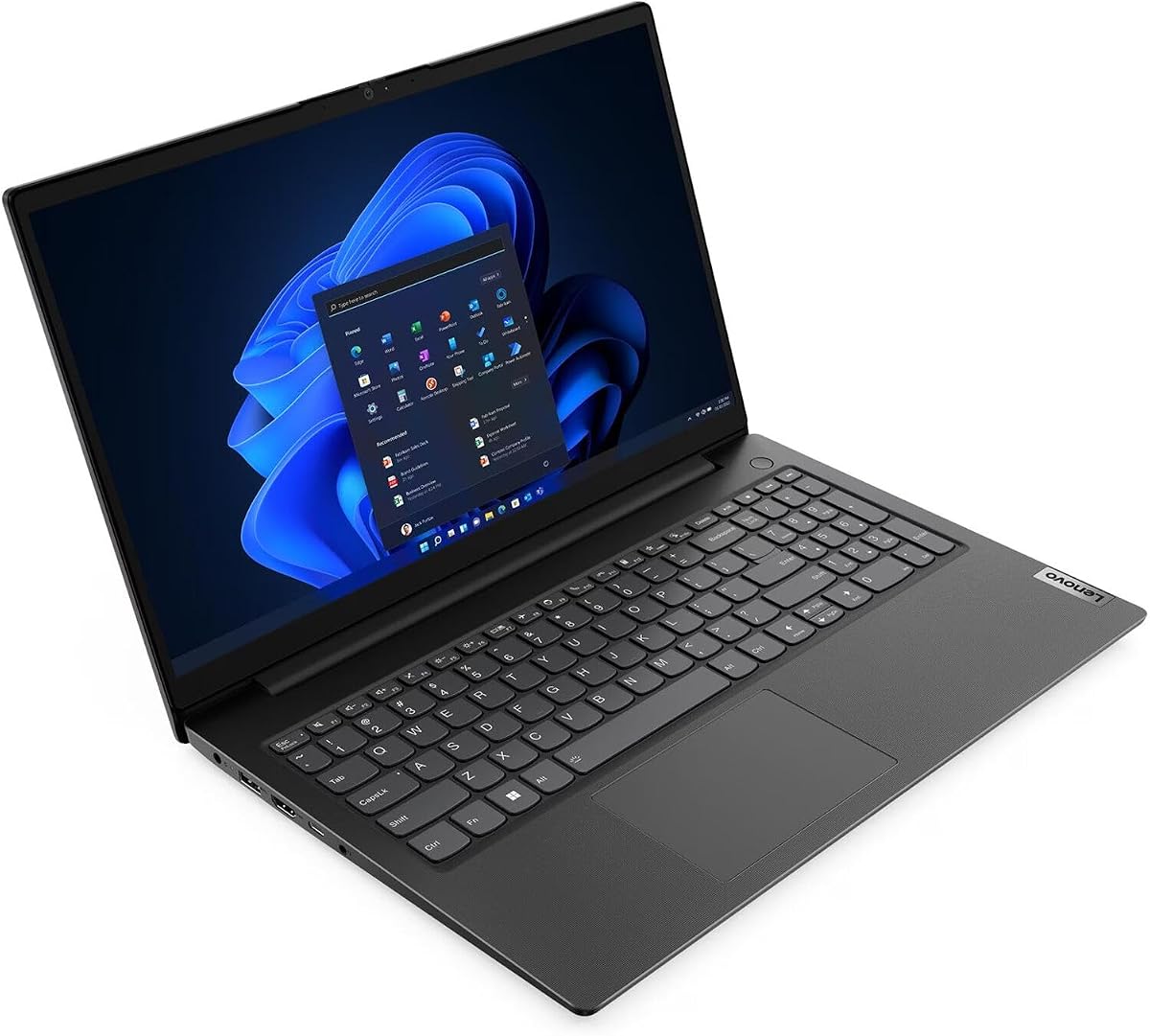
This Lenovo Business Laptop stands out as a highly affordable entry point into the Linux ecosystem. With a strong rating of 4.6 stars, it balances essential features with cost effectiveness for users seeking reliability without overspending.
We may earn a commission when you buy through this link, at no additional cost to you.
The device features an Intel Core i5-1335U processor paired with 16GB of RAM, ensuring smooth multitasking for daily workloads. The 256GB SSD provides quick boot times, while the full number pad on the keyboard enhances productivity for data entry tasks.
While the 256GB storage might feel tight for heavy media users, the fast charging capability helps mitigate downtime during busy schedules. The non-touch display keeps costs down but remains functional for standard office applications and web browsing.
It is an ideal choice for students or small business owners needing a budget friendly machine that supports development tools. For those prioritizing value and a native Linux environment, this model offers a compelling package in the current market.
The combination of a modern i5 processor and ample RAM ensures the system handles multiple applications without significant lag or slowdowns.
Inclusion of a full number pad and fast charging makes this laptop practical for extended work sessions and office environments.
We may earn a commission when you buy through this link, at no additional cost to you.
The Lenovo IdeaPad Slim 3 offers a compelling mix of hardware capabilities and Linux flexibility. Pre-installed with Ubuntu Linux, it targets users who want a clean, open-source environment right from the start without complex setup steps.
We may earn a commission when you buy through this link, at no additional cost to you.
Powered by an AMD Ryzen 7 5825U processor, this laptop delivers robust performance for multitasking and creative work. The inclusion of a 1TB SSD provides ample space for large files, while the touchscreen adds an interactive layer for navigation.
Durability is a key highlight, as the chassis meets military-grade standards to withstand drops and harsh conditions. The bundle often includes accessories like a stylus and portable storage, adding value for those needing immediate extra tools.
This model is well-suited for creative professionals and students who appreciate touch inputs and durability. If you need a versatile machine that handles both coding and content creation, this Slim 3 variant offers significant hardware advantages.
The 15.6-inch touchscreen allows for intuitive navigation and sketching, enhancing the utility of the Linux interface for visual tasks.
Military-grade certification ensures the device can survive rough handling, making it reliable for travel or field work scenarios.
We may earn a commission when you buy through this link, at no additional cost to you.
This variant of the IdeaPad Slim 3 focuses on delivering a streamlined Linux experience with powerful internal components. It shares the same Ryzen 7 processor and Ubuntu configuration as the touchscreen bundle, ensuring consistent performance across different SKUs.
We may earn a commission when you buy through this link, at no additional cost to you.
The Ryzen 7 5825U provides eight cores for efficient multitasking, which is crucial for compiling code or running virtual machines. The 1TB SSD ensures you have plenty of room for development environments and large datasets without external drives.
Without specific bundle accessories, the core value lies in the hardware and operating system integration. The anti-glare display with low blue light certification supports long working hours, reducing strain during intense coding sessions or web development projects.
It is a solid choice for developers who prioritize raw performance and storage capacity over extra accessories. For users comfortable with standard Linux setups, this model offers a reliable platform for professional tasks and everyday computing.
The high core count processor supports complex compilation tasks and multiple virtual environments efficiently without bottlenecks.
The anti-glare screen and blue light filters help maintain comfort during extended periods of screen time and focus work.
We may earn a commission when you buy through this link, at no additional cost to you.
The Panasonic Toughbook CF-31 is a specialized device built for environments where standard laptops would fail. Its rugged design includes military-grade certification and IP65 water resistance, making it suitable for industrial or field work applications.
We may earn a commission when you buy through this link, at no additional cost to you.
Pre-installed with Ubuntu Linux, it serves engineers who need reliable computing power in harsh conditions. The 1200-nit display ensures visibility under direct sunlight, while the legacy serial port allows direct connection to older industrial machinery.
While the hardware specifications are older compared to consumer models, the focus is on durability and connectivity. Features like integrated 4G LTE mean you can stay connected in remote areas without relying on local Wi-Fi networks.
This laptop is the ultimate choice for industrial technicians and field professionals. If your work environment involves dust, rain, or extreme temperatures, this device provides the stability and robustness required to get the job done.
The native RS-232 serial port allows direct integration with legacy machinery and automotive diagnostic tools without adapters.
Rugged chassis design and waterproof rating protect internal components from physical shocks and environmental hazards.
We may earn a commission when you buy through this link, at no additional cost to you.
This ThinkPad L14 Gen 5 model brings modern hardware to the Linux ecosystem with a clean Vanilla Linux installation. It features a Ryzen 5 PRO processor and DDR5 RAM, ensuring fast data processing and efficient power usage for business tasks.
We may earn a commission when you buy through this link, at no additional cost to you.
The 14-inch WUXGA display offers a sharp resolution suitable for coding and spreadsheet work. Security features like the fingerprint reader add an extra layer of protection for sensitive corporate data, aligning with professional standards.
Note that the base keyboard layout is French, requiring English stickers for standard typing. This may be a minor inconvenience for English speakers, but the hardware performance and reliability remain strong despite this regional variation.
It is a strong candidate for enterprise users needing modern specs and security features. For those looking to deploy secure, up-to-date Linux systems in a business environment, this ThinkPad offers a reliable and efficient solution.
DDR5 RAM provides significantly higher bandwidth than previous generations, speeding up data-heavy applications and multitasking.
Built-in fingerprint readers and TPM chips ensure that device access and data remain secure against unauthorized attempts.
We may earn a commission when you buy through this link, at no additional cost to you.
The Lenovo Thinkbook 13s achieves a perfect 5.0 rating, reflecting its high quality and user satisfaction. It combines a premium aluminum chassis with a fully functional Linux Mint installation, making it a top choice for business users.
We may earn a commission when you buy through this link, at no additional cost to you.
Powered by an Intel Quad Core i7 processor, it delivers solid performance for office productivity and coding tasks. The 16GB RAM ensures smooth operation even with multiple browser tabs and development tools open simultaneously.
Security is enhanced with a dTPM chip and ThinkShutter camera privacy, protecting user data from potential threats. The full aluminum body adds durability and a sleek aesthetic that fits well in professional environments.
This model is ideal for professionals needing a reliable and well-built Linux laptop. With its high rating and strong feature set, it stands out as a trustworthy investment for daily business operations.
The full aluminum chassis provides durability and a professional look while keeping the device lightweight for travel.
Hardware-level privacy shutters and TPM chips ensure that sensitive data and communications remain secure at all times.
We may earn a commission when you buy through this link, at no additional cost to you.
This Lenovo Business laptop is designed for users who need significant memory capacity for multitasking. With 20GB of RAM, it handles complex workflows better than standard 16GB models, suitable for heavy data processing.
We may earn a commission when you buy through this link, at no additional cost to you.
The system runs on Linux Mint, offering a familiar and stable interface for daily use. The 1TB hard disk drive provides substantial storage space, though it lacks the speed of an SSD for quick boot times and application loading.
Fast charging support reduces downtime, allowing for quick power-ups during busy workdays. The 15.6-inch display with a full number pad makes it convenient for administrative and financial tasks requiring extensive data entry.
It is a good option for office environments where memory capacity is a priority. While the storage speed may lag, the sheer amount of RAM and storage makes it a capable machine for general business applications.
The 20GB RAM allows for running multiple virtual machines and large datasets simultaneously without performance degradation.
A full number pad and larger display format support efficient data entry and spreadsheet work for finance professionals.
We may earn a commission when you buy through this link, at no additional cost to you.
This Thinkbook 13s model is upgraded with 32GB of RAM and a 1TB PCIe SSD, making it a power unit for Linux users. It keeps the same premium chassis design while significantly boosting internal performance capabilities.
We may earn a commission when you buy through this link, at no additional cost to you.
The high RAM count allows for heavy multitasking, such as running databases and local servers without slowdown. The 1TB SSD ensures that all your development tools and files load quickly, enhancing overall workflow efficiency.
HDR support on the display adds visual depth, though it is primarily a business machine. The aluminum body maintains the sleek look, ensuring the device remains portable despite the added hardware components inside.
It is ideal for developers who need more than standard memory and storage limits. If your workflow involves running multiple VMs or compiling large projects, this configuration provides the necessary resources to handle the load.
With 32GB of RAM, users can handle heavy workloads like containerization and virtualization with ease and stability.
The 1TB SSD provides ample space for extensive development libraries and large project files without external drives.
We may earn a commission when you buy through this link, at no additional cost to you.
This variant of the Thinkbook 13s offers a balanced configuration with 16GB RAM and a 1TB SSD. It maintains the premium build quality and Linux Mint OS, providing a reliable platform for business and development tasks.
We may earn a commission when you buy through this link, at no additional cost to you.
The SSD upgrade ensures faster read and write speeds compared to traditional hard drives. This is critical for quick application launches and efficient file management, supporting a responsive user experience during daily operations.
With a 4.0 rating, it represents a dependable choice for those who need storage space without breaking the bank. The aluminum body and backlit keyboard add to the professional feel and usability in low light settings.
It is suitable for professionals who need more storage for projects and data. If you value a clean Linux setup and reliable hardware, this model offers a solid balance of features for everyday productivity.
The PCIe SSD delivers high-speed data access, reducing wait times when loading large files or booting the system.
Standard business security and connectivity options ensure safe and efficient use in professional corporate environments.
We may earn a commission when you buy through this link, at no additional cost to you.
The NIMO 16 Linux AI Laptop is a powerhouse designed for AI development and machine learning tasks. With an AMD Ryzen Max+ 395 processor and 128GB of RAM, it supports running large language models locally with ease.
We may earn a commission when you buy through this link, at no additional cost to you.
Pre-installed with Linux, it offers a secure and customizable environment for data scientists. The 4TB SSD provides massive storage for datasets, while the high bandwidth memory ensures efficient data processing without bottlenecks.
Features like 4-zone RGB lighting and advanced thermal management help maintain performance during intensive tasks. The dual USB 4.0 ports enable triple-screen setups, making it an excellent hub for complex workstation configurations.
This is a top choice for professionals working with AI models locally. While the price is high, the performance and storage capabilities make it a unique solution for demanding technical workflows and research projects.
The Ryzen Max+ 395 and 128GB RAM allow running large models locally without relying on cloud subscriptions.
Dual USB 4.0 ports enable massive data transfer speeds and support for multiple high-resolution external displays.
We may earn a commission when you buy through this link, at no additional cost to you.
Selecting the right Linux laptop requires careful evaluation of hardware specs and software compatibility. This guide outlines the key factors to consider to ensure you get a device that meets your technical needs.
The CPU is the engine of your laptop, affecting everything from boot times to compilation speeds. For general office work, an i5 or Ryzen 5 is sufficient, while developers should look for i7 or Ryzen 7 models for better multi-threaded performance.
Always check the processor generation to ensure it supports modern instruction sets and power efficiency standards.
Linux systems generally use less memory than Windows, but development tools require significant resources. Aim for at least 16GB of RAM to run multiple browsers and IDEs without slowdown.
Higher capacities like 32GB or more are recommended if you plan to run virtual machines or compile large codebases locally.
Solid State Drives (SSDs) are essential for a responsive Linux experience. NVMe PCIe SSDs offer the fastest speeds, ensuring quick boot times and file transfers.
Consider your storage needs; a 512GB drive is a good minimum, while 1TB or more is necessary for storing large datasets or media libraries.
Some laptops ship with specific distributions like Ubuntu or Mint, which can save setup time. Ensure the version is recent to benefit from the latest security patches and kernel updates.
If you have strong preferences, verify that the hardware supports your chosen distro and its specific drivers before purchasing.
The screen is your primary interface, so resolution and panel type matter. Aim for at least Full HD (1920×1080) with IPS technology for better viewing angles and color accuracy.
Anti-glare coatings are helpful for reducing eye strain during long coding sessions or work in bright environments.
If you travel frequently, a sturdy chassis is vital. Look for materials like aluminum or magnesium alloy that offer protection against drops and spills.
Military-grade certifications indicate a high level of resistance to physical stress, which is crucial for field work or travel.
Modern laptops need versatile ports for peripherals and external displays. USB-C with power delivery and HDMI are standard, but legacy ports like Ethernet can be important for networking tasks.
Check for Wi-Fi 6 support to ensure fast and stable wireless connectivity in crowded networks.
Since you will spend hours typing, the keyboard must be comfortable. Backlit keys are useful for working in low light, and a full number pad helps with data entry.
Try to read user reviews regarding key travel and layout to ensure it fits your typing style and ergonomic needs.
Once you receive your device, start by updating the system packages to the latest version. This ensures you have the most recent security patches and driver support, which is critical for maintaining a stable Linux environment.
To maintain optimal performance, manage your storage regularly by deleting unused files and applications. Use built-in tools like Disk Usage Analyzer to identify large files that can be archived or moved to external drives.
Protect your hardware by using a cooling pad during heavy tasks and keeping it away from extreme heat. Regularly clean the vents and keyboard with compressed air to prevent dust buildup that could cause overheating issues.
Yes, most of these laptops handle Android development efficiently. The higher RAM models are particularly suitable for running the Android Emulator alongside other tools. Ensure you have enough storage for the SDK and emulator images.
You can usually change the OS, but pre-installed Linux laptops are optimized for that environment. Switching to Windows may require checking for driver availability. Some models have locked bootloaders, so verify compatibility first.
Most models in this list focus on business and development rather than gaming. Integrated graphics can handle casual titles, but for serious gaming, a laptop with a dedicated GPU is recommended. Check GPU compatibility with your favorite games.
Both are popular distributions based on Debian. Ubuntu is often more cutting-edge and corporate-backed, while Mint offers a more traditional desktop experience. Choose based on your preference for interface and community support.
Hardware compatibility varies, so check the manufacturer website for specific Linux support. Most modern components work well, but specific Wi-Fi cards or fingerprint readers may need extra configuration. Community forums are a great resource for troubleshooting.
Most manufacturers offer standard warranties even on Linux versions. The coverage typically includes hardware defects and component failures. Check specific terms for software support, as it may differ from OS-specific plans.
We have reviewed ten diverse models ranging from budget-friendly options to high-performance workstations. Each provides unique strengths depending on your specific needs for development or general productivity.
Prioritize memory and storage if you plan to run heavy applications. For casual use, a balanced configuration with good build quality and reliable support is the best investment.
Verify availability and current configurations before buying. Always double-check the OS version and hardware details to ensure the device matches your expectations.