
15.6-inch Laptop Portable
4.5Editor score
8GB DDR RAM
256GB SSD Storage
Numeric Keypad Included
Finding a laptop with a built-in numeric keypad is essential for professionals who handle data entry, accounting, or spreadsheet heavy tasks daily.
We analyzed ten top models based on processor speed, memory capacity, display quality, and overall build to help you choose the right device.
Each pick includes detailed specs and pros cons to guide your decision, keeping in mind that prices and availability can change over time.
4.5Editor score

4.8Editor score

4.2Editor score
As an Amazon Associate we earn from qualifying purchases.
This comparison table lists all ten selected laptops side by side so you can quickly evaluate their core specifications and unique features.




This HP 255 G10 business laptop stands out as the best overall choice for users needing a numeric keypad without breaking the bank. It combines a reliable AMD processor with sufficient RAM for everyday multitasking and a crisp Full HD display.
We may earn a commission when you buy through this link, at no additional cost to you.
The AMD Ryzen 3 7330U processor provides smooth performance for office apps, while the 16GB RAM ensures you can keep multiple browser tabs open without lag. The 512GB SSD offers fast boot times and plenty of space for documents.
While the battery life is decent but not exceptional, and the screen brightness is standard for indoor use, these trade-offs are acceptable given the affordable price. The inclusion of Windows 11 Pro adds enterprise-grade security features.
Ideal for students, small business owners, and home office workers who prioritize productivity and connectivity. We recommend this model for anyone seeking a balanced mix of performance and value with a dedicated numpad.
The full-size keyboard includes a dedicated numeric keypad for quick data entry.
USB Type-C, USB Type-A, and HDMI ports ensure easy connection to peripherals.
We may earn a commission when you buy through this link, at no additional cost to you.
The Lenovo V-Series V15 Business Laptop delivers exceptional multitasking power with a massive 40GB RAM and a high-performance AMD Ryzen 7 processor. This makes it ideal for heavy data processing, virtualization, or extensive spreadsheet work.
We may earn a commission when you buy through this link, at no additional cost to you.
With a 1TB SSD, you will never run out of storage for files and projects. The dedicated numeric keypad is integrated into a full-size keyboard, ensuring comfort during long typing sessions. The RJ45 port is a rare find on modern laptops.
While the device is slightly heavier than some ultra-portable options, the robust build justifies it. The price reflects the high-end specs, but it remains competitive for what you get. Performance is smooth even under demanding workloads.
We recommend this laptop for professionals who need maximum RAM and storage without compromising on the convenience of a numeric keypad. It is perfect for accountants, engineers, and power users.
40GB RAM allows for running dozens of applications simultaneously.
Wi-Fi 6 and Ethernet ensure reliable internet connectivity anywhere.
We may earn a commission when you buy through this link, at no additional cost to you.
This model upgrades the CPU to an AMD Ryzen 7 7730U, offering faster processing speeds for multitasking and heavier applications. The 16GB RAM ensures smooth performance, while the 512GB SSD provides quick access to your data.
We may earn a commission when you buy through this link, at no additional cost to you.
The Full HD display uses anti-glare technology to reduce eye strain during long work hours. The numeric keypad is positioned comfortably for data entry tasks. Windows 11 Pro adds advanced security and management tools.
The battery life is moderate, suitable for a work day with occasional charging. While it lacks a touchscreen, the display quality is sharp and vibrant. Overall, it is a reliable choice for business environments.
We suggest this laptop for office workers who need a secure operating system and a fast processor. It balances performance and cost effectively while including essential productivity features like a numpad.
Windows 11 Pro includes BitLocker and enhanced security protocols.
Wi-Fi 6 provides faster downloads and better connection stability.
We may earn a commission when you buy through this link, at no additional cost to you.
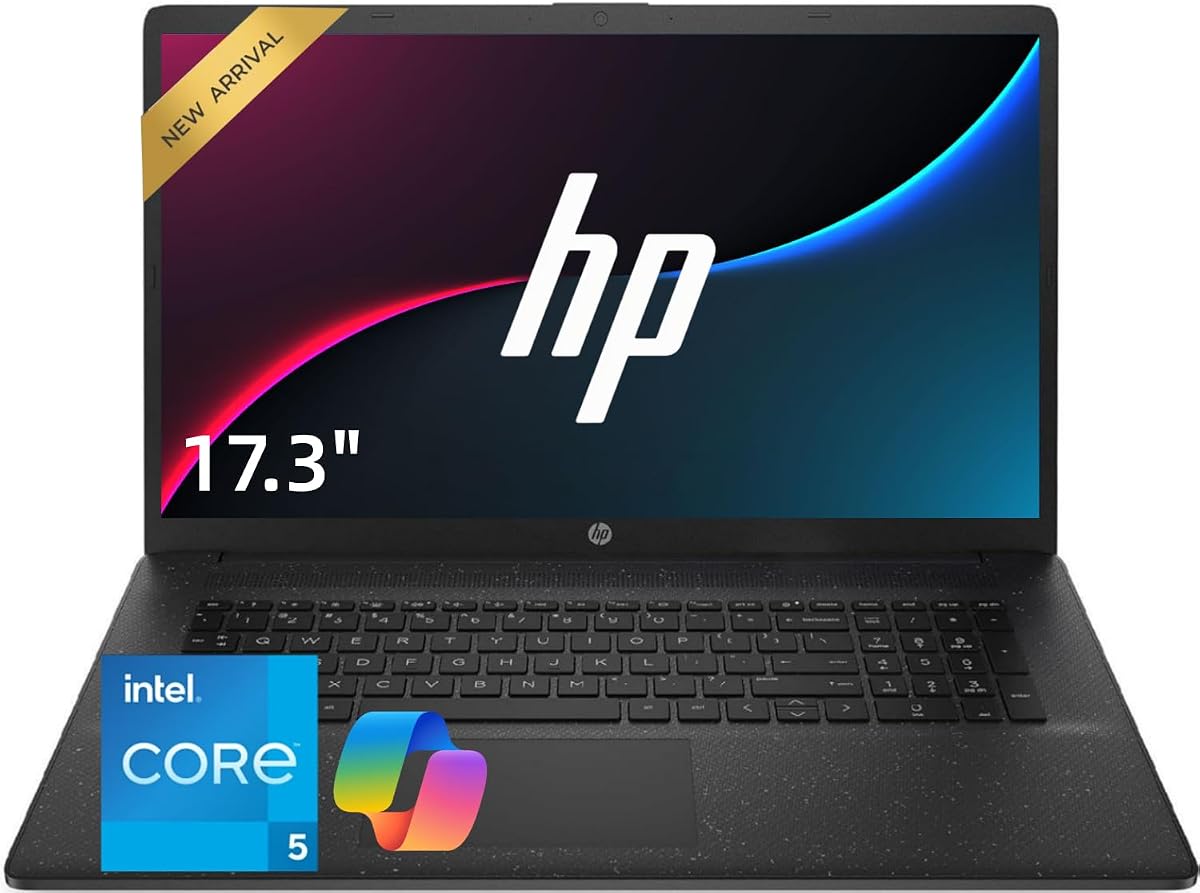
The HP 17.3 Large Screen Business Laptop offers a spacious display that is perfect for side-by-side spreadsheet viewing. The large footprint allows for a comfortable full-size keyboard with a dedicated numeric keypad, reducing typing fatigue.
We may earn a commission when you buy through this link, at no additional cost to you.
Powered by an Intel Core 5 processor with 10 cores, it handles multitasking efficiently. The 32GB RAM ensures that multiple programs run smoothly without slowdowns. The 1TB SSD provides ample space for large datasets and files.
While the 17.3 inch screen is great for productivity, it makes the laptop less portable for travel. It is best suited for stationary desk setups where screen real estate is a priority. The design is robust and practical.
We recommend this model for accounting professionals or students who need a large workspace. It is an excellent choice for home offices where portability is less important than screen size and comfort.
The larger screen reduces the need for constant scrolling during work.
Ideal for Excel heavy tasks and document management.
We may earn a commission when you buy through this link, at no additional cost to you.
This Lenovo laptop features the latest DDR5 RAM which offers faster data transfer speeds compared to previous generations. The Intel Core i5 processor ensures reliable performance for business applications. The 16 inch screen gives you more vertical space for reading documents.
We may earn a commission when you buy through this link, at no additional cost to you.
The numeric keypad is integrated seamlessly for efficient data entry. A privacy shutter on the webcam enhances security during virtual meetings. The build quality is solid, and the keyboard feels comfortable for extended use.
While the price is a bit higher, the modern components like DDR5 RAM justify the investment. The battery life is decent but varies based on usage. Overall, it is a future-proof choice for professionals.
We suggest this model for users who value security and performance. The combination of a tall display, numeric keypad, and privacy features makes it a top contender for business and home office work.
Physical webcam shutter allows you to disconnect your camera easily.
DDR5 RAM improves multitasking and application speed.
We may earn a commission when you buy through this link, at no additional cost to you.
Another strong offering from HP, this 17.3 inch laptop combines a large screen with powerful processing. The 10-core Intel processor handles multiple tasks efficiently. The numeric keypad is essential for those working with numbers frequently.
We may earn a commission when you buy through this link, at no additional cost to you.
The 32GB RAM ensures that heavy multitasking is smooth. Storage is generous at 1TB, allowing you to keep all your files locally. The privacy shutter on the camera is a useful addition for remote work.
The device is bulky and best suited for a fixed location. Battery life is average, so keeping the charger handy is recommended. However, the performance and screen size make it a great desktop replacement.
We recommend this for home office setups where portability is not a priority. It provides the best balance of screen size and memory in this price range for intensive business tasks.
Large screen reduces window clutter and boosts productivity.
1TB storage is perfect for media and large file archives.
We may earn a commission when you buy through this link, at no additional cost to you.
This 2026 Edition HP 17 inch laptop emphasizes long battery life and includes access to Office 365 for the Web. The numeric keypad is fully functional for data entry. The large screen is great for spreadsheets and media consumption.
We may earn a commission when you buy through this link, at no additional cost to you.
The AMD Ryzen 5 CPU provides efficient performance for daily tasks. The 16GB RAM handles multitasking well. The keyboard is comfortable and the numpad is well-positioned. It strikes a balance between performance and portability for a large laptop.
While the build materials are basic, it remains durable enough for daily use. The webcam is standard but functional. The battery life claim is a strong selling point for mobile workers.
We suggest this model for students or remote workers who need a large screen for longer periods. It is a solid choice for general business and academic use with essential productivity features.
Access to Office 365 tools for web based productivity.
Extended battery ensures work without immediate access to outlets.
We may earn a commission when you buy through this link, at no additional cost to you.
This affordable laptop is perfect for budget-conscious users who still need a numeric keypad. The AMD CPU handles basic tasks well. The battery capacity is large, supporting long usage times. It is slim and easy to carry.
We may earn a commission when you buy through this link, at no additional cost to you.
The 256GB SSD is fast and can be upgraded if needed. The 8GB RAM is sufficient for browsing and document editing. The numpad is a key feature that many budget laptops lack. The design is compact and modern.
While it lacks the latest Wi-Fi specs, it meets the needs of most users. The build quality is decent for the price. It is a practical choice for students or casual users.
We recommend this for anyone looking for a cost-effective solution for light work. The combination of price and numeric keypad makes it a standout budget option.
One of the most affordable options with a numpad.
Large battery ensures you work longer without charging.
We may earn a commission when you buy through this link, at no additional cost to you.
This entry level laptop is incredibly lightweight and easy to carry. It features an IPS display with good colors. The storage can be expanded, and it comes with Windows 11 ready to use. It is a great budget travel machine.
We may earn a commission when you buy through this link, at no additional cost to you.
While the RAM and storage are lower than other models, it is sufficient for basic browsing and writing. The build is slim and fits in any bag. Connectivity options are standard and adequate for most needs.
It is best for light use such as email, streaming, and simple documents. For heavy multitasking, you may need to close apps. It is a solid option for secondary computing needs.
We suggest this for students or families looking for a secondary computer. Its portability and low price make it a smart choice for specific tasks.
Weighs only 3.6 lbs making it easy to travel with.
Storage can be increased to meet growing needs.
We may earn a commission when you buy through this link, at no additional cost to you.
This HP model stands out for offering 32GB RAM and 1TB SSD at a reasonable price. The processor is entry level but efficient. The numeric keypad is integrated into a comfortable keyboard. It includes fast charging for power needs.
We may earn a commission when you buy through this link, at no additional cost to you.
The large RAM compensates for the CPU in multitasking scenarios. The SSD ensures quick boot times. It is a great choice for those who need storage and memory without paying a premium for a high-end CPU.
While the CPU is not the fastest, it handles daily work smoothly. The fast charge feature is convenient for busy days. Overall, it is a practical machine for general office tasks.
We recommend this for users who need memory and storage over raw processing power. It is a versatile option for small business users and students.
32GB RAM allows for heavy multitasking and open tabs.
Fast charge reduces downtime when you are on the move.
We may earn a commission when you buy through this link, at no additional cost to you.
Choosing a laptop with a numeric keypad involves balancing performance, screen size, and portability to meet your specific data entry and computing needs.
The processor is the brain of your laptop. For heavy data entry or spreadsheets, look for multi-core processors like Intel Core i5 or AMD Ryzen 5 to ensure smooth performance.
Prioritize at least a quad-core processor to avoid lag when running multiple office applications simultaneously.
Random Access Memory affects how many apps you can run at once. 8GB is minimum, but 16GB or higher is recommended for heavy multitasking without slowing down.
If you use virtual machines or large databases, consider models with 32GB RAM for future-proofing your setup.
Solid State Drives are standard now and provide fast boot times. Look for at least 512GB SSD storage to keep your operating system and files accessible quickly.
Choose NVMe SSDs over SATA for faster read and write speeds during data transfers.
A larger screen helps when viewing spreadsheets side by side. 15.6 to 17.3 inches is ideal for numeric pad users who need space.
Ensure the display is Full HD to keep text sharp and reduce eye strain during long work hours.
Confirm the numeric keypad is dedicated and not a secondary function. This ensures accurate data entry and comfortable typing over time.
A full-size keyboard with good key travel prevents fatigue when typing documents or numbers daily.
Look for USB Type-C and Type-A ports to connect external drives and mice. HDMI ports are useful for connecting to monitors.
Wi-Fi 6 and Bluetooth support ensure fast and stable wireless connections for your devices.
If you work away from outlets, check the battery duration. Aim for at least 6 to 8 hours of typical use to get through a workday.
Fast charging support is a valuable feature to quickly top up power during short breaks.
Windows 11 Pro offers enhanced security and management tools suitable for business users. Home is fine for casual personal use.
Ensure your laptop comes with a genuine license to avoid activation issues and receive regular updates.
Keep your laptop clean by wiping the keyboard regularly with a microfiber cloth to avoid dust buildup around the numeric keys.
Use a laptop stand to elevate the device for better posture while typing on the numeric keypad for long periods.
Update your drivers and operating system monthly to ensure compatibility and security with the latest applications.
Most modern business laptops included in this guide come with Windows 11 Pro or Home preloaded. Always verify the operating system details on the product page to ensure it matches your requirements before purchasing.
A numeric keypad speeds up data entry significantly for tasks involving numbers. It reduces hand movement and error rates, making it essential for accounting, inventory management, and spreadsheet work.
Yes, you can connect a USB or Bluetooth external numeric keypad to any laptop. However, using a built-in numpad is more convenient and reduces cable clutter on your desk.
Yes, 16GB RAM is sufficient for most business tasks including office apps, email, and browsing. If you run virtual machines or heavy software, consider 32GB or more for optimal performance.
Models with 15.6 inch screens are generally portable. The 17.3 inch models are larger and better suited for stationary use due to their size and weight.
Prices vary based on specs. Budget models start around $250 while high-end business laptops range from $800 to $1200. Determine your needs to find the best value option.
We found the HP 255 G10 Business Laptop to be the best overall choice offering a balance of performance and affordability. The Lenovo V-Series V15 and HP 17.3 Large Screen are excellent for specific high-memory and large-screen needs respectively.
Prioritize models that offer a dedicated numeric keypad to ensure comfortable typing. Consider your daily tasks like data entry or browsing to decide on the right RAM and storage capacity for your workflow.
Remember that prices and availability can change often. Check the current listings to ensure you get the best deal before finalizing your purchase today.