
Yilador Webcam Cover 3 Pack
4.3Editor score
Ultra thin 0.03 inch design
3 pack value included
Strong 3.0 adhesive hold
This expert guide compares the top 10 laptop webcam covers for 2026, evaluating privacy security, ultra thin design, and reliable adhesion for all devices.
In an era where digital privacy is paramount, a reliable laptop webcam cover offers peace of mind. These simple tools prevent unauthorized access to your camera, safeguarding your personal space during work or leisure.
We evaluated ten top-rated webcam covers based on build quality, thickness, ease of installation, and compatibility. Our analysis focuses on models that deliver robust privacy without interfering with your device’s functionality or aesthetics.
Each pick highlights unique strengths like ultra-thin profiles or clip-on designs. Prices and availability fluctuate, so verify current details on the product pages before purchasing to ensure you get the best value for your needs.
4.3Editor score

4.5Editor score
4.3Editor score
Compare the top ten laptop webcam covers side by side to find the perfect fit for your privacy needs and device specifications.


The CloudValley Laptop Camera Cover Slide stands out as the top pick for privacy protection. Its metal construction and ultra-thin profile ensure it blends seamlessly with your device while offering robust security.
We may earn a commission when you buy through this link, at no additional cost to you.
This cover is crafted from space aluminum alloy, providing a premium feel that complements modern laptops and tablets. The 0.023-inch thickness is thin enough to prevent interference when closing your laptop lid.
While the adhesive requires a clean surface for best results, it holds securely without residue. This balance of style and function makes it a reliable choice for everyday privacy needs.
Ideal for professionals and students alike, this cover delivers peace of mind. Its broad compatibility ensures it fits most devices, making it a versatile addition to your privacy toolkit.
The metal construction ensures durability and a sophisticated look that enhances your device's appearance.
Slide the cover open or closed easily to manage your camera access whenever you need it.
We may earn a commission when you buy through this link, at no additional cost to you.
The Yilador Webcam Cover 3 Pack offers exceptional value for those seeking affordable privacy solutions. With three covers included, you can protect multiple devices without breaking the bank.
We may earn a commission when you buy through this link, at no additional cost to you.
Each cover features an ultra-thin 0.03-inch design that sits flush against your device. The strong 3.0 adhesive ensures a secure fit that lasts, keeping your camera protected effectively.
While not suitable for full-screen tempered glass protectors, it works well with most standard laptops. The cost-effective packaging makes it easy to share with family or coworkers.
This is an ideal choice for budget-conscious users who prioritize functionality. Its simplicity and low cost make it a staple for maintaining digital privacy across various gadgets.
Get three covers for a great price, allowing you to secure all your essential devices easily.
The upgraded adhesive provides a durable hold that resists peeling or accidental removal.
We may earn a commission when you buy through this link, at no additional cost to you.
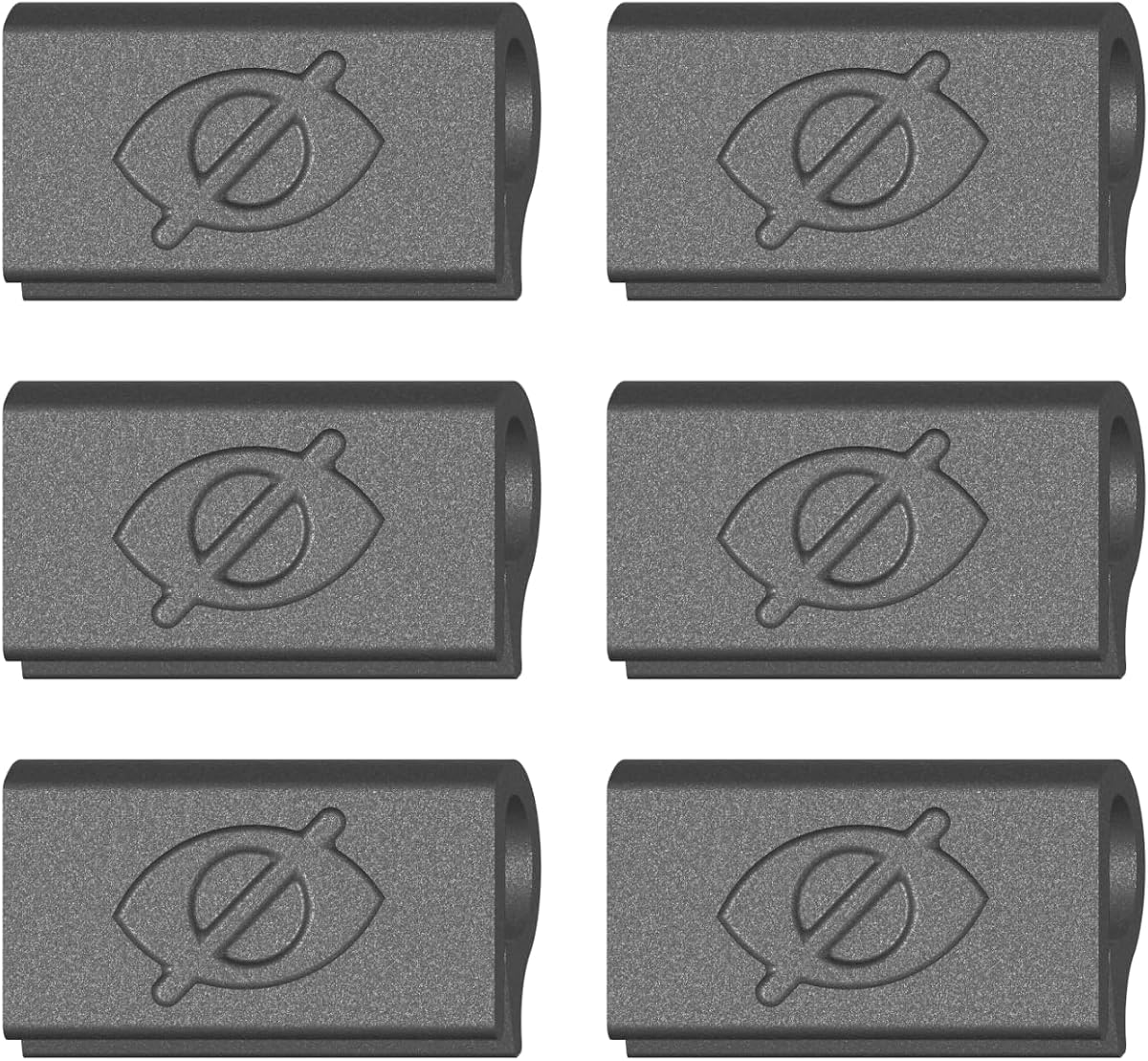
This clip-on webcam cover eliminates the mess of adhesives, offering a clean and reusable solution. Made from flexible TPU, it slides onto your bezel without leaving any sticky residue behind.
We may earn a commission when you buy through this link, at no additional cost to you.
The thin profile ensures your laptop can still close properly without needing removal. Its push-on install is straightforward, requiring no tools or prying, making it user-friendly for everyone.
While it relies on the bezel for stability, it is robust enough for daily use. The 6-pack provides ample options for various devices, ensuring you always have a spare ready.
Perfect for users who dislike adhesive products, this cover offers peace of mind. Its American manufacturing and eco-friendly design make it a premium choice for modern privacy needs.
Remove and reuse the cover anytime without worrying about sticky buildup on your device screen.
The flexible TPU material grips securely without scratching your screen or bezel.
We may earn a commission when you buy through this link, at no additional cost to you.
Designed exclusively for Logitech webcams, this cover offers precise protection for your external camera. It shields the lens from dust and scratches while ensuring your privacy remains intact.
We may earn a commission when you buy through this link, at no additional cost to you.
The flip mechanism allows you to rotate the cover easily for lens access. Its design ensures a secure fit without leaving residue, maintaining the clean look of your workspace setup.
While it only fits specific Logitech models, it excels in its niche. The high user rating reflects its reliability and ease of use for streamers and remote workers.
This is the go-to option for Logitech users wanting dedicated lens care. It combines privacy with maintenance, ensuring your camera performs well over time without external threats.
Keep your webcam lens clean from dust and scratches with this dedicated cover solution.
The cover attaches firmly to your webcam without leaving any sticky residue behind.
We may earn a commission when you buy through this link, at no additional cost to you.
This 6-pack offers a generous quantity for protecting multiple devices. Each cover is ultra-thin at 0.022 inches, ensuring it sits flush without interfering with your laptop lid.
We may earn a commission when you buy through this link, at no additional cost to you.
Made from flexible ABS, these covers are durable and resist breaking during daily use. The adhesive is strong enough to hold firmly, keeping your camera covered when you need it.
While the material feels basic compared to metal, it delivers solid performance. The sheer number of units makes it great for families or offices needing quick privacy for everyone.
If you need many covers at once, this is a practical solution. It balances affordability with functionality, making it easy to secure your privacy across all your tech.
Get six covers for a low price, ensuring you have replacements or options for all devices.
The thin design ensures your laptop closes smoothly without any bulk obstructing the hinge.
We may earn a commission when you buy through this link, at no additional cost to you.
This pack offers nine covers in different sizes and shapes, providing an all-in-one solution for various cameras. It is ideal for households with diverse devices ranging from phones to laptops.
We may earn a commission when you buy through this link, at no additional cost to you.
The ultra-thin design ensures no interference with your device’s closing. The adhesive is easy to apply and remove without leaving traces, keeping your device surface clean.
While not compatible with notch-style screens, it works well for standard bezels. The variety ensures you find a perfect fit for every camera you own.
For those needing flexibility, this pack delivers unmatched convenience. It simplifies your privacy needs by covering all your devices with one purchase.
Get small, medium, and large options in one package to cover every possible camera type.
The adhesive can be removed easily without leaving any sticky residue on your screen.
We may earn a commission when you buy through this link, at no additional cost to you.
This slide-on cover provides a clean alternative to adhesive products. It clips over your bezel securely, allowing you to open and close it easily without mess.
We may earn a commission when you buy through this link, at no additional cost to you.
Made in the USA, the material is durable and designed to last. The four-pack ensures you can protect multiple devices while sharing extras with others.
While some users find the fit less secure, it generally works well. The lack of residue makes it a favorite for those who prefer reusable solutions.
Choose this for a hassle-free privacy experience. It balances convenience with quality, making it a strong contender for non-adhesive protection.
Enjoy a clean installation process without any sticky adhesives or residue buildup.
Support domestic manufacturing with a product designed and made in the USA.
We may earn a commission when you buy through this link, at no additional cost to you.
Add a touch of personality to your privacy routine with these cute pattern covers. They are designed to fit standard laptops, offering security while enhancing your device’s look.
We may earn a commission when you buy through this link, at no additional cost to you.
The extra-large opening ensures full camera visibility when open. Its rotation feature allows for flexibility in how you position the cover on your device.
While the adhesive may need occasional checking, it holds well for daily use. The stylish designs make privacy protection more fun and appealing.
Ideal for students or creative professionals, this cover combines utility with style. It ensures your privacy without sacrificing the aesthetic of your workspace.
Express your individuality with unique patterns that make your webcam cover stand out.
The extra-large opening ensures your camera remains fully visible when you need to shoot.
We may earn a commission when you buy through this link, at no additional cost to you.
This dedicated cover ensures your Logitech C920 and C922x remain secure. It slides smoothly to block the lens, giving you full control over your camera privacy.
We may earn a commission when you buy through this link, at no additional cost to you.
The design is robust, ensuring longevity even with frequent use. It attaches securely without residue, keeping your webcam clean while maintaining privacy.
While limited to specific Logitech models, it excels in its category. The slider mechanism is intuitive, making it easy to toggle privacy on and off.
Streamers and remote workers using Logitech cameras will find this invaluable. It offers reliable protection tailored to your specific device needs.
Designed specifically for Logitech models to ensure a perfect and secure fit every time.
The slider effectively blocks the lens, preventing any unauthorized access to your camera.
We may earn a commission when you buy through this link, at no additional cost to you.
For plant lovers and design enthusiasts, this cute webcam cover is a delight. It adds charm to your setup while keeping your camera secure from unwanted eyes.
We may earn a commission when you buy through this link, at no additional cost to you.
The thin profile ensures it fits snugly without interfering with your laptop’s lid. It slides easily to open or close, providing quick privacy when needed.
While the adhesive might need attention, it generally holds well. The removal leaves no residue, keeping your device surface pristine.
This is a great choice for those who prioritize aesthetics. It turns a privacy necessity into a stylish accessory for your laptop.
Add a fun plant design to your laptop while maintaining essential privacy protection.
The thin design ensures your laptop remains slim and stylish even with the cover attached.
We may earn a commission when you buy through this link, at no additional cost to you.
Selecting the right webcam cover involves considering several factors to ensure it meets your privacy needs and device specs.
The thickness of a webcam cover determines whether it interferes with closing your laptop lid. Ultra-thin designs, such as those measuring 0.02 inches or less, ensure a seamless fit without adding bulk to your device.
Look for models that are under 0.03 inches to guarantee your laptop can close properly while the cover is in place.
Material choice impacts durability and aesthetics. Metal covers like aluminum offer a premium feel and resistance to wear, while plastic or ABS options are more flexible and cost-effective.
Choose materials that match your device’s build quality to ensure a cohesive look and long-lasting performance.
Webcam covers typically use adhesive or clip-on mechanisms. Adhesive models offer a strong hold but may leave residue upon removal, while clip-on ones are residue-free but rely on a bezel.
Decide whether you prefer permanent attachment or the flexibility to remove the cover without leaving marks on your device.
Not all covers fit every device. Some are designed specifically for laptops, while others accommodate tablets or external webcams. Check product descriptions for specific device lists.
Ensure the cover matches your device’s camera placement, especially for models with unique bezel designs or notch screens.
A good cover should allow for smooth sliding or flipping to toggle privacy on and off. Mechanisms that are stiff or hard to move can hinder daily usage.
Prioritize designs that feel intuitive and effortless to operate, ensuring you remember to use them consistently.
If choosing an adhesive cover, verify the strength of the backing. It should hold firmly to prevent accidental dislodging but still allow removal if needed.
Look for products mentioning strong adhesives or residue-free removal to balance security with convenience.
Buying in multi-packs can be more cost-effective and ensures you have backups. A 3-pack or 6-pack allows you to protect multiple devices simultaneously.
Consider your household or office needs to determine if a bulk option provides the best value for your privacy goals.
Some covers feature patterns or colors to match your style. These can add a personal touch to your privacy setup while maintaining functionality.
Select designs that complement your device’s look if aesthetics are important to your workspace environment.
To install a webcam cover, start by cleaning your camera area thoroughly. Use an alcohol wipe to remove dust and oils, then let it dry completely.
Align the cover over your camera lens and press firmly. For adhesive models, hold it for 15 to 30 seconds to ensure a strong bond.
Regularly check the cover to ensure it remains secure. If using a clip-on, verify that it hasn’t loosened over time.
No, a webcam cover does not affect your laptop's performance. It simply provides a physical barrier for the camera lens, which is passive and requires no software or power. It operates independently of your system.
You can use your camera by sliding the cover open. When closed, it blocks the lens completely to prevent any image capture. This ensures privacy when you are not actively using the webcam.
Yes, many covers are designed specifically for MacBooks. However, check compatibility if your device has a unique camera setup or screen protector to ensure a perfect fit.
No special tools are needed for most covers. Adhesive models require cleaning and pressing, while clip-on ones simply slide onto the bezel. The process is straightforward and manual.
Yes, most adhesive covers can be removed by gently peeling them off. Clip-on models can be taken off immediately. Just note that adhesive residues may need cleaning if the adhesive is weak.
Most covers are designed to avoid blocking the indicator light. This allows you to see when your camera is active even when the cover is in place for privacy.
We have reviewed the top laptop webcam covers, highlighting models like CloudValley and Yilador that excel in privacy and ease of use. Each option offers unique benefits to suit your needs.
Prioritize ultra-thin designs and reliable adhesion to ensure consistent protection. Whether you prefer adhesive or clip-on styles, find one that fits your device seamlessly.
Always verify current availability and pricing before purchasing. A small investment in a quality cover can significantly enhance your digital security and peace of mind.