
KNAON Bluetooth Thermal Shipping Label Printer
4.4Editor score
Affordable wireless printing option
Thousands of customizable templates
Compact portable design footprint
This expert guide compares the best Label Printer for Pirate Ship options for small businesses, focusing on connectivity, speed, and platform compatibility to
Running an online store requires efficient shipping solutions to keep customers happy. A reliable thermal label printer ensures your packages leave quickly and accurately without messy ink cartridges or slow processing times.
We evaluated ten top-rated thermal label printers based on connectivity options, print quality, platform compatibility, and ease of use. Our analysis covers both budget-friendly wireless models and robust commercial-grade units designed for high-volume operations.
Each pick below highlights specific strengths for different business needs, from home entrepreneurs to warehouse managers. Note that specifications and availability can change, so always verify current details before making your final purchasing decision today.
4.4Editor score

4.6Editor score

4.4Editor score
The following table provides a side-by-side overview of key specifications for each thermal label printer reviewed in this guide. Use this comparison to quickly identify which model matches your specific shipping volume and connectivity requirements.





The Nelko Bluetooth Thermal Shipping Label Printer stands out as a versatile solution for modern e-commerce businesses. With a solid 4.3 rating from users, this device offers a blend of wireless convenience and reliable wired options that suit diverse operational setups.
We may earn a commission when you buy through this link, at no additional cost to you.
Its ability to connect via Bluetooth to iOS and Android devices through the dedicated app streamlines the labeling process significantly. Windows and Mac users can also utilize USB connections for stability, ensuring that label printing remains consistent even during peak shipping hours without interruption.
While the thermal technology saves money on ink, users must remember to save logistics labels as PDFs before uploading to the app. Mac users with M1 or M2 chips need to follow specific app instructions for Bluetooth pairing, which adds a slight layer of complexity compared to standard USB setups.
This printer is ideal for small to medium businesses needing flexibility without sacrificing speed. If you value the ability to print from multiple devices and platforms efficiently, the Nelko model provides a strong balance of features and performance for daily shipping tasks.
Connecting via Bluetooth allows you to print directly from your phone or tablet using the Nelko app, making it easy to manage labels on the go.
Works with Amazon, eBay, Shopify, and more by allowing you to import PDF labels, ensuring compatibility regardless of your specific marketplace.
We may earn a commission when you buy through this link, at no additional cost to you.
This thermal label printer from NULLTONEX emphasizes user-friendly design through its extensive library of customizable templates. With over 1,800 templates and 300 fonts available within the FlashLabel Pro app, users can create professional labels without needing external design software or advanced skills.
We may earn a commission when you buy through this link, at no additional cost to you.
The direct thermal technology ensures crisp 203 DPI resolution, making barcodes and addresses scannable and clear. Users benefit from offline capabilities that allow local storage of designs, which is particularly useful when internet connectivity is unstable or during times when cloud services are unavailable.
One limitation is that the printer only supports black and white output, which might not suit businesses needing color branding on labels. Additionally, reliance on the specific app means you must learn its interface, though the setup process is designed to be quick and straightforward for most users.
For businesses that prioritize design flexibility and ease of use, this printer offers excellent value. It is well-suited for small businesses that need to print various types of labels beyond just shipping, such as product tags or organizational labels.
The built-in library supports everything from daily organization to express waybills, saving you time on formatting and design tasks.
Built-in printhead overheat protection ensures the device can handle long runs during busy seasons without shutting down unexpectedly.
We may earn a commission when you buy through this link, at no additional cost to you.
JADENS offers a thermal printer that focuses on simplicity and reliability for online sellers. Rated at 4.4 by users, it features a Japanese high-tech thermal print head that delivers high-quality output without the mess of ink or toner, keeping your workspace clean and efficient.
We may earn a commission when you buy through this link, at no additional cost to you.
Setup is highlighted as taking only one minute, with drivers and instructional videos provided on a U-Disk for easy reference. The printer supports a wide range of marketplaces and shipping platforms like ShipStation and eBay, making it a versatile tool for multi-channel sellers.
Mobile users will need to download the Jadens printer app for wireless printing, as direct Bluetooth printing from phones is not supported. Mac users may find Bluetooth connectivity restricted to certain versions, so checking the USB option is often the safer bet for stability.
If you need a printer that gets you running quickly and offers solid support with a one-year warranty, this is a strong candidate. It balances performance and ease of use well, making it a practical choice for small business owners.
The included U-Disk with videos and drivers helps you get started immediately without searching for manuals or support online.
Compatibility with tools like ShipStation and Shippo ensures you can integrate the printer into your existing workflow smoothly.
We may earn a commission when you buy through this link, at no additional cost to you.
The Rollo USB Shipping Label Printer is widely recognized for its commercial-grade durability and high-speed performance. With a 4.6 rating, it is a favorite among businesses that require consistent output and robust construction to handle daily shipping demands without frequent maintenance.
We may earn a commission when you buy through this link, at no additional cost to you.
Its direct thermal technology allows for fast printing at 150mm per second, which translates to roughly one label every second. The printer is compatible with all major shipping platforms and even includes a complimentary shipping app called Rollo Ship that provides access to exclusive rates.
One constraint is that it relies solely on USB connectivity, which might limit mobility for users who prefer wireless printing from mobile devices. The price point is higher than many budget models, but the durability and features often justify the investment for high-volume shippers.
For businesses prioritizing reliability and speed over wireless convenience, the Rollo is an excellent choice. It serves as a workhorse for warehouses and offices that need a printer to perform consistently over long periods.
Rollo Ship integrates directly with your ecommerce platform to offer discounted shipping rates, adding value beyond just printing.
Works with FedEx, UPS, USPS, and marketplaces like Amazon and Shopify, ensuring you can print labels for any order type.
We may earn a commission when you buy through this link, at no additional cost to you.
KNAON delivers a wireless label printer that combines speed with affordability, making it a top pick for budget-conscious small business owners. It features a fast printing speed of up to 180 mm/s and supports a vast selection of templates and fonts for customization needs.
We may earn a commission when you buy through this link, at no additional cost to you.
The printer connects via Bluetooth to mobile devices and computers through the FlashLabel Pro app, offering significant flexibility for printing on the go. It also supports USB connectivity for ChromeOS and Windows, ensuring you can work with a variety of operating systems effectively.
Users should note that direct Bluetooth connections are not possible without the app, which means you must keep the app installed for wireless functionality. However, the compact design and included test papers make it easy to start printing immediately after unboxing.
If you need a portable solution that offers both speed and design flexibility without a high price tag, the KNAON is ideal. It strikes a great balance for sellers who need to print a variety of labels efficiently and stylishly.
With speeds reaching 180 mm/s, you can process high volumes of orders quickly without compromising on label quality or detail.
Access over 3,000 templates and icons to create personalized labels for products, shipping, or organizational purposes.
We may earn a commission when you buy through this link, at no additional cost to you.
Rongta presents a user-friendly thermal printer that simplifies the labeling process with automatic label identification. This feature detects and feeds labels automatically, removing the hassle of manual adjustments and ensuring that your workflow remains uninterrupted during high-volume shipping periods.
We may earn a commission when you buy through this link, at no additional cost to you.
The device supports a wide range of label widths, including standard shipping labels and smaller QR codes. It connects easily via Bluetooth to phones and tablets, while desktop users can rely on drivers available for Windows and Mac systems for stable operation.
Despite its practical features, the printer has a slightly lower user rating compared to some competitors. This may reflect occasional connectivity issues or variations in print consistency, so checking recent reviews before buying is advisable to ensure it meets your specific needs.
For businesses that value ease of setup and automated feeding, the Rongta is a viable option. It is well-suited for those who want a wireless experience with minimal manual intervention during the printing process.
Automatic detection ensures that labels are fed correctly without manual adjustments, saving you time and reducing errors.
Supports various sizes from 0.98 to 4.37 inches, allowing you to print everything from shipping labels to small barcodes.
We may earn a commission when you buy through this link, at no additional cost to you.
Westinghouse offers a commercial-grade printer designed for environments where speed and network connectivity are critical. With Ethernet support, you can connect the printer directly to your router for shared access across an office, ensuring that any authorized user can print labels from a desktop computer.
We may earn a commission when you buy through this link, at no additional cost to you.
The printer delivers a very fast speed of 6 inches per second, which is significantly quicker than many standard models. It supports Linux, Mac, and Windows systems and includes starter labels and a USB flash drive to get you up and running with ZPL software.
While the lack of Bluetooth means it is not ideal for mobile printing, its focus on wired stability suits office and warehouse settings. The commercial construction ensures it can handle daily use without frequent breakdowns or maintenance needs.
If you need a robust printer for a shared workspace or high-volume warehouse, the Westinghouse is a premium choice. Its speed and networking capabilities make it a powerful tool for efficient shipping operations.
Ethernet support allows multiple users to access the printer over your local network, streamlining office operations.
Printing up to 6 inches per second ensures that large batches of labels are processed quickly, reducing wait times.
We may earn a commission when you buy through this link, at no additional cost to you.
MUNBYN provides a unique value proposition by supporting specialty label types like gradient, glitter, and aurora designs. This feature allows businesses to create branded labels that stand out, adding a personal touch to packages and products that standard printers cannot offer.
We may earn a commission when you buy through this link, at no additional cost to you.
The device offers a web-based editor in Google Chrome that requires no installation, making setup extremely easy for desktop users. Mobile users can download the Munbyn Print app to design labels with access to thousands of elements and fonts for creative control.
One consideration is that for optimal performance, genuine Munbyn thermal labels are recommended, which might limit your choice of third-party paper. However, the precision of the 203 DPI print head ensures that all these creative labels look professional and scannable.
For entrepreneurs who want to differentiate their brand with custom label designs, the MUNBYN is an excellent fit. It combines creative freedom with the reliability needed for shipping, making it a versatile tool for product-focused businesses.
Support for specialty materials allows you to add color and texture to your branding efforts.
The Chrome editor allows you to design labels directly in your browser without installing additional software.
We may earn a commission when you buy through this link, at no additional cost to you.
Phomemo distinguishes itself with a strong customer support team that offers live chat, phone, and remote desktop operation. This commitment to user experience ensures that if you encounter any setup or printing issues, you can get help quickly without extensive troubleshooting on your own.
We may earn a commission when you buy through this link, at no additional cost to you.
The printer features a printing speed of 150 mm/s and supports label widths from 1 to 4.6 inches, covering most standard shipping needs. It connects to phones via Bluetooth through the Labelife app, making it easy to integrate with your existing mobile workflow.
Like many thermal printers, it prints in black and white only, so you will need compatible color thermal paper for colored labels. However, the available thermal labels are engineered to resist fading and smudging, ensuring your shipping information remains legible.
If reliable customer service is a priority for you, the Phomemo is a safe choice. It offers solid performance and a supportive ecosystem that helps you manage your shipping operations without frustration.
Access to live chat and remote desktop support ensures you can resolve technical issues quickly and get back to work.
Engineered labels resist smudging and fading, keeping your packages professional and readable throughout transit.
We may earn a commission when you buy through this link, at no additional cost to you.
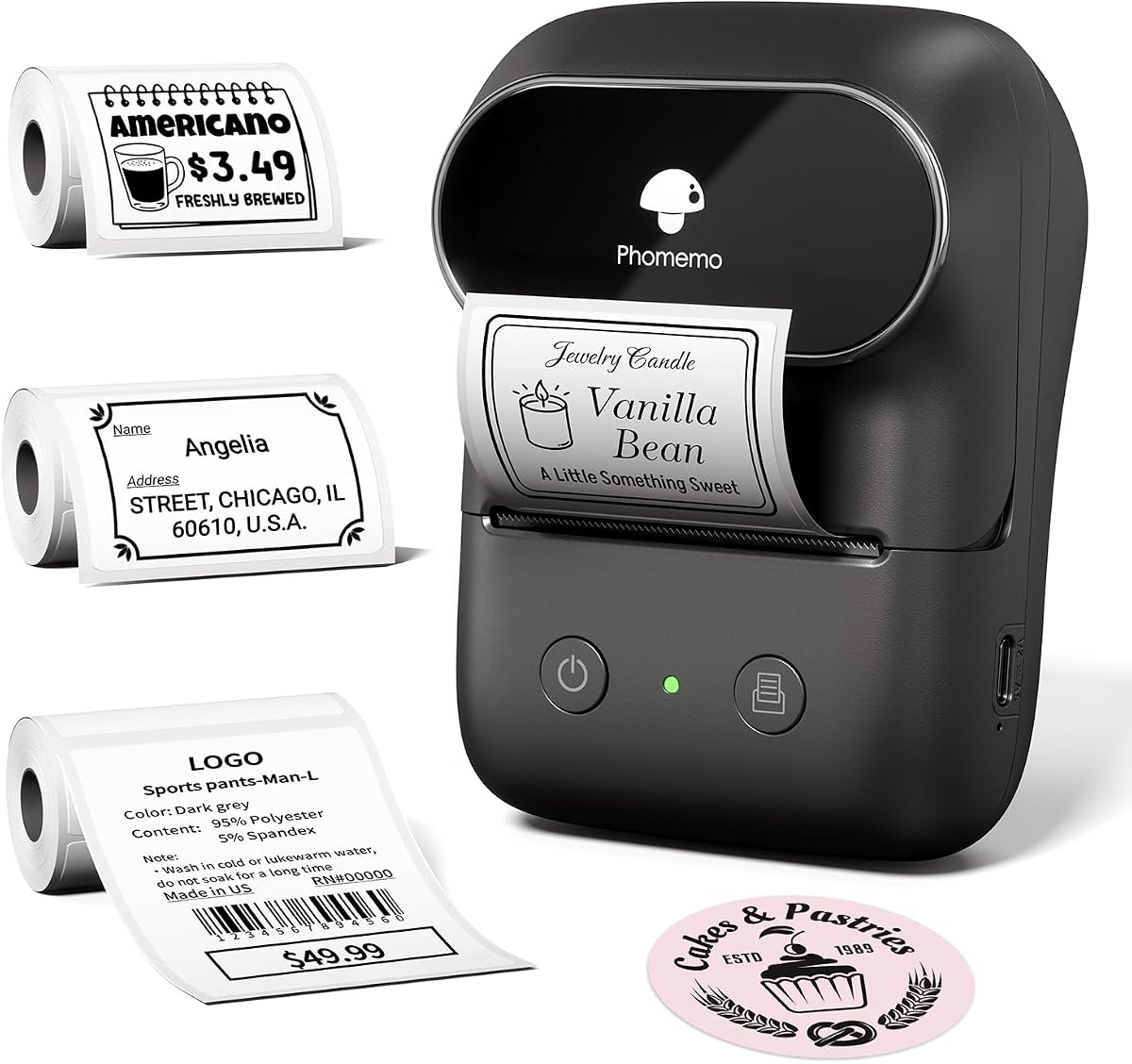
This Phomemo model is a handheld label maker that runs on a rechargeable battery, offering up to 6,000 prints per charge. It is designed for portability and organization tasks, making it perfect for labeling storage boxes, jars, and small products without needing a power outlet.
We may earn a commission when you buy through this link, at no additional cost to you.
The Print Master app includes voice input and OCR recognition, allowing you to create labels quickly using your voice or by scanning text. This feature is particularly useful for hands-free labeling or when you need to label multiple items in a row efficiently.
While it is versatile, the print width is limited to 2 inches, which is not suitable for standard shipping labels. It is better suited for small business branding or home organization rather than large-scale shipping operations that require 4×6 labels.
For users who need a portable solution for small labeling tasks, this machine is ideal. It combines fun features like voice input with practical battery life, making it a handy tool for everyday organization.
Voice input allows you to dictate text directly to the printer, speeding up the labeling process significantly.
The lightweight design and rechargeable battery mean you can take this printer anywhere you need to organize.
We may earn a commission when you buy through this link, at no additional cost to you.
Selecting the right thermal label printer depends on your specific shipping volume, workspace constraints, and connectivity preferences. This section breaks down the key factors to consider before making your purchase.
Consider whether you need Bluetooth wireless printing or if a wired USB connection is sufficient. Wireless models allow you to print from phones and tablets, which is great for mobile sellers, but USB ensures a stable connection for desktop work.
For offices with multiple users, Ethernet connectivity on commercial models allows shared access over a network. Choose based on whether mobility or stability is your priority.
Thermal printers vary in speed, typically ranging from 150 mm/s to 6 inches per second. Higher speeds are essential if you process hundreds of orders daily, as they reduce the time spent on labeling tasks.
Faster printers often come at a higher cost, so balance your budget with your shipping volume needs. A slower printer might suffice for occasional home-based shipping.
Ensure the printer works with your specific e-commerce platforms such as Amazon, Shopify, or eBay. Most modern printers allow you to import PDF labels, but checking if a dedicated app supports your workflow saves time.
Some models offer built-in shipping software that integrates directly with marketplaces to provide discounted rates. This feature can add significant value beyond just printing capabilities.
Standard shipping labels are 4×6 inches, so ensure the printer supports this width. Some printers also support fanfold labels and narrower sizes, which may be useful for diverse product packaging needs.
Check the maximum width supported to ensure it covers all your labeling requirements. If you need to print smaller barcodes or name tags, verify that the device handles those dimensions well.
Commercial-grade printers are built to handle daily use without overheating or jamming. Look for features like overheat protection and sturdy casings if you plan to use the printer heavily.
Budget models might be adequate for light use but could struggle with continuous printing. Investing in a durable unit can prevent downtime during peak shipping seasons.
Many printers rely on mobile apps for wireless printing. Check if the app offers features like offline templates, OCR recognition, or voice input that can streamline your workflow.
Some apps allow for extensive customization with fonts and icons, which is useful for branding. Evaluate the software ecosystem as part of the overall product value.
Look for printers that offer quick setup, preferably with driver-free options or clear instructional videos. Complex setups can delay your start time and increase frustration for new users.
Auto-detection features for label sizes save time on adjustments. Prioritize models that minimize manual calibration steps for better efficiency.
A solid warranty and responsive customer support are crucial in case of technical issues. Check if the manufacturer offers live chat, phone, or remote desktop support for troubleshooting.
One-year warranties are common, but extended support options can provide peace of mind. Good support ensures that you can resolve problems quickly without halting operations.
To begin using your thermal label printer, first install any necessary drivers or mobile apps as instructed in the manual. Connect the device via Bluetooth or USB, then load a roll of thermal labels ensuring the feed mechanism is properly aligned.
For printing, open your shipping platform and save the label as a PDF or use the designated app to design and send the print job. Ensure that you select the correct paper size and type within the software to avoid formatting errors.
Regular maintenance includes cleaning the printhead with a soft cloth to remove dust and residue, which ensures consistent print quality. Store labels in a cool, dry place to prevent them from curling or degrading before use.
No, thermal printers use direct thermal technology that heats special paper to create images. This eliminates the need for ink cartridges or toner, making them cost-effective and cleaner to maintain.
Yes, most modern thermal printers support Bluetooth connectivity through dedicated apps. You can send print jobs directly from your iPhone or Android device as long as the app is installed and connected.
These printers work with standard 4×6 shipping labels and other widths ranging from 1 to 4.3 inches. Ensure you use direct thermal labels with the correct core diameter for your printer model.
Setup is generally quick, often taking just a few minutes. Most manufacturers provide instruction videos and drivers on a USB drive or their website to help you get started immediately.
Most models support Mac via USB or specific apps, though Bluetooth support can vary. Check the product details for compatibility with your specific Mac version and processor type.
Thermal prints can last several years if stored properly away from heat and light. For long-term archival, you can use thermal labels designed to resist fading and smudging.
Choosing the right label printer involves balancing speed, connectivity, and budget. The Rollo stands out for durability, the KNAON offers great value, and the Westinghouse brings commercial-grade features for larger operations.
Prioritize features that match your daily workflow, whether that is wireless convenience or high-speed performance. A printer that integrates seamlessly with your existing platforms will save you the and reduce errors.
Remember to check current availability and model updates before purchasing as technology evolves quickly. By selecting a printer that fits your needs, you can ensure your shipping processes remain efficient and professional.