
TransOurDream Heat Transfer Paper for Dark T Shirts (10 Sheets)
4.4Editor score
Affordable entry option
Works with inkjet printers
Machine washable results
Finding the right heat transfer printer paper for iron on shirts can transform your DIY crafting experience. Whether you want to personalize gifts or start a small business, choosing the correct transfer paper ensures your designs look vibrant and last through many washes without cracking or fading.
We evaluated ten highly rated options based on user feedback, fabric compatibility, and ease of application. Our analysis covers papers for light and dark fabrics, compatibility with inkjet and laser printers, and performance with both home irons and professional heat presses to help you make an informed choice.
Each selection below highlights specific strengths such as stretchability, color vibrancy, and cutting compatibility. Keep in mind that availability and pricing can fluctuate frequently online, so checking current stock and deals is always recommended before finalizing your purchase for your next creative project.
4.4Editor score

4.4Editor score

4.4Editor score
As an Amazon Associate we earn from qualifying purchases.
The following table provides a side-by-side comparison of all ten selected products to help you quickly identify which transfer paper aligns best with your specific fabric type, printer compatibility, and project scale requirements.
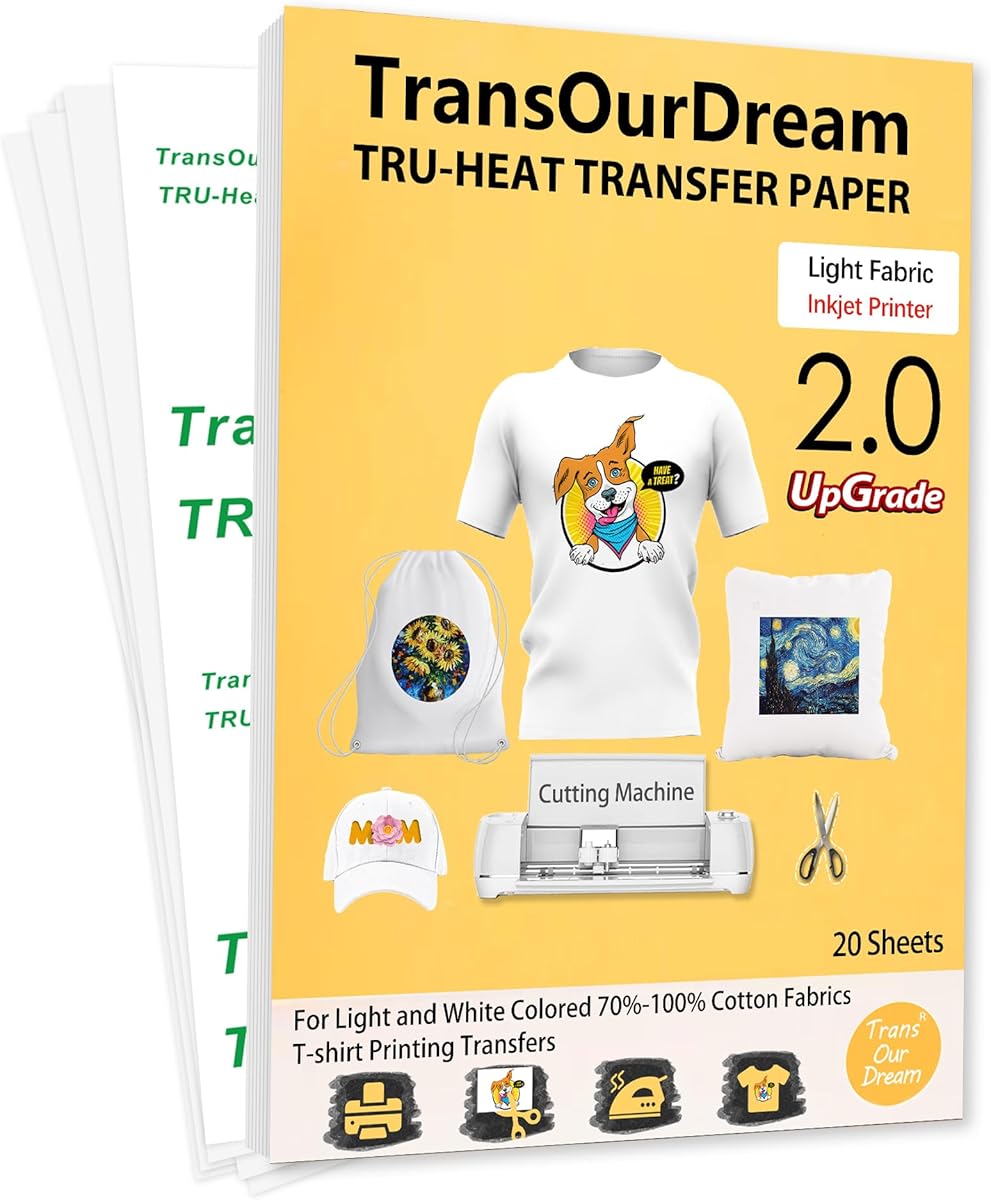



This upgraded transfer paper stands out as a top choice for creating custom designs on light colored shirts. With a rating of 4.4 stars from verified buyers, it offers a balance of ease of use and professional results that appeals to both hobbyists and small business owners.
We may earn a commission when you buy through this link, at no additional cost to you.
The paper features a TRU-TRANSFER formula that ensures the designs are extremely bright and stretchable. Users appreciate that no mirror printing is required, which simplifies the workflow significantly. The inclusion of reusable Teflon paper in the pack adds value and protects your iron during application.
While the product excels on light fabrics, it is not suitable for dark materials. Additionally, it only works with inkjet printers using pigment or dye ink, so sublimation ink users will need to look elsewhere. These limitations are acceptable given the high quality of transfers it produces on compatible surfaces.
If you need a reliable paper for light cotton garments and want a straightforward process without extra steps like mirroring, this is the ideal pick. It is especially recommended for those who value color vibrancy and durability in their custom DIY gifts and apparel projects.
The elimination of mirror printing saves time and reduces the chance of errors during the design preparation phase.
The stretchable formula allows the transfer to move with the fabric without cracking, ensuring long lasting wear.
We may earn a commission when you buy through this link, at no additional cost to you.
This variant offers a larger quantity of sheets which is perfect for users who plan to make multiple custom items at once. The 4.5 star rating indicates high satisfaction among customers who have tested the upgraded formula for better cutability and color vibrancy.
We may earn a commission when you buy through this link, at no additional cost to you.
The upgraded formula fixes issues found in traditional transfer papers by allowing easy cutting with scissors or Cricut machines. This is a significant advantage for detailed designs that require precise edges. The colors are noted to be more vibrant than traditional products, enhancing the final look of the apparel.
Similar to the previous pick, this paper is strictly for light fabrics and inkjet printers. It cannot be used with sublimation ink or on dark materials. However, for those working with white or light cotton, the expanded sheet count makes it a cost effective choice for bulk projects.
Choose this option if you need extra sheets for a batch of shirts or gifts and want the benefit of easier cutting. It is highly suitable for users who already own a cutting machine and want to combine it with iron on transfers for professional results.
With twenty sheets included, this pack supports larger orders without requiring multiple purchases to complete the job.
The formula allows the paper to be cut easily with machines, enabling intricate design details on fabric.
We may earn a commission when you buy through this link, at no additional cost to you.
Avery is a well known name in stationery and printing supplies, and this product continues their reputation for quality. With a 4.6 star rating, it is designed specifically for dark colored cotton and cotton poly blends, ensuring designs stand out vividly on black or navy shirts.
We may earn a commission when you buy through this link, at no additional cost to you.
The Color Shield formula is engineered to produce vibrant and fade resistant prints that can last up to twenty washes. Users can also utilize Avery Design and Print Online to customize templates, which is a helpful feature for those who need a starting point for their designs.
The pack contains only five sheets, which might be a limitation for larger projects but is adequate for individual gifts. As is standard for dark fabric papers, you will need to mirror your print before transferring. The instructions provided are clear and help ensure a smooth transfer process.
This paper is an excellent choice if you need to print on dark shirts and trust established brand standards. It is best for occasional users or those making a few specific items where the quality of the print matters more than the number of sheets.
The formula is specifically designed to prevent designs from turning transparent or washing off dark fabrics.
Free online templates allow users to quickly create custom designs without needing expensive graphic design software.
We may earn a commission when you buy through this link, at no additional cost to you.
This product is specifically engineered for users who have access to a professional heat press machine. With a 4.4 star rating, it is designed for batch transfers and business projects where speed and consistency are critical for maintaining quality and meeting deadlines.
We may earn a commission when you buy through this link, at no additional cost to you.
The dark 6.0 paper allows for transfers to be completed in just ten seconds with a professional heat press. This efficiency makes it ideal for high volume production. The transfers are very bright and vivid, and the material is machine washable, ensuring the garments remain durable over time.
While it offers superior speed and quality, it requires a specific type of machinery that might not be available to casual crafters. If you only have a standard home iron, this might not be the best fit. However, for small business owners, the investment in compatible equipment pays off.
Select this option if you are serious about producing custom apparel professionally and already own a heat press. It is the top choice for efficiency and volume, allowing you to complete more orders quickly without compromising on the visual quality of the transfers.
Reduced transfer times mean you can process more items in a single work session, increasing overall output.
The bright and vivid results ensure that your branded items look polished and high quality to customers.
We may earn a commission when you buy through this link, at no additional cost to you.
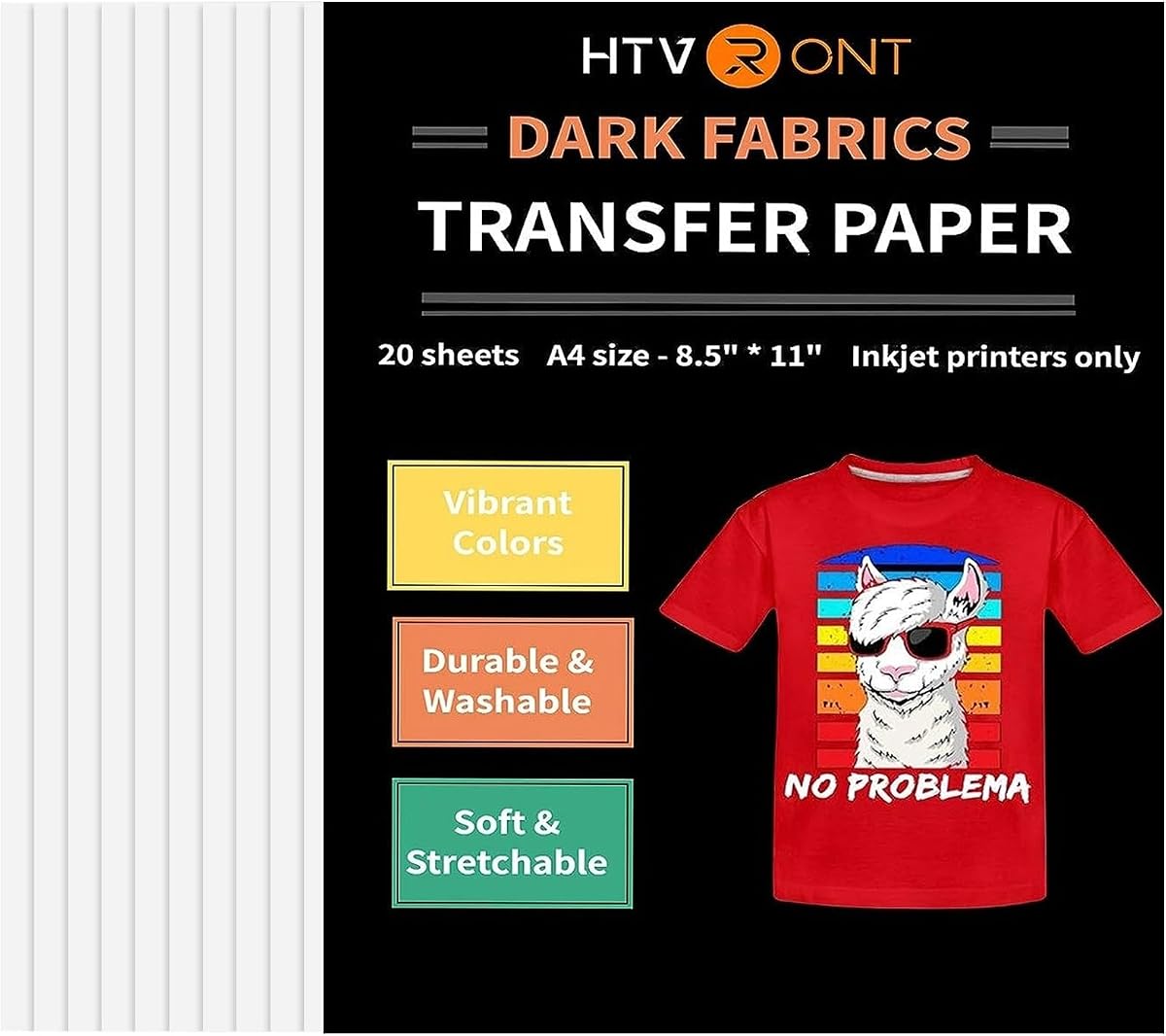
HTVRONT offers a solid option for creating custom designs on dark t-shirts without needing a commercial heat press. The 4.4 star rating reflects consistent performance with vivid colors that users appreciate for their personal projects and gifts.
We may earn a commission when you buy through this link, at no additional cost to you.
The printable HTV is durable enough to withstand repeated washes without fading or peeling. It is compatible with cutting machines, allowing for precise shapes and intricate designs. The product specifies heat press settings but can be applied with a home iron for simpler applications.
It is important to note that this paper only works with inkjet printers using dye or pigment ink. Additionally, you must follow the recommended temperature and time settings to avoid issues with the transfer. Despite these constraints, the value proposition is strong for a 20 sheet pack.
This is a good choice for users who want a balance between affordability and quality for dark fabric projects. If you are looking to create custom dark shirts with vibrant designs and have an inkjet printer, this paper provides reliable results.
The material can be cut with scissors or machines, enabling unique shapes beyond standard rectangular transfers.
Designed to withstand machine washing, ensuring your custom shirts look great even after multiple uses.
We may earn a commission when you buy through this link, at no additional cost to you.
One of the standout features of this product is its compatibility with both inkjet and laser printers. This versatility is rare and makes it a practical choice for households or offices that might have a laser printer as their primary device.
We may earn a commission when you buy through this link, at no additional cost to you.
The Dark 3.0 formula provides vivid and vibrant prints on dark or black cotton fabrics. Users have reported that the transfers are machine washable with cold water, although tumble drying is not recommended. This ensures the longevity of the design on the garment.
While the price may be higher than some other options, the dual printer support adds significant value. If you use a laser printer for regular documents, you do not need to buy a separate inkjet printer just for heat transfers. This convenience simplifies the printing process.
Choose this paper if you have a laser printer and need to print on dark fabrics without switching devices. It offers a unique combination of compatibility and quality that can save you time and effort in the long run.
Support for both inkjet and laser printers means you can use existing hardware without needing new purchases.
Following cold wash and no tumble dry instructions helps maintain the integrity of the transfer over time.
We may earn a commission when you buy through this link, at no additional cost to you.
For those looking to try heat transfer paper without a large investment, this 10 sheet pack is an excellent starting point. With a 4.4 star rating, it offers a cost effective way to create custom dark t-shirts with good quality results.
We may earn a commission when you buy through this link, at no additional cost to you.
The paper is produced with a waterborne polyurethane formula that allows the transfers to be stretchable and non-breakable. This means the design can expand with the fabric without cracking. It also comes with a reusable Teflon paper to protect your iron during the process.
While the count is lower than other options, it is often enough for a single project or a few gifts. The stretchable feature is a key advantage that some cheaper papers lack, ensuring a more professional look even on a budget.
If you are new to the hobby or need just a few transfers for a quick project, this is the most economical choice. It provides the essential features needed for a successful transfer without the higher price tag of larger packs.
The stretchable formula ensures the transfer does not crack when the fabric stretches, improving comfort.
Lower cost allows you to experiment with designs without risking a large financial commitment upfront.
We may earn a commission when you buy through this link, at no additional cost to you.
This classic transfer paper is known for its simplicity and durability on light colored fabrics. With a rating of 4.0 stars, it is a straightforward solution that works well for basic customization needs without complex requirements.
We may earn a commission when you buy through this link, at no additional cost to you.
The paper sticks well to fabrics and is machine wash durable. It is marketed as being easy enough for even kids to use successfully. The requirement to mirror print and place the image facing down is standard for light fabric papers and ensures the correct orientation on the shirt.
While it lacks some of the advanced features of upgraded versions, it is a reliable workhorse for everyday projects. The cool peel feature allows you to remove the backing paper after the transfer has cooled, which can be safer and easier to handle.
Use this option for simple projects where advanced features like cutting compatibility are not needed. It is a great choice for families or beginners who want to make custom shirts for a family reunion or event without worrying about complicated setups.
Simple instructions and cool peel process make it accessible for younger users or first time crafters.
The paper adheres firmly to fabric, ensuring the design stays intact during regular wear and washing cycles.
We may earn a commission when you buy through this link, at no additional cost to you.
This pack offers the versatility of dual printer compatibility in a smaller format. With 10 sheets, it is perfect for small projects or users who only occasionally need to print on dark fabrics. The 4.4 star rating confirms its reliability for dark fabric transfers.
We may earn a commission when you buy through this link, at no additional cost to you.
Similar to the 20 sheet version, this paper works with both inkjet and laser printers. This means you can use your office laser printer for the transfer design. The upgraded dark 3.0 formula ensures vivid results on dark t-shirts and cotton fabrics.
The included Teflon paper helps prevent sticking to your iron. However, users must follow specific washing rules like cold water and no tumble drying. These steps are important to maintain the transfer quality over multiple washes.
If you need a smaller pack that supports laser printing, this is a convenient and effective choice. It allows you to utilize existing office equipment for custom shirts without needing to switch to a dedicated inkjet printer.
Provides the same dual printer benefits as larger packs but in a quantity suited for smaller tasks.
The included Teflon paper ensures a clean transfer process and protects your iron from adhesive residue.
We may earn a commission when you buy through this link, at no additional cost to you.
This paper offers a larger sheet size compared to standard 8.5×11 options, which can be useful for larger designs. With a 4.4 star rating, it is built to be durable and withstand multiple dryer and washer cycles without cracking.
We may earn a commission when you buy through this link, at no additional cost to you.
The material is stretchable and designed to absorb ink beautifully, resulting in high quality transfers. It is recommended for dark cotton or nylon fabrics. The process involves using heavy pressure and a specific temperature range for 25 to 30 seconds.
The requirement for heavy pressure and longer transfer time means it works best with a heat press or a strong household iron. If you are using a gentle iron, you might struggle to get a good transfer. However, the result is a long lasting design.
Choose this if you have larger designs or need extra fabric coverage. It is a solid choice for users who prioritize durability and are willing to follow specific pressing instructions to achieve the best results on dark materials.
The larger sheet dimensions allow for printing bigger designs or utilizing the space more efficiently.
Designed to withstand machine drying, ensuring the transfer remains intact and does not crack easily.
We may earn a commission when you buy through this link, at no additional cost to you.
Choosing the right transfer paper depends on several factors including fabric color, printer type, and how you plan to apply the design. Understanding these details ensures better results and fewer failed attempts.
Light fabric papers are designed to be transparent so the white shirt shows through the design. Dark fabric papers have a white background so the colors show up on black shirts. Always match the paper type to the shirt color you are using.
If you are unsure, check the product title for keywords like light fabric or dark fabric. Using the wrong paper type can lead to invisible designs on dark shirts or white backgrounds on light shirts.
Most transfer papers work only with inkjet printers. Some advanced models work with both inkjet and laser printers. Check the printer requirements in the product description to avoid buying the wrong paper for your machine.
Using the wrong ink type can also cause issues. Most require pigment or dye ink, while sublimation ink is often not recommended. Verify your printer settings before you start printing.
Some papers are optimized for home irons while others require a heat press. Heat press papers often produce faster and more consistent results for bulk orders. Consider whether you have a heat press or just an iron before buying.
Read the transfer time and temperature instructions. Some papers need very specific heat levels to adhere properly. Following these guidelines is essential for a durable transfer.
Look for papers that promise machine washable results. Some are rated for up to 20 washes or more. Durability is key if you plan to wear the shirt regularly or gift it to others.
Follow the washing instructions provided by the manufacturer. Cold water wash and avoiding the dryer can significantly extend the life of your transfer.
If you use a cutting machine like Cricut, check if the paper is compatible. Not all transfer papers can be cut cleanly without tearing. This is important for intricate designs.
Test the paper with a small cut to ensure it works with your machine. Some brands offer specific versions that are engineered to cut easily.
Packages range from 5 sheets to 25 sheets. Consider how many shirts you need to make before deciding. Larger packs are often more cost effective for multiple projects.
If you are just trying it out, a smaller pack reduces the risk. For regular use, buying in bulk saves money over time.
Some papers are simpler to use than others. Features like no mirror printing or cool peel make the process easier for beginners. Look for these features if you want a faster workflow.
Read reviews to see what other users say about the difficulty. Simple instructions and included Teflon paper can make a big difference in satisfaction.
High quality papers ensure that the colors pop after the transfer. Look for mentions of bright or vivid colors in the product details. This affects how professional the final shirt looks.
Using the correct ink type is crucial for color quality. Ensure you are using compatible ink to get the best results from the paper.
First, design your image on your computer and make sure to mirror the print if you are using a light fabric paper. For dark fabric papers, usually no mirror is required. Print on the paper according to the instructions provided on the package.
Cut out your design if needed using scissors or a cutting machine. Place the shirt on a flat hard surface and use an iron or heat press to preheat the fabric slightly. Place the transfer face up or down as instructed and cover it with the protective paper.
Apply heat and pressure for the recommended time. Allow the shirt to cool down slightly before peeling off the backing. Wash the finished shirt in cold water and avoid tumble drying to extend the life of the transfer design.
No, most of these papers are not compatible with sublimation ink. They are designed for pigment or dye ink used in standard inkjet or laser printers. Always check the product specs for ink requirements.
Light transfer paper is transparent and shows the shirt color through the design. Dark transfer paper has a white backing so the design is visible on dark fabrics. Choosing the wrong type can make the print invisible.
For casual use, a household iron can work well. However, for professional results or batch production, a heat press is recommended for consistent pressure and heat. Some papers are optimized for heat press machines.
You can enable mirror image in your printer settings under the Page Setup or Layout tab. This flips the image horizontally so it appears correctly after transferring onto the fabric.
It is best to wait at least 24 hours after transferring before washing the shirt. This allows the adhesive to set fully and ensures the design stays durable through the wash cycle.
Some versions of these papers are specifically designed to be cut with machines like Cricut. Check the product description for cutting compatibility before purchasing to ensure it fits your workflow.
Cracking can happen if the wrong paper type is used for the fabric or if the heat application was inconsistent. Ensure you use the correct paper for your fabric color and apply steady heat and pressure.
Most papers work best on cotton or cotton blends. Some options mention compatibility with polyester, but results may vary. Always test a small area first to ensure the design adheres properly.
The top picks in this guide offer a range of options for light and dark fabrics, inkjet and laser printers, and various project sizes. Whether you are a beginner or a professional, finding the right paper ensures your designs look vibrant and last long.
Prioritize the fabric color and printer compatibility when making your choice. These two factors are the most critical for a successful transfer. Also consider how many sheets you need for your project to get the best value.
Remember that prices and availability can change quickly. Check the current listings for the latest deals and stock. With the right paper and tools, you can create beautiful custom shirts for yourself or as thoughtful gifts.