
HP LaserJet M207dw
4.0Editor score
28 pages per minute speed
Built-in Ethernet port
Self-resetting Wi-Fi
This guide compares the top Ethernet laser printers for offices and homes, evaluating speed, security, connectivity, and reliability to help you choose the
Ethernet laser printers offer reliable wired connectivity for offices needing stable network printing without wireless interference. They provide fast speeds, strong security, and consistent performance for daily document workflows.
We analyzed ten top-rated monochrome laser printers with built-in Ethernet ports. Our comparison focuses on print quality, network features, paper handling, and overall value for small teams and home offices.
Each pick includes detailed specs, pros, cons, and usage tips to guide your decision. Prices and availability change frequently, so check current listings before purchasing to ensure you get the best deal today.
4.0Editor score

4.0Editor score

4.4Editor score
The table below compares all ten featured printers side by side. Review key specifications like print speed, connectivity options, paper capacity, and security features to find the model that matches your office needs.




The Brother HL-L2460DW stands out as a top choice for small offices needing dependable wired printing. It delivers crisp black and white documents at up to 36 pages per minute while maintaining a compact footprint.
We may earn a commission when you buy through this link, at no additional cost to you.
Its built-in Ethernet port ensures stable network connectivity without relying on Wi-Fi. The dual-band wireless option provides flexibility for mobile devices. The 250-sheet tray reduces refills during busy workdays.
Some users find the Refresh subscription helpful but optional. Toner costs may vary if using genuine cartridges. The printer works well with Alexa voice commands for basic tasks and status checks.
Buy this printer if you need fast, reliable mono printing for home or small business use. Its balance of speed, connectivity, and affordability makes it an excellent all-around performer for daily workflows.
Ethernet ensures your printer stays online even if Wi-Fi fluctuates, making it ideal for shared office environments.
Use the Brother Mobile Connect app to print and manage jobs from anywhere, enhancing productivity for remote workers.
We may earn a commission when you buy through this link, at no additional cost to you.
The HP LaserJet M207dw offers excellent value for budget-conscious buyers needing reliable Ethernet connectivity. It produces clean black and white prints quickly with automatic two-sided output to save paper.
We may earn a commission when you buy through this link, at no additional cost to you.
Its built-in security features help protect network data from potential threats. The self-resetting Wi-Fi ensures minimal downtime. It works seamlessly with mobile devices and various operating systems.
The paper tray holds less than some competitors, requiring more frequent refills. Touch controls are functional but not as advanced as higher-end models. Overall, it delivers consistent performance for its class.
Choose this printer if you want a cost-effective solution for small office printing. Its speed, security, and Ethernet support make it a smart pick for startups or home offices on a budget.
Get reliable printing without breaking the bank, ideal for businesses managing tight operational budgets.
Built-in security safeguards your data, ensuring confidential documents stay protected on your network.
We may earn a commission when you buy through this link, at no additional cost to you.
The HP LaserJet Pro 4001dn is a premium workhorse designed for small teams needing high-speed wired printing. It delivers up to 42 pages per minute with consistent quality and robust security features.
We may earn a commission when you buy through this link, at no additional cost to you.
HP Wolf Pro Security protects against cyber threats effectively. Ethernet ensures stable network access without wireless interference. Its design prioritizes reliability and performance for professional environments.
Lacking wireless options means setup requires physical connections. The price is higher than budget models but justifies with speed and security. It is best suited for offices that prioritize data protection.
Invest in this printer if you need fast, secure printing for a growing team. Its speed and security features make it a top choice for businesses handling sensitive documents and high-volume jobs.
Advanced protection keeps your data safe from unauthorized access and potential network attacks.
42 ppm speeds reduce wait times, keeping your team productive even during peak printing hours.
We may earn a commission when you buy through this link, at no additional cost to you.
This Brother model combines printing, scanning, and copying with stable Ethernet support. It processes documents quickly and handles multi-page jobs efficiently. Its compact design fits well in small offices.
We may earn a commission when you buy through this link, at no additional cost to you.
The 50-page automatic document feeder simplifies scanning stacks of paper. Mobile connectivity enables remote printing and scanning tasks. Duplex printing saves time and reduces paper waste significantly.
It occupies more space than a single printer. Toner costs can be managed via subscriptions or bulk purchases. Overall, it offers excellent functionality for users needing multiple tasks from one device.
Choose this unit if you need an all-in-one solution with Ethernet reliability. Its speed and versatility make it ideal for small teams needing scanning, copying, and printing without separate devices.
Consolidate printing, scanning, and copying into one device to save space and streamline office workflows.
Manage print jobs remotely via the Brother app for enhanced flexibility on the go.
We may earn a commission when you buy through this link, at no additional cost to you.
The HP Laserjet Pro 3001dw is designed for teams needing flexible connectivity. It delivers reliable Ethernet and wireless options for seamless sharing. Print quality remains crisp and consistent for business documents.
We may earn a commission when you buy through this link, at no additional cost to you.
Wolf Security helps protect sensitive data on the network. Automatic duplex saves paper while increasing efficiency. The printer handles daily workloads well and is easy to integrate into existing setups.
Toner yields might not be high enough for very high-volume printing. Setup is straightforward but requires attention to network config. It is a solid choice for small to medium workgroups.
Select this printer if you want balanced performance for a small team. Its mix of connectivity, security, and ease of use makes it a practical choice for professional environments needing reliability.
Built-in security ensures that shared printing remains safe from unauthorized access on your network.
Use Ethernet for stability or wireless for convenience, adapting to your office network needs.
We may earn a commission when you buy through this link, at no additional cost to you.
This Brother model fits comfortably in home offices with space constraints. It offers Ethernet connectivity for stable printing and wireless for mobile flexibility. Print quality is sharp and professional for standard documents.
We may earn a commission when you buy through this link, at no additional cost to you.
With 30 ppm speed, it handles most tasks without delays. The 250-sheet tray reduces frequent refills. Alexa voice commands add convenience for users preferring hands-free operations.
Lack of automatic duplex may increase paper usage. Features are basic but sufficient for personal or light business tasks. Its design prioritizes simplicity and efficiency in small workspaces.
Buy this if you need a compact printer with Ethernet support. It is ideal for home offices or small teams where space is limited but network reliability remains essential.
Its compact size frees up valuable desk space while maintaining robust connectivity options.
Alexa integration adds convenience, allowing easy print commands through voice control.
We may earn a commission when you buy through this link, at no additional cost to you.
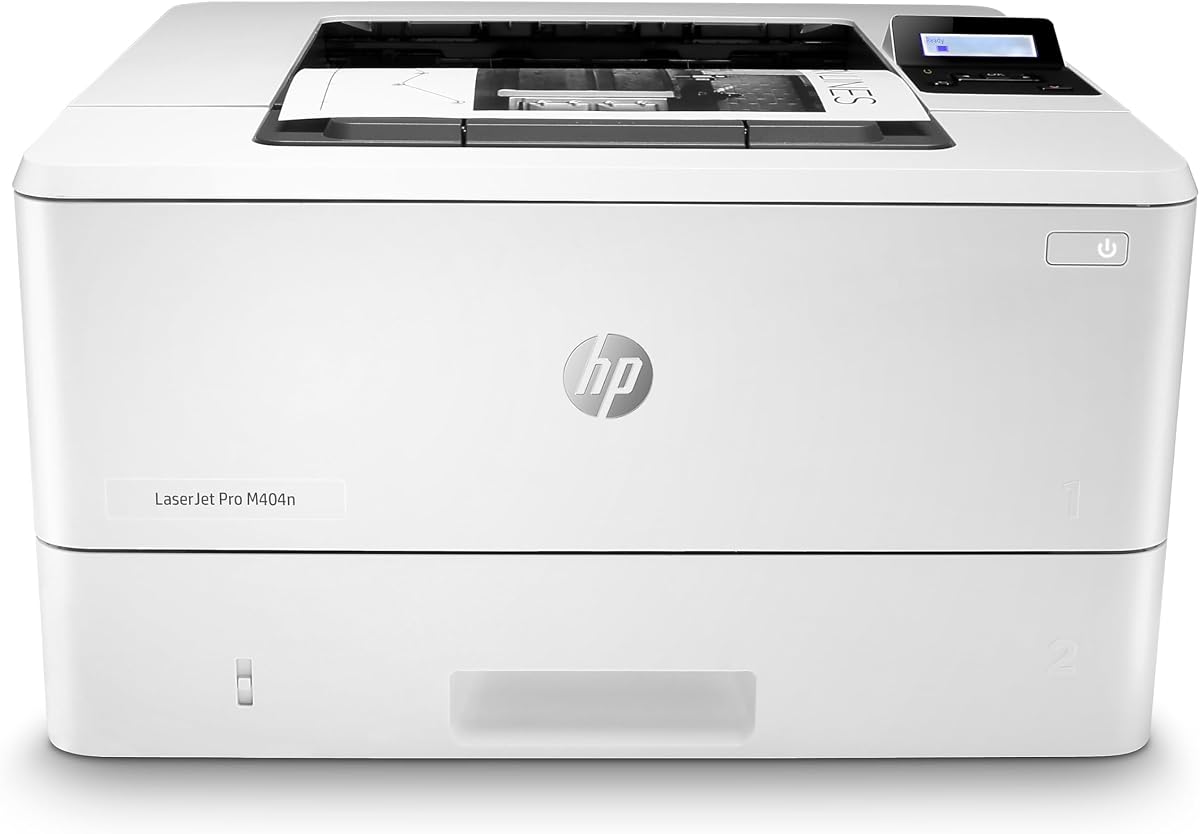
The HP LaserJet Pro M404dn is built for reliable Ethernet printing in business environments. It delivers 40 ppm speeds with automatic two-sided output. Its compact size saves space while maintaining robust performance.
We may earn a commission when you buy through this link, at no additional cost to you.
Security features protect company data effectively. The printer is energy-efficient, reducing costs over time. Toner cartridges are designed to avoid waste and ensure quality output consistently.
Without wireless, setup requires network cables. This limits flexibility for mobile devices. However, it ensures stable connectivity for desktop workstations needing consistent printing services.
Choose this printer if reliability and speed are your top priorities. Its Ethernet focus and speed make it a solid option for offices that prioritize consistent wired connectivity over wireless convenience.
Designed with environmental considerations, it consumes less energy, lowering long-term operational costs.
Built-in security protects against cyber threats, keeping your network and data safe during print jobs.
We may earn a commission when you buy through this link, at no additional cost to you.
This model focuses on stable Ethernet printing with solid speed and security features. It delivers 40 ppm performance, making it suitable for busy office environments needing consistent output without wireless interference.
We may earn a commission when you buy through this link, at no additional cost to you.
Wolf Security ensures protection against threats on your network. The design is compact enough to fit shared workspaces. Its reliability makes it a trusted choice for shared office printing.
Without wireless, it works best in wired setups. Mobile printing requires extra configurations. Overall, it balances speed and reliability well for environments prioritizing secure, wired network access.
Select this printer if you need reliable Ethernet performance without Wi-Fi complexity. It is ideal for secure office environments that prefer stable physical network connections for daily printing.
Stable Ethernet connections ensure your printer stays online without interruption, minimizing downtime.
Built-in security features safeguard your network from potential cyber threats effectively.
We may earn a commission when you buy through this link, at no additional cost to you.
This Brother unit handles high-volume printing with fast speeds and expandable paper trays. Ethernet ensures stable connectivity for shared workgroups. Secure print options help protect confidential documents effectively.
We may earn a commission when you buy through this link, at no additional cost to you.
Paper capacity can be expanded to over 1,300 sheets for uninterrupted printing. Its robust build suits busy offices needing reliable performance over long periods without frequent intervention.
Wireless connectivity requires extra configuration or adapters. Physical size may be larger than compact models. Overall, it delivers reliable performance for demanding environments prioritizing throughput and security.
Choose this printer if you need a workhorse for high-volume tasks. Its speed, security, and expandability make it a strong option for offices needing consistent performance and network reliability.
Add optional trays to increase paper capacity significantly, reducing refills during high-volume jobs.
Advanced security features prevent unauthorized access to sensitive documents stored or printed on network.
We may earn a commission when you buy through this link, at no additional cost to you.
The Brother HL-6210DW delivers top-tier speed with 50 ppm output. Ethernet and wireless provide flexible connectivity. Its security features protect data during transmission, making it suitable for professional offices.
We may earn a commission when you buy through this link, at no additional cost to you.
With a 520-sheet tray, it minimizes paper refills. Gigabit Ethernet ensures fast network throughput. Triple Layer Security safeguards devices and documents during printing and transmission effectively.
Price is higher than average models but justified by speed and capacity. Physical size is larger, requiring dedicated space. It suits environments prioritizing efficiency and high-volume performance.
Invest in this printer if speed and security are essential. Its fast performance and robust connectivity make it a premium choice for offices needing consistent high-output printing.
Gigabit Ethernet ensures fast data transfer, reducing wait times for large print jobs.
High-capacity trays reduce refill frequency, enhancing efficiency during busy office periods.
We may earn a commission when you buy through this link, at no additional cost to you.
Choosing the right Ethernet laser printer depends on your office size, printing volume, and connectivity needs. Here are key factors to consider when selecting the best model for your workflow.
Print speed is measured in pages per minute and affects workflow efficiency. For small offices, 30-35 ppm is sufficient. Larger teams benefit from 40 ppm or faster to handle high volumes quickly.
Prioritize models with speeds matching your typical document load to avoid bottlenecks.
Ethernet ensures stable network connections, reducing interference common with wireless. Some models offer dual-band Wi-Fi alongside Ethernet for flexibility. Check if your devices support the available connections.
Choose printers with Ethernet plus wireless options if you need both stability and mobile flexibility.
Paper capacity varies from 150 to over 500 sheets. Larger trays reduce refill frequency and downtime. Consider expandable trays if you print in high volumes daily.
Look for models with multi-purpose trays for envelopes and specialty paper to increase versatility.
Security is critical for business environments. Built-in encryption, secure print, and data protection prevent unauthorized access. Models with HP Wolf Security or Brother Triple Layer Security offer advanced protection.
Ensure the printer includes features that protect sensitive documents during transmission and storage.
Consider ongoing costs like toner cartridges and maintenance. Subscription services can reduce costs but lock you in. Check yield per cartridge to estimate long-term expenses accurately.
Calculate cost-per-page for realistic budgeting and compare toner prices between models.
Single-function printers are simpler and cheaper but only print. Multifunction units add scanning and copying, reducing desk clutter. Decide based on whether your office needs those extra features regularly.
Choose multifunction if you handle frequent scanning or copying tasks to maximize space and utility.
Ensure the printer works with your operating systems and mobile devices. Support for AirPrint, Android, and Chromebook improves usability. Check the manufacturer's app for remote management and toner tracking.
Verify mobile compatibility if your team often prints from phones or tablets.
Warranty length and support availability impact long-term satisfaction. Look for at least a 1-year limited warranty and accessible customer support. Online resources and live chat options help resolve issues quickly.
Choose brands offering strong support channels to minimize downtime during critical printing tasks.
Start by connecting the Ethernet cable securely to both the printer and your network router. Ensure all cables are properly seated to avoid intermittent connection issues during operation.
Install the printer drivers and software from the manufacturer's website. Configure network settings through the control panel to assign a static IP address for stable access across devices.
Regularly clean the interior and exterior with a soft cloth. Keep the paper tray free of dust and debris to prevent jams. Run periodic self-tests to maintain print quality and hardware reliability.
Ethernet printers offer stable, interference-free connections crucial for office environments. They ensure consistent uptime and faster data transfer. Wireless may be less reliable in busy networks with many devices.
Many Ethernet printers include wireless options alongside Ethernet for mobile printing. Check if the model supports AirPrint or manufacturer apps for smartphone access. Some require apps for remote printing over Ethernet.
Enable built-in security features like secure print and encryption. Change default admin passwords immediately. Keep firmware updated to patch vulnerabilities and protect against unauthorized access or cyber threats.
A 250-sheet tray is usually sufficient for most small offices. Larger teams might need 500 sheets or expandable options. Evaluate your daily volume to choose the right capacity without excessive refills.
Many featured models include automatic duplex printing to save paper and time. Verify specific models like HL-L2460DW or M404dn for two-sided printing. Some budget options may require manual flipping for duplex.
Use genuine toner cartridges and replace them when low. Clean internal components regularly to remove dust. Avoid printing on damaged paper and run maintenance cycles to keep rollers and drums in top condition.
Many printers support third-party toner but may lose some features like tracking. Using genuine toner ensures warranty coverage and best results. Some models block non-original chips, so check compatibility before buying.
Check that cables are intact and the router port works. Ensure driver software is installed and settings allow network discovery. Restarting both the printer and router often resolves common connection issues quickly.
We highlighted ten top Ethernet laser printers suited for various office sizes and needs. Models like the Brother HL-L2460DW and HP LaserJet Pro 4001dn offer excellent performance and reliability for different budgets.
Prioritize speed, security, and connectivity options based on your workflow demands. Consider total cost of ownership and warranty support for long-term satisfaction with your purchase decision.
Prices and availability change regularly so check current listings before buying. This guide helps narrow options but verifying today's deals ensures you get the best value for your network printing setup.