
Amazon Basics Condenser Microphone
4.4Editor score
Large 14mm diaphragm
Cardioid pickup pattern
One tap silent mode
This guide compares the top 10 cheap podcast microphone options for 2026 to help you find clear sound and reliable features for your show.
Finding the right audio equipment is crucial for any content creator starting a new show. You need a device that captures your voice clearly without breaking the bank or requiring complex setup. This guide explores affordable options designed for beginners and pros alike.
We evaluated ten highly rated microphones based on sound quality, build durability, and ease of use. Our analysis focuses on features like noise cancellation, connectivity options, and included accessories to ensure value for money. Each product offers unique strengths for different recording environments and needs.
Every pick in this list highlights specific benefits and potential trade-offs to help you decide. You will find detailed breakdowns of technical specs and user feedback to inform your choice. Keep in mind that availability and stock levels may change frequently on retailer sites.
4.4Editor score
4.3Editor score

4.6Editor score
This side by side comparison highlights the key specifications and features of each model to help you choose the right fit for your studio.




This USB microphone delivers broadcast level audio quality through a high performance condenser capsule. Its cardioid pickup pattern focuses on your voice while minimizing background distractions. The 4.4 rating reflects consistent satisfaction among podcasters and streamers seeking clarity.
We may earn a commission when you buy through this link, at no additional cost to you.
A standout feature is the intelligent noise reduction mode activated by holding the mute button. This helps remove keyboard clicks and fan hum effectively. Physical knobs for gain and echo allow quick adjustments without software. The zero latency monitoring jack ensures you hear your recording in real time.
While the build is sturdy with a metal base, the aesthetic is utilitarian. You might find the design plain compared to gaming focused mics with RGB lights. However, the practicality of the included adapters and windscreen makes it a robust value choice.
If you want a reliable microphone for PC and mobile setups without spending a fortune this is the top pick. It suits creators who prioritize sound quality and ease of use over flashy features. Check the current availability to secure this complete package.
The noise reduction button provides a simple way to isolate your voice from ambient sounds like fans or chatter.
A dedicated headphone jack allows you to listen to your audio live so you catch issues before finalizing a clip.
We may earn a commission when you buy through this link, at no additional cost to you.
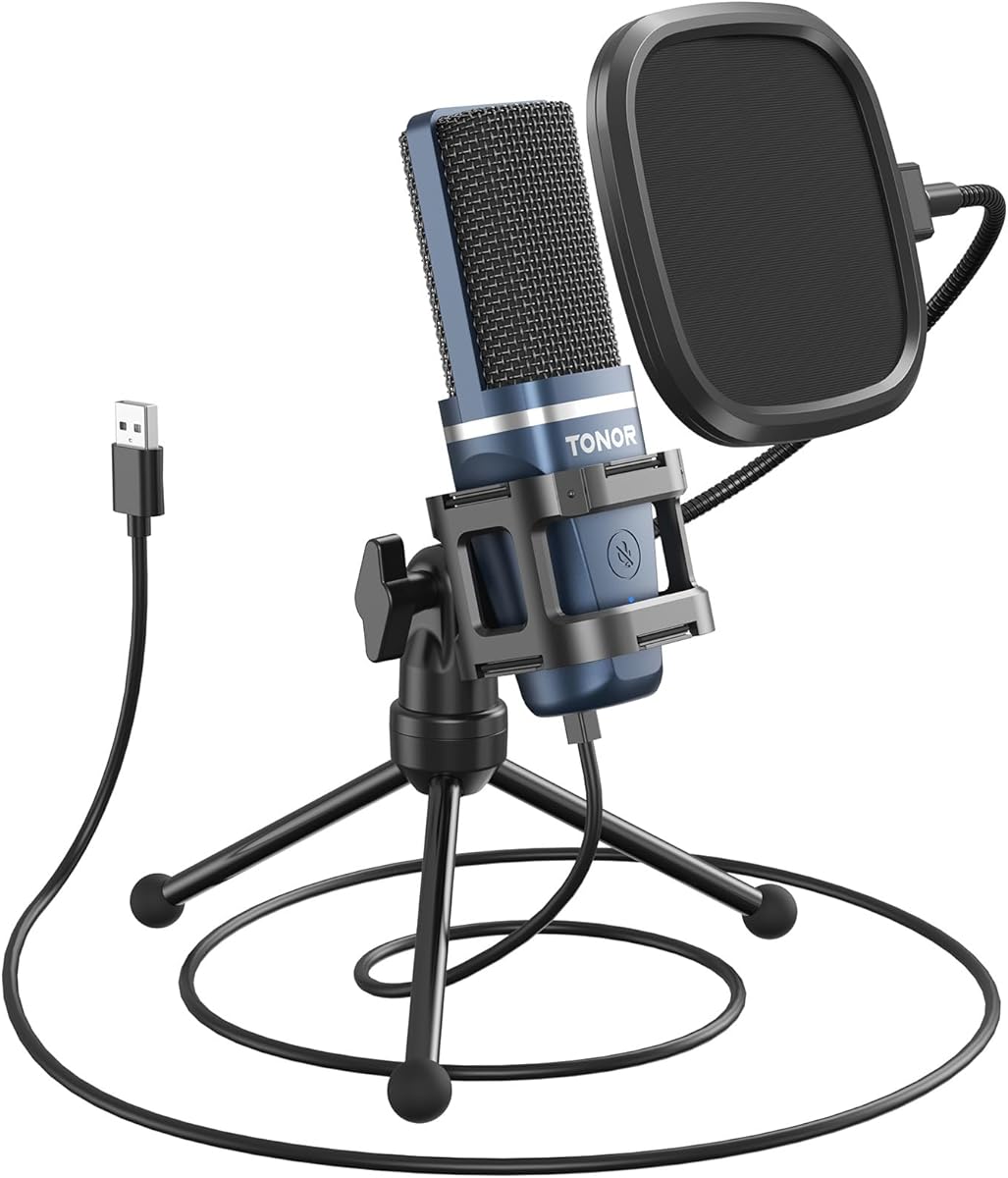
This model brings professional quality to an affordable price point with a large 14mm diaphragm. It captures clear sound with low distortion making it ideal for streaming and voiceovers. The simple design ensures you get started immediately without complex drivers or apps.
We may earn a commission when you buy through this link, at no additional cost to you.
The cardioid pickup pattern isolates your voice from surrounding noise effectively. You can rotate the stand 360 degrees to find the perfect angle for your desk. A convenient one tap silent function lets you mute instantly during live sessions or calls.
While it lacks extra features like RGB or multiple patterns it focuses on core audio needs. The shock absorber boot helps reduce vibration noise from desk bumps. It may not have adapters for mobile phones but works seamlessly with PCs and Macs.
If you want a straightforward and reliable microphone for recording or conferencing this is an excellent starting point. It offers great value for beginners who need quality sound without paying for extras. Ensure you have a standard stand thread if you plan to move it.
The 14mm diaphragm captures nuances in your voice while keeping background noise low for a cleaner recording.
You can pivot the mic in any direction to optimize sound capture regardless of your desk layout or seating.
We may earn a commission when you buy through this link, at no additional cost to you.
This microphone set is designed for podcasters who want a full setup right out of the box. It features a cardioid pattern that captures clear audio from the front while blocking side noise. The non slip stand keeps the mic stable during use.
We may earn a commission when you buy through this link, at no additional cost to you.
You get a shock mount and pop filter to prevent vibrations and plosive sounds. One click mute and volume controls make operation easy during recording. It works with Windows and Mac systems plus consoles like PS4 and PS5 for gaming chats.
The angle of both mic and filter can be adjusted to suit your recording style. While it lacks a USB-C adapter the included cable is standard. The small desktop footprint makes it ideal for tight spaces or mobile recording setups.
If you want a ready to use kit that handles setup tasks you should consider this option. It balances price with essential accessories to improve your audio quality immediately. Check if you need adapters for your specific device.
The included pop filter helps soften harsh sounds like Ps and Bs for a smoother listening experience.
A mini shock mount dampens vibrations from desk bumps or typing that might otherwise ruin your recording.
We may earn a commission when you buy through this link, at no additional cost to you.
This condenser microphone offers a solid metal design that ensures long term durability. It captures smooth and crisp sound ideal for voiceovers and live meetings. A convenient mic volume knob lets you adjust levels directly on the device without software.
We may earn a commission when you buy through this link, at no additional cost to you.
The 5.9 foot USB cable provides flexibility in positioning the mic near your PC. It works with various platforms including Zoom and Teams. The cardioid pattern focuses on your voice and reduces background noise effectively for cleaner audio.
While it lacks modern adapters for phones its robust build makes it reliable. The mute function allows you to mute to zero to protect privacy. It does not require phantom power which simplifies setup for home studios.
If you need a sturdy microphone that lasts and performs well in meetings this is a strong choice. Its simplicity and clear output make it great for daily use. Verify you have a standard USB port for connection.
Adjust mic volume directly on the device for quick changes without digging into software settings during calls.
The USB powered design means you do not need an extra power supply or interface to start recording instantly.
We may earn a commission when you buy through this link, at no additional cost to you.
This dynamic microphone offers a unique dual connection with both USB and XLR outputs. It delivers natural audio clarity that resonates well with audiences without exaggerating the voice. The directional pattern rejects off-axis noise for intelligible recordings.
We may earn a commission when you buy through this link, at no additional cost to you.
You can use tap to mute via USB to keep privacy during streams. A controllable RGB ring adds style to your desk setup with memory functions. The mic works with standard threads so it fits most stands without extra adapters.
While the XLR cable is not included the upgrade path gives you flexibility later. The windscreen cover helps defeat hum from appliances for cleaner sound. On USB you get full control over gain and monitoring which is rare at this price.
If you plan to upgrade your setup later this mic grows with you. It balances beginner friendly USB use with pro grade XLR potential. Check compatibility with your interface if you plan to use XLR soon.
Switch between simple USB and professional XLR as your audio needs grow without buying a new microphone later.
The lighting syncs with your gear and offers multiple modes to match your PC setup in dim rooms.
We may earn a commission when you buy through this link, at no additional cost to you.
This professional USB mic is a classic choice that delivers powerful broadcast quality sound. It uses a custom three capsule array to capture vocals and instruments clearly. You can switch between four pickup patterns for different recording needs like stereo or bidirectional.
We may earn a commission when you buy through this link, at no additional cost to you.
The Blue VO!CE software enhances your stream with advanced modulation and effects. Onboard controls for gain and mute give you immediate access to settings. The positionable design lets you pivot the mic for optimal sound quality and real time monitoring.
While it is heavier than budget options the build quality is robust. It requires a USB port and works well with both Mac and PC. The included stand is adjustable but you may want a boom arm for more space saving setups.
If you want a versatile tool that handles vocals and podcasts professionally this is the pick. It suits creators who need flexibility in how they record. Check the current stock to ensure you get the latest version available.
Switch from cardioid to stereo or bidirectional modes to fit different setups like interviews or solo voice work.
Access broadcast vocal effects and HD samples to polish your voice for a professional stream or podcast.
We may earn a commission when you buy through this link, at no additional cost to you.
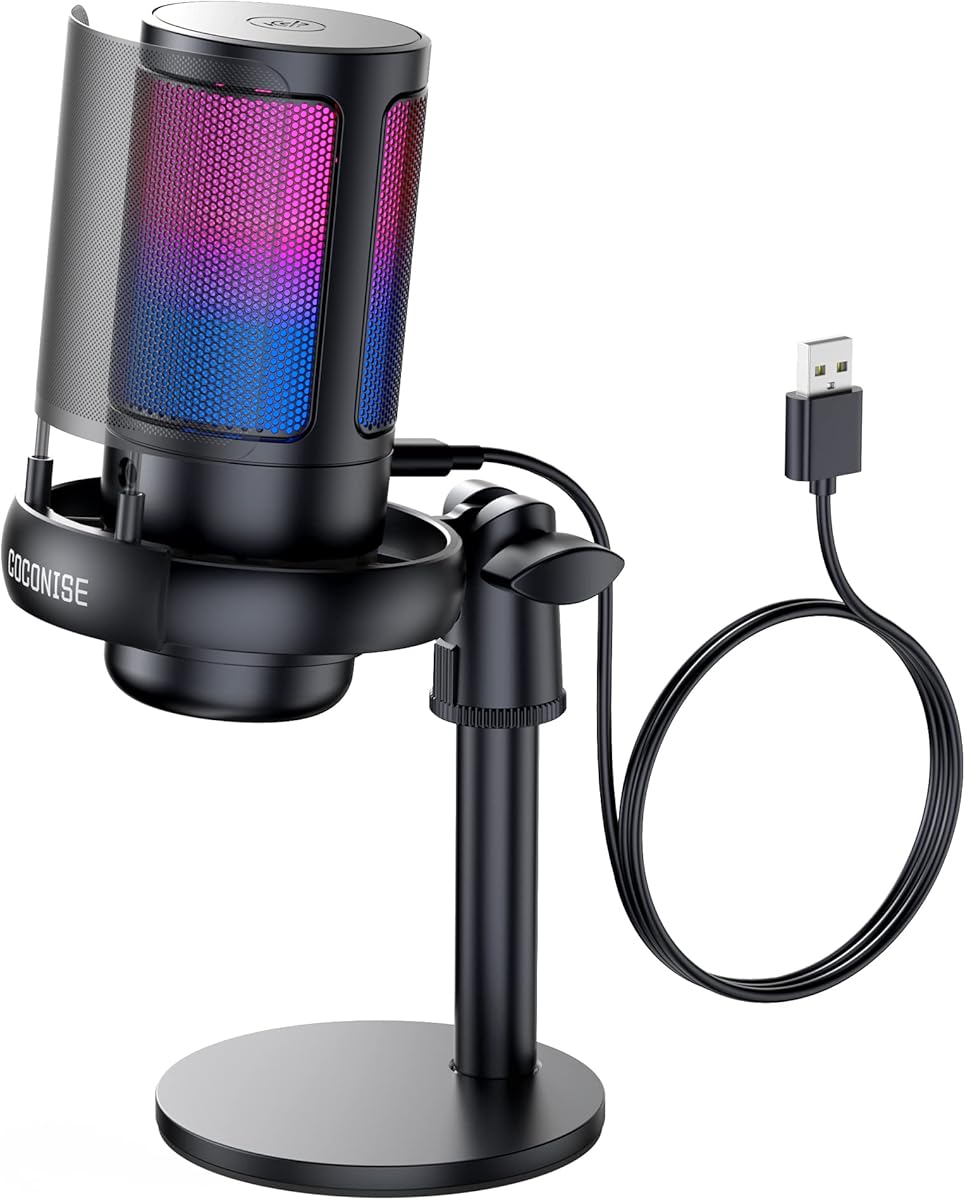
This microphone blends gaming aesthetics with clear audio capture for streaming. It features a 25mm diaphragm that captures audio delicately with low noise. A one button mute sensor lets you close the mic quickly when you need to pause.
We may earn a commission when you buy through this link, at no additional cost to you.
Gradient RGB lights add style to your desk but turn off when muted to signal status. You get a metal anti-splash screen that filters plosives better than sponges. A headphone jack allows real time monitoring so you can adjust your voice live.
While the base is weighted it might not hold up to heavy movements during intense gaming. The cable is long enough to reach from behind the computer easily. It suits gamers who want a mic that matches their setup visually.
If you are a gamer or streamer who values style alongside sound this is a solid option. It provides essential features like a pop filter and monitoring for a good price. Ensure the RGB fits your color scheme before buying.
A touch sensor makes muting easy and the lights turning off confirms you are silent to avoid accidents.
The detachable metal screen stops plosive sounds more effectively than foam filters for cleaner voice capture.
We may earn a commission when you buy through this link, at no additional cost to you.
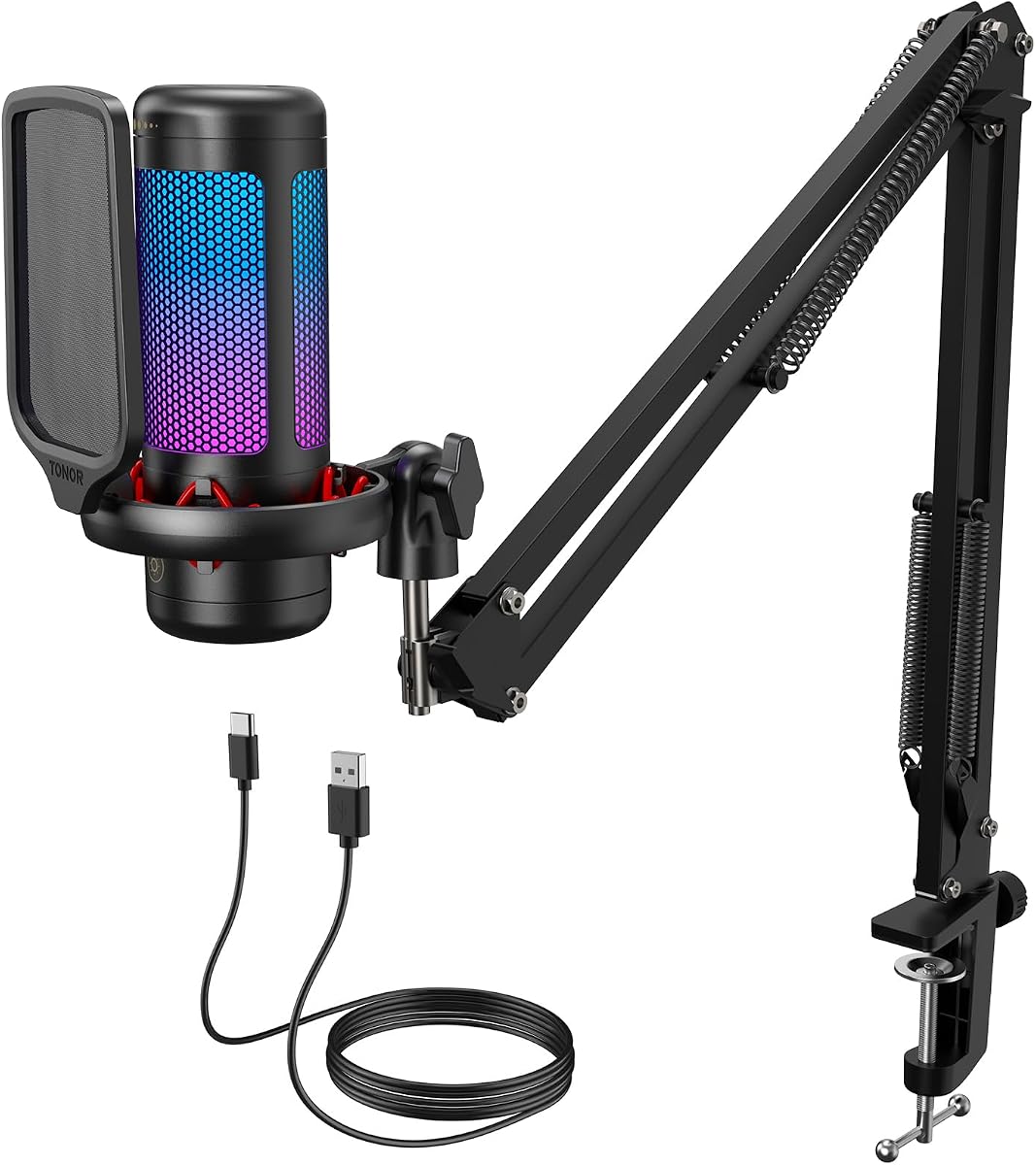
This all in one kit includes a metal made boom arm to free up desk space. The microphone offers pure clean sound with expert tuning for high fidelity reproduction. You can adjust the gain easily by rotating the top of the mic.
We may earn a commission when you buy through this link, at no additional cost to you.
The RGB lighting offers four modes including breathing and static colors. Long tapping the icon lets you adjust brightness to avoid eye strain. The boom arm has multiple joints so you find the perfect angle for your desk setup.
While the clamp fits most desks up to 2.36 inches thick it may not work with all surfaces. The tap mute makes it easy to respond to situations during streams. The cable length is standard and ensures a solid connection.
If you need a complete setup with stand and mic this kit saves you extra costs. It is ideal for creators who want a tidy desk with flexible positioning. Check your desk thickness before purchase.
The metal arm clamps to your desk and frees up space while keeping the mic close to your mouth.
Choose from multiple lighting modes and adjust brightness to match your gaming vibe without straining eyes.
We may earn a commission when you buy through this link, at no additional cost to you.
This mic uses a professional sound chipset to hold high resolution sampling rates. It captures crystal clear audio with a flat frequency response excellent for studio use. The 16mm condenser gives you a strong bass response for voiceovers.
We may earn a commission when you buy through this link, at no additional cost to you.
You get an adjustable scissor arm stand to position the mic where you need it. A magnet ring on the cable provides anti-interference function for a better feel. The package includes a pop filter foam windscreen and shock mount for a full kit.
While the stand requires assembly it offers robust support for your mic. It works with most systems but note it does not work with Xbox. The high bit depth ensures your sound reproduces exquisitely on the internet.
If you want high resolution audio in a full kit this is a top contender. It suits podcasters and voice actors who need professional sound quality. Verify your OS compatibility before purchasing for best results.
The 192kHz 24Bit chip ensures your voice retains detail and smoothness without distortion or noise.
The scissor arm stand helps you position the mic precisely and keeps your desk organized while recording.
We may earn a commission when you buy through this link, at no additional cost to you.
This award honored gaming mic delivers detailed audio with a 192kHz sampling rate. The cardioid pattern and high SNR support pure voice while reducing background noise. You can mute immediately with a tap to maintain a positive team atmosphere.
We may earn a commission when you buy through this link, at no additional cost to you.
Bicolored RGB cycles through seven colors automatically to enhance your rig visuals. A handy gain knob lets you control volume without software. It comes with a shock mount and pop filter to absorb tremors from keyboard taps.
The tripod stand with rubber feet allows optimal positioning via an adjustable thumbscrew. While the light modes are fixed they add a carnival atmosphere to your setup. The cable is long enough to avoid connectivity issues even with hosts under the desk.
If you want an award winning design that looks great and performs well this is a smart buy. It balances aesthetics with function for gaming or streaming. Ensure the RGB matches your existing setup for the best look.
This mic earned a globally recognized design award for its build and aesthetic appeal in modern setups.
Four rubber bands in the shock mount absorb keyboard vibrations for cleaner audio during intense sessions.
We may earn a commission when you buy through this link, at no additional cost to you.
Selecting the right microphone requires understanding key features that impact sound quality and usability. This section breaks down factors to help you compare options effectively.
Most affordable podcast microphones use USB connections for simplicity. They work directly with your computer without extra interfaces. If you plan to expand later consider models with XLR options for flexibility.
Look for USB ports that match your devices or check for adapter compatibility.
A cardioid pattern focuses on sound from the front and reduces side noise. This is ideal for solo podcasting in a noisy room. Some models offer multiple patterns for different recording scenarios.
Stick with cardioid unless you need to record multiple voices at once.
Higher sampling rates like 192kHz can capture more audio detail. While not always necessary they help with voice clarity and processing. Check the technical specs to confirm the rate provided.
Aim for at least 48kHz but higher is better for editing.
Physical knobs for volume and mute are convenient during recording. They let you adjust settings without stopping your work. Look for dedicated buttons for muting to avoid accidents.
Models with onboard controls offer a more hands on experience.
Many kits come with shock mounts pop filters and stands. These accessories save you money and improve sound quality immediately. Check the package list to see what is included.
A complete kit reduces the need to buy extra items later.
Metal construction ensures the microphone lasts longer than plastic ones. A stable base prevents the mic from tipping over during use. Consider the weight and material when reading reviews.
Solid build quality adds value and reliability to your purchase.
Ensure the microphone works with your operating system and peripherals. Some mics have adapters for mobile phones while others do not. Check for compatibility with your specific PC or console.
Compatibility ensures you can start recording without driver issues.
Intelligent noise reduction helps remove background hum and clicks. This is useful if you record in a busy environment. Some mics have buttons to toggle this feature on and off.
Prioritize models with active noise features for cleaner audio.
Connect the microphone to your computer using the included USB cable. Wait for the system to recognize the device automatically before launching your recording software. Adjust the gain knob to a medium level to start testing.
Place the mic about six inches from your mouth for optimal sound capture. Use a pop filter if included to reduce harsh plosive sounds. Keep your back straight and speak clearly into the top of the mic.
Regularly wipe the surface with a dry cloth to remove dust and skin oils. Avoid exposing the microphone to liquids or extreme heat. Store it in a safe place when not in use to protect the diaphragm.
Most of these models offer plug and play functionality meaning you do not need to install drivers. You can connect them directly to your PC or Mac and start recording. Some brands offer optional software for advanced effects but it is not required for basic use.
Some models come with USB-C or Lightning adapters that allow you to connect to mobile phones. If adapters are not included you may need to purchase them separately. Always check the compatibility list before buying to ensure it works with your specific phone model.
Condenser microphones are more sensitive and capture more detail which is great for quiet rooms. Dynamic mics are more rugged and ignore background noise better which suits live environments. Many budget options are condenser mics for their clarity and affordability.
You can position the microphone closer to your mouth to focus on your voice. Using a cardioid pattern helps block noise from the sides and back. Physical knobs or buttons on the mic can also adjust gain to lower sensitivity to room sounds.
A shock mount helps isolate the mic from vibrations caused by typing or bumping the desk. While not strictly necessary it significantly improves audio quality by reducing low frequency rumble. Look for kits that include one if you plan to record on a desk.
Keyboard clicks happen when the mic is too sensitive or placed too close to the keys. Try lowering the gain or moving the mic further away from your keyboard. Some mics have specific noise reduction modes designed to filter out these sounds.
Most of these models feature standard thread sizes that fit generic boom arms. Check the base specifications to confirm it matches your stand requirements. Some kits come with a built-in arm to save you the hassle of buying one separately.
Test the microphone using a voice recorder app or online test tool. Look for clear input signals without clipping or distortion. A mute light should show clearly when pressed so you know your audio is blocked.
These ten options cover a range of styles from simple USB mics to versatile kits with arms. Each model offers unique benefits like noise cancellation or RGB lighting for different needs. Choosing the right one depends on your recording environment and goals.
Prioritize sound quality and ease of use over flashy features if you are new to podcasting. A good microphone helps you focus on your content rather than technical issues. Consider the accessories included to get the best value for your budget.
Prices and stock levels can change so it is a a to check current availability before buying. The models listed here provide reliable performance for creators starting out. Use this guide to find a setup that grows with your channel.