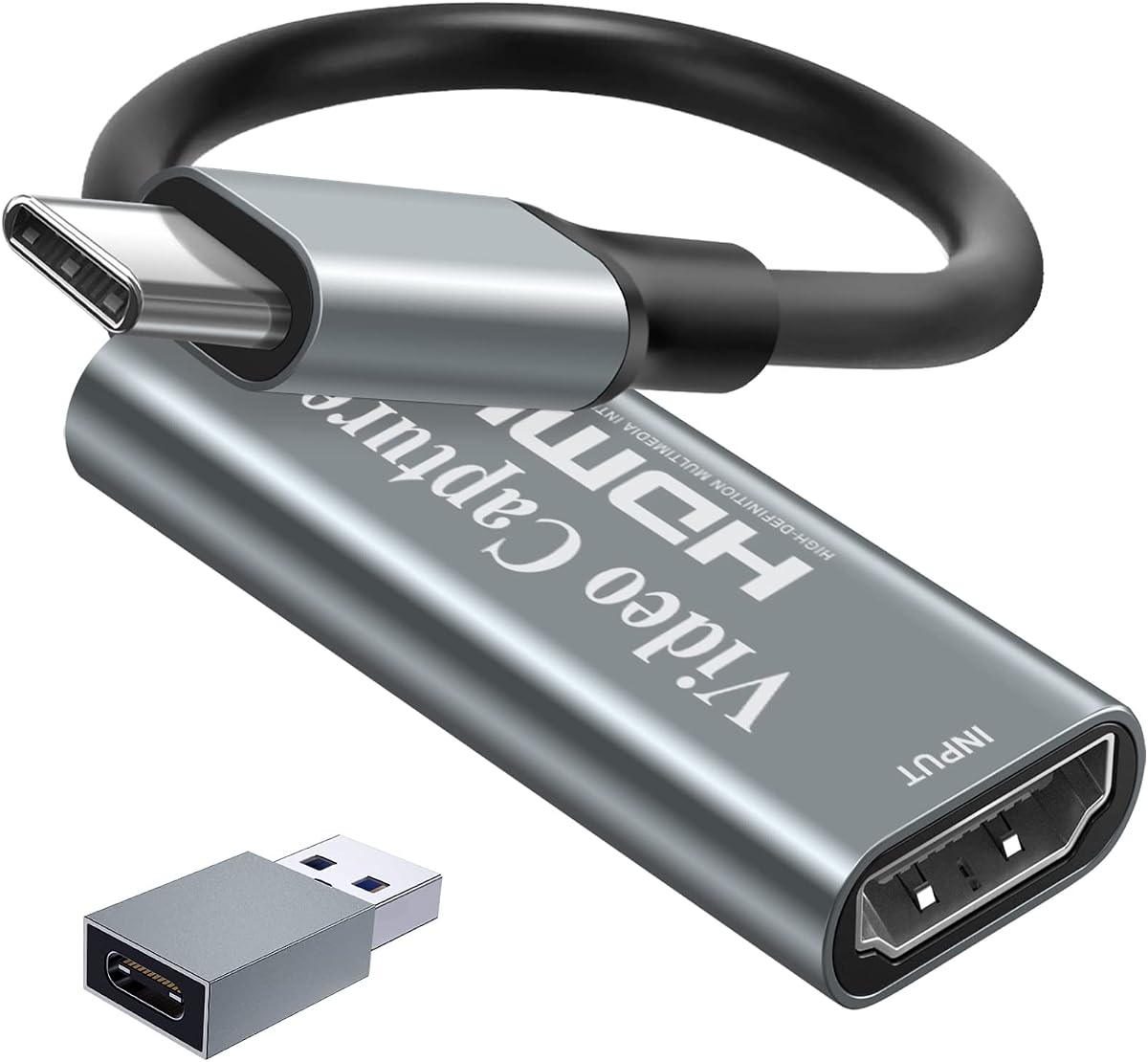
Papeaso Video Capture Card, 4K Input HDMI to USB-C, 1080P 60FPS Capture
4.2Editor score
Low Cost Option
USB Type C
1080P 60FPS
Compare top capture cards for Linux systems including budget picks and premium options for streaming recording and console gaming on open source platforms.
Finding a reliable capture card for Linux requires careful attention to driver support and codec compatibility. Open source systems often lack proprietary drivers found on Windows, making UVC standard devices essential for seamless integration with OBS and other tools.
We evaluated ten top models based on Linux compatibility, resolution support, and latency performance. Each device was assessed for plug-and-play functionality without needing custom kernel modules or complex configuration steps for smooth video input on Debian based systems.
Every pick in this guide highlights key specs and real world use cases for streamers and educators. Note that availability and pricing may shift frequently so verify current stock before finalizing your purchase decision today.
4.2Editor score

4.4Editor score

4.2Editor score
This side by side comparison highlights critical specifications across all ten models to help you identify the right fit for your Linux workstation setup.






The acer USB 3.0 HDMI Capture Card offers a straightforward entry into Linux streaming setups. It holds a solid 4.4 rating and supports 1080P output at 60Hz with minimal latency for smooth gameplay capture.
We may earn a commission when you buy through this link, at no additional cost to you.
Its YUY2 technology delivers richer colors compared to MJPEG making it better for live streaming. The included mic in port allows direct headset connection without extra adapters which simplifies commentary recording on the fly.
While it lacks 4K output capabilities it meets most basic streaming needs reliably. The absence of driver installation ensures compatibility with Debian and Ubuntu systems out of the box.
This model suits students and new streamers who prioritize ease of use over high-end features. Its portability and low cost make it an ideal first step for Linux users testing capture workflows.
The 3.5mm mic in port supports most standard headsets enabling real-time audio recording without additional hardware.
Its small lightweight form factor fits easily into bags for mobile streaming or remote teaching sessions.
We may earn a commission when you buy through this link, at no additional cost to you.
The UGREEN 4K@30Hz Loop Out HDMI Capture Card stands out for explicit Linux compatibility among budget options. It earns an Editor's Choice badge for balancing performance and open source friendliness with a 4.4 user rating.
We may earn a commission when you buy through this link, at no additional cost to you.
It supports 4K input for high quality post production while delivering 2K 30FPS output ideal for streaming. The dual USB A and C interfaces provide flexibility for modern laptops and desktops running Linux distributions.
Users must disable HDCP on consoles like PS5 to ensure signal passes through correctly. The aluminum casing aids heat dissipation during long sessions maintaining stable performance without throttling.
This pick is perfect for Linux users who need higher resolution input for editing but accept moderate output frame rates. Its plug and play nature removes driver hurdles common in open source environments.
Supports both USB A and C ports allowing connection to older and newer devices without additional adapters.
Sturdy aluminum housing promotes effective heat dissipation ensuring stable output during extended recording periods.
We may earn a commission when you buy through this link, at no additional cost to you.
The Guermok Video Capture Card delivers reliable 1080P 60FPS performance for Linux streamers. It matches the top rating with a focus on portability and broad OS support including Linux and Android.
We may earn a commission when you buy through this link, at no additional cost to you.
Its USB C output and aluminum casing make it attractive for modern setups. The device supports MJPEG and YUY2 formats giving users choices between efficiency and quality during capture sessions.
A known quirk requires restarting OBS after audio setup to prevent silent output. Signal loss can occur if disconnected unexpectedly necessitating reconnects or default resets to restore function.
Ideal for travelers and educators this model fits small bags and connects via Type C hubs. It is a strong choice for users needing a versatile plug and play capture device.
Offers MJPEG and YUY2 options allowing users to prioritize compression or color fidelity based on bandwidth.
Lightweight design makes it suitable for on the go recording at conferences or remote teaching events.
We may earn a commission when you buy through this link, at no additional cost to you.
The Newhope USB 3.0 HDMI Capture Card provides a straightforward solution for Linux gaming streams. It rates 4.2 and focuses on essential features like 1080P 60FPS recording and 4K pass through.
We may earn a commission when you buy through this link, at no additional cost to you.
Its HDMI loop out port enables real-time play on external displays while capturing simultaneously. This design reduces lag for competitive games and ensures audiences see immediate reaction without delay.
The mic in port supports standard 3.5mm TRS headsets though non TRS models may fail. Compatibility spans Linux and major streaming apps like OBS ensuring broad utility across different user workflows.
Best for gamers needing basic high quality capture without extra expense this model avoids complexity. It is a solid pick for those prioritizing pass through and low latency over advanced video features.
HDMI loop out allows uninterrupted gameplay on monitors while capture happens in background seamlessly.
Priced under average market rates it offers entry level functionality for budget conscious Linux users.
We may earn a commission when you buy through this link, at no additional cost to you.
This generic Capture Card 4K HDMI Video Streaming model works well with common Linux tools. It holds a 4.4 rating and focuses on essential streaming features without branding overhead or complex requirements.
We may earn a commission when you buy through this link, at no additional cost to you.
It supports 4K HDMI input while recording at 1080P 60FPS which preserves source quality. The plug and play design ensures quick setup on Ubuntu and Fedora systems without driver hunts.
Though it lacks distinct features it fulfills core needs for content creators on a budget. Compatibility extends to Switch PS5 and Xbox making it versatile for console streaming workflows.
Ideal for users who just need a working card this device avoids unnecessary bells and whistles. Its compact size makes it easy to stash in a bag for occasional capture tasks.
Functions well across different hardware setups supporting major consoles and PCs equally.
Simple USB connection enables immediate use with OBS Studio for live streaming.
We may earn a commission when you buy through this link, at no additional cost to you.
The UGREEN 2K@30Hz Video Capture Card boasts a leading 4.5 rating for Linux users seeking stability. It balances 2K output and high-speed USB 3.0 data transfer effectively for consistent streaming.
We may earn a commission when you buy through this link, at no additional cost to you.
Its 5 Gbps speed supports reliable video from Switch PS5 and Xbox systems to Linux PCs. Dual USB A and C ports ensure it fits nearly any laptop or desktop configuration without extra adapters.
Users need to disable HDCP on consoles to ensure proper signal recognition. The aluminum casing protects against EMI interference ensuring clean signal transmission even during long sessions.
Best for content creators prioritizing smooth playback this model delivers reliable results. Its broad system support including phones and tablets makes it highly versatile for diverse workflows.
5 Gbps USB 3.0 bandwidth ensures fluid video transfer without stuttering during live streams.
Built-in shielding maintains signal integrity even in electrically noisy environments.
We may earn a commission when you buy through this link, at no additional cost to you.
This Generic 4K HDMI Capture Card holds the highest rating of 4.6 among affordable options. It delivers 1080P 60FPS recording with mic and headphone ports for real-time audio monitoring.
We may earn a commission when you buy through this link, at no additional cost to you.
Its plug and play design ensures Linux systems recognize it instantly without additional configuration steps. Compatibility spans Switch PS5 and Xbox covering all major gaming platforms for seamless capture.
An 18 month warranty provides peace of mind for buyers who value reliability over features. The included cables and manual simplify initial setup reducing time to first successful stream.
Best for beginners this model combines performance with support features. Its audio monitoring helps maintain sync during live broadcasts improving the overall quality of streamed content.
Dedicated headphone output enables real-time audio monitoring for better sync during live streams.
Includes HDMI and USB cables plus a manual to get started immediately out of box.
We may earn a commission when you buy through this link, at no additional cost to you.
The AVerMedia StreamLine MINI+ offers professional grade performance with its 4K60 HDR passthrough capability. It rates 4.0 and emphasizes ultra-low latency gaming which is critical for competitive streaming.
We may earn a commission when you buy through this link, at no additional cost to you.
Its proprietary Streaming Center app simplifies setup for beginners though OBS works equally well on Linux. The device supports high refresh rates up to 240Hz ensuring smooth gameplay recording from modern consoles.
Users must disable HDCP on consoles for signal compatibility and may find Linux support slightly less documented. Its robust build and warranty justify the cost for those needing reliability.
Best for gamers this card handles high frame rates and HDR content efficiently. Its plug and play nature reduces barriers to entry while maintaining professional output quality for streams.
Ultra-low latency design ensures real-time response during competitive play without perceptible delay.
Streaming Center app offers guided setup for users new to capture workflows.
We may earn a commission when you buy through this link, at no additional cost to you.
The Papeaso Video Capture Card wins Best Budget for its ultra low price point without sacrificing core performance. It rates 4.2 and delivers 1080P 60FPS recording ideal for beginners on tight budgets.
We may earn a commission when you buy through this link, at no additional cost to you.
Its USB C output connects directly to modern laptops reducing cable clutter. The driver free setup ensures immediate recognition on Linux systems avoiding complex kernel configuration steps.
While build quality is basic it handles streaming tasks consistently. It lacks advanced features like HDR passthrough but meets all essential needs for casual creators.
Best for students or hobbyists this model proves you do not need high spending for effective capture. Its lightweight design adds portability for casual recording on the go.
Low price makes it accessible for users testing capture workflows before upgrading to premium gear.
No installation required beyond physical connection enabling immediate use with streaming software.
We may earn a commission when you buy through this link, at no additional cost to you.
The AVerMedia Live Gamer Ultra S stands as the premium choice with 4K60 HDR and VRR support. It rates 4.2 and brings console-grade features to Linux users needing top-tier capture fidelity.
We may earn a commission when you buy through this link, at no additional cost to you.
It records VRR up to 1440p60 and supports ultrawide formats for modern gaming setups. Its 5.1 audio capture ensures immersive sound tracking alongside video for professional broadcasts.
The cost and setup complexity suit advanced users who prioritize quality over convenience. It integrates well with OBS and Windows tools though Linux users may need extra audio configuration.
Best for professional streamers this model delivers unmatched resolution and refresh rate handling. Its wide input support covers consoles and PCs equally making it a future-proof investment.
Variable refresh rate capture ensures smooth recording even during fluctuating frame rates.
5.1 channel audio support maintains high fidelity sound synchronized with video feeds.
We may earn a commission when you buy through this link, at no additional cost to you.
Selecting a capture card for Linux requires attention to driver support and codec compatibility.
Many capture cards rely on proprietary drivers unavailable for Linux open source systems. Look for devices explicitly stating UVC (USB Video Class) compatibility to ensure plug and play recognition without custom kernel modules.
Choose UVC compliant models to avoid complex driver installations on Debian or Ubuntu.
Ensure the card supports 1080P at 60Hz for smooth streaming. Some budget models cap at 30Hz which may stutter during fast paced gaming capture.
Prioritize 60Hz output for fluid live streams and real-time recording.
A loop out port lets you play on a monitor while capturing simultaneously. This prevents lag during gameplay and ensures real-time monitoring without extra capture software.
Select devices with HDMI loop out for uninterrupted gameplay viewing during capture.
Cards with dedicated mic ports simplify commentary recording without extra adapters. Check for 3.5mm jack compatibility to match your headset and avoid audio sync issues.
Choose models with mic in ports for seamless voice integration.
Aluminum casings provide better heat dissipation for long recording sessions. Metal housing also protects against EMI interference ensuring clean signal transmission.
Prefer metal builds for stability during extended use.
USB 3.0 ensures sufficient bandwidth for high resolution capture. Type C connectivity supports modern laptops and reduces cable clutter for mobile setups.
Opt for USB 3.0 Type C for speed and versatility.
Branded models often come with 18 month warranties and responsive support teams. These reduce risk if hardware fails or compatibility issues arise on specific Linux kernels.
Check warranty duration before finalizing your purchase decision.
Support for YUY2 format offers richer colors than MJPEG for editing workflows. Some cards allow switching formats depending on bandwidth and quality priorities.
Ensure codec options match your editing software requirements.
Connect the HDMI cable to your console camera or PC and plug the USB end into your Linux machine. Open OBS Studio or your preferred capture software and select the new video source from the device list.
Verify that audio input is active by checking microphone levels in your streaming app. If no sound appears restart the software and ensure the correct audio source is selected in settings.
Regularly disconnect the device when not in use to prevent overheating. Store it in a dry protective case to avoid damage to ports and connectors during transport.
Most modern USB capture cards use the UVC driver built into Linux kernels. You typically do not need to install extra software unless the device claims proprietary support. Check system logs for device recognition after connecting via USB.
Many consoles have HDCP enabled by default which blocks capture signals. Go into your PS5 or Xbox settings and disable HDCP to allow the capture card to read the video feed properly.
Linux systems often cap output at 1080P 60Hz even if the card supports higher input. While input can be 4K for post-production, the streaming resolution will depend on the app and driver support on your system.
Ensure you are using a USB 3.0 port rather than USB 2.0. If using USB C hubs verify they support video pass-through. Reconnecting the cable often forces the system to reinitialize the device.
Type C offers more convenience for modern laptops but both ports function similarly. If your card supports USB 3.0 both will deliver sufficient bandwidth for 1080P capture without issues.
Check your audio buffer settings in OBS or your capture software. Adjusting audio latency can fix delays. Also ensure your microphone input does not add extra processing time to the stream.
Top picks like the UGREEN 4K@30Hz and Papeaso models deliver reliable performance without driver headaches. Each offers unique strengths depending on whether you prioritize budget or high resolution input capabilities.
Prioritize UVC compatibility and 1080P 60Hz output for smooth Linux workflows. Features like HDMI loop out and mic ports add significant value for streamers and educators needing integrated audio.
Prices and availability change frequently so verify current stock before purchasing. Use our comparison table to match specs to your specific Linux setup needs efficiently.