
TiVo Stream 4K
4.2Editor score
4K UHD resolution
Google Assistant support
Centralized app search
This guide compares the top Android TV Box models for 2026, evaluating performance, features, and value to help you choose the best streaming device for your
An Android TV Box transforms any television into a smart entertainment hub, offering access to thousands of apps and streaming services. Choosing the right device depends on your needs for resolution, performance, and specific features like voice control or gaming capabilities.
We compared ten popular models based on their hardware specifications, operating system versions, connectivity options, and user ratings. Our analysis focuses on real-world performance metrics to ensure you select a device that delivers smooth playback and reliable long-term usage.
Each pick below highlights key strengths and potential trade-offs to help you make an informed decision. Prices and availability may change frequently, so check the current listings before purchasing to ensure you get the best deal available today.
4.2Editor score

4.4Editor score

4.3Editor score
The following table provides a side-by-side overview of the ten selected models, highlighting their core specifications to help you quickly identify the best fit for your entertainment setup.


The Xiaomi TV Box S 3rd Gen stands out as a top choice for its balance of performance and features, earning a strong rating from users for its reliable streaming capabilities.
We may earn a commission when you buy through this link, at no additional cost to you.
Its support for 4K Ultra HD resolution paired with Dolby Vision and Atmos provides a cinematic viewing experience. The Google TV platform offers personalized recommendations and easy access to major streaming apps.
While the 32GB storage might feel limited for power users, the device handles multitasking smoothly with its quad-core CPU. The HDMI 2.1 port ensures future-proof connectivity for newer TVs.
This box is ideal for households seeking a premium streaming experience without the high cost of flagship devices. Its compact design fits easily into any entertainment setup.
Dolby Vision and Atmos support deliver enhanced contrast and immersive sound for a theater-like experience at home.
Google Cast and voice control allow seamless interaction with your phone and smart home devices for effortless navigation.
We may earn a commission when you buy through this link, at no additional cost to you.
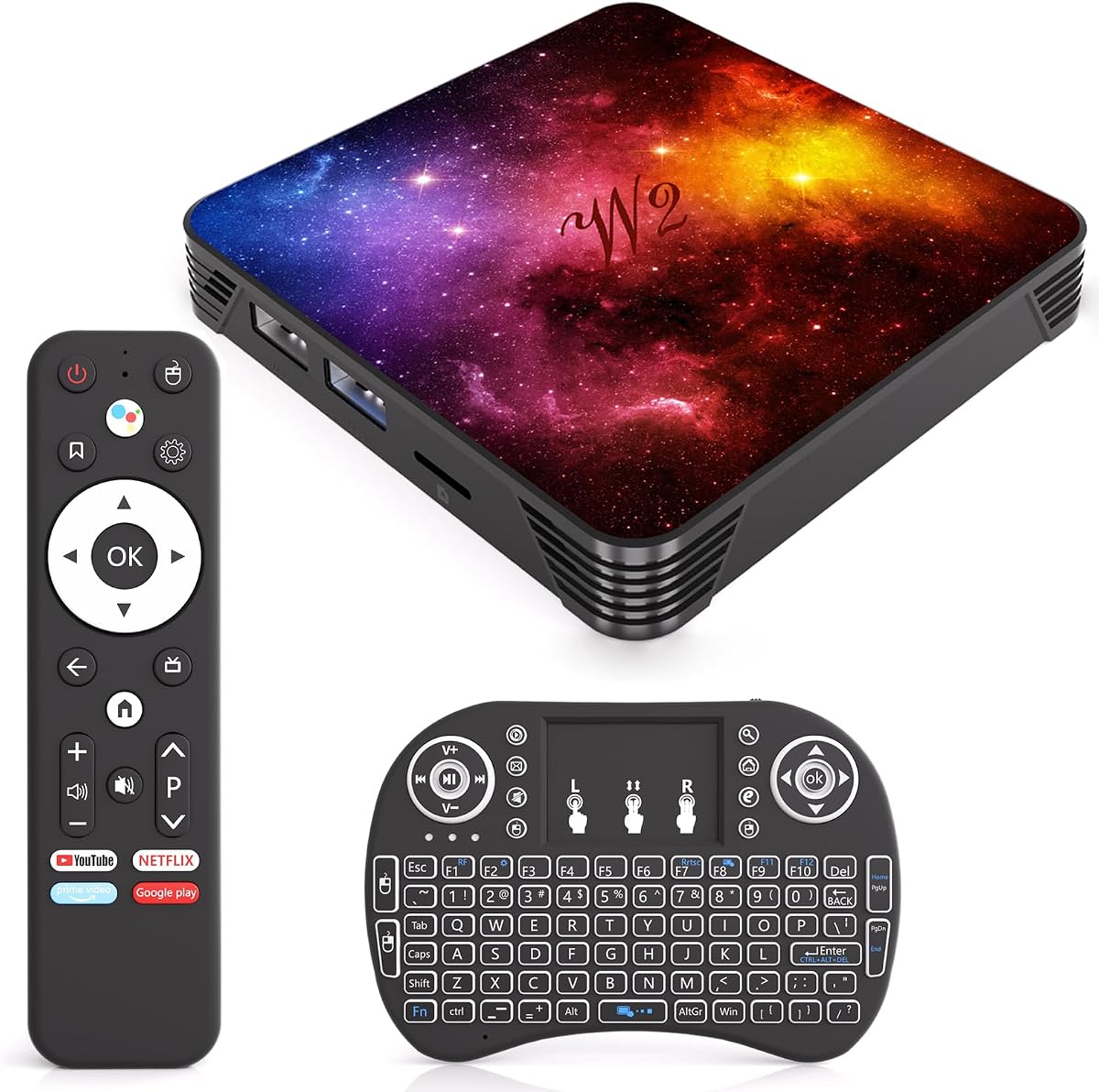
This Android 14.0 TV Box offers exceptional value with its latest operating system and generous storage, making it a standout option for budget-conscious buyers.
We may earn a commission when you buy through this link, at no additional cost to you.
Equipped with 4GB of RAM and 64GB of storage, it handles multiple apps and games without lag. The inclusion of a mini keyboard simplifies text entry and navigation significantly.
Although the Bluetooth version is slightly older, the dual-band WiFi ensures stable connections for streaming. The setup is plug-and-play, requiring minimal configuration for immediate use.
Perfect for users upgrading a standard TV to smart functionality without spending much. It delivers smooth performance suitable for daily entertainment needs.
64GB of ROM allows you to download numerous apps and store media files without worrying about space limitations.
Running Android 14.0 ensures better security, stability, and access to the latest app optimizations available today.
We may earn a commission when you buy through this link, at no additional cost to you.
This Xiaomi model emphasizes performance with its 6nm platform and high-speed WiFi 6, delivering a smooth and responsive smart TV experience for media enthusiasts.
We may earn a commission when you buy through this link, at no additional cost to you.
The integration of Google TV provides personalized recommendations and cross-app search features that simplify finding content. Voice control via the 360-degree remote enhances convenience significantly.
While the 32GB storage is standard, the high-performance CPU ensures that apps load quickly. The device requires a compatible WiFi 6 router to unlock its full speed potential.
Ideal for those invested in the Google ecosystem who want reliable streaming quality. It combines powerful hardware with intuitive software for an optimized viewing environment.
Support for WiFi 6 utilizes OFDMA technology to reduce congestion and improve transmission speeds for streaming.
Google TV aggregates content from various subscriptions to provide a unified home screen and tailored suggestions.
We may earn a commission when you buy through this link, at no additional cost to you.
Designed for modern media playback, this model offers a massive 128GB of storage, making it suitable for storing large libraries of offline games and videos.
We may earn a commission when you buy through this link, at no additional cost to you.
Running Android 14 ensures a fluent daily operation with robust multitasking capabilities. The hardware supports 8K HDR decoding, allowing for high-quality color rendering on compatible displays.
With dual-band WiFi 6 and multiple USB ports, it connects well with various external drives and accessories. The setup requires no complicated settings for immediate usability.
Best for users who need extensive local storage and want future-ready hardware at a reasonable price point. It balances performance with practical connectivity options.
128GB of ROM allows for storing extensive media collections without needing external drives frequently.
WiFi 6 technology ensures stable high-speed internet connections necessary for modern streaming needs.
We may earn a commission when you buy through this link, at no additional cost to you.
This iteration of the Xiaomi Google TV Box S delivers reliable performance with a focus on seamless integration into the Google TV ecosystem for users.
We may earn a commission when you buy through this link, at no additional cost to you.
It supports 4K UHD quality ensuring sharp visuals for streaming services. The included voice remote simplifies navigation and allows for hands-free control of playback.
With high-speed Wi-Fi 6 connectivity, it maintains stable streaming even with bandwidth-heavy content. The platform offers personalized recommendations to enhance the viewing experience.
A solid choice for those seeking a consistent and straightforward smart TV solution. Its performance is reliable for daily use across major apps.
The voice remote allows you to search for content and control playback without typing manually.
High-speed Wi-Fi 6 ensures you can stream high-definition content without interruptions.
We may earn a commission when you buy through this link, at no additional cost to you.
The TiVo Stream 4K focuses on convenience by centralizing your streaming apps into one unified interface, eliminating the need to switch between screens frequently.
We may earn a commission when you buy through this link, at no additional cost to you.
It delivers 4K UHD visuals with Dolby Vision HDR and Atmos sound for an immersive experience. Powered by Android TV, it supports a wide range of popular streaming services.
While it has minimal hardware specs, its software optimization ensures smooth operation for casual viewers. The device recognizes your viewing habits to suggest relevant content.
Best for those who want a simple, affordable device to manage multiple subscriptions. Its voice control features make finding content quick and easy.
TiVo combines apps into one screen for a cleaner browsing experience across your subscriptions.
Dolby Atmos support provides a rich 3D sound experience compatible with supported speaker systems.
We may earn a commission when you buy through this link, at no additional cost to you.
As a flagship device, the Google TV Streamer 4K offers fast streaming and personalized entertainment tailored specifically to your household's interests and habits.
We may earn a commission when you buy through this link, at no additional cost to you.
It delivers up to 4K HDR quality with Dolby Vision for detailed visuals. The device connects easily with smart home systems allowing you to control lights and devices directly.
With a dedicated voice search remote, finding shows on various services is straightforward. The 32GB storage is sufficient for most users to install key apps.
Ideal for users invested in the Google ecosystem who want premium hardware. It provides a seamless bridge between streaming content and smart home automation.
The interface learns your viewing habits to suggest movies and shows from all your subscriptions.
Manage your compatible smart home devices directly from the TV screen using voice commands.
We may earn a commission when you buy through this link, at no additional cost to you.
Targeting enthusiasts and gamers, this device features a powerful Amlogic S922X-J chip and DDR4 RAM to ensure fast and smooth operation for high-demand tasks.
We may earn a commission when you buy through this link, at no additional cost to you.
The hexa-core CPU handles multimedia processing and gaming efficiently while maintaining heat dissipation. It includes a dedicated Ethernet port for stable network connections.
Unique features like OTA updaters and custom settings provide flexibility for power users who want to tweak their system. It supports 4K 60fps video smoothly.
Best for users who need maximum raw performance and reliability for gaming or heavy media consumption. Its hardware is built to handle demanding loads.
The Amlogic S922X-J chip ensures smooth operation for both streaming and local game processing.
A dedicated Gigabit Ethernet port provides reliable wired connectivity for uninterrupted streaming.
We may earn a commission when you buy through this link, at no additional cost to you.
This model emphasizes memory and decoding capabilities with 4GB RAM and support for H.265 image processing technology to ensure smooth playback of various file formats.
We may earn a commission when you buy through this link, at no additional cost to you.
It runs on Android 12.0 and supports 3D and 6K playback for enhanced visual detail. The dual-band WiFi ensures you can browse and play games without frequent buffering.
While the setup may be slightly complex, the high RAM allows for stable multitasking across different apps and games. The accessory package includes a remote and cable.
Suitable for users looking for high memory capacity at a budget price. It offers a solid base for gaming and media consumption.
H.265 technology ensures high-quality video playback with smooth transitions on supported content.
4GB of RAM helps keep apps running in the background without slowing down the system.
We may earn a commission when you buy through this link, at no additional cost to you.
This device focuses on versatility with its support for 8K Ultra HD decoding and a mini keyboard for easier navigation across different entertainment scenarios.
We may earn a commission when you buy through this link, at no additional cost to you.
Running Android 13.0, it provides efficient performance for daily tasks. The RK3528 Quad-Core processor ensures responsive app loading and smooth background switching for multitasking.
The multi-screen interaction feature allows you to cast content directly from your mobile phone to the TV screen. WiFi 6.0 ensures reliable wireless connectivity throughout your home.
Ideal for users wanting future-ready hardware and easy typing capabilities. It balances performance with practical accessories like a keyboard for better control.
Support for 8K decoding ensures you are prepared for the next generation of high-resolution content.
The included mini keyboard makes entering search terms and navigating menus significantly faster.
We may earn a commission when you buy through this link, at no additional cost to you.
Selecting the right Android TV Box involves evaluating several key factors to ensure it meets your specific entertainment needs and budget.
The operating system determines the interface quality and app compatibility. Newer versions like Android 14 or 13 offer better security and smoother performance than older versions.
Always prioritize models running the latest Android OS for long-term support and access to new streaming apps.
RAM affects how smoothly the device handles multitasking while storage determines how many apps and games you can keep installed. For heavy usage, look for at least 4GB RAM and 64GB storage.
Adequate storage prevents the need for frequent app deletions and ensures a responsive experience over time.
Most modern TVs support 4K so ensure the box outputs at least 4K UHD at 60FPS. Features like Dolby Vision and HDR10+ enhance color accuracy and brightness on compatible screens.
Check if your TV supports HDR to fully utilize the box capabilities for a cinematic experience.
Wi-Fi 6 and Bluetooth 5.0 provide faster wireless speeds and better peripheral connectivity. Wired options like HDMI 2.1 and Ethernet ports ensure stable connections for high-bandwidth streaming.
Multiple USB ports are essential for connecting external drives or keyboards for expanded functionality.
Voice control via Google Assistant simplifies searching and controlling content without using a remote. This feature is crucial for accessibility and efficient navigation.
A dedicated voice remote adds convenience to your daily viewing routine significantly.
A quad-core or hexa-core processor ensures the device runs apps without lag. High-performance chips like Amlogic S922X are ideal for gaming and heavy media tasks.
Investing in a strong processor prevents buffering and ensures smooth multitasking for years.
Verify that the box supports the streaming apps you use daily. Certified Google TV devices guarantee official support for major services like Netflix and Disney+.
Unverified Android boxes may lack these certifications leading to performance issues or blocked content.
Reliable brands often provide better build quality and customer support. Check for warranties and availability of firmware updates to extend the device lifespan.
Choose brands with positive user reviews regarding long-term reliability and support.
Connect the box to your TV using an HDMI cable and plug it into a power source. Use the included remote or a connected keyboard to navigate the initial setup screens.
Log in to your Google account to access the Play Store and download your favorite streaming apps. Customize your home screen settings to prioritize frequently used services.
Keep your device in a well-ventilated area to prevent overheating. Regularly check for system updates to ensure security and performance optimization over time.
Android TV is a specialized version of the operating system designed specifically for television screens. It features a remote-friendly interface and supports streaming apps optimized for large displays rather than mobile touch controls.
No, you do not need a subscription to use the device itself. However, most streaming services like Netflix or Disney+ require their own paid subscriptions to view premium content.
Yes, you can sideload apps from external sources if you enable unknown sources in the settings. This offers more flexibility but requires caution to avoid installing malicious software.
Slow performance is often caused by insufficient RAM or storage. Clearing cache and uninstalling unused apps can help. Ensure your internet connection is also stable for streaming.
Most Android TV Boxes work with any TV that has an HDMI port. For best results, use a modern TV that supports 4K resolution and HDR features for high-quality viewing.
You should update the software as soon as updates are available to fix bugs and improve security. Regular updates ensure your device remains compatible with the latest streaming apps.
Choosing the right Android TV Box depends on balancing your budget with the features you need most. Whether you want premium video quality or simple smart functions there is a model that fits your needs.
Prioritize models with sufficient RAM and storage to ensure long-term usability. Also consider connectivity options like Wi-Fi 6 if you plan to stream high-definition content regularly.
Remember to check current prices and availability before purchasing as deals change frequently. Selecting a device with strong support and updates will provide the best viewing experience.