
ARCTIC P12 Pro A-RGB
4.7Editor score
Exceptional static pressure design
Wide speed range control
Fluid dynamic bearing
Explore our comprehensive guide comparing the top 10 addressable RGB fans for PC builds, covering cooling performance, lighting effects, and build quality.
Building a modern PC requires more than just raw performance; it demands aesthetic appeal. Addressable RGB fans transform your case into a dynamic visual display while ensuring optimal thermal management for your components.
We evaluated ten top-rated models based on airflow efficiency, noise levels, lighting customization, and ease of installation. Our comparison focuses on real-world performance metrics and user feedback to help you choose wisely.
Each selection highlights unique strengths, from budget-friendly bundles to premium silent performers. Prices fluctuate frequently, so verify current listings before purchasing to ensure you get the best value for your investment.
4.7Editor score

4.7Editor score
4.8Editor score
This section provides a side-by-side comparison of all ten selected fans, detailing their core specifications to help you identify the model that best fits your specific build requirements.




This pack of five fans from Thermalright stands out as a top contender in our list due to its balance of performance and affordability. With a rating of 4.7 stars, users consistently praise its quiet operation and vibrant lighting effects.
We may earn a commission when you buy through this link, at no additional cost to you.
The S-FDB bearing ensures smooth, silent rotation while the 1550 RPM speed delivers sufficient airflow for most mid-tower cases. The ARGB lighting is soft and even, reflecting well off the atomized blades.
While it lacks a dedicated controller hub which means you will need your motherboard for lighting control. This tradeoff is acceptable given the low cost per fan and the reliability of the bearing.
Ideal for budget-conscious builders or those needing multiple case fans, this pack offers a complete cooling solution that looks great without breaking the bank. We highly recommend it for standard air cooling setups.
The S-FDB bearing minimizes vibration and noise, making these fans suitable for office environments or quiet gaming rooms.
Compatible with standard motherboard headers, these fans synchronize seamlessly with your existing RGB ecosystem for a unified look.
We may earn a commission when you buy through this link, at no additional cost to you.
The CORSAIR RS120 ARGB triple pack is a robust choice for users prioritizing durability and airflow. Its magnetic dome bearing promises long-term reliability, while the daisy-chain design simplifies cabling significantly.
We may earn a commission when you buy through this link, at no additional cost to you.
With speeds up to 2100 RPM and AirGuide technology, these fans excel at directing airflow precisely where it is needed, such as through radiators or dense heatsinks. This makes them excellent for liquid cooling loops.
The price point is higher than budget options, but the build quality justifies the investment. However, users should note that a lighting controller is not included, requiring motherboard connection for full effects.
We recommend these fans for gamers and enthusiasts who need high performance and a clean aesthetic. The daisy-chain feature particularly appeals to those who dislike cable clutter inside their chassis.
Anti-vortex vanes direct airflow at your hottest components, ensuring concentrated cooling exactly where it matters most for thermal efficiency.
Connecting multiple fans with a single connector reduces cable clutter and makes your internal build look much cleaner and more professional.
We may earn a commission when you buy through this link, at no additional cost to you.
At a fraction of the cost of competitors, the ARCTIC P12 Pro A-RGB delivers remarkable performance. Its high static pressure makes it ideal for radiators or restricted airflow areas where efficiency is critical.
We may earn a commission when you buy through this link, at no additional cost to you.
The fluid dynamic bearing ensures smooth operation, and the wide PWM range allows for fine-grained speed control from almost off to full throttle. This flexibility is rare at this price point.
While the lighting is functional rather than flashy, it serves its purpose well for those who prefer a subtle look. The lack of a controller means you rely on your motherboard for any color changes.
For budget builds or radiator cooling where airflow is the priority, this fan is unbeatable. We highly recommend it for anyone looking to maximize cooling per dollar spent without sacrificing silence.
Efficient even with resistance, the generated airflow easily penetrates dense radiators to ensure reliable cooling under heavy load conditions.
Minimal gaps and automatic balancing noticeably reduce vibrations, resulting in quiet, efficient, and long-lasting fan performance.
We may earn a commission when you buy through this link, at no additional cost to you.
The Thermaltake CT120 EX introduces MagForce 2.0, a magnetic connection design that simplifies daisy-chaining. This feature is particularly appealing for those who want quick and tool-less installation of multiple fans.
We may earn a commission when you buy through this link, at no additional cost to you.
With nine addressable LEDs and 16.8 million colors, the visual effects are vibrant and customizable via motherboard software. The hydraulic bearing ensures durability and quiet operation under normal conditions.
While the airflow specifications are average, the focus is on ease of use and aesthetic integration. The magnetic connection, however, may be a point of concern for some users seeking maximum physical stability.
These fans are a great choice for casual builders who value convenience and style. We recommend them for cases where visual aesthetics are a priority alongside reliable cooling performance.
This new magnetic connection design optimizes fan daisy-chaining, allowing you to connect multiple fans with only one cable.
The anti-vibration mounting system reduces unwanted noise and mechanical resonance, ensuring a quieter operation.
We may earn a commission when you buy through this link, at no additional cost to you.
This six-pack kit offers a comprehensive solution with four forward and two reverse fans. The inclusion of a controller makes it easy to manage lighting without relying on motherboard headers.
We may earn a commission when you buy through this link, at no additional cost to you.
Each fan boasts 28 ARGB LEDs, providing superior brightness compared to standard models. The three-sided prism design creates a unique visual effect that enhances the case aesthetics significantly.
The reverse fans are designed to maintain lighting visibility even when mounted as intakes, balancing form and function. However, the central hub can add some cable clutter to your build.
For those wanting a complete, plug-and-play solution for case lighting, this kit is ideal. We recommend it for builders looking for visual impact and flexibility in fan orientation.
Reverse blades keep lighting fully visible when installed as bottom or side intake, creating a highly efficient intake-exhaust cycle.
The combined ARGB and PWM controller simplifies cable management, reducing clutter and offering centralized speed control.
We may earn a commission when you buy through this link, at no additional cost to you.
This trio from Thermalright mirrors the performance of the five-pack but in a smaller quantity. It remains a top budget-friendly option for those needing just a few additional cooling fans.
We may earn a commission when you buy through this link, at no additional cost to you.
The S-FDB bearing ensures quiet operation, and the lighting is soft enough not to be distracting. It is ideal for users upgrading specific zones like radiators or rear intakes.
While the lighting is functional and not overly complex, it serves well for basic synchronization. The lack of a dedicated controller is standard at this price point.
We recommend this pack for simple upgrades where high performance isn't the primary goal. It offers excellent value for the price and fits well in most mid-range builds.
Quality S-FDB bearings solve blade shaking and noise issues, keeping fan noise to a minimum while providing maximum cooling performance.
High-brightness LED atomizing ARGB fan blades reflect light effectively for a softer lighting effect that matches the case perfectly.
We may earn a commission when you buy through this link, at no additional cost to you.
Similar to the earlier Thermalright model, this pack emphasizes silent performance. The S-FDB bearing is highlighted for reducing blade shake and noise, making it a strong contender for quiet builds.
We may earn a commission when you buy through this link, at no additional cost to you.
With 66.17 CFM airflow per fan, these units provide reliable cooling for standard chassis and radiators. The lighting supports up to 17 modes, offering flexibility for visual customization.
The intelligent temperature control adjusts speeds automatically based on motherboard feedback. This eliminates the need for manual tuning while maintaining consistent thermal stability during load.
We recommend this pack for users prioritizing silence and reliability. It is an excellent choice for office PCs or quiet gaming rigs where noise reduction is critical.
After connecting the 4-pin power supply, the fan automatically sets a variable speed according to temperature without manual adjustment.
Up to 17 modes of light effects with ARGB support allow color management and synchronization through the motherboard port.
We may earn a commission when you buy through this link, at no additional cost to you.
This twin-pack from Thermaltake offers a balance of speed and lighting customization. The 7-blade design is optimized for CFM and static pressure, ensuring efficient cooling performance.
We may earn a commission when you buy through this link, at no additional cost to you.
With speeds up to 2000 RPM and 16.8 million colors, these fans are capable of both high performance and stunning visual displays. The anti-vibration mounting system ensures stable operation.
While the pack is small, the quality is consistent with the brand's reputation. It suits users who need a quick upgrade for two specific spots rather than a full case overhaul.
We recommend this option for mid-sized builds needing quick visual and cooling enhancements. It provides a good entry point for thermaltake's ARGB ecosystem.
The redefined 7-blade fan design is optimized for improved CFM and mm-H20 air pressure for better cooling efficiency.
An anti-vibration mounting system with a solid structure frame reduces noise and vibrations during high-speed operation.
We may earn a commission when you buy through this link, at no additional cost to you.
The LE120 ARGB PWM pack comes with a 3-way PWM splitter, simplifying installation significantly. This inclusion makes it a top choice for those who want quick setup without extra adapters.
We may earn a commission when you buy through this link, at no additional cost to you.
With 66.1 CFM airflow per fan and 16.8 million colors, the performance is reliable for general case cooling. The daisy-chain cables help keep internal wiring neat and tidy.
User feedback highlights the ease of installation as a key factor. While it lacks advanced features, it delivers solid performance and aesthetic appeal for standard builds.
We recommend this pack for straightforward upgrades where ease of installation is paramount. It is an excellent choice for beginners or those prioritizing simplicity.
The LE120 ARGB Sync PWM 3-Pack includes a 3-way PWM Splitter for quick and easy installation without extra parts.
Daisy-chain ARGB cables make wiring easy and leave room for other devices inside your case.
We may earn a commission when you buy through this link, at no additional cost to you.
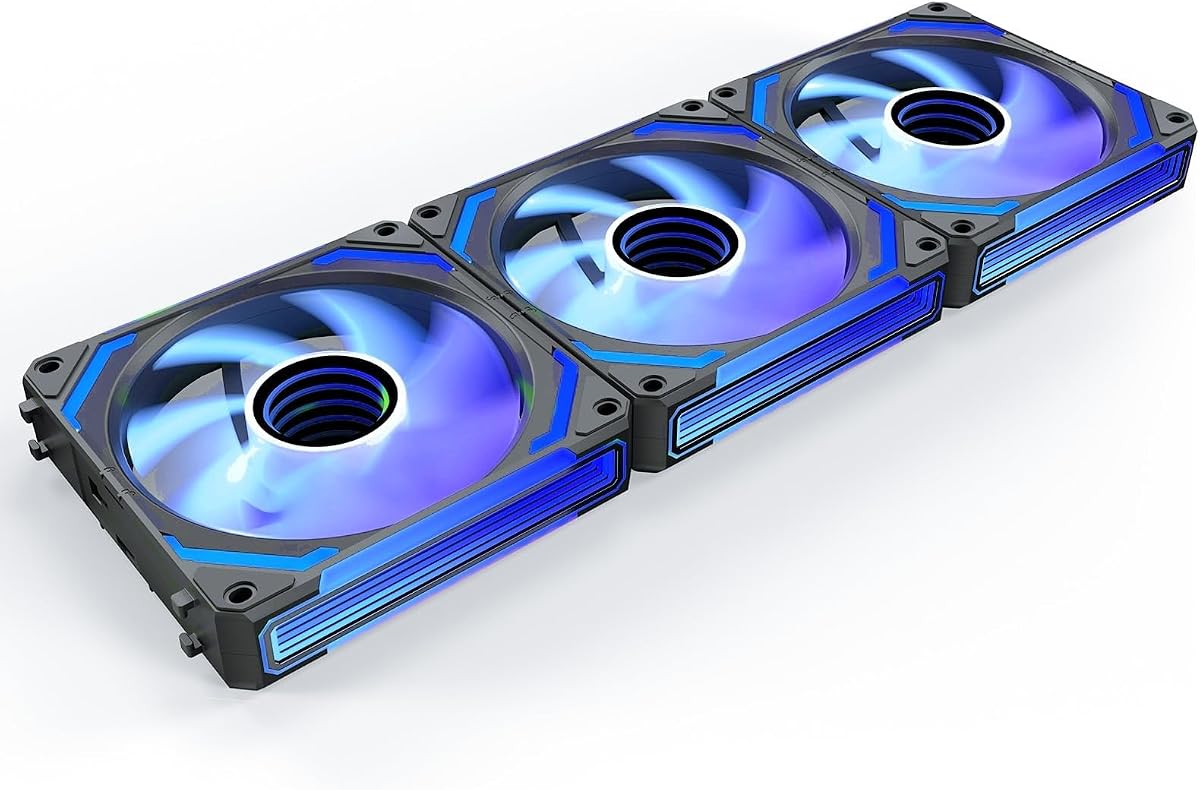
The AsiaHorse COSMIQ brings premium aesthetics with its infinity mirror lighting and music synchronization. It stands out as a high-end option for users wanting maximum visual impact.
We may earn a commission when you buy through this link, at no additional cost to you.
With reverse blades and a strong airflow of 68.5 CFM, it balances looks with function. The included controller allows for independent lighting control without relying on motherboard headers.
The FDB bearing ensures quiet operation, even at high speeds. However, the price is higher than standard options, reflecting its advanced features and build quality.
We recommend this fan for enthusiasts who want their PC to be a centerpiece. It is perfect for custom loops and high-end cases where lighting is a priority.
Features stunning infinity mirror luminous design and rich RGB lighting effects for a layered visual atmosphere.
Built-in sound pickup module supports 8 kinds of music rhythm light modes for dynamic lighting synchronization.
We may earn a commission when you buy through this link, at no additional cost to you.
Selecting the right addressable RGB fan involves balancing performance, aesthetics, and budget. Here are key factors to consider before making your purchase.
Airflow measures how much air the fan moves, which is crucial for intake and exhaust positions. Static pressure indicates how well the fan pushes air through obstacles like radiators.
Choose high airflow for open cases and high static pressure for dense components or radiators.
Noise is measured in decibels (dBA). Fans with fluid dynamic or magnetic bearings typically operate quieter than sleeve bearings.
Look for fans rated below 25dBA for silent operation, especially for night builds.
Most fans use 5V 3-pin ARGB connectors. Ensure your motherboard supports this standard to avoid needing extra controllers.
If your board lacks headers, consider fans that come with a dedicated hub for simplified wiring.
Standard case fans are 120mm or 140mm. Check your case dimensions and mounting points before buying.
Ensure the fan thickness fits between radiators and case walls if stacking multiple units.
Fluid Dynamic Bearings (FDB) and Magnetic Bearings offer longer life and quieter operation compared to sleeve bearings.
Prioritize FDB or Magnetic bearings for long-term durability and reduced maintenance.
PWM (Pulse Width Modulation) fans adjust speed automatically based on temperature. This saves power and reduces noise at idle.
Ensure your fan comes with a 4-pin PWM connector for smart speed control.
Consider the LED count and design. Some fans feature prism or infinity mirror effects for unique visuals.
Match the fan color scheme to your case and other components for a cohesive build.
Multi-packs often offer better value per fan than individual units. Check warranty terms to protect your investment.
A longer warranty period indicates manufacturer confidence in product durability.
Install the fans securely using anti-vibration rubber mounts to reduce noise and vibration during operation.
Connect the PWM 4-pin connector to the motherboard fan header and the ARGB 3-pin connector to the 5V RGB header.
Use motherboard software or a controller to synchronize lighting effects across all your devices.
ARGB fans allow individual control of each LED for custom lighting effects, while standard RGB fans display a single color across the entire fan at once. ARGB requires a 5V 3-pin connection, whereas standard RGB uses 12V 4-pin.
Not necessarily. If your motherboard has a 5V ARGB header, you can connect directly. Otherwise, you will need a controller hub to manage the lighting and sync it with your system.
Yes, but you may need a hub to sync them properly. Ensure all fans support the same voltage and protocol to avoid compatibility issues during lighting configuration.
PWM fans offer finer speed control and better energy efficiency. They are generally preferred for modern PCs where precise temperature-based speed adjustments are desired for performance.
Use compressed air to blow dust out of the blades while holding the fan hub to prevent spinning. Avoid using liquids directly on the fan to protect the electronics and LEDs.
No. Modern ARGB fans are designed to maintain high airflow efficiency while providing lighting effects. In fact, many high-end models offer improved cooling performance due to better blade designs.
A range of 1000 to 2000 RPM is standard for case fans. This provides enough cooling for most setups without generating excessive noise during daily usage.
Flickering can occur due to loose connections or voltage issues. Ensure cables are fully seated and check if your motherboard or software is updated to handle the LED load properly.
We have reviewed ten top addressable RGB fans ranging from budget-friendly multi-packs to premium models with advanced lighting features.
Prioritize airflow and bearing quality for cooling, and ensure compatibility with your motherboard for seamless RGB integration.
Always verify current prices and availability before purchasing to ensure you secure the best value for your specific build needs.