
Cooling Fan for Nintendo Switch 1/2
4.6Editor score
LED temperature display
Adjustable fan speed
Micro USB powered
This guide compares the top ten external cooling fan solutions for Nintendo Switch docks to help you prevent overheating and ensure smooth gameplay performance.
Gaming sessions can often lead to system overheating which affects performance and device longevity. External cooling fans provide an essential layer of protection for your console during intense play.
We evaluated ten distinct cooling accessories based on design efficiency noise levels and compatibility with various dock models. Our analysis focuses on real-world performance metrics and user feedback to ensure reliability.
Each pick highlights key strengths potential drawbacks and ideal use cases for different gaming setups. Please note that pricing and availability may fluctuate frequently so verify current details before purchasing.
4.6Editor score

3.9Editor score
4.4Editor score
This side-by-side comparison evaluates all ten selected cooling solutions to highlight their unique specifications and suitability for different gaming environments.


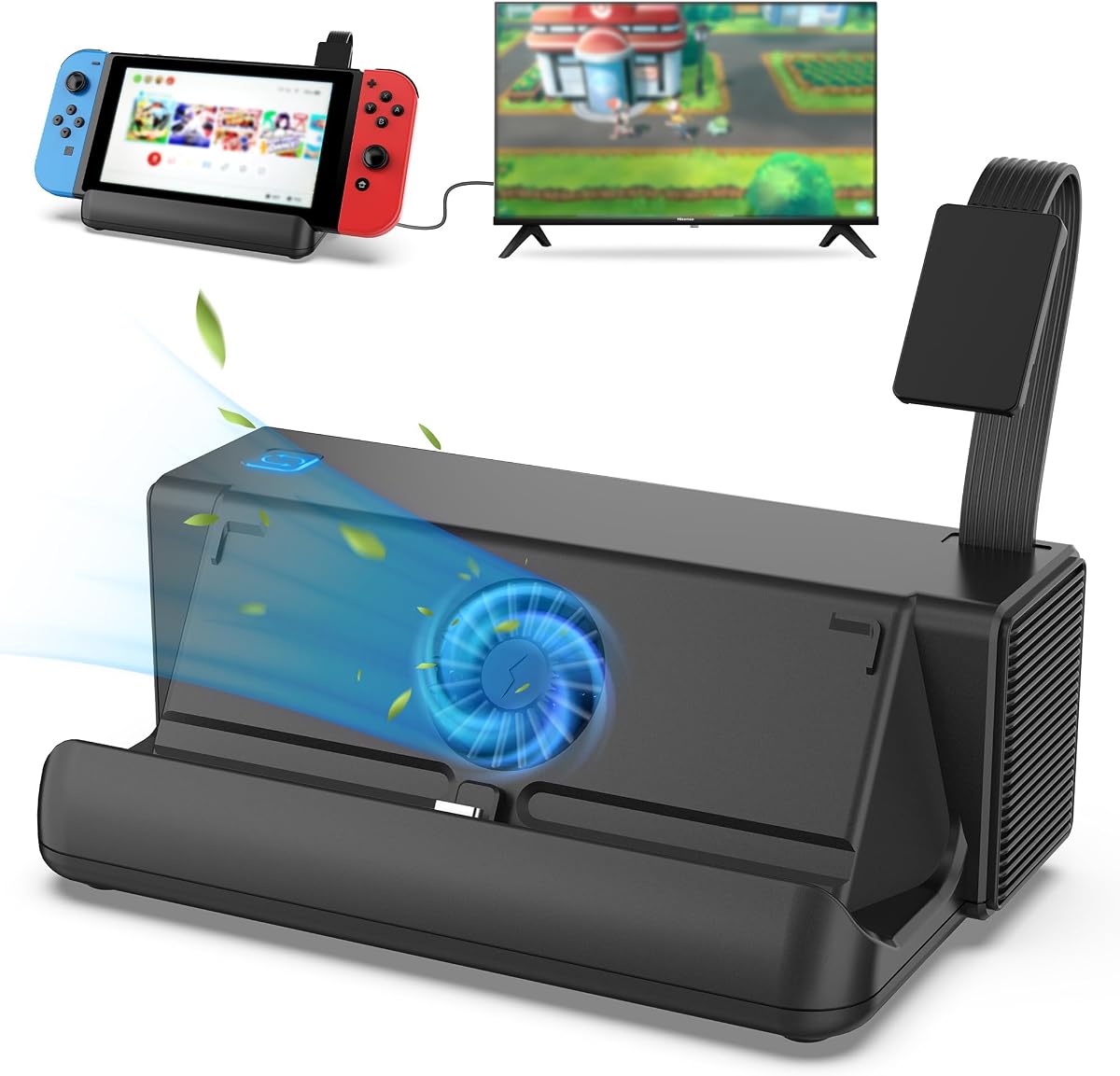
This cooling fan ranks highest due to its comprehensive feature set and reliable performance in maintaining optimal console temperatures during extended gaming sessions. It offers a digital LED display that provides real-time feedback on both fan speed and internal temperature which is crucial for monitoring heat levels effectively.
We may earn a commission when you buy through this link, at no additional cost to you.
The adjustable speed control allows users to tailor airflow based on current gaming demands ranging from silent low-speed operation to maximum cooling power. The inclusion of a fixed pad ensures stability between the console and dock preventing scratches while securing the unit firmly in place for consistent operation.
While the fan operates quietly at lower speeds it does produce audible noise when pushed to its maximum RPM which might distract sensitive users. The reliance on a Micro USB cable instead of USB-C may require additional adapters for modern setups but overall functionality remains robust and dependable.
Ideal for owners of the original Switch and Switch 2 seeking effective temperature management without replacing their existing dock setup. This unit balances cost and performance making it a top recommendation for most gamers concerned about overheating risks.
The LED display ensures you always know the thermal state of your console allowing proactive adjustments to prevent unexpected shutdowns.
Users can select between multiple fan speeds to balance noise levels with cooling efficiency depending on the specific game being played.
We may earn a commission when you buy through this link, at no additional cost to you.
This accessory focuses on delivering strong ventilation through three integrated high-speed fans designed specifically for the original Nintendo Switch dock model. Its compact design ensures it fits seamlessly behind the dock without obstructing other ports or taking up excessive space on entertainment units.
We may earn a commission when you buy through this link, at no additional cost to you.
The control scheme is straightforward offering three distinct modes including turbo for maximum cooling and normal for balanced performance. This simplicity makes it easy to adjust settings quickly without navigating complex menus or interfaces during active gameplay sessions.
Some users report that the multiple fans can generate noticeable noise levels especially when the turbo mode is engaged which may be disruptive in quiet environments. Additionally the compatibility is restricted to the original dock meaning owners of newer OLED models may need alternative solutions.
Best suited for budget-conscious gamers using the standard Switch who prioritize maximum airflow over silent operation. It provides a straightforward way to enhance heat dissipation without significant investment or complicated setup procedures.
The trio of fans creates a high-velocity airflow system that rapidly cools the internal components of the docked console.
Tailored to fit the contours of the original dock ensuring secure attachment and precise alignment with ventilation openings.
We may earn a commission when you buy through this link, at no additional cost to you.
This premium dock accessory delivers advanced thermal management through a dual-fan system that automatically activates upon console connection ensuring immediate cooling when gaming starts. Its design supports the Switch 2 model with a dedicated stand structure that also includes integrated storage for game cards and extra connectivity options.
We may earn a commission when you buy through this link, at no additional cost to you.
The unit features a three-stage cooling adjustment allowing users to manually control fan intensity based on current thermal needs. Additionally it includes multiple USB expansion ports which enhance connectivity by allowing simultaneous charging of controllers and other accessories while gaming.
The aesthetic appeal is enhanced by nine customizable RGB light modes that add a visual element to the gaming setup though this may not appeal to all users. While functional the higher price point and specific compatibility with the Switch 2 limit its broad appeal compared to universal cooling fans.
Recommended for Switch 2 owners seeking a comprehensive dock upgrade that combines cooling storage and connectivity in one cohesive unit. It offers substantial value for those needing more than just basic fan support during extended play.
Expansion ports on the dock enable convenient connection of peripherals without needing separate power bricks or hubs.
The fan syncs with the console power state turning on and off automatically to save energy and reduce manual effort.
We may earn a commission when you buy through this link, at no additional cost to you.
This cooling bracket uses three internal fans to dissipate heat efficiently from the console during gaming. Its construction focuses on durability and compactness ensuring it fits easily behind standard docking stations without adding bulk to the setup.
We may earn a commission when you buy through this link, at no additional cost to you.
The fan includes a side switch that allows toggling between turbo normal and off modes providing basic control over cooling intensity. This straightforward interface ensures users can quickly adjust performance levels without needing complex configuration steps or additional software.
While effective at cooling the design is relatively basic compared to other options with minimal customization or advanced features like digital displays. Some users may find the noise level noticeable at high speeds which can impact immersion during quieter game sequences.
Suitable for gamers looking for a straightforward and cost-effective cooling solution that works with minimal effort. It provides a solid upgrade from the stock dock thermal performance without requiring extensive setup or extra accessories.
Superior materials ensure the unit withstands regular use and maintains performance over time without degradation.
Installation requires no tools as the unit connects directly to the dock's power ports for immediate operation.
We may earn a commission when you buy through this link, at no additional cost to you.
This station combines a built-in cooling fan with a unique one-key game card switching system allowing seamless transitions between games without physical swapping. It supports both desktop and TV modes offering flexible gaming options depending on the current setup and display preferences.
We may earn a commission when you buy through this link, at no additional cost to you.
The integrated cooling system maintains optimal performance during long sessions by preventing heat buildup effectively. Additionally it offers three USB ports enabling the connection of multiple wired controllers or accessories simultaneously for enhanced functionality during play.
While feature-rich the device comes at a higher price point which might be a consideration for budget-focused buyers. The complexity of the card switching mechanism may require an initial learning curve to master fully but offers significant convenience once set up.
Ideal for avid Switch players who frequently switch between multiple games and require robust connectivity options in a single unit. It delivers comprehensive functionality that replaces the need for multiple separate accessories.
The card switching technology protects the console and cards by reducing physical wear during routine game changes.
Independent switches for fans and readers allow users to disable unused features to save energy and reduce noise.
We may earn a commission when you buy through this link, at no additional cost to you.
This fan is engineered specifically for the 2021 OLED dock featuring a turbo system designed to blow air directly onto the base surface for rapid heat dissipation. It integrates 14 game card slots on the top providing ample storage space for frequently used games and preventing loss.
We may earn a commission when you buy through this link, at no additional cost to you.
The unit uses a Type-C power cable ensuring compatibility with modern USB standards and easier connection to power sources. A sleek blue light effect adds visual appeal to the setup without being overly distracting during gameplay or streaming sessions.
Because it is tailored to the OLED dock model it lacks compatibility with older original Switch docks which limits its universal appeal. Some users may find the fan control basic as it only offers on/off functionality without adjustable speed options.
Best for owners of the Nintendo Switch OLED who want added storage and targeted cooling for their specific dock model. The integration of card slots enhances organization making it a practical accessory for collectors.
The design matches the exact contours of the OLED dock ensuring a perfect fit and secure installation without wobble.
With 14 slots users can keep their entire collection within reach reducing clutter and streamlining game access.
We may earn a commission when you buy through this link, at no additional cost to you.
This cooling fan is built for the Switch OLED model offering a high-speed fan that increases air circulation within the base to prevent overheating. It connects directly via the original Type-C power adapter ensuring stable power delivery without additional adapters or extensions.
We may earn a commission when you buy through this link, at no additional cost to you.
The unit features a simple switch on the side that turns the fan and synchronized lighting on or off together. This synchronized control simplifies operation allowing users to quickly activate cooling without navigating complex settings or menus during use.
While effective the design is minimalist which may limit appeal for those seeking advanced features like digital displays or variable speeds. The reliance on the original adapter means power management is tied to the dock status rather than independent control.
Recommended for OLED users prioritizing simplicity and quiet performance over advanced customization options. It provides a straightforward solution to keep the console cool without adding complexity to the gaming setup.
The fan is optimized for low noise levels ensuring it does not interfere with game audio or voice chat.
A single switch manages both power and lighting making it easy for anyone to operate without technical knowledge.
We may earn a commission when you buy through this link, at no additional cost to you.
This fan features three customizable wind speeds ranging from 4000 RPM to 6000 RPM allowing precise control over cooling intensity based on game load. The optimized blade structure reduces operating noise ensuring the device remains unobtrusive during immersive gaming sessions.
We may earn a commission when you buy through this link, at no additional cost to you.
An auto on-off function syncs the fan with the console power state so it turns on automatically when the system starts. The vertical air duct design aligns perfectly with the console inlet delivering targeted airflow for efficient heat removal.
The minimalist aesthetic ensures the unit does not dominate the desk setup maintaining a clean look while providing essential cooling functions. However the specific compatibility with Switch 2 means it cannot be used with older console models requiring separate purchases for different generations.
Best for Switch 2 users who require adjustable cooling and value a clean modern design. It balances performance and aesthetics making it a strong choice for modern gaming setups.
The automatic start stop feature eliminates manual toggling ensuring cooling is always active when needed.
Vertical ducts align with intake vents ensuring air is directed where heat buildup is most critical.
We may earn a commission when you buy through this link, at no additional cost to you.
This stand utilizes a passive cooling design with a hollowed-out structure that boosts airflow around the dock to reduce overheating risks without any moving parts. It offers zero noise and zero power requirements making it ideal for users who prioritize a quiet environment.
We may earn a commission when you buy through this link, at no additional cost to you.
The sturdy black acrylic construction paired with non-slip silicone pads locks the dock securely in place to prevent slips and scratches on surfaces. Installation is effortless requiring no tools or assembly as users simply place the dock onto the stand to activate airflow.
While silent and stable the lack of active fans means cooling is entirely dependent on ambient air and natural convection which may be less effective under heavy loads. It suits environments where noise is a primary concern and high-performance cooling is secondary.
Ideal for users seeking a silent and maintenance-free solution to enhance airflow around their dock. It is a durable and sleek accessory that protects the device without adding electrical complexity.
The elevated structure allows air to circulate freely underneath the dock preventing heat buildup passively.
Silicone pads and acrylic construction ensure the dock remains secure and scratch-free during daily use.
We may earn a commission when you buy through this link, at no additional cost to you.
This fan includes an LED display showing real-time fan speed and exhaust temperature providing users with clear data to monitor thermal performance. It features adjustable speeds from 510 RPM to 6000 RPM allowing users to balance cooling efficiency with noise levels.
We may earn a commission when you buy through this link, at no additional cost to you.
The vertical stand design includes a fixed stabilizer pad that prevents the console from slipping and protects it from scratches. A micro USB cable ensures easy power connection to standard ports without needing additional adapters for operation.
While the features are robust the lower average rating suggests potential inconsistencies in build quality or customer service that may affect long-term satisfaction. Users should weigh the detailed monitoring options against the possibility of variable product reliability.
Recommended for users who value detailed monitoring of thermal conditions and adjustable cooling power. It is a feature-rich option for those willing to manage potential quality variance for enhanced functionality.
The LED display provides immediate feedback on system heat allowing users to react quickly to rising temperatures.
Supports both Switch and Steam Deck consoles offering flexibility for multi-platform owners with a single unit.
We may earn a commission when you buy through this link, at no additional cost to you.
Selecting the right cooling accessory requires evaluating compatibility performance and noise levels to match your specific gaming environment.
Ensure the fan supports your specific console model whether it is the original Switch OLED or Switch 2 as docking mechanisms vary significantly. Some fans are universal while others are designed for specific generations requiring careful checking before purchase.
Choose a fan explicitly listed as compatible with your console to avoid physical fit issues or connection errors.
Evaluate the fan's RPM range and airflow capacity to determine its ability to dissipate heat under heavy load. Higher RPM units offer stronger cooling but may produce more noise which could affect your gaming environment.
Look for adjustable speed settings that allow you to balance performance and noise based on your current gaming session.
Check whether the fan uses USB-C or Micro USB cables as this impacts compatibility with your dock's available ports. Some units draw power directly from the dock while others may need external power supplies.
Prefer options that offer direct dock power integration for a cleaner setup without extra adapters or cables.
Read user reviews to gauge how loud the fan is during operation since high-speed fans can create distracting noise during quiet game sequences. Look for units marketed as low noise or silent if you play in shared spaces.
Select a model with variable speed settings so you can run it quietly when heavy cooling is not needed.
Assess the materials used for the fan housing and mounting mechanism to ensure durability over time. Plastic components should be sturdy and include protective pads to prevent damage to your console.
Opt for fans with reinforced bases and anti-slip features to keep them stable during use.
Consider extras like digital temperature displays game card slots or RGB lighting if they add value to your setup. These features can enhance convenience or aesthetics but may increase the overall cost of the unit.
Prioritize core cooling performance over cosmetic features unless specific additions like storage slots meet your needs.
Review the manufacturer's warranty policy and customer service reputation to ensure you are covered in case of defects. Reliable support channels are important for resolving setup issues or replacing faulty components quickly.
Choose brands that offer clear warranty terms and responsive support to protect your purchase.
Balance your budget with the features you need as higher-end models may offer more functionality but cost significantly more. Entry-level units can provide sufficient cooling for casual gamers without excessive expense.
Invest in a quality unit that meets your performance requirements without overpaying for unnecessary features.
Start by ensuring your console and dock are powered off before attaching the cooling unit. Align the fan with the ventilation slots and secure it according to the manufacturer instructions to ensure a tight fit.
Plug the USB or Type-C cable into a power source or dock port to activate the fan. Adjust the speed settings to a comfortable level that provides adequate cooling without creating excessive noise.
Periodically check the fan blades and vents for dust buildup which can reduce airflow and efficiency. Use a soft brush or compressed air to clean the unit and maintain optimal performance over time.
Yes maintaining optimal temperatures can prevent thermal throttling which causes the system to slow down during intense gaming sessions. This ensures smoother frame rates and reduces the risk of unexpected shutdowns.
Not all fans are universal so you must check the product description for compatibility with your specific model. Some units are designed only for the original dock while others support OLED or Switch 2.
Prices vary significantly from basic models around $18 to comprehensive docking stations near $33 depending on features. Consider your budget and needs when selecting the right option.
Noise levels depend on the fan speed and design. Many units have quiet modes for low load but can be louder when pushed to maximum cooling power.
Most fans draw power directly from the console's USB ports or an adapter. Ensure your dock has available ports to power the unit without extra cables.
Typically attaching an external accessory does not void the warranty unless it causes physical damage. Always follow installation guidelines to avoid harm to your device.
It is advisable to check and clean the fan every few months to prevent dust accumulation. Regular maintenance ensures consistent performance and extends the life of the unit.
Adjustable speeds allow you to reduce noise during lighter tasks while increasing cooling power during heavy gaming. This flexibility helps balance comfort and performance.
We identified top performers like the Cooling Fan for Nintendo Switch 1/2 and ZMBESUP Switch Dock Station that offer strong cooling and useful features. These units stand out for reliability and effective heat management.
Prioritize compatibility with your specific console model and your noise tolerance when making a choice. Ensure the unit meets your needs for speed control and connectivity options before purchasing.
Remember that prices fluctuate regularly so check current listings to secure the best deal for the selected unit. A small investment in cooling can significantly enhance your gaming experience.