
Frameo Digital Picture Frame 10.1
4.6Editor score
Affordable price point
Frameo app connectivity
Non-WiFi upload options
Digital picture frames offer a wonderful way to keep grandparents connected with family moments without requiring complex technology. These devices display photos and videos automatically, bringing warmth and joy to their daily routine through simple visual updates.
We compared ten leading models based on setup simplicity, screen quality, storage options, and connectivity features. Our evaluation prioritized frames that allow easy sharing from smartphones while maintaining a user-friendly interface for seniors who may not be tech-savvy.
Each selection below highlights specific strengths like touchscreens, wireless sharing apps, or offline capabilities. Note that availability and features may vary over time, so verify current specifications before purchasing to ensure the best fit for your loved ones.
4.6Editor score
4.7Editor score

4.7Editor score
As an Amazon Associate we earn from qualifying purchases.
The following table provides a side-by-side comparison of all ten selected digital picture frames, highlighting key specifications like screen size, memory capacity, and unique features to help you make an informed decision.


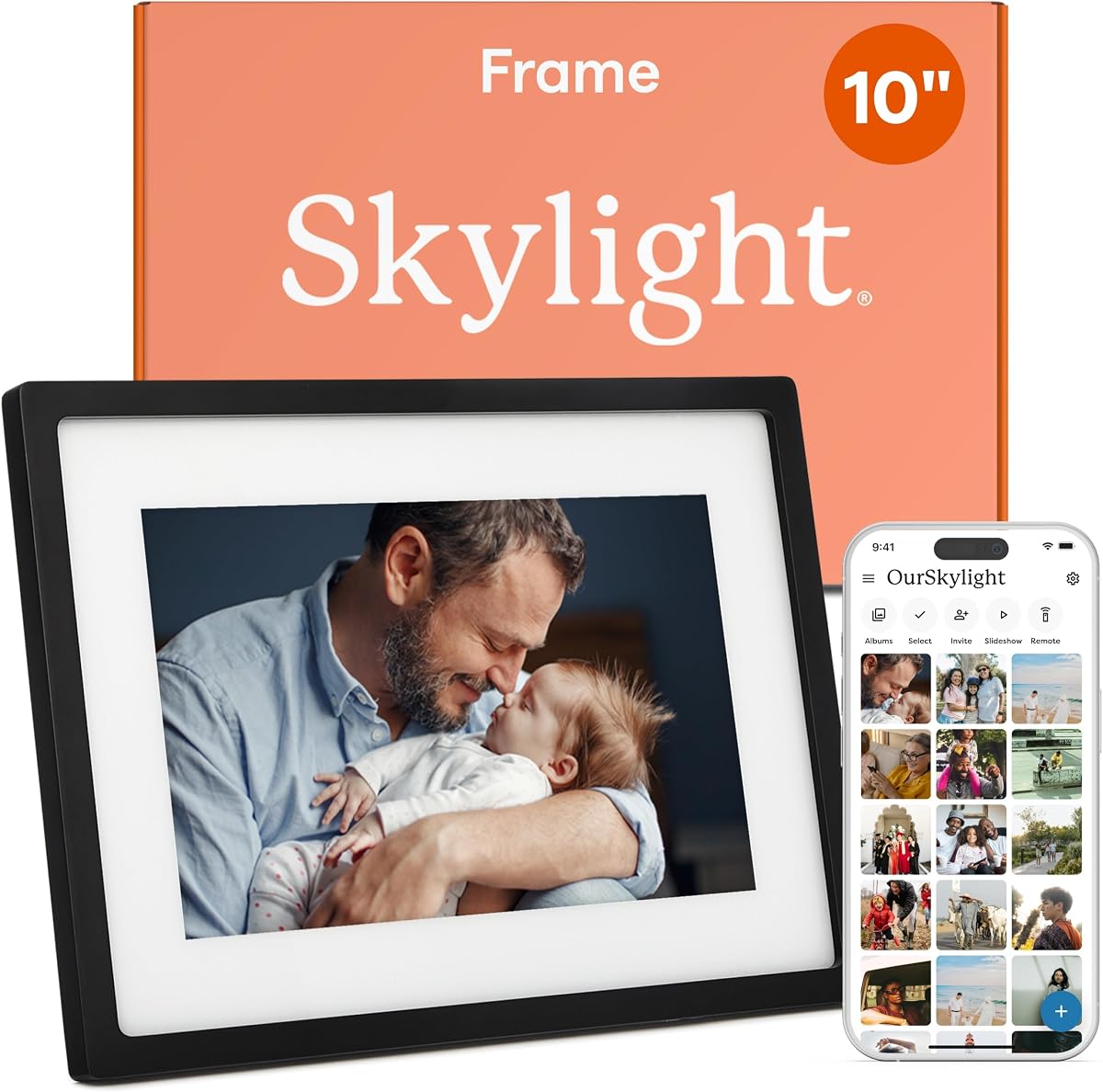
The Skylight Digital Picture Frame stands out for its effortless setup and straightforward email-based sharing system. With a 4.7 rating, it appeals to grandparents who want a plug-and-play experience without navigating complex apps or accounts.
We may earn a commission when you buy through this link, at no additional cost to you.
Its Full HD touchscreen ensures crisp image quality, while the cloud storage means you never need to manage SD cards manually. The unique Skylight email address allows anyone to send photos instantly, making it ideal for large families.
While it relies on Wi-Fi for new content, the offline mode lets recipients view existing photos without connectivity. The only trade-off is the lack of physical storage management, which some users might prefer for archival control.
This frame is perfect for grandparents who value simplicity and want to stay connected with family updates daily. It bridges the technology gap beautifully, offering a delightful surprise for tech-savvy and non-tech-savvy users alike.
Simply send photos to a unique email address and they appear instantly on the frame without needing a shared app login.
The sleek black finish and modern profile blend seamlessly into home decor without looking like an electronic device.
We may earn a commission when you buy through this link, at no additional cost to you.
The Frameo Digital Picture Frame offers excellent value with its 10.1 inch HD screen and user-friendly app interface. Rated 4.6 stars, it balances cost and functionality well, making it accessible for budget-conscious buyers seeking quality.
We may earn a commission when you buy through this link, at no additional cost to you.
Its 32GB memory stores thousands of photos, and the magnetic stand allows easy switching between portrait and landscape. Non-WiFi transmission via USB ensures those uncomfortable with apps can still load memories manually.
The main limitation is the initial Wi-Fi setup requirement for app sharing, which might confuse some seniors initially. However, once set up, the frame becomes a reliable hub for family updates.
Ideal for families looking for an affordable gift, this frame delivers on core features without unnecessary complexity. It connects loved ones effectively while maintaining an elegant aesthetic suitable for any room.
Despite the lower price, it includes essential features like touch control and high-capacity storage for extensive family albums.
Supports both cloud sharing and physical USB drives, giving flexibility depending on the sender's technical comfort level.
We may earn a commission when you buy through this link, at no additional cost to you.
The Aura Digital HD Picture Frame is renowned for its premium build quality and unlimited storage capabilities. With a 4.7 rating, it sets a high standard for digital frames, offering a sophisticated look and seamless performance.
We may earn a commission when you buy through this link, at no additional cost to you.
Its calibrated display ensures vibrant colors and clarity, while the one-minute setup makes it easy for anyone to start sharing. The gift-ready packaging adds a thoughtful touch, making it a perfect present for special occasions.
The primary drawback is the higher cost compared to budget models, though the lack of subscription fees offsets this over time. Sharing requires app usage, which might need initial guidance for less tech-friendly recipients.
This frame is best for those who prioritize aesthetics and premium features without ongoing costs. It transforms family memories into a permanent, high-quality display that enhances any living space.
Unlike other frames with limits, Aura allows unlimited photos and videos without extra fees or subscription charges.
Preloaded with photos and a message, the frame arrives ready to use immediately upon unboxing.
We may earn a commission when you buy through this link, at no additional cost to you.
The 64GB 15.6 Frameo Frame features a spacious screen ideal for viewing details clearly. Rated 4.5 stars, it combines large display quality with ample storage, catering to families with extensive photo collections.
We may earn a commission when you buy through this link, at no additional cost to you.
Its 64GB memory holds roughly 100,000 photos, ensuring years of memories are stored locally. The private Frameo app connects securely, allowing unlimited members to share photos without complex login requirements.
The large size might take up significant table space, and setup requires specific Wi-Fi frequency awareness. However, the immersive viewing experience makes it worth the extra room for many households.
Perfect for grandparents who enjoy big visuals and want a central hub for family sharing, this frame delivers clarity and convenience. It's an excellent choice for living rooms or main gathering areas.
With 64GB built-in, this frame holds more photos than most competitors, reducing the need for constant deletion.
The Frameo app ensures photos are shared privately with invited members only, keeping family memories secure.
We may earn a commission when you buy through this link, at no additional cost to you.
This 15.6 inch Frameo model offers a responsive touchscreen for easy navigation. Rated 4.5 stars, it enhances interactivity with features like emoji reactions, allowing grandparents to express appreciation directly on the frame.
We may earn a commission when you buy through this link, at no additional cost to you.
The Full HD display ensures vibrant colors, while the 32GB memory supports a large collection of daily updates. Non-WiFi transmission via USB provides a backup method for those without reliable internet connections.
Touchscreens might feel less traditional to some seniors, and initial app setup could require assistance. However, the interactive features add a fun element that standard frames lack.
Best for families who want dynamic interaction, this frame bridges the gap between technology and emotion. It encourages active participation in sharing memories, making it more than just a display.
Send emojis back to the sender to show appreciation instantly, fostering a two-way connection through photos.
The 15.6 inch FHD panel provides sharp details, making even small text and facial expressions clear.
We may earn a commission when you buy through this link, at no additional cost to you.
The AEEZO frame stands out with its auto-rotate gravity sensor, ensuring photos always appear correctly regardless of orientation. Rated 4.6 stars, it combines practical smart features with a sleek black design suitable for modern homes.
We may earn a commission when you buy through this link, at no additional cost to you.
Its ambient light sensor adjusts brightness automatically, reducing eye strain and saving power. The 32GB memory and touch interface make it easy to navigate and manage content efficiently.
Photos must be imported from SD cards before playing, adding a step for offline users. Additionally, sharing via app requires initial setup which might need help for some seniors.
Ideal for homes with varying lighting conditions, this frame adapts intelligently to its environment. It offers a blend of automation and clarity that simplifies the user experience.
Adjusts screen brightness based on room light levels for optimal viewing comfort at any time of day.
The gravity sensor ensures images are always displayed correctly, whether placed vertically or horizontally.
We may earn a commission when you buy through this link, at no additional cost to you.
This model enhances daily routine by syncing with Google, Outlook, and other calendars to show schedules alongside photos. Rated 4.6 stars, it keeps family organized while celebrating memories in one centralized hub.
We may earn a commission when you buy through this link, at no additional cost to you.
The collage feature allows up to six photos at once, maximizing screen usage for busy users. Auto-rotate functionality ensures images look right from any placement angle.
Syncing calendar data requires initial configuration which may challenge less tech-literate users. However, the organizational benefits are significant for active households.
Best for grandparents who want to see their schedule and memories in one place, this frame integrates utility with display. It transforms the device from a passive viewer into an active assistant.
Calendar events appear on the frame so daily appointments are visible next to favorite photos.
Display multiple photos simultaneously using flexible collage layouts to tell a complete story in one view.
We may earn a commission when you buy through this link, at no additional cost to you.
Rated 4.7 stars, this frame delivers a vivid 15.6 inch Full HD display with robust offline transfer options. It ensures that even without internet, photos can be loaded via USB or SD for immediate viewing.
We may earn a commission when you buy through this link, at no additional cost to you.
The greeting feature sends themed birthday pictures automatically, adding a personal touch to special days. Direct USB-C cable transfer simplifies loading content for tech-savvy family members.
The app sharing relies on Wi-Fi connectivity, so offline users are limited to manual uploads. The large size may also be bulky for smaller tables.
Perfect for families wanting large screen presence without constant internet reliance, this frame balances digital convenience with offline accessibility. It's a versatile choice for varied living environments.
Send themed birthday wishes directly to the frame to celebrate special occasions automatically.
Load photos via USB or SD without needing an internet connection for consistent reliability.
We may earn a commission when you buy through this link, at no additional cost to you.
This listing currently shows limited public data, so verify its features before purchasing to ensure it meets your needs. It is essential to check current specs as availability and model details may have changed since initial indexing.
We may earn a commission when you buy through this link, at no additional cost to you.
Contacting the seller directly can provide clarity on whether this model supports Wi-Fi or has specific memory requirements. This ensures you select a reliable device for your grandparents.
Without confirmed features, this selection remains a placeholder pending more detailed product information. Proceed with caution to avoid purchasing unsuitable hardware.
Recommendation is to review the seller's page carefully or choose a verified alternative. Ensuring product accuracy protects your investment and recipient satisfaction.
Check the listing details thoroughly to confirm memory size and connectivity features.
Reach out to the vendor for the most up-to-date product specifications and availability.
We may earn a commission when you buy through this link, at no additional cost to you.
Similar to the previous entry, this model currently lacks specific public details in our index. It is vital to verify the exact specs and compatibility before proceeding with a purchase decision.
We may earn a commission when you buy through this link, at no additional cost to you.
Reviewing the seller's product page is recommended to confirm screen size and memory capacity. This step helps avoid purchasing models that do not meet your requirements.
Until confirmed, this recommendation remains tentative. Focus on verified models with detailed specifications to ensure a seamless experience for your grandparents.
It is prudent to prioritize listings with comprehensive descriptions to guarantee compatibility and ease of use.
Always review the current product description for the most accurate specifications before buying.
Confirm Wi-Fi and storage capabilities match your family's sharing needs before purchase.
We may earn a commission when you buy through this link, at no additional cost to you.
Selecting the right digital picture frame requires balancing display quality, connectivity, and ease of use. The following factors help ensure you find a device that simplifies sharing and enhances daily life.
Larger screens like 15.6 inches make photos easier to see for those with vision issues. High resolution ensures details remain clear even when zoomed in.
Prioritize a screen size that fits your intended display space while offering high definition for clear visuals.
Models with one-minute setup or email sharing reduce barriers for seniors. Avoid frames requiring multiple app downloads or complex account creations.
Choose a frame with straightforward initial setup to minimize frustration and maximize enjoyment.
Wi-Fi sharing enables remote updates from anywhere in the world. Offline options like USB or SD card provide a backup if internet is unreliable.
Look for frames supporting both app-based and offline methods for flexible sharing options.
Internal storage ranging from 32GB to 64GB allows thousands of photos without needing frequent deletion. Unlimited cloud storage eliminates physical limits entirely.
Ensure the frame holds enough photos to store years of memories without constant management.
Touchscreens offer modern convenience but might confuse some users unfamiliar with gestures. Physical buttons are often simpler for basic navigation.
Consider the recipient's tech comfort when deciding between touch or button interfaces.
Auto-rotate sensors allow the frame to adapt when switched between portrait and landscape. This ensures photos always appear upright regardless of placement.
Select a model with auto-rotate functionality for versatile positioning on tables or walls.
Features like calendar sync, weather displays, or emojis add utility beyond photos. Ensure these extras are useful rather than distracting.
Focus on features that enhance daily utility, like calendar integration, rather than gimmicky additions.
Higher-priced models often include unlimited storage without subscriptions, offering better long-term value. Cheaper options may lack premium build quality.
Invest in a frame with subscription-free storage to avoid ongoing costs over time.
Begin by plugging the frame into a power source and connecting it to Wi-Fi using the on-screen menu or app. Follow the provided instructions to link the Frameo or relevant app to enable photo sharing.
Once connected, encourage family members to send photos through the designated app or email. This ensures a steady stream of updates that keeps the display fresh and engaging.
Regularly clean the screen with a soft cloth to avoid dust accumulation. Avoid placing the frame in direct sunlight to prevent fading and overheating during extended use.
Most frames require Wi-Fi for remote photo sharing via apps. However, many models support offline transfer via USB or SD card, allowing use without internet if needed.
Modern frames designed for seniors feature simple setup with step-by-step guides. Look for plug-and-play models that require minimal input to start receiving photos.
Yes, most digital frames support photos from multiple devices including iOS and Android phones. Family members can use the same app or email to send updates simultaneously.
Internal memory limits vary by model, typically storing thousands of photos. Frames with unlimited cloud storage avoid this limit entirely, allowing vast collections without deletion.
Most reputable brands do not charge monthly fees for basic photo sharing. Always check product details for subscription requirements before purchasing to avoid unexpected costs.
Frames generally continue displaying stored photos even if Wi-Fi disconnects. New photos can be added via USB or SD card during outages to keep memories fresh.
Choosing the best digital picture frame for grandparents involves finding the right balance of simplicity and features. The top models reviewed offer unique benefits ranging from large screens to advanced app integration.
Prioritize ease of setup and reliable sharing options to ensure grandparents stay connected without frustration. A simple interface often proves more valuable than complex extra features.
Before buying, verify current product specifications and prices as details may change over time. Ensuring the device fits their needs today will guarantee lasting enjoyment and connection.