
Focusrite Scarlett Solo 4th Gen
4.6Editor score
Compact single input design
Air mode for vocal presence
Includes Pro Tools Intro and plugins
This guide compares the top Focusrite USB Audio Interface models for 2026, detailing specs, features, and performance to help you choose the perfect recording
Selecting the right Focusrite USB Audio Interface is crucial for musicians and producers seeking studio-quality sound at home. These devices convert analog signals into digital data with precision, ensuring your recordings capture every nuance of your performance. A good interface offers low latency, reliable drivers, and high-quality preamps for clear vocals and instruments.
We have evaluated the latest models from Focusrite, focusing on sound quality, connectivity options, and user experience. Our analysis includes detailed specifications, real-world performance metrics, and compatibility with major operating systems. This list covers everything from solo singer-songwriter setups to multi-input professional recording stations.
Each pick highlights specific strengths, ideal use cases, and included software bundles to maximize your workflow. We have structured this guide to help you find the perfect match for your budget and recording needs. Please note that product availability and pricing may change over time, so verify details before purchasing.
4.6Editor score

4.7Editor score

5.0Editor score
The following table provides a side-by-side comparison of all ten selected Focusrite USB Audio Interface models. It highlights key specifications such as input counts, sample rates, and connectivity options to help you quickly identify the right device for your studio setup.




The Focusrite Scarlett 2i2 4th Gen stands out as the top recommendation for serious home producers. It features the latest 4th generation mic preamps which deliver a 120dB dynamic range that rivals much more expensive studio equipment. This interface ensures that your recordings are clean, detailed, and free from unwanted noise or distortion.
We may earn a commission when you buy through this link, at no additional cost to you.
Key strengths include the Dynamic Gain Halos which provide visual feedback for setting levels without needing to look at your screen. The Air mode adds harmonic richness to vocals and guitars, giving them a professional sheen. Additionally, the Auto Gain and Clip Safe features automatically adjust input levels to prevent clipping during loud passages.
The trade-off is the higher cost compared to entry-level models, but the build quality and sound performance justify the investment. You also get two instrument inputs which allows for more flexible recording setups. The included software suite is extensive and provides everything needed to start recording immediately.
This interface is ideal for musicians and podcasters who need professional quality without renting studio time. It is robust enough for daily use and connects seamlessly via USB-C. We recommend this model for anyone looking to upgrade their home studio to a professional standard.
The converters match those found in Focusrite flagship RedNet interfaces, ensuring industry-leading clarity for all recordings.
Auto Gain analyzes your input for ten seconds to set optimal levels while Clip Safe protects against sudden volume spikes.
We may earn a commission when you buy through this link, at no additional cost to you.
The Scarlett Solo 4th Gen offers the best value for solo artists and beginner podcasters. Despite its lower price, it retains the same high-quality converters found in the larger 2i2 model. This ensures you get professional audio fidelity without the extra cost of inputs you may not need.
We may earn a commission when you buy through this link, at no additional cost to you.
Its standout quality is the improved Air mode which boosts presence in your tracks. The single mic preamp is ultra-low noise and provides plenty of gain for dynamic microphones. The included software bundle includes Pro Tools Intro and Ableton Live Lite which are powerful DAWs for creating music.
The main limitation is the single input which prevents recording vocals and instruments simultaneously. However for this works perfectly for singer-songwriters recording part by part. The compact design makes it easy to pack in a laptop bag for mobile recording sessions.
This is the perfect choice for those entering music production on a strict budget. It delivers sound quality that punches well above its weight class. We highly recommend it for home vocal recording and simple instrument tracking.
Designed for the songwriter, it fits easily into any backpack and connects via USB-C to laptops or iPads.
The Hitmaker Expansion bundle adds essential effects and instruments to get you started immediately without extra purchases.
We may earn a commission when you buy through this link, at no additional cost to you.
The Scarlett 18i16 4th Gen is a powerhouse designed for complex recording setups. It offers four mic preamps with the new Auto Gain and Clip Safe features making it easy to manage multiple tracks. This interface is ideal for bands or podcasters needing to record several speakers at once.
We may earn a commission when you buy through this link, at no additional cost to you.
Its extensive connectivity includes ADAT, SPDIF, and MIDI which allows it to integrate into larger studio racks. The Loopback feature is essential for streamers and content creators who need to route computer audio to their streams. The sound quality remains consistent with the rest of the Scarlett range.
While it is a large device with a premium price tag, the flexibility it offers is unmatched in this category. It requires a powered USB connection and dedicated desk space which might not suit all users. However for for serious studios this is a top-tier choice.
We recommend this for professional home studios that need scalability. It supports advanced workflows and ensures you have enough inputs for expansion. This model is a smart investment for serious audio engineers.
With ADAT inputs, you can expand your preamp count further using external converters for massive setups.
The Loopback function allows easy routing of computer audio for live streaming and remote recordings.
We may earn a commission when you buy through this link, at no additional cost to you.
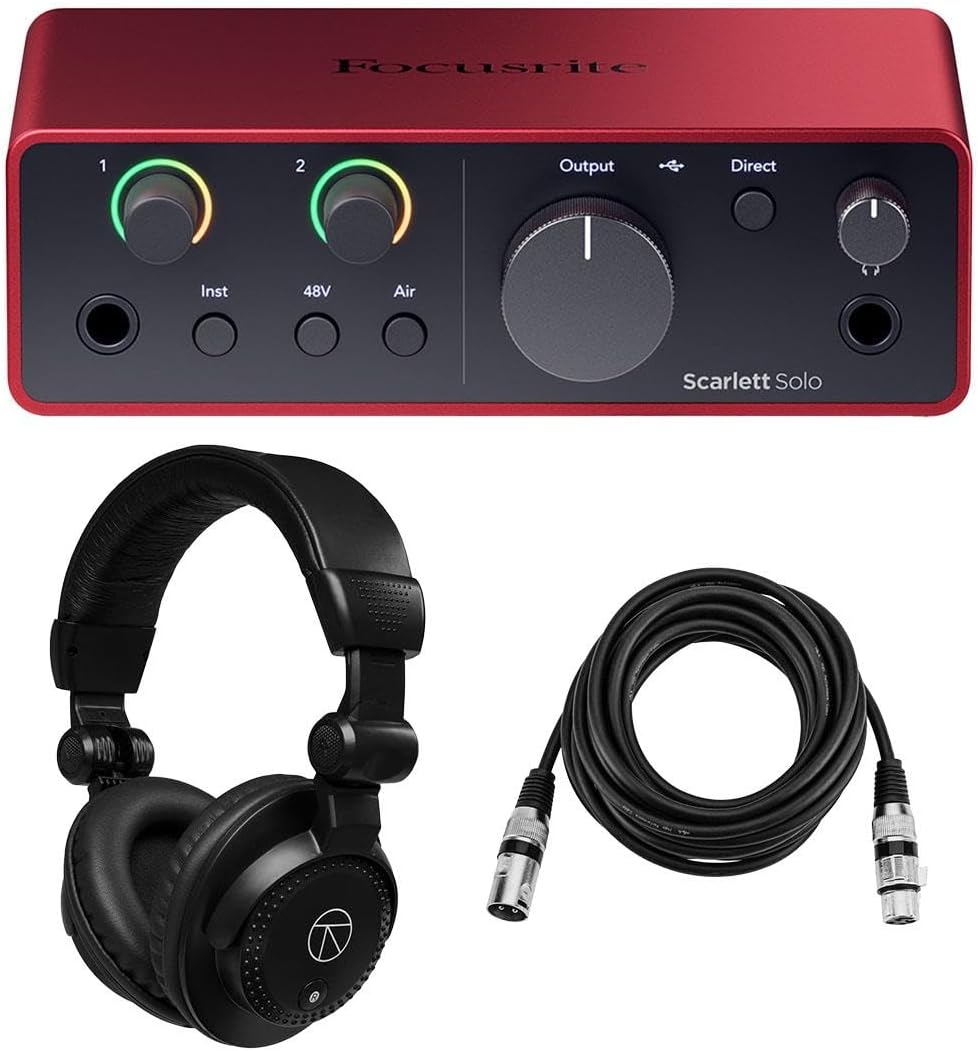
This bundle includes the Scarlett Solo 4th Gen interface alongside a high-quality XLR cable for immediate use. It is designed for users who want a complete package without buying accessories separately. The interface retains all the features of the standard model including the 120dB dynamic range.
We may earn a commission when you buy through this link, at no additional cost to you.
The inclusion of the cable saves time and money ensuring you can start recording right out of the box. The software suite is the same extensive collection found in other Solo models. This makes it an excellent choice for beginners who lack technical knowledge about cabling.
One trade-off is that you are locked into the specific cable length which may not fit all studio setups. However the quality of the cable ensures reliable signal transmission. It also carries a three-year warranty which provides peace of mind for new users.
We recommend this bundle for anyone setting up their first home studio. It removes the guesswork from choosing cables and software. This is a practical solution for those who value convenience and reliability.
Includes all necessary cables and software downloads so you can start making music immediately.
Focusrite offers a three-year warranty on this bundle to protect your investment against defects.
We may earn a commission when you buy through this link, at no additional cost to you.
The 3rd Gen 2i2 remains a popular choice for many home studios due to its proven reliability. It features the iconic Air mode that adds character to your tracks. While it is an older generation, it still delivers sound quality that satisfies most recording needs.
We may earn a commission when you buy through this link, at no additional cost to you.
Its strengths lie in its simplicity and the Gain Halos which help you set levels visually. It includes Pro Tools First which is a capable DAW for beginners. The 111dB dynamic range is sufficient for most vocal and instrument recordings.
The main drawback is the lack of newer features like Auto Gain and USB-C connectivity. This means you may need adapters for modern laptops. However for it is often available at lower prices which makes it attractive for budget-conscious buyers.
We recommend this model if you find it at a significant discount. It is still a solid performer for standard recording tasks. This option is best for those who prefer traditional USB ports.
Retains the familiar layout that millions of musicians have trusted for years.
Adds high-end presence to vocals similar to classic ISA preamps found in big studios.
We may earn a commission when you buy through this link, at no additional cost to you.
This bundle adds essential accessories like headphones and a pop filter to the 2i2 interface. It is an all-in-one solution for podcasters and vocalists who need more than just the interface. The interface itself is the 4th Gen model ensuring you get the latest technology.
We may earn a commission when you buy through this link, at no additional cost to you.
The included headphones allow you to monitor tracks accurately without buying separate gear. The pop filter helps reduce plosives during vocal recording which improves quality significantly. This makes the setup truly plug-and-play for new users.
One trade-off is that the accessories are standard quality which may not satisfy pros. However they are sufficient for home recording needs. The package is also larger and heavier making it harder to transport.
We recommend this bundle for new podcasters setting up a home studio. It saves money compared to buying items individually. This is a practical and cost-effective choice for vocal recording.
Includes a pop filter to minimize plosives for clearer vocal tracks immediately.
Studio monitor headphones are included to let you hear your mix accurately.
We may earn a commission when you buy through this link, at no additional cost to you.
This bundle pairs the Scarlett Solo with headphones and a cable for a complete solo setup. It offers the same high-quality preamp and dynamic range as the standard model. The inclusion of headphones ensures you can monitor your recordings without additional cost.
We may earn a commission when you buy through this link, at no additional cost to you.
Its main strength is the value it provides for solo recording needs. You get everything required to start recording vocals or guitar right away. The software bundle is included to support your creativity and production workflow.
The limitation is the single input which restricts simultaneous recording. However for this is acceptable for most solo artists. The headphones are tuned for studio monitoring which adds to the value.
We recommend this for solo singer-songwriters or podcasters. It is a convenient and cost-effective way to get started. This bundle ensures you have all the basics covered.
Provides interface, cable, and headphones so you can start recording immediately.
Includes DAW software to help you edit and produce your recordings.
We may earn a commission when you buy through this link, at no additional cost to you.
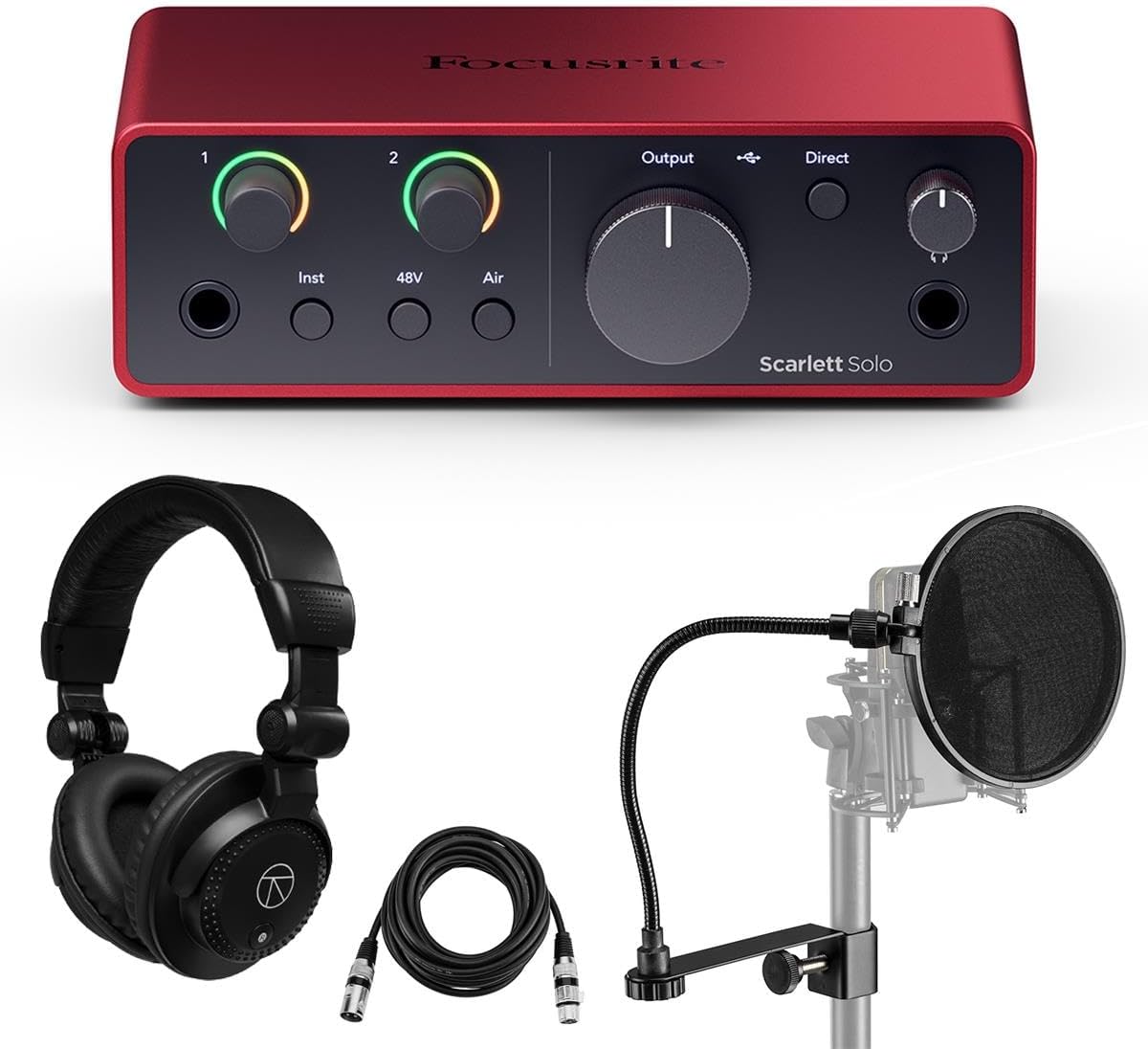
This comprehensive bundle adds a pop filter and headphones to the Solo interface for enhanced vocal recording. It is designed for streamers and podcasters who need a complete vocal setup. The Loopback feature is included which allows you to route computer audio easily.
We may earn a commission when you buy through this link, at no additional cost to you.
The pop filter and headphones improve the quality of your recordings significantly. The interface retains the powerful mic preamp and Air mode for great sound. This bundle is tailored for content creators who need simplicity and quality.
The trade-off is the shorter cable length which may limit desk placement. However the interface is compact and easy to position. The included accessories add significant value to the purchase.
We recommend this for vocalists and streamers needing all-in-one convenience. It covers all basics for professional recording. This is an excellent choice for home podcasting.
Loopback functionality makes it easy to capture computer audio for live streams.
Includes a pop filter to keep your recordings clear of harsh plosives.
We may earn a commission when you buy through this link, at no additional cost to you.
The Scarlett 16i16 offers extensive connectivity with multiple line inputs and ADAT support. It is a bridge between compact interfaces and large studio consoles. This model is ideal for bands needing to record multiple instruments at once without external gear.
We may earn a commission when you buy through this link, at no additional cost to you.
Its strengths are the high number of inputs which offers significant flexibility. The included bundle ensures you have headphones and filters ready to go. The build quality is robust and built for long-term use in a studio environment.
The trade-off is the size and complexity which may be overwhelming for beginners. It requires a dedicated desk and proper cabling. However for advanced users this flexibility is essential.
We recommend this for band recording and multi-mic setups. It offers great value for the number of inputs provided. This is a professional choice for growing studios.
Six line inputs allow connection of synths and drum machines without extra adapters.
ADAT inputs let you add more preamps later if your needs grow.
We may earn a commission when you buy through this link, at no additional cost to you.
The 2nd Gen Solo is a classic interface that paved the way for home recording. It is simple and reliable with proven drivers that work on most systems. While it lacks newer features it still delivers clean audio for basic tracking.
We may earn a commission when you buy through this link, at no additional cost to you.
Its main strength is the included Red 2 and Red 3 plugin suite which is powerful for mixing. The compact design makes it easy to carry for live recording. It is a solid choice for those who need a simple interface.
The trade-off is the older USB connection and lack of new smart features. You may need adapters for modern laptops. However the simplicity and stability make it attractive.
We recommend this for those finding it at a lower price. It is a reliable workhorse for basic recording tasks. This option is best for simplicity and stability.
Known for reliable drivers that ensure smooth recording on Windows and Mac.
Includes classic Red EQ and Compression plugins to shape your sound.
We may earn a commission when you buy through this link, at no additional cost to you.
Choosing the right interface depends on your recording needs and budget. This guide explains the key factors to consider.
Consider how many instruments you need to record simultaneously. Solo interfaces are great for vocals but multi-input units are needed for bands.
Choose a model that matches your typical recording sessions.
Look for interfaces with low noise and high dynamic range. This ensures your vocals are clear and detailed.
Higher generation models typically offer better sound quality.
USB-C offers faster data transfer and modern connectivity. Check if your computer has the correct ports.
Choose interfaces with USB-C for future-proofing.
High resolution audio like 24-bit/192kHz captures more detail. This is important for professional sounding tracks.
Select models that support 192kHz for best quality.
Most interfaces come with DAWs and plugins. This saves money and helps you start producing immediately.
Look for bundles that include Pro Tools or Ableton.
Compact units are easy to transport while larger ones have more controls. Consider your workspace constraints.
Choose a size that fits your desk and needs.
Prices vary based on features. Determine how much you are willing to spend on recording gear.
Balance your budget with the features you need.
Features like Auto Gain and Loopback add convenience for specific workflows. Decide which features matter most.
Prioritize features that support your recording style.
Connect the interface to your computer using the supplied USB cable. Ensure you install the latest drivers from the Focusrite website for optimal performance.
Use XLR cables to connect your microphone to the interface. Adjust the gain using the knobs or Auto Gain feature to set proper levels.
Clean the device with a dry cloth to avoid damage. Store it in a cool dry place when not in use to preserve its condition.
The 4th generation features improved preamps and more dynamic range. It also includes newer features like Auto Gain and USB-C connectivity. The sound quality is significantly better on the newer models.
Yes, most Focusrite interfaces are class-compliant. This means they work automatically with macOS without needing extra drivers. However drivers are recommended for full functionality.
Yes, newer models include a Loopback feature. This allows you to route computer audio into the interface for streaming. It simplifies the setup for content creators.
Most bundles include Pro Tools Artist and Ableton Live Lite. They also offer a Hitmaker Expansion suite with effects and instruments. This provides everything needed to start recording.
It depends on the model. The Solo supports one mic while the 2i2 supports two. The 18i16 supports four mics and many more instruments.
Focusrite offers a three-year warranty on most products. This warranty is generally valid internationally but check your local terms. It covers manufacturing defects and hardware issues.
Yes, the 4th Gen interfaces support USB-C iPads. They work well for mobile recording and production. You may need a camera adapter for older devices.
The Scarlett 2i2 4th Gen is our top pick for its balance of features and performance. It offers professional sound and essential tools for any recording session.
For solo artists the Solo 4th Gen provides excellent value and portability. It delivers studio sound in a compact package for on-the-go recording.
Always check current prices and bundles before buying. These deals change often so verify the latest offers on Amazon.