
XIAOWTEK Wireless Earbuds
4.9Editor score
50 hours total playtime
Bluetooth 5.4 connectivity
Four mic noise cancelling
This guide compares the top earbuds for laptop conference calls based on microphone quality, noise cancellation, battery life, and compatibility for remote
Finding the right earbuds for laptop conference calls is essential for remote professionals who need clear audio and reliable connectivity during meetings.
We compared ten top models based on microphone performance, noise cancellation, battery life, and compatibility with various laptop operating systems.
Each pick highlights key features and trade-offs to help you choose the best fit for your workspace, keeping in mind that prices change frequently.
4.9Editor score

4.2Editor score

4.1Editor score
This side-by-side comparison highlights the key specifications and features of the ten selected earbuds to help you find the ideal match for your laptop setup.


The Soundcore Liberty 5 Pro Max stands out for professionals who need exceptional audio quality and advanced AI features. It holds a Guinness World Record for speech quality.
We may earn a commission when you buy through this link, at no additional cost to you.
Its Thus AI Chip and 10 sensors ensure your voice is heard clearly even in noisy environments. The built-in mic supports Whisper-Clear Calls with minimal background interference.
The AI Note-Taker is a unique feature that transcribes in-person meetings and generates summaries. It is not for online calls but offers great value for in-person strategy sessions.
If you need the best call quality and want to streamline workflow with transcription summaries, this is the top choice. It is priced higher but justifies the cost for heavy users.
The charging case features an AMOLED display and AI Voice Recorder for managing tasks directly without needing your phone.
AES-256 encryption and compliance with standards like HIPAA ensure your confidential meetings remain private and secure from external access.
We may earn a commission when you buy through this link, at no additional cost to you.
The XIAOWTEK Wireless Earbuds offer incredible value for budget-conscious buyers needing reliable call quality. They feature the latest Bluetooth 5.4 for stable laptop connections.
We may earn a commission when you buy through this link, at no additional cost to you.
Their four-mic ENC noise cancelling blocks out 80% of background noise to ensure your voice is clear. The LED display helps you manage charging without guessing.
While the build is lightweight and the audio is basic, the battery life is excellent at 50 hours total. This makes them perfect for long workdays away from a charger.
If you need a budget-friendly headset that delivers clear calls and long battery life, this is an ideal pick. It avoids complex features while focusing on core performance.
The charging case provides 50 hours total playtime with 6 hours per charge for the earbuds. Fast charging ensures you get back to work quickly.
Bluetooth 5.4 offers stronger signal penetration and lower power consumption than older versions, ensuring fewer dropouts during your video conferences.
We may earn a commission when you buy through this link, at no additional cost to you.
The Dell Pro Plus Earbuds EB525 are engineered specifically for professional workspaces where distraction-free communication is critical. They use AI-based noise cancelling to isolate your voice.
We may earn a commission when you buy through this link, at no additional cost to you.
The Adaptive ANC and transparency modes allow you to control your environment easily. Touch controls make it simple to handle calls without reaching for your laptop.
While expensive, the voice quality is best-in-class for business use. The intelligent audio system filters background noise to ensure you are heard loud and clear in every meeting.
For professionals working in loud offices, these provide unmatched call clarity and focus. They are worth the investment if you spend hours daily on important conference calls.
The AI mic learns your voice patterns to filter out background noise more effectively than traditional mics, ensuring consistent call quality.
Simple pinch and swipe gestures on the earbuds let you switch modes or manage calls quickly without interrupting your workflow.
We may earn a commission when you buy through this link, at no additional cost to you.
The Soundcore P30i offers a unique case that doubles as a phone stand for hands-free viewing. This is great if you need to watch reference material during calls.
We may earn a commission when you buy through this link, at no additional cost to you.
Active noise cancelling reduces noise by up to 42dB to keep you focused. The 4-mic AI enhanced calls ensure your voice is picked up clearly during meetings.
Battery life is impressive at 45 hours total with the case. The app allows you to customize EQ and ANC settings to suit your specific work environment.
If you value versatility and want to manage your setup without holding your phone, this is a great choice. It balances cost and features well for remote workers.
The adaptive noise cancelling automatically detects external sound and adjusts levels to optimize your listening experience throughout the day.
A quick 10-minute charge provides 2 hours of use, ensuring you are never left without power during an urgent meeting.
We may earn a commission when you buy through this link, at no additional cost to you.
The JLab Work Buds feature a detachable boom mic that provides superior call clarity compared to standard earbuds. It targets professionals needing reliable voice transmission.
We may earn a commission when you buy through this link, at no additional cost to you.
With 55+ hours total playtime, they are ideal for extended work sessions. The USB-C dock ensures they are always ready for your next call.
The boom mic can be adjusted for the best pick-up position. This design allows you to switch between music listening and focused calls easily.
For those who prioritize mic quality over sleek design, this is a strong contender. The battery life is unmatched in this price range for daily use.
The boom mic uses noise-canceling technology to eliminate background noise, ensuring your voice is the primary focus on the call.
Bluetooth multipoint lets you connect to your laptop and phone simultaneously, so you never miss a call while on a conference.
We may earn a commission when you buy through this link, at no additional cost to you.
These wireless earbuds use the latest Bluetooth 5.4 to ensure faster and more stable signal transmission. They are perfect for uninterrupted work environments.
We may earn a commission when you buy through this link, at no additional cost to you.
The dual 14.2mm drivers deliver immersive sound. Advanced ENC call noise cancellation ensures crystal-clear voice quality even in noisy offices.
Battery life reaches 36 hours total with the case. The LED display provides clear info on power levels so you are never caught off guard.
If you need a reliable and affordable option for daily calls, these fit the bill. They combine modern tech with practical features for steady performance.
ENC technology filters out ambient noise so your voice stands out clearly during video calls and voice chats.
Simple touch controls let you manage calls and music hands-free, while the ergonomic fit ensures comfort over long periods.
We may earn a commission when you buy through this link, at no additional cost to you.
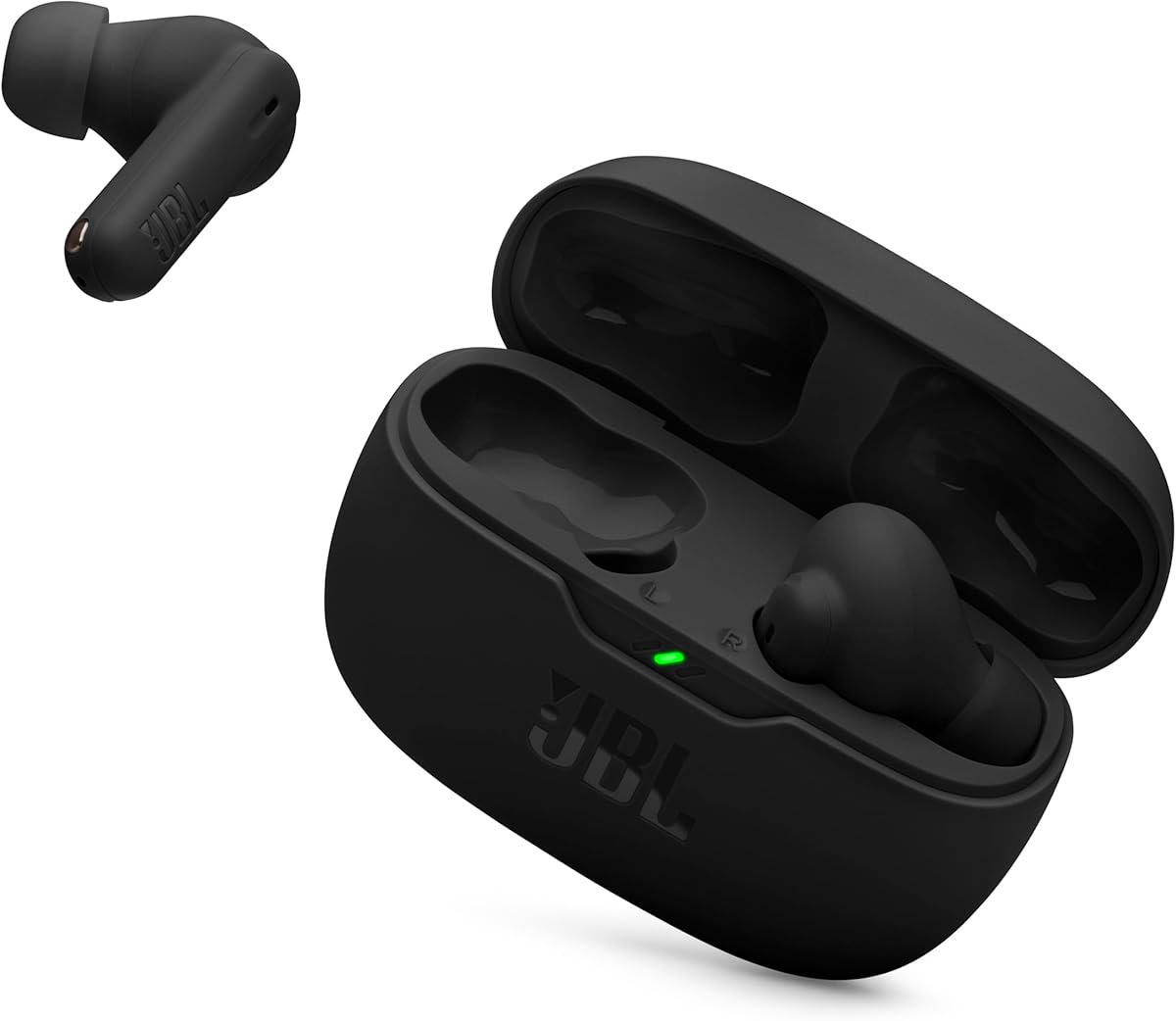
The JBL Vibe Beam 2 delivers the signature JBL Pure Bass sound along with reliable call features. Four microphones ensure clear voice transmission during meetings.
We may earn a commission when you buy through this link, at no additional cost to you.
Active Noise Cancelling helps filter out distractions in busy environments. The case provides 40 hours of total playback to keep you going.
The JBL Headphones app allows for EQ customization and helpful voice prompts. This adds a layer of personalization often missing from generic earbuds.
If you prefer a trusted brand with solid audio quality, this is a good option. It balances performance and cost well for regular users.
Two mics on each earbud pick up your voice while canceling ambient noise for clearer conversations even in crowded places.
Fast charging gives you 3 hours of playback from just 10 minutes on the case, ensuring minimal downtime during work.
We may earn a commission when you buy through this link, at no additional cost to you.
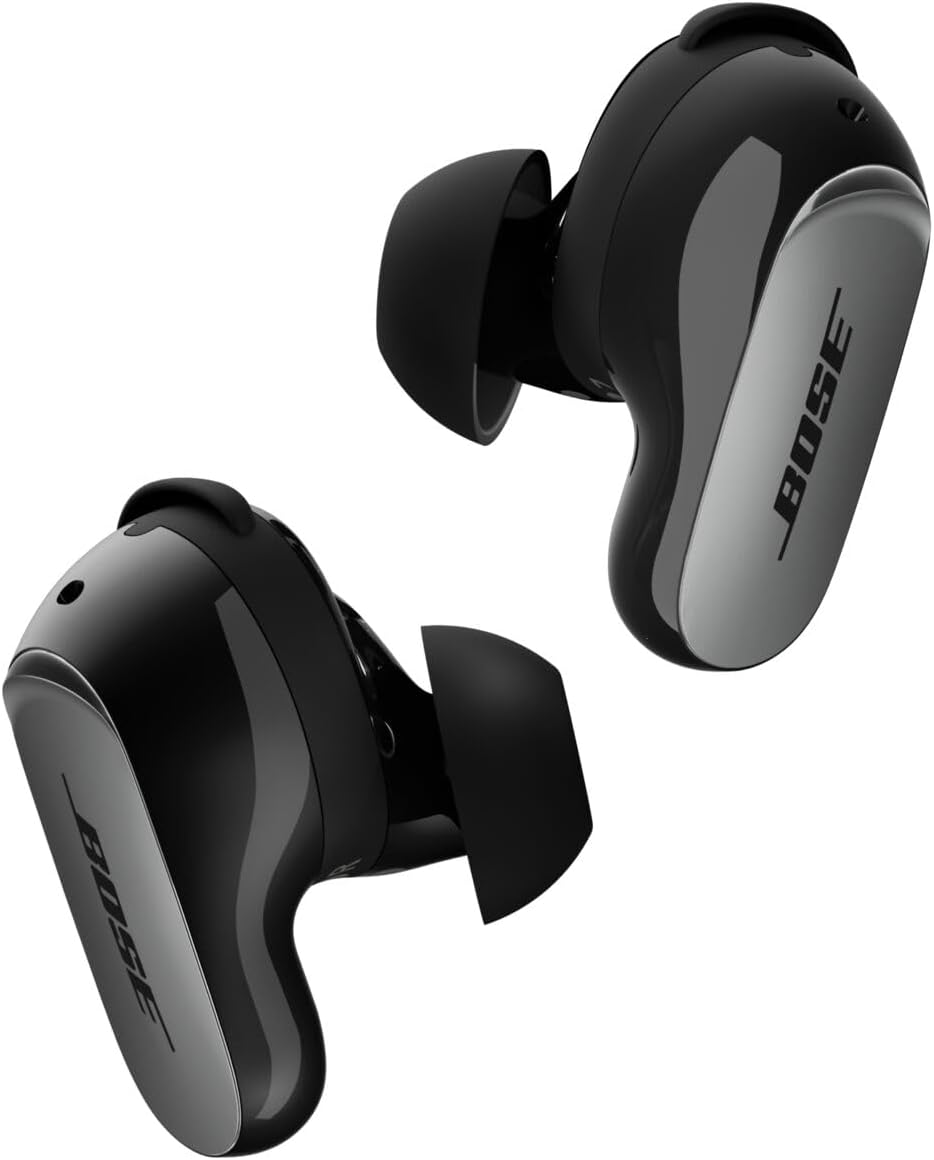
The Bose QuietComfort Ultra offers the best noise cancellation in the market. This is ideal for those needing total focus during deep work sessions.
We may earn a commission when you buy through this link, at no additional cost to you.
SpeechClarity technology filters out wind and background noise so your voice is heard clearly. The immersive audio mode adds depth to your content.
Bluetooth multipoint connectivity lets you switch between phone and laptop seamlessly. The fit is secure with nine combos of tips for a custom seal.
While expensive and with shorter battery life, the ANC is unmatched. If silence and sound quality are your priorities, these are worth the premium.
This technology analyzes your ears to adapt the in-ear fit, ensuring world-class noise cancellation and custom sound for every user.
Multi-point connection allows you to switch between devices effortlessly, ensuring you never miss a call or message.
We may earn a commission when you buy through this link, at no additional cost to you.
The Panasonic ErgoFit Wired Earbuds are perfect for laptops with a headphone jack. They offer zero lag and never run out of battery during a call.
We may earn a commission when you buy through this link, at no additional cost to you.
Three sizes of earpads ensure a custom fit that keeps surrounding noise out. The microphone controller allows for easy call management.
Tonally balanced audio provides crisp highs and deep notes. This ensures you hear every word clearly without audio distortion or lag.
If you hate charging devices, this is a reliable alternative. It sacrifices wireless freedom for consistent performance and simplicity.
The Ergofit design and soft tips conform to your ears for a secure fit that stays in place during head movements.
Wired transmission ensures stable audio without interference, delivering a balanced sound profile for music and calls.
We may earn a commission when you buy through this link, at no additional cost to you.
These Antool Wired Earbuds come as a 2-pack and offer reliable call performance for laptops. They are ideal for users who want a simple setup.
We may earn a commission when you buy through this link, at no additional cost to you.
The ergonomic design fits your ears perfectly to reduce sound leakage. The built-in mic filters noise for clear online meetings.
They are lightweight and tangle-free with a durable design. The remote control lets you manage calls without touching your phone or laptop.
If you want affordable earbuds in bulk or need a backup pair, this is excellent. They offer solid performance without complex wireless pairing.
The multifunction remote allows you to answer, reject, or pause calls and media using simple buttons on the cable.
Made with high-quality TPE and copper wiring, these earbuds resist tangling and bending for long-lasting daily use.
We may earn a commission when you buy through this link, at no additional cost to you.
Choosing the right earbuds requires evaluating several key factors to ensure they meet your specific work needs.
Microphone quality is the most critical factor for conference calls. Look for models with multiple microphones and ENC noise cancellation to ensure your voice is clear even in noisy environments.
Check for features like AI filtering or beamforming that isolate your voice from background noise. This ensures you are heard clearly without distraction.
Long battery life is essential for professionals who spend hours on calls. Choose earbuds that offer at least 4 to 6 hours on a single charge.
Consider the total battery life including the charging case. This helps ensure you can go through workdays without frequent recharging.
Bluetooth stability is crucial for uninterrupted calls. Look for models with the latest Bluetooth version to ensure a strong and consistent connection to your laptop.
Multipoint connectivity is a valuable feature that allows you to switch between your phone and laptop seamlessly. This ensures you never miss a call during a meeting.
Active Noise Cancellation (ANC) helps block out background distractions. This is especially important if you work in a shared space or noisy environment.
Transparency modes are also useful to let in ambient sound when needed. This allows you to stay aware of your surroundings without removing the earbuds.
Comfort is key for all-day wear. Look for ergonomic designs that include multiple ear tip sizes to ensure a secure and comfortable fit for your ear shape.
Lightweight designs reduce fatigue during long meetings. The earbuds should stay in place during normal movement and not cause discomfort.
Ensure the earbuds are compatible with your laptop's operating system. Most modern Bluetooth earbuds work well with Windows and macOS systems.
Check for specific features like multipoint pairing if you use multiple devices. This simplifies your workflow by keeping devices connected simultaneously.
Build quality affects longevity. Look for water and dust resistance ratings like IPX4 to protect against sweat and light rain if you work outdoors.
Durable materials ensure the earbuds can withstand daily handling. This reduces the risk of breakage and extends the product's life.
Consider the price relative to the features offered. Budget options may lack advanced ANC but still offer good clarity for calls.
Premium models often provide better audio quality and privacy features. Decide how much you need based on your usage frequency and budget.
To ensure the best connection, always pair your earbuds with your laptop before starting a meeting. Go to your Bluetooth settings and confirm the connection is active.
Clean the earbuds regularly to maintain hygiene. Use a soft dry cloth to wipe them and gently clean the mesh of the microphone to prevent buildup.
Manage your battery by not leaving them on the charger indefinitely. Store them in a cool dry place when not in use to preserve battery health.
Most laptops have built-in Bluetooth. If yours does not, you can buy a USB Bluetooth adapter. This allows you to connect standard Bluetooth earbuds easily.
A good standard is at least 5 hours per charge. Look for cases that offer 30 hours total so you can charge overnight and work through the week.
Audio lag can be fixed by updating your Bluetooth drivers or closing other applications using Bluetooth. Ensure you use a low-latency codec if supported.
Wired earbuds eliminate the risk of connection dropouts and do not require charging. They are ideal if you have a headphone jack and want reliability.
Use a recording app to test your mic before joining meetings. Ask a colleague to confirm clarity during a test call for professional accuracy.
Look for ENC or AI noise cancellation on the microphone. This filters out background sounds so your voice is clear to others.
We have reviewed the top earbuds for conference calls ranging from budget-friendly to premium models. Each option offers unique strengths for different work needs.
Prioritize microphone clarity and battery life for professional use. Stability and comfort are just as important as sound quality for daily calls.
Prices change frequently so always check the current deal before purchasing. Use our list as a guide to find the perfect fit for your setup.