
EZ AD Digital Signage Display Player
4.1Editor score
4K content support
Free cloud CMS plan
Multiple HDMI and USB ports
Digital menu displays transform how businesses communicate with customers through dynamic screens that show prices, promotions, and branding in real time.
We evaluated ten top models based on brightness, operating system, content management tools, and durability to find the best options for retail and food service.
Each pick highlights key strengths and ideal use cases so you can select the perfect display for your space while noting that prices fluctuate regularly.
4.1Editor score

3.8Editor score

3.4Editor score
As an Amazon Associate we earn from qualifying purchases.
The following table compares key specifications across all ten models to help you quickly identify which display fits your operational needs and budget.
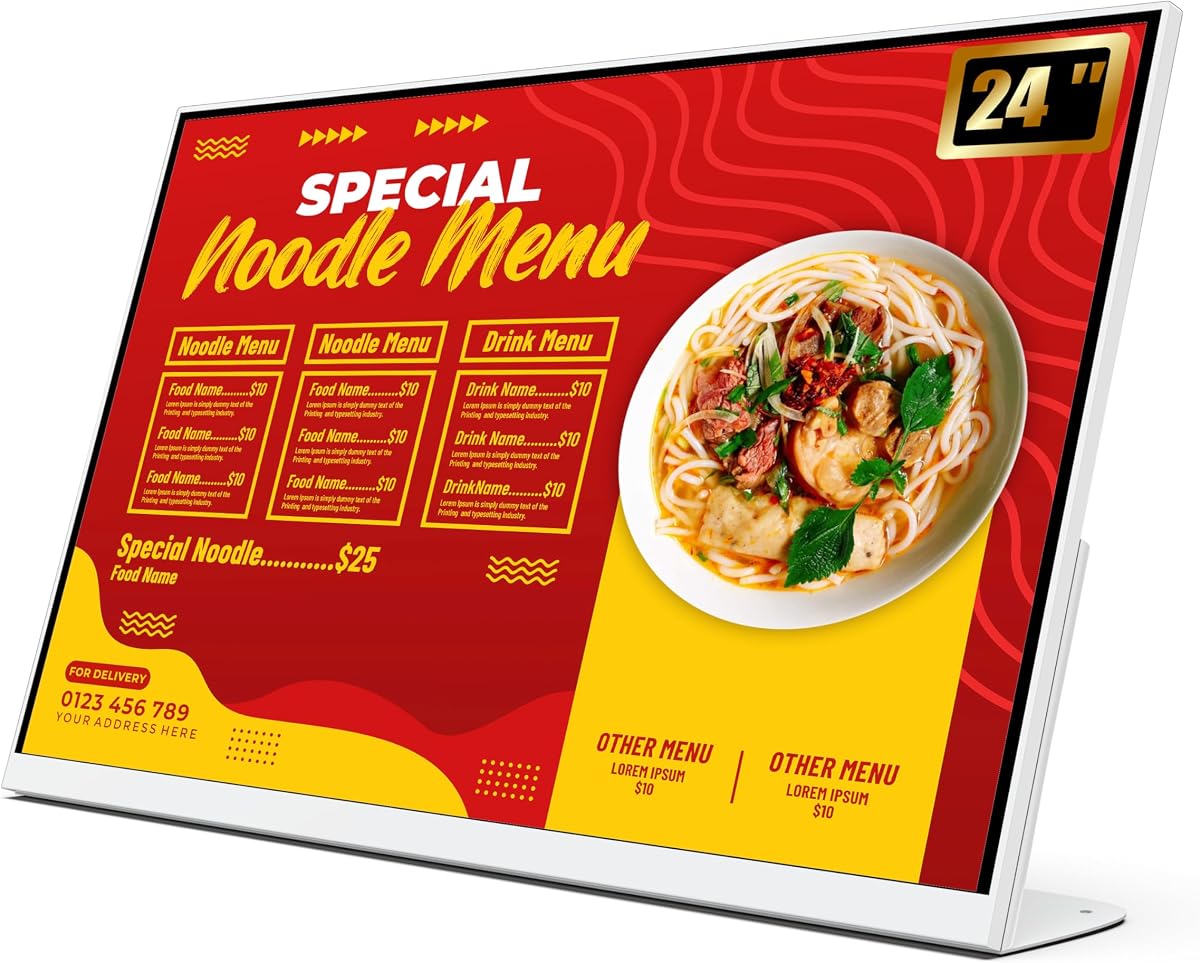


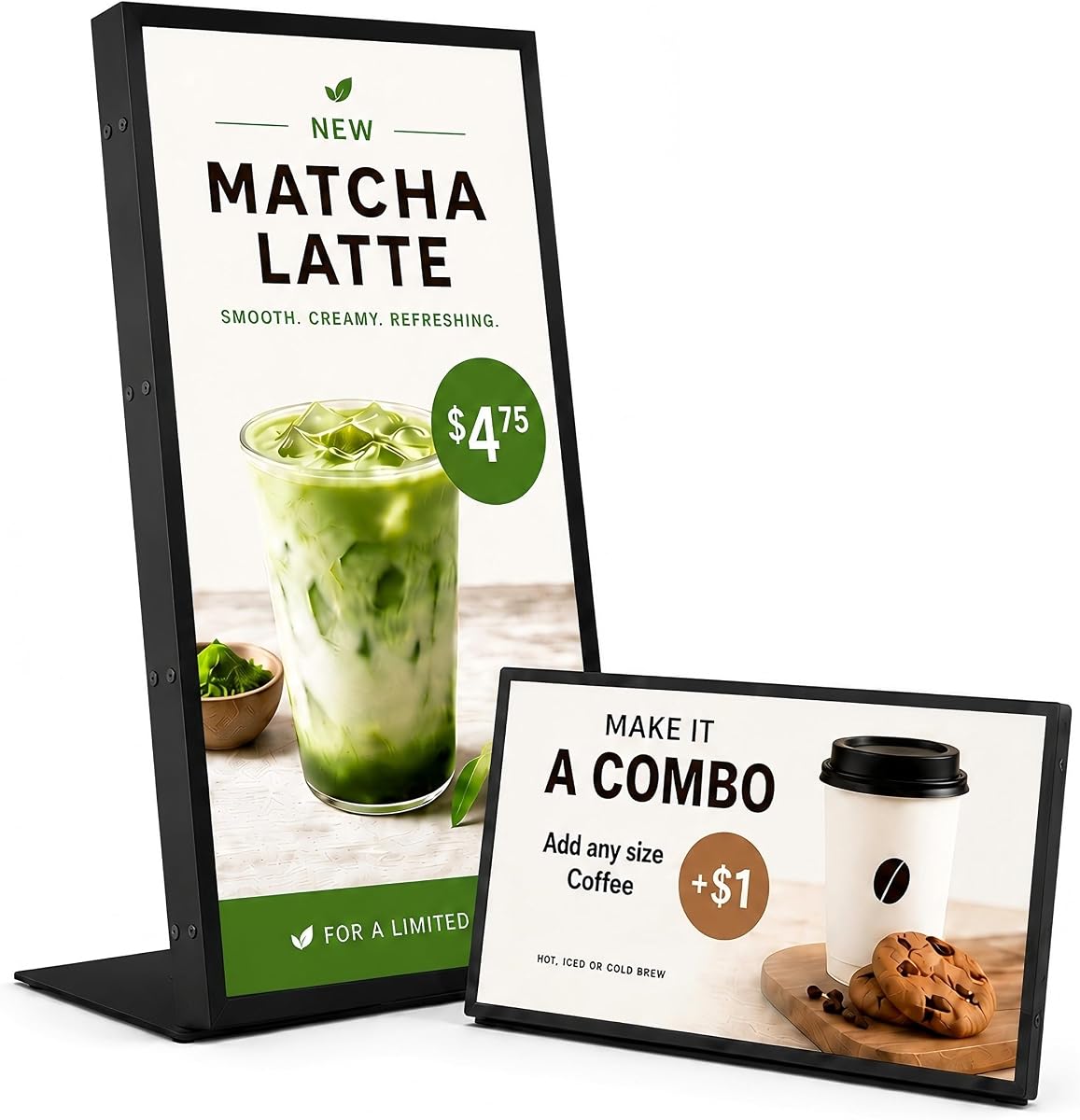


This desktop display combines commercial grade durability with a bright panel ideal for indoor counters and reception areas.
We may earn a commission when you buy through this link, at no additional cost to you.
The included lifetime free CMS allows remote content updates via cloud while USB playback supports quick local changes without internet.
While it runs on Android 12 with modest RAM the stability and 24/7 operation rating make it reliable for daily business use.
It suits small cafes or retail counters where a compact screen with professional software tools is needed without high cost.
The 700 nits brightness ensures menus remain legible under typical indoor lighting conditions throughout the day.
You can schedule promotions and switch content from any device using the cloud CMS or simply insert a USB drive.
We may earn a commission when you buy through this link, at no additional cost to you.
This twenty four inch screen delivers crisp Full HD visuals perfect for menu boards in tea shops or retail environments.
We may earn a commission when you buy through this link, at no additional cost to you.
Users benefit from a stable Android system that supports centralized management via the included CMS for remote content updates.
While the design focuses on core functionality the high rating indicates strong reliability and customer satisfaction for daily commercial use.
It is an affordable option for businesses needing a larger viewing area without investing in expensive enterprise signage systems.
The 1920 by 1080 resolution ensures text and images appear sharp and vivid from various viewing angles.
The CMS allows staff to change menus or promotions instantly from a computer or mobile app.
We may earn a commission when you buy through this link, at no additional cost to you.
This kiosk style unit offers a large display and high mobility for businesses that rotate displays between events or store zones.
We may earn a commission when you buy through this link, at no additional cost to you.
The included CMS supports real time updates and the auto media player ensures continuous playback without manual intervention.
Its foldable design and built in wheels make it stand out for temporary setups or multi location retail spaces.
Though pricier the versatility and professional build justify the investment for businesses needing a versatile large format display.
Built in wheels and a foldable frame allow easy repositioning between different areas or events.
The IPS panel provides a wide 178 degree viewing angle ensuring clarity from any position.
We may earn a commission when you buy through this link, at no additional cost to you.
This media player adds digital signage capabilities to existing televisions or monitors at a fraction of the cost of a full display.
We may earn a commission when you buy through this link, at no additional cost to you.
The free plan supports many image formats and basic scheduling while premium tiers unlock advanced design tools and more slides.
Users can create content via templates or upload directly making it accessible for businesses without dedicated marketing teams.
Ideal for budget conscious businesses looking to upgrade visual presentation without replacing current screens.
Multiple HDMI and USB ports ensure compatibility with various existing displays and media sources.
Updates are handled wirelessly from the cloud so changes reflect instantly on the connected screen.
We may earn a commission when you buy through this link, at no additional cost to you.
This compact unit fits easily on crowded counters or tables providing essential digital signage in a tiny package.
We may earn a commission when you buy through this link, at no additional cost to you.
The touchscreen allows basic navigation and content control making it user friendly for staff at busy front desks.
WiFi and USB options simplify file transfers so you can update menus or notices without complex network setups.
Best suited for cafes or retail counters where space is at a premium and only basic information display is needed.
The tabletop structure conserves valuable counter space while keeping information visible to customers.
A simple touch interface allows staff to browse on screen info or update content with taps.
We may earn a commission when you buy through this link, at no additional cost to you.
Designed for high traffic counters this display delivers reliable performance with a bright screen and protective glass front.
We may earn a commission when you buy through this link, at no additional cost to you.
The dual orientation options allow you to switch between vertical ads and horizontal menus depending on the product type.
Remote CMS publishing ensures you can adjust promotions before busy rushes without needing physical access to the unit.
A strong choice for checkout desks where durability and clear visibility are priorities for customer engagement.
Metal housing and tempered glass protect the screen from everyday counter bumps and scratches.
The 700 nits brightness ensures text and images are readable even under strong overhead lighting.
We may earn a commission when you buy through this link, at no additional cost to you.
This massive screen delivers ultra bright 4K visuals ideal for spacious restaurants or retail environments needing high impact content.
We may earn a commission when you buy through this link, at no additional cost to you.
The narrow bezel and slim profile make wall mounting seamless while the CMS handles complex multi zone content schedules.
High brightness ensures visibility even in well lit areas making it suitable for front windows or open floor plans.
Best for businesses wanting to make a bold visual statement with premium quality and large format presence.
1000 nits brightness ensures content remains clear and vivid even under direct sunlight or bright overhead lights.
Divide the screen into multiple zones to show menus, ads, and social feeds simultaneously.
We may earn a commission when you buy through this link, at no additional cost to you.
This mid size unit balances cost and screen real estate for businesses that need more than a countertop display.
We may earn a commission when you buy through this link, at no additional cost to you.
The all metal chassis provides industrial durability while the CMS enables remote updates and scheduling for daily menus.
Its slim profile and wall mount compatibility make it a clean addition to lobby or hallway walls.
A practical option for offices or clinics needing to show information across a larger area than a desktop screen allows.
An all metal chassis and intelligent heat dissipation ensure stable long term operation.
Pre installed Play Store access allows quick setup and flexible app based content management.
We may earn a commission when you buy through this link, at no additional cost to you.
This player focuses on ease of content creation with a built in menu designer that helps users craft professional layouts.
We may earn a commission when you buy through this link, at no additional cost to you.
AI tools allow enhancement of low quality images so promotional graphics look crisp without needing professional software.
Remote cloud control means staff can update menus quickly during busy periods without visiting the hardware.
Ideal for small businesses that lack design resources and need a simple way to produce attractive content.
A built in canvas designer lets you build custom menus directly in the interface.
AI tools upscale or improve image quality to fit the screen resolution for better clarity.
We may earn a commission when you buy through this link, at no additional cost to you.
Powered by a strong hexa core processor and 4GB RAM this player ensures smooth playback without lag even with complex content.
We may earn a commission when you buy through this link, at no additional cost to you.
The local storage cache prevents interruptions by pre loading assets so content loops reliably without network dependency.
Android OS compatibility makes it easy to install apps or customize the interface for unique business needs.
A robust choice for businesses needing reliable continuous operation with flexible connectivity and powerful internal specs.
With 4GB RAM and a dedicated CPU it handles high resolution video without stuttering.
Local storage caches content so playback continues even if internet connection drops temporarily.
We may earn a commission when you buy through this link, at no additional cost to you.
Choosing the right digital menu display involves weighing screen size, brightness, connectivity, and content management tools to match your business environment.
Select a screen size that is visible from your customer's typical viewing distance. For counters, 10 to 18 inches is usually sufficient, while wall mounted displays benefit from 24 to 50 inches for maximum impact.
Higher resolutions like 1080P or 4K ensure crisp text and images so your branding looks professional.
Brightness measured in nits determines how well the screen shows content under different lighting conditions. Indoor spaces typically need 500 to 700 nits, while high traffic areas or sunlit storefronts benefit from 1000 nits or more.
Ensure the display can maintain consistent output during long hours of use to avoid content fading.
A CMS allows you to update menus or promotions remotely. Look for solutions that support cloud scheduling so you can change content before rush hours without walking to the device.
Check if the CMS is included free or requires a subscription which impacts your ongoing operating costs.
Ensure the display supports your existing network infrastructure. HDMI and USB are standard for plug and play setups, while Ethernet and Wi Fi enable cloud control.
More ports provide flexibility for connecting cameras or sensors if you plan to expand into interactive features later.
Commercial displays should be built to operate continuously for 24/7 cycles. Look for metal housings and tempered glass fronts that resist daily wear and accidental bumps.
A strong warranty such as three years provides peace of mind if hardware issues arise.
Android based displays often offer more app flexibility and smoother performance. Check RAM and storage capacity to ensure smooth playback without stuttering on complex media.
Devices with enough RAM and local storage can cache content so they run reliably without constant internet access.
Consider whether you need portrait or landscape modes for your content. Many units include adjustable stands, but verify compatibility with wall mounts if you plan to hang screens high.
Flexible mounting options save space and allow you to rotate content style as your menu or branding changes.
Beyond the initial purchase, factor in potential subscription fees for cloud CMS or advanced design tools. A slightly higher upfront cost with a free CMS may be cheaper in the long run.
Evaluate the warranty and customer support quality to minimize downtime if maintenance is needed.
Begin by connecting the display to a power source and your network. Most units boot automatically and can be configured through a web portal or mobile app to set up your first content schedule.
Upload content files such as images or videos in supported formats like JPG or MP4. Use the CMS to assign playlists to specific times or days to keep information current throughout your business hours.
Keep the screen clean by wiping it gently with a microfiber cloth to remove dust. Avoid using harsh chemicals or spraying liquids directly on the display to protect the coating and internal electronics.
Many models support offline playback via USB drives so you do not need internet for basic content. However cloud based CMS features require internet access for remote updates and scheduling.
Most commercial grade displays are rated for around 50000 hours of continuous use. With proper care and temperature control they can serve your business for many years without needing replacement.
Consumer TVs may work for short term setups but they lack 24/7 reliability and heat management. Commercial displays are designed for constant operation and offer better brightness and warranty terms.
Touchscreens are useful for self service kiosks but not needed for simple promotional displays. Standard displays work fine when staff manage the content remotely via software or local USB.
Use the CMS platform to edit price fields or replace menu images. Changes sync to the display almost instantly via cloud or are saved locally when using a USB stick.
If content is cached locally the display will continue playing existing content without interruption. You can also load playlists directly on a USB drive to ensure functionality during outages.
We found the 18.5 inch Digital Signage Display offers the best balance of brightness and software tools for most small businesses.
Prioritize a CMS that lets you update content remotely to keep your menu current without extra staff time or technical effort.
Remember to check current pricing and warranty terms before purchasing since offers and availability change regularly across retailers.