
Laptop Cooling Pad with 3 Quiet Fans
4.3Editor score
Five level height adjustment
Three ultra silent fans
Built in phone holder
Finding the right computer fan stand can transform your workspace by keeping devices cool and improving ergonomics. Whether you use a laptop for gaming or a PC for work, proper airflow matters.
We compared ten top-rated models based on build quality, cooling performance, and adjustability. Our list covers everything from budget-friendly laptop coolers to heavy-duty desktop fan mounts.
Each pick shows key features and real-world benefits to help you decide quickly. Note that prices and availability change often so check current listings before buying your new stand.
4.3Editor score

4.4Editor score

4.0Editor score
As an Amazon Associate we earn from qualifying purchases.
The following table provides a side by side overview of all ten selected computer fan stands. Compare key specs like fan size, adjustability, and material to find your match.



This Kootek cooling pad earns our top spot with five quiet fans and dual USB ports. It keeps laptops cool while offering ergonomic height settings for better posture during work.
We may earn a commission when you buy through this link, at no additional cost to you.
The five fans include one large and four small units all with blue LEDs. You can control them with two switches to run one four or all five fans together for custom airflow.
While the USB hub adds convenience the cable is USB to USB so Type C devices need an adapter. This is a minor trade-off given the robust cooling and sturdy construction.
Buy this if you want a reliable cooler with extra connectivity and height adjustment. It suits students and professionals who need a secure comfortable spot for their laptop.
The dual switches let you run one four or all five fans so you can balance noise and cooling based on your current task needs.
Six height settings allow you to raise the screen to eye level reducing neck strain during long work or gaming sessions.
We may earn a commission when you buy through this link, at no additional cost to you.
This aluminum mount stands out with premium CNC machining and support for large 180mm fans. It offers professional grade stability and flexibility for custom desktop cooling setups.
We may earn a commission when you buy through this link, at no additional cost to you.
Three damped pivot hinges allow smooth positioning while the wide base keeps it steady. The finish resists corrosion and looks sleek on any desk with modern aesthetics.
The price is higher than steel versions but the build quality justifies it. Keep in mind the fan is not included so you must buy one separately.
Choose this if you need a durable versatile mount for large fans and value aesthetics. It fits enthusiasts who want a polished look and strong hold.
Accommodates fans from 120mm to 180mm making it future proof for various cooling upgrades and custom PC builds.
Pivot hinges hold position firmly without slipping so your fan stays aimed exactly where you need airflow.
We may earn a commission when you buy through this link, at no additional cost to you.
This budget cooling pad delivers solid value with three quiet fans and a handy phone holder. It keeps devices cool and organized for families or shared workspaces.
We may earn a commission when you buy through this link, at no additional cost to you.
Five height levels help different users find a comfortable angle while extra USB ports reduce cable clutter. The metal support bar ensures stability during daily use.
The price is low but the build is still durable enough for regular use. Noise stays around 40dB which is acceptable for most indoor environments.
Pick this if you want a practical cooler with extra perks without overspending. It suits students parents or anyone needing a reliable budget friendly solution.
The phone holder lets you watch videos or take calls while using the laptop making it ideal for multitasking households.
A simple wheel switch lets you adjust fan speed quickly so you can adapt to different tasks without complexity.
We may earn a commission when you buy through this link, at no additional cost to you.
This YICOSUN stand combines cooling with RGB lighting for a stylish look. It folds flat for travel and supports laptops from 10 to 16 inches with ease.
We may earn a commission when you buy through this link, at no additional cost to you.
The aluminum alloy build keeps it light yet durable while the two fans provide gentle cooling for light use. Height adjustability helps maintain a good posture.
While the fans are not the most powerful they are quiet and sufficient for casual work. The RGB lights add flair but can be turned off if needed.
Buy this if you want a portable cooler with modern aesthetics for gaming or office setups. It suits users who value style and mobility.
Folds easily for travel making it perfect for students or remote workers who move between locations often.
Three speed cooling and colorful lights enhance the desktop vibe during gaming or creative sessions.
We may earn a commission when you buy through this link, at no additional cost to you.
This stand features an active fan and fits laptops from 14 to 18 inches with screw adjustments. It is lightweight and folds flat for easy storage or travel.
We may earn a commission when you buy through this link, at no additional cost to you.
The open frame design prevents overheating during long sessions while the phone mount helps multitask. It supports extra devices via USB ports.
The fan is small so it is best for light cooling needs. You may need to adjust screws for heavier laptops to ensure safe load capacity.
Choose this if you need a compact riser with basic cooling and phone support. It works well for travelers and Mac users.
Design allows air to pass through the bottom reducing heat buildup during extended use.
Screw tool lets you modify load range to safely support heavier laptops up to 5kg when adjusted.
We may earn a commission when you buy through this link, at no additional cost to you.
This heavy duty stand uses solid steel to hold 120mm or 140mm fans securely. It features a weighted base for stability and full rotation to direct airflow precisely.
We may earn a commission when you buy through this link, at no additional cost to you.
Installation is tool free with thumb screws making setup quick. The design keeps PCI slots free and works for routers or electronics too.
Sharp metal edges mean you should wear gloves during assembly to avoid cuts. This is a minor safety note given the strong build quality.
Buy this if you need a permanent reliable mount for desktop cooling. It fits DIY builders and tech setups needing precise airflow.
Solid steel build with weighted base delivers excellent stability even with high speed fans running at full tilt.
Vertical rotation allows you to aim air upward downward or angled for targeted component cooling.
We may earn a commission when you buy through this link, at no additional cost to you.
This stand uses thick solid metal to eliminate vibration and shaking during fan operation. It earns top ratings for stability and ease of setup with large thumb knobs.
We may earn a commission when you buy through this link, at no additional cost to you.
It fits 120mm and 140mm fans precisely with pre drilled holes. The design supports laptops routers and modems for broad cooling use.
The simple build means no extra hardware is needed for installation. It lacks fancy features but delivers strong performance for the price.
Choose this if you want a sturdy reliable mount that stays put. It suits users needing vibration free cooling for various devices.
Thick solid metal frame eliminates wobbling and buzzing so your device stays cool without noise.
Large textured knobs let you mount and reposition fans fast without tools or extra hardware.
We may earn a commission when you buy through this link, at no additional cost to you.
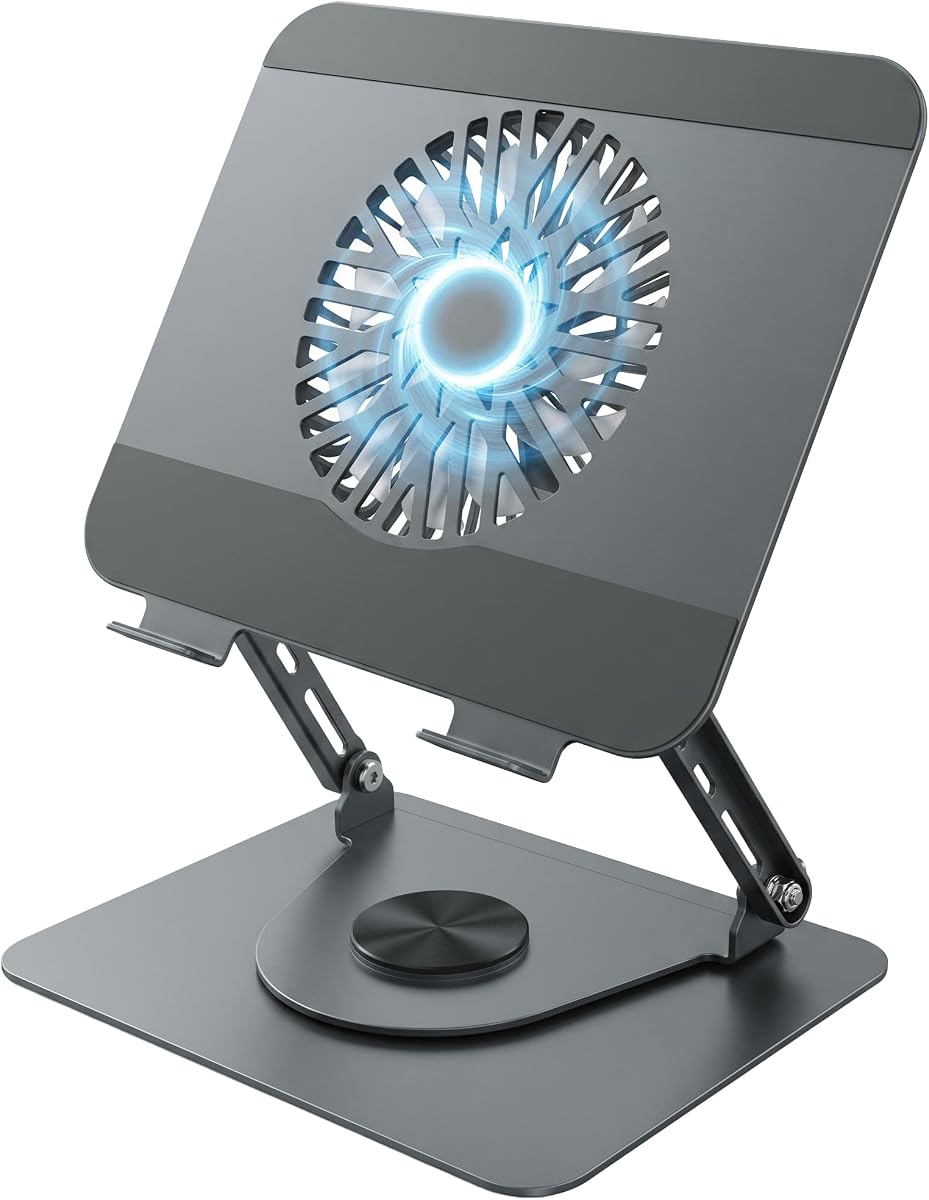
This stand integrates a central fan to move air under the laptop. Its base rotates 360 degrees for easy screen sharing and height adjustments for comfort.
We may earn a commission when you buy through this link, at no additional cost to you.
Silicone pads keep your device secure while the elevated platform clears space below for a keyboard or notes. The design helps reduce heat buildup.
The central fan is not as strong as external pads but helps during light use. Rotation is smooth though locking may depend on use frequency.
Buy this if you want a versatile riser that rotates. It suits office workers and collaborators who share screens often.
Base swivels fully so you can turn the screen toward colleagues without moving the entire stand.
Raised platform creates area underneath for an external keyboard mouse or notes to tidy your desk.
We may earn a commission when you buy through this link, at no additional cost to you.
This aluminum mount fits 120mm fans and resists rust for long term use. It features full rotation and thumb screw installation for a stable setup.
We may earn a commission when you buy through this link, at no additional cost to you.
The upgraded version offers better stability than previous models due to full aluminum construction. It channels airflow up down or sideways easily.
It does not support 140mm fans so check your fan size before buying. This limit keeps it affordable and simple for smaller fans.
Pick this if you need a durable 120mm mount with rust protection. It fits desktop cooling for PCs routers and electronics.
Full aluminum construction keeps the mount rust proof and durable for years of use in any environment.
Rotation lets you channel air wherever needed so you target cooling spots precisely.
We may earn a commission when you buy through this link, at no additional cost to you.
This steel mount fits 120mm and 140mm fans with solid stability. It offers three hundred sixty degree rotation and tool free setup for flexible airflow.
We may earn a commission when you buy through this link, at no additional cost to you.
Heavy duty metal ensures it holds up even at high fan speeds. The design delivers ultimate cooling flexibility for desktop electronics.
It lacks special finishes but provides reliable performance at a low price. It suits basic cooling needs without extra features.
Buy this if you need a simple robust stand for standard PC fans. It works well for budget setups needing rotation.
Compatible with both 120mm and 140mm square frame fans so you have size flexibility.
Thumb screws allow quick assembly and adjustment so you set it once and forget it.
We may earn a commission when you buy through this link, at no additional cost to you.
Selecting a computer fan stand depends on device size and cooling needs. We highlight key factors to help you pick the right model.
Desktop stands must match your fan dimensions like 120mm or 140mm to ensure proper fit and airflow direction.
Check specs before buying to avoid returns since some mounts support only specific sizes while others are universal.
Metal stands offer better stability for heavy fans while aluminum reduces weight for portability and desk use.
Heavier bases prevent tipping during high speed fan operation so consider weight if you plan permanent placement.
Stands with 360 degree rotation let you direct airflow up down or sideways to cool specific components effectively.
Adjustable height on laptop stands improves posture so look for multiple settings that fit your sitting position.
Laptop cooling pads often include USB hubs phone holders or RGB lights that add convenience to your setup.
Extra ports reduce cable clutter while phone holders support multitasking during work or gaming sessions.
Tool free setups with thumb screws save time and allow quick adjustments without needing extra hardware or drills.
Pre assembled parts or adjustable screws make it simple to adapt the stand to different fan sizes or angles.
Quiet fans under 40dB are best for offices while higher airflow may be needed for gaming rigs or laptops.
Check decibel ratings to ensure the fan will not disrupt calls or movie nights in your environment.
Foldable or lightweight stands are ideal for travelers who need a portable solution for shared workspaces.
Compact designs fit in bags easily so you can maintain comfort at different locations without extra bulk.
Budget models offer basic features while premium mounts provide durable finishes and broader fan compatibility for upgrades.
Look for warranties that cover motor issues or build defects to protect your investment over time.
Place the stand on a stable flat surface to avoid wobbling during operation and ensure proper airflow direction for cooling.
Connect powered fans to USB or wall adapters as needed and adjust speed or rotation before starting your device to avoid spills.
Clean dust from fans and grills weekly using compressed air to keep airflow strong and prevent overheating issues during long sessions.
Most stands fit 120mm and 140mm square frame fans. Some models support 180mm while others only accept 120mm. Always check the product details before purchasing to ensure compatibility with your fan.
Many laptop stands include multiple fans USB hubs and phone holders. Models vary so look for built in hubs if you need extra ports for peripherals or connectivity.
Simply attach the base and use the included thumb screws to secure your fan and adjust the angle. No extra tools are needed so you can set it up quickly.
Yes many stands work for routers modems 3D printers and other electronics. The adjustable airflow helps cool any device that needs additional ventilation.
Foldable or lightweight stands are ideal for travel. Ensure your laptop is secured with non slip pads and avoid adjusting the stand while devices are in use.
Most fans stay around 40dB or lower to avoid disruption. Higher speeds may be noisier so adjust based on your environment and task needs.
Our top picks include the Kootek pad for overall value the aluminum mount for premium builds and the budget cooling pad for families.
Prioritize fan size and stability when buying and consider extra features like USB hubs if you need more connectivity.
Prices and availability change often so check current listings and reviews before purchasing your next computer fan stand.