
Wireless Android Auto Carplay Adapter
5.0Editor score
8-core Qualcomm platform
Built-in 4G LTE SIM
ScenePilot AI ecosystem
Discover the top Carplay Box with Google Play options for 2026. This guide compares wireless adapters with Android apps, streaming, and AI features for factory
Modern drivers demand more from their vehicles than just transportation. A Carplay Box with Google Play transforms your factory wired infotainment system into a powerful Android entertainment hub. This upgrade allows seamless streaming, app installation, and AI assistance without replacing your existing hardware or dashboard.
We evaluated ten leading wireless adapters based on performance, connectivity, and user experience. Our analysis focused on models that support Google Play access, streaming apps, and stable wireless connections. We prioritized devices with robust hardware, frequent updates, and proven compatibility with major vehicle brands from 2016 onwards.
Each selection in this guide highlights unique strengths and specific use cases for different drivers. You will find options ranging from budget-friendly plug-and-play dongles to premium AI-enabled systems with extra memory. Keep in mind that product availability and specific features may change, so always verify details before purchasing.
5.0Editor score

4.7Editor score
5.0Editor score
This comprehensive comparison table outlines the core specifications and capabilities of each selected adapter. Use this side-by-side view to quickly identify which device matches your vehicle type, budget, and desired entertainment features.


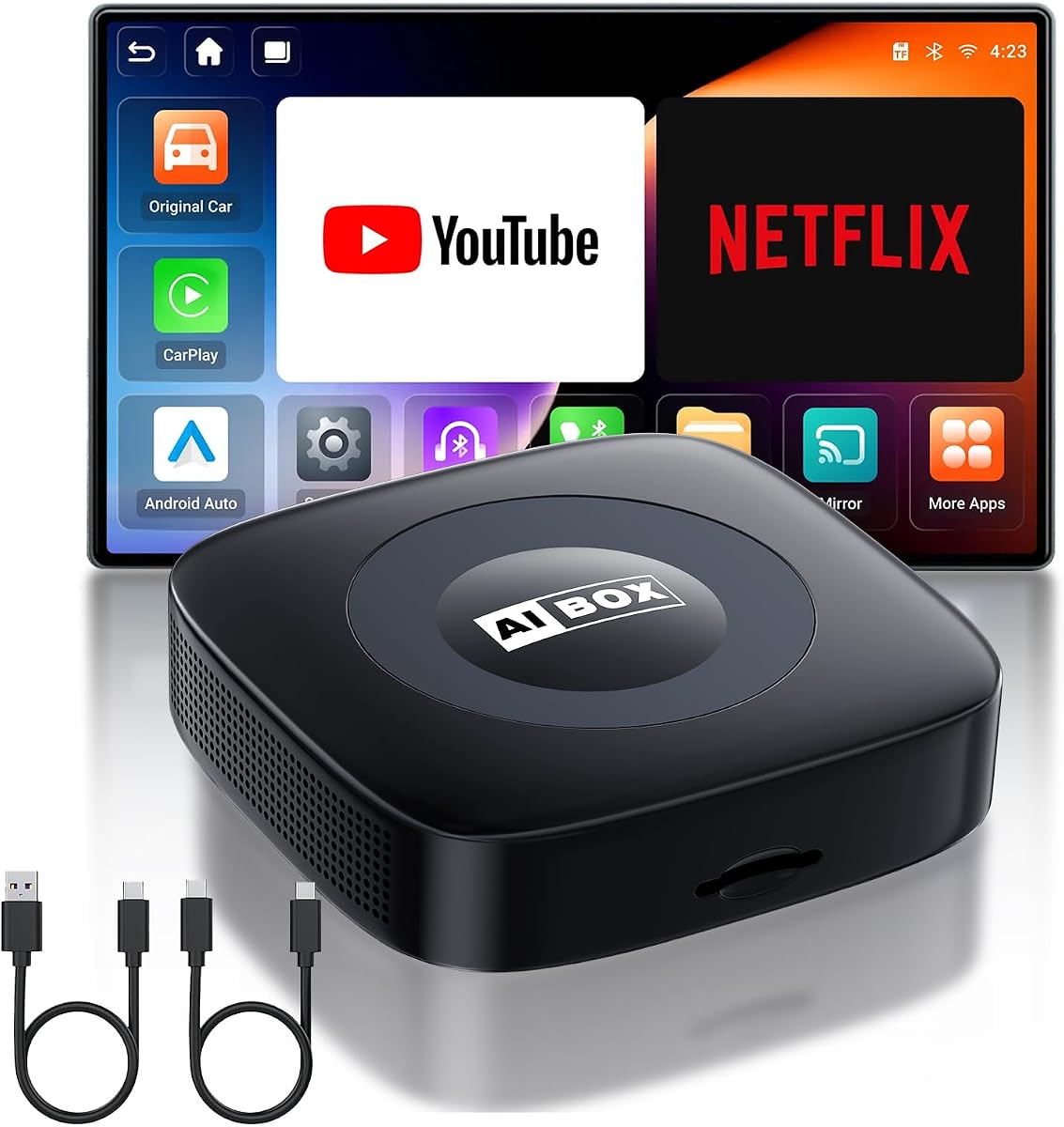
This AI Box Wireless CarPlay Adapter stands out as our top recommendation for drivers seeking a full Android experience. It received an excellent 4.7 rating from users who praise its ability to turn factory wired systems into smart hubs. The standout quality is its genuine access to the Google Play Store, allowing true app freedom.
We may earn a commission when you buy through this link, at no additional cost to you.
The device transforms your car screen into a customizable tablet by supporting YouTube, TikTok, and any Android app you install. You can download apps directly to the device without relying on your phone. This flexibility makes it ideal for long road trips or waiting periods where streaming is desired.
While it offers a seamless screen mirroring experience for sharing content, users must remember that video playback is intended only for parked use to comply with safety laws. The auto-connect feature works reliably, but initial setup requires pairing via Bluetooth. These trade-offs are minor compared to the freedom it offers.
If you drive a 2016 or newer vehicle with wired CarPlay and want full app control, this model is the best choice. It balances performance, usability, and entertainment features better than most competitors. We recommend it for drivers who prioritize app variety and ease of use.
Verify your vehicle has factory wired CarPlay before ordering to ensure compatibility. The device supports most major brands including Toyota and Honda but excludes BMW and Tesla. Ensure your car settings have Apple CarPlay enabled to avoid setup issues during the initial connection.
Unlike adapters with pre-loaded apps only, this device lets you install any app from the Google Play Store directly on the unit.
Once paired, the box reconnects automatically every time you start your engine, removing the need for manual setup each day.
We may earn a commission when you buy through this link, at no additional cost to you.
The Wireless Android Auto Carplay Adapter delivers a premium experience unmatched by budget models. With a perfect 5.0 rating, it appeals to users seeking high-end hardware and advanced AI capabilities. The standout quality is its 8-core Qualcomm platform paired with an integrated 4G LTE SIM for independent connectivity.
We may earn a commission when you buy through this link, at no additional cost to you.
Running on Android 13, this device supports the ScenePilot AI ecosystem which includes features like DriveChat, SSRadio, and privacy locks. You can stream online content without needing your phone's hotspot, thanks to the built-in SIM trial card. This independence makes it ideal for frequent travelers or shared vehicles.
The higher price reflects the powerful hardware and unique privacy features such as Bluetooth Lock and trip management. While setup may require more attention to detail than simple dongles, the performance justifies the cost. Users should note that not all vehicle brands are supported so check compatibility first.
Choose this model if you want the most powerful AI box with independent internet access and sophisticated ecosystem features. It is perfect for families who need robust privacy controls and high-quality multitasking. The premium build ensures stability during long drives and demanding streaming sessions.
Before purchasing confirm your car has factory wired CarPlay or Android Auto. The device is not compatible with BMW, Tesla, or aftermarket head units. Ensure your screen supports touch or controller navigation to fully utilize the advanced Android interface and AI ecosystem.
A built-in Nano SIM card allows the box to connect to the internet without relying on your phone or a separate hotspot.
Features like Bluetooth Lock and TrackHU help secure personal data and manage route history for shared vehicles or privacy-focused drivers.
We may earn a commission when you buy through this link, at no additional cost to you.
This AI Box Carplay 2026 Upgraded offers an exceptional value for budget-conscious drivers. With a perfect 5.0 rating, it proves you do not need to spend a fortune to get wireless CarPlay and Android apps. The standout quality is its modern hardware including WiFi 6 and the latest Android 13.0 OS.
We may earn a commission when you buy through this link, at no additional cost to you.
The compact body reduces cable clutter and fits easily in any vehicle. It supports seamless switching between CarPlay and Android Auto, making it versatile for households with multiple phone types. The TF card slot adds offline storage options for videos and music without consuming internal memory.
While it has lower RAM and storage than premium models, the quad-core chip ensures smooth daily use for most tasks. The WiFi 6 technology provides faster speeds and stronger signal strength than older adapters. Users should manage installed apps carefully to avoid running out of space.
Select this device if you want a reliable, modern adapter at an accessible price. It is perfect for first-time users or those who primarily need wireless connectivity and basic streaming. The 3-year warranty adds extra peace of mind for long-term ownership.
Verify that your vehicle has wired CarPlay as this adapter does not support original wireless systems. Check the list of supported brands before buying to ensure fit. Ensure your iPhone or Android version meets the minimum iOS 10 or Android 11 requirements for successful connection.
Support for the latest WiFi 6 standard means faster data transfer and better signal stability compared to older adapters.
Switch effortlessly between iPhone and Android devices without needing separate adapters for different family members.
We may earn a commission when you buy through this link, at no additional cost to you.
The AI Box CarPlay 3-in-1 adapter excels at converting wired systems to wireless without sacrificing video quality. Users rate it 4.5 stars for its stable connection and reliable streaming performance. The standout quality is its advanced dual-band WiFi which ensures zero latency during video playback and navigation.
We may earn a commission when you buy through this link, at no additional cost to you.
It comes pre-loaded with popular apps like Netflix and YouTube, making entertainment immediately available. The aluminum alloy body ensures superior heat dissipation which extends device life during long trips. You can also use a USB drive for offline playback when mobile signals are weak.
The main trade-off is the lack of Google Play Store access which limits app freedom compared to other models. Users can only use pre-installed apps or those shared via USB. However for many drivers who only need standard streaming apps this limitation is acceptable.
This adapter is perfect for drivers who want stability and heat resistance over app variety. It supports most OEM wired CarPlay vehicles and connects automatically every time you start your car. Ensure your car settings have CarPlay enabled before plugging in the device.
Check that your vehicle model is supported since it excludes BMW and Tesla. The device works with iOS 10 and Android 11 devices for pairing. Verify your factory wired CarPlay system is active to avoid confusion during initial setup.
The premium aluminum alloy construction keeps the device cool during extended use preventing performance drops due to overheating.
Dual-band WiFi technology ensures smooth video and audio with no stutter or delay for a cinematic experience.
We may earn a commission when you buy through this link, at no additional cost to you.
The LAMTTO Wireless CarPlay Adapter distinguishes itself with Gemini AI integration and generous memory. While it has a lower rating of 3.7 stars, its hardware specs are impressive. The standout quality is its 4GB RAM which supports heavy multitasking between navigation, music, and AI features.
We may earn a commission when you buy through this link, at no additional cost to you.
Gemini acts as an AI co-pilot allowing you to ask questions or plan trips hands-free. The dual-channel connection lets you run CarPlay and streaming apps simultaneously without interruption. HDMI output allows you to connect to external displays for enhanced entertainment options.
Users report that clearing cached data periodically helps maintain smooth performance over time. The device is powerful but may require more maintenance than simpler models. The lower rating might reflect setup complexity or initial software quirks that improve with updates.
Choose this adapter if you prioritize AI capabilities and raw processing power for complex tasks. It is suitable for tech-savvy drivers who want to customize their driving experience deeply. Verify compatibility with your car system before purchasing to ensure proper function.
Confirm your vehicle has factory wired CarPlay for correct pairing. The adapter supports most major brands but excludes BMW and Tesla. Ensure your phone meets the required system versions to use all AI and streaming features effectively.
Ask Gemini to plan routes, find gas stations, or answer questions directly through your car's display for hands-free assistance.
Run navigation on one channel while streaming video on another so passengers stay entertained while you drive safely.
We may earn a commission when you buy through this link, at no additional cost to you.
This 5-in-1 Android Auto Adapter offers great flexibility for drivers using both iPhone and Android devices. It holds a 4.4 rating for its ease of use and reliable connection. The standout quality is its ability to support both wireless CarPlay and Android Auto in one compact dongle.
We may earn a commission when you buy through this link, at no additional cost to you.
It includes built-in Netflix and YouTube for entertainment without needing a phone hotspot. The TF card slot allows offline playback which is useful in areas with poor signal. The 4.2GHz processor ensures lag-free streaming and mirroring for daily driving needs.
A key limitation is that you cannot use CarPlay and streaming services at the same time. Users must switch between modes which can interrupt navigation or calls. The hardware is basic but sufficient for most standard wireless and streaming tasks.
Select this device if you need compatibility with multiple phone types in one family. It is ideal for drivers who want simple setup and reliable offline playback. Ensure you understand the mode switching limitations before purchase to match your usage habits.
Verify that your car has factory wired CarPlay and support the device works with iOS 10 and Android 11. The adapter is not compatible with BMW or Tesla models. Check the compatibility guide provided by the seller to confirm fit for your specific vehicle.
Switch freely between iPhone and Android devices without needing multiple adapters for different family members.
Use the TF card slot to store movies and music for playback even when no WiFi or hotspot is available.
We may earn a commission when you buy through this link, at no additional cost to you.
The CarlinKit 3-in-1 CarPlay multimedia AI box delivers high performance for users who need substantial storage and speed. With a 4.3 rating it attracts buyers looking for a refined Android 13 experience. The standout quality is its 8-core processor combined with 64GB storage for extensive app installation.
We may earn a commission when you buy through this link, at no additional cost to you.
It supports SIM card insertion for independent data connectivity and downloads apps directly from the Google Play. This makes it a powerful standalone entertainment hub without relying on phone hotspots. The design ensures faster data transfer with Wi-Fi 802.11 a/b/g/n/ac standards.
The main trade-off is the requirement for an active SIM card to use network features which adds complexity. Users must ensure they have a compatible data plan. Despite this the hardware performance supports smooth streaming and multitasking effectively for most drivers.
Choose this model if you need ample storage and independent internet connectivity. It is suitable for road trips where phone signals might be weak. Confirm your vehicle has factory wired CarPlay to ensure proper wireless connection and functionality.
Check that your car is touch screen compatible with the system requirements. The device is not compatible with BMW or Tesla. Ensure your car's wired CarPlay is enabled in settings before attempting to pair the adapter for first-time setup.
Use a SIM card to connect to the internet without relying on your phone hotspot for consistent online access.
64GB storage space allows you to download many apps and offline movies for long trips without running out of room.
We may earn a commission when you buy through this link, at no additional cost to you.
The 2026 Upgraded Magic Box 3.0 offers a modern design with top-rated reliability. With a perfect 5.0 rating it stands out for its fast 5G WiFi and stable Bluetooth 5.0 connection. The standout quality is its compact size which fits neatly in any car without cluttering the dashboard.
We may earn a commission when you buy through this link, at no additional cost to you.
It includes HDMI output for connecting to external monitors or headrest displays for flexible viewing. The built-in USB transfer port supports offline playback which is useful for areas with weak signal. It covers navigation, phone connection, and streaming needs in one device.
While it lacks explicit Google Play Store access in some descriptions the built-in streaming apps cover most needs. Users should verify the exact app list to ensure it meets their requirements. The compact build and heat dissipation design ensure stable performance during long driving hours.
Select this adapter if you want a simple, reliable, and compact solution with high user satisfaction. It is ideal for drivers who prioritize connectivity speed and physical design over advanced AI features. Check that your vehicle supports factory wired CarPlay before purchasing.
Confirm your car model is compatible with the adapter. The device supports most brands but excludes BMW and Tesla. Ensure your system settings allow for wireless pairing to avoid initial connection issues during setup.
Connect to 5G networks for faster data transfer and smoother streaming compared to standard 2.4GHz connections.
Connect to external screens or projectors for outdoor viewing or expanded entertainment options beyond the car screen.
We may earn a commission when you buy through this link, at no additional cost to you.
This LAMTTO Wireless CarPlay Adapter focuses on AI assistance and stable streaming for daily commuters. It holds a 4.0 rating for its Gemini AI features and dual-band WiFi reliability. The standout quality is its hands-free voice assistant capabilities that keep you focused on the road.
We may earn a commission when you buy through this link, at no additional cost to you.
Gemini tells stories, plays podcasts, and answers questions without needing touch interaction. The device supports Netflix and YouTube streaming over mobile hotspots or local USB files. It includes HD media output for rear-seat entertainment via headrest displays.
The lower rating may reflect initial pairing steps or learning curve with the AI features. Users note that first pairing takes 30 seconds but the auto-reconnect works well afterward. It is a functional choice for those who value voice interaction over pure app freedom.
Choose this device if you want voice assistance and reliable streaming for family trips. It supports most 2016+ cars with wired CarPlay and ensures steering wheel controls work. Verify your car settings are set to Apple CarPlay mode before connecting.
Ensure your vehicle is not a BMW or Tesla which are excluded. Check that your phone runs iOS 10 or Android 12.0 for compatibility. Confirm that your factory wired CarPlay system is active to ensure the adapter functions correctly.
Tap the voice icon to ask Gemini questions or play content without taking your hands off the wheel.
Use both 2.4GHz and 5GHz WiFi bands for faster speeds and less interference during streaming.
We may earn a commission when you buy through this link, at no additional cost to you.
The 6-in-1 Magic Video Box provides a basic entry point for wireless CarPlay and Android Auto conversion. It holds a 3.8 rating which reflects mixed user experiences with connection stability. The standout quality is its simple setup that works well for straightforward wireless needs.
We may earn a commission when you buy through this link, at no additional cost to you.
It includes built-in Netflix and YouTube for streaming when connected to a hotspot. The TF card slot supports offline playback which is useful when traveling through areas with poor signal. The device supports switching between CarPlay and Android Auto for different phones.
Users note that it does not support downloading other apps which limits flexibility. It is best for those who only need standard streaming services without complex customization. Ensure you understand that CarPlay and streaming cannot be used simultaneously on this model.
Select this adapter if you want an affordable and basic solution for wireless connectivity. It is suitable for occasional drivers or secondary vehicles where advanced AI features are not needed. Always confirm your car model is supported before purchase.
Check that your vehicle has factory wired CarPlay as wireless systems are not supported. The device is not compatible with BMW or Tesla. Verify your iPhone or Android version meets the minimum requirements for successful pairing and streaming.
Switch between Apple CarPlay and Android Auto modes easily for different phones without needing extra hardware.
Use a TF card to store videos and music for offline playback when no internet connection is available.
We may earn a commission when you buy through this link, at no additional cost to you.
Choosing the right Carplay Box with Google Play requires evaluating several key factors to ensure compatibility and performance with your vehicle.
Most adapters require your vehicle to have factory wired CarPlay or Android Auto. Check your car settings and ensure these systems are enabled before purchasing to avoid compatibility issues. BMW and Tesla vehicles are typically excluded unless they have specific OEM wired systems.
Always verify your car model against the manufacturer's supported list. This critical step prevents returns and ensures the device will connect properly to your dashboard.
Some devices offer a full Android OS with Google Play Store access while others come with pre-loaded apps. If you need flexibility to install custom apps or new tools, choose a model with full Google Play support to maximize your options.
Adapters without Play Store access limit you to built-in apps. Decide how important app variety is for your entertainment needs before selecting a model.
Higher RAM and storage allow for smoother multitasking and more installed apps. Premium models offer 4GB RAM and 64GB storage which is ideal for heavy users. Budget options might offer 2GB RAM which is sufficient for basic streaming.
Consider how many apps you plan to install and whether you need offline video storage. Larger memory ensures long-term stability as apps grow in size.
Some boxes rely on your phone's hotspot while others have built-in 4G SIM slots for independent internet. Independent connectivity is crucial if you need streaming without draining your phone data or if you share the car frequently.
Dual-band WiFi and Bluetooth 5.0 ensure stable connections for both phone pairing and streaming. Look for recent WiFi standards like WiFi 6 for faster speeds.
Premium models include AI assistants like Gemini for hands-free queries and route planning. These features can enhance safety by reducing the need to interact with the screen while driving.
Determine if you need voice-controlled navigation or entertainment features. Basic adapters lack these intelligent tools which might be important for safety-focused drivers.
Continuous streaming generates heat which can affect performance. Metal alloy builds like aluminum offer better heat dissipation than plastic alternatives. This ensures consistent performance during long drives or parked sessions.
A compact design helps reduce clutter in your vehicle. Ensure the build quality matches the intensity of use you expect from the device.
For areas with poor signal, check if the adapter supports TF card or USB playback for offline content. This feature allows you to play videos and music without needing an internet connection.
Offline capability is essential for road trips through remote regions. Verify the supported storage limits before purchasing.
Technical issues can arise with firmware updates or compatibility changes. Look for products offering at least a one-year warranty and responsive customer support to resolve problems quickly.
Many brands offer 24 to 36 month warranties for peace of mind. Check reviews regarding support response times to ensure you get help when needed.
First ensure your vehicle is in park and your wired CarPlay system is active before connecting the box. Plug the device into your car's USB port using the provided cable. Wait for the adapter to boot up and pair via Bluetooth to your phone.
After pairing your car screen will display the Android interface. You can download apps from the Play Store or use pre-installed ones. For streaming connect to your phone hotspot or SIM data. Video playback should only happen when parked for safety.
To maintain performance clear cached data periodically and keep the device in a cool area. Use a microfiber cloth to clean the screen gently and avoid exposing the box to extreme heat or water. Always update firmware via OTA when prompted for best security.
Many devices rely on your phone's hotspot for internet access. However some premium models have built-in 4G SIM slots for independent internet. Always check the product specs to see if you need a hotspot or SIM card for streaming.
Video playback is intended for when the vehicle is parked to comply with safety laws. Navigation and music apps work while driving but video apps often lock or warn you when motion is detected. Always prioritize safety and follow local regulations.
These adapters are designed for cars with factory wired CarPlay systems. If your car already has wireless CarPlay built-in the device may not work as expected. Always verify your vehicle's system type before purchasing.
Most models support both wireless CarPlay and wireless Android Auto. Some devices allow switching between modes for different users. Check the compatibility list to ensure your Android version meets the minimum requirements for seamless connection.
No phone apps are required for the box itself since it runs its own Android OS. You only need your phone to pair via Bluetooth and provide a hotspot if needed. The device operates independently once connected.
Most devices support OTA updates which allow you to download new features and fixes wirelessly. Go to the device settings and check for updates periodically. Ensure you are connected to a stable internet source during the update process.
Our top picks highlight diverse solutions for drivers seeking wireless connectivity and app freedom. The AI Box Wireless CarPlay Adapter offers the best overall balance with Google Play access and reliability.
Choose a model based on your specific needs like AI features, offline playback, or build quality. Premium models provide independent internet while budget options offer simple plug-and-play convenience.
Always verify your car compatibility and current prices before purchasing to ensure a smooth upgrade. Product details and availability may change so check the latest specs on the product pages for the most accurate information.