
GETPALS Wireless Charger iPhone
4.2Editor score
3 in 1 wireless design
Foldable portable structure
Safe charging protection
This guide compares the top charging docks for multiple Apple devices to help you choose the right station for your iPhone Watch and AirPods needs.
Finding a reliable charging dock for multiple Apple devices simplifies your daily routine and reduces cable clutter on your desk or nightstand. These stations allow you to power your phone watch and earbuds simultaneously with a single power source for added convenience.
We evaluated ten highly rated models based on charging speed compatibility safety features and design to find the best options available today. Each product was analyzed for its ability to handle various device generations while maintaining safe and efficient power delivery.
Every pick in this list showcases specific strengths such as portability speed or ecosystem integration to match different user priorities. Note that product details and availability may change so verify current information before making your final purchase decision online.
4.2Editor score

4.5Editor score

4.6Editor score
This table provides a quick side-by-side look at the key specifications and capabilities of each charging dock we reviewed for your convenience.




The Lcssio 300W Charging Station stands out as a robust solution for households with numerous devices needing power at once. With a 4.5 rating users appreciate its ability to handle laptops and phones simultaneously without slowdowns or overheating issues during long sessions.
We may earn a commission when you buy through this link, at no additional cost to you.
This model features dual 65W ports capable of charging laptops like MacBook Pro or Air efficiently. The inclusion of six short cables means you can plug in multiple devices immediately without hunting for extra adapters. The sturdy build quality ensures it stays in place even when slots are full.
While the fixed dividers might limit flexibility for very thick cases they provide stability for standard phones. The weight is higher than foldable options but it suits a permanent desk setup well. Most users find the trade off acceptable given the power and reliability.
If you need a central hub for a family of tech users this dock delivers exceptional versatility and speed. It is an excellent choice for offices or home desks where multiple computers and phones must stay powered throughout the day.
The dual 65W USB C ports ensure laptops charge fast enough for daily workloads.
Solid housing and anti slip pads keep the station stable on any surface.
We may earn a commission when you buy through this link, at no additional cost to you.
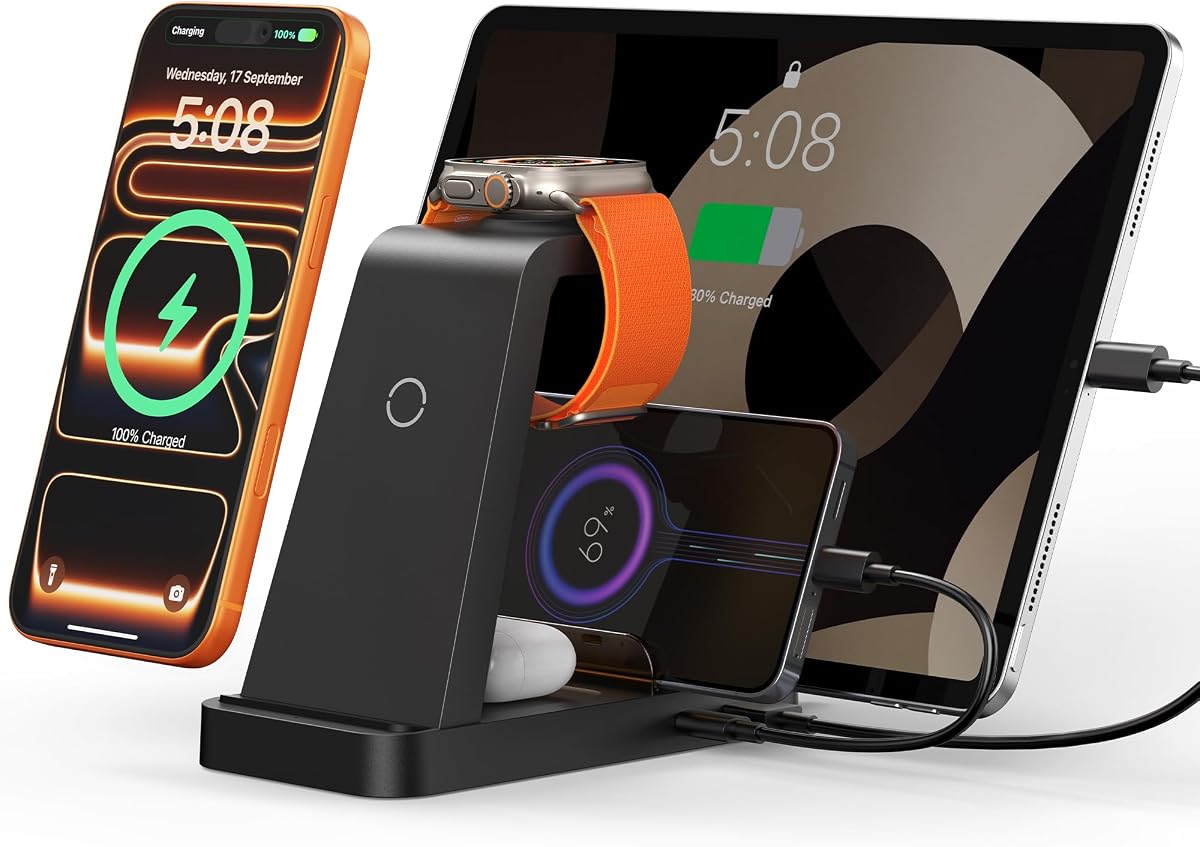
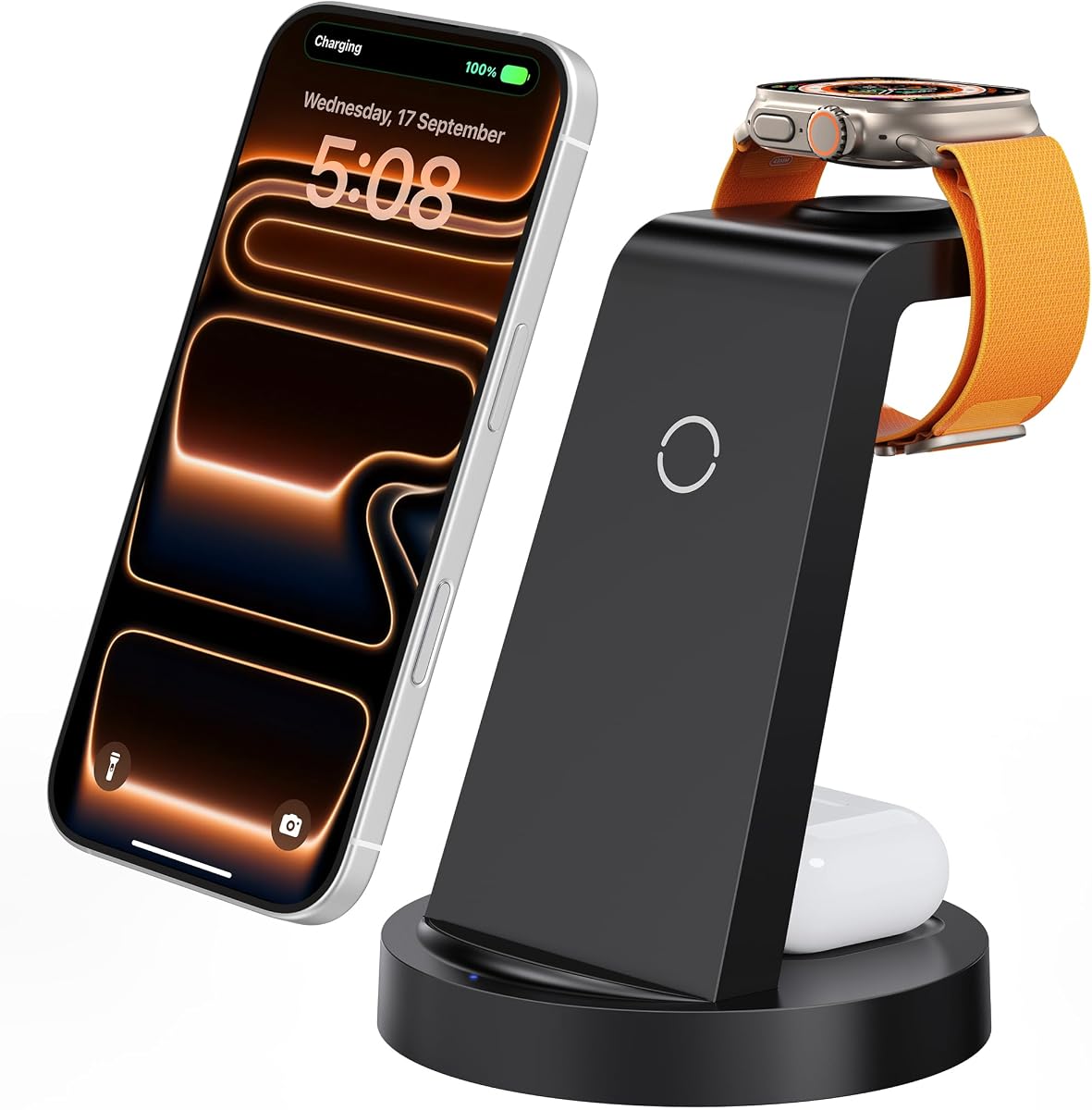
The GETPALS Wireless Charger offers an accessible entry point into multi device charging without sacrificing essential safety features. Its 4.2 rating reflects solid performance for basic needs like nightstand charging where speed is less critical than convenience and cost.
We may earn a commission when you buy through this link, at no additional cost to you.
Designed with a foldable structure this dock fits easily into bags for trips or visits. It supports iPhone Apple Watch and AirPods simultaneously with clear LED lights to show charging status. The non slip surface keeps devices in place while the base protects from overheating.
Charging speeds are modest compared to high wattage models which may be a drawback for power users. The plastic build feels less premium but remains durable for daily home use. For those seeking a simple solution this model handles the job reliably.
Ideal for students or secondary rooms this charger keeps essentials powered without cluttering the space. It is a practical gift for anyone needing a straightforward way to organize cables and devices on a budget.
The foldable form factor makes it easy to pack and use anywhere.
Built in protection guards against overcurrent and overheating during use.
We may earn a commission when you buy through this link, at no additional cost to you.
The Anker MagGo 3-in-1 delivers a top tier experience for users invested in the Apple ecosystem with certified fast charging. Its high rating underscores its reliability and speed making it a favorite for those who want performance and style in one package.
We may earn a commission when you buy through this link, at no additional cost to you.
With 15W Qi2 wireless power your iPhone charges at optimal speeds while the dock supports StandBy mode for displays. The Apple Watch charger is officially certified to ensure compatibility with Series 10 models quickly. You can adjust the viewing angle for comfortable use while charging.
This model comes with a premium price tag which might not suit all budgets but the quality justifies it. It requires specific MagSafe cases for best results though standard cases work with alignment help. The build feels sturdy and well engineered for long term use.
If you prioritize charging efficiency and ecosystem integration this dock is worth the investment. It is perfect for home offices or nightstands where a clean and fast charging setup is a priority.
Official certification ensures safe and fast power delivery for all Apple devices.
Adjustable angles enable the new StandBy features for better visibility.
We may earn a commission when you buy through this link, at no additional cost to you.
This 5 in 1 charging station offers substantial capacity for families with diverse devices needing power at the same time. With a 4.3 rating it balances performance and practicality well for households with tablets phones and watches to manage daily.
We may earn a commission when you buy through this link, at no additional cost to you.
The 36W adapter ensures that up to five devices can charge simultaneously without significant slowdowns. It includes multiple cable types for different devices so everyone can plug in their preferred gadget. The design features air vents to manage heat during high load use.
Note that phone cases may need to be removed to maintain charging speed on this model. The size is larger than compact options but it justifies the space with its generous port count. Most users find it reliable for nightly charging routines.
If your household has many different gadgets this dock simplifies the power situation significantly. It is a great fit for living rooms or shared desks where organization is key.
Five simultaneous ports handle multiple devices without needing extra adapters.
Included cables reduce clutter and make setup easy for all devices.
We may earn a commission when you buy through this link, at no additional cost to you.
The 320W Charging Station is designed for environments where many devices must stay powered at all times. Its 4.4 rating reflects strong performance in managing high load scenarios for offices or large families with many gadgets.
We may earn a commission when you buy through this link, at no additional cost to you.
With 10 ports and 65W PD capability this station can handle laptops phones and tablets together. It includes eight short cables so most devices can connect immediately. Smart chips detect each device to deliver optimal power and prevent overcharging.
The size is quite large requiring significant desk space but it solves outlet shortage issues. Some users may find the setup complex due to the number of ports and cables. However once configured it offers unmatched convenience for power hungry setups.
For businesses or families with many devices this dock is an essential tool. It replaces multiple wall chargers and keeps the workspace organized and efficient.
320W total output supports charging laptops and phones simultaneously without drops.
Advanced chips ensure safety by monitoring and adjusting power for each device.
We may earn a commission when you buy through this link, at no additional cost to you.
The Acer Gadget 7-in-1 blends charging utility with practical desk features like a clock and ambient lighting. With a 4.2 rating it appeals to users who want their charger to serve multiple functions beyond just power delivery.
We may earn a commission when you buy through this link, at no additional cost to you.
It supports up to six devices including two phones wirelessly plus accessories. The smart clock syncs time via Bluetooth for accurate display without setup. Adjustable warm and cool lighting adds a touch of ambiance to any workspace.
While the lighting is nice it might be too bright for bedroom nightstands without adjustment. Bluetooth pairing is simple but requires a phone connection for full clock functionality. Most users appreciate the tangle free layout it provides.
This dock is ideal for home offices where style and function meet. It helps reduce visual clutter while keeping all essential devices powered and organized.
Clock and lighting features turn a charger into a functional desk accessory.
Wireless and wired ports reduce visible cables for a cleaner desk.
We may earn a commission when you buy through this link, at no additional cost to you.
The Anlmz 3 in 1 offers a straightforward charging solution for those needing basic coverage for iPhone Watch and AirPods. Its 4.2 rating indicates solid performance for general use without unnecessary complexity or cost.
We may earn a commission when you buy through this link, at no additional cost to you.
It uses a standard wireless charging pad with an 18W adapter for fast and safe power delivery. The soft blue LED provides charging status without being too bright for bedtime. Foreign object detection helps prevent issues during overnight charging.
Centering the phone manually is required since there is no magnetic alignment. This might be slightly less convenient than MagSafe models but works well enough for most users. The build quality is adequate for daily home use.
This dock is perfect for minimalists wanting a clean nightstand setup. It keeps essentials organized and charged without taking up much space.
Soft indicator light ensures charging status without disrupting sleep.
Small footprint makes it easy to place on limited desk space.
We may earn a commission when you buy through this link, at no additional cost to you.
This foldable charging station is specifically engineered for travelers needing a compact solution for Apple devices. With a 4.2 rating it provides reliable magnetic charging for newer iPhones while folding small enough to fit in any bag.
We may earn a commission when you buy through this link, at no additional cost to you.
The magnetic suction ensures the phone aligns correctly every time for efficient power transfer. It can fold into a 180 degree stand for watching videos or typing while charging. The 18W adapter ensures fast enough speed for nightly use.
While it is perfect for iPhones it does not support laptops which limits its use as a full office dock. The certification guarantees safety during use but the build feels less rigid than desk models. Most travelers find this a great companion for trips.
If you often travel with your iPhone and Watch this dock offers convenience and simplicity. It is an excellent choice for hotel rooms or home desks where portability is key.
Magnetic design ensures quick alignment for consistent charging on iPhone.
180 degree folding allows versatile viewing angles while charging.
We may earn a commission when you buy through this link, at no additional cost to you.
The 600W Charging Station delivers exceptional power for those needing to charge a massive array of devices. Its perfect 5.0 rating suggests it meets demanding expectations for reliability and speed in professional or heavy home environments.
We may earn a commission when you buy through this link, at no additional cost to you.
With dual 100W ports this station can charge two laptops at full speed alongside phones and tablets. The wireless part supports Apple devices while wired ports handle Android and other tech. GaN 5 technology keeps the unit cool despite high output.
The size is large requiring dedicated space on a desk or counter. The price reflects the high capacity and advanced tech but is justified for power users. LED indicators help track status without disturbing night sleep.
This dock is ideal for power users who cannot tolerate slow charging or limited ports. It replaces many separate chargers and keeps a high tech household organized.
600W total capacity supports charging high power laptops and devices together.
GaN technology ensures efficient heat management during heavy use.
We may earn a commission when you buy through this link, at no additional cost to you.
This 15-in-1 charging station combines massive wired capacity with a wireless dock for Apple devices. Its 4.2 rating reflects solid functionality for mixed tech households needing power for phones tablets and laptops simultaneously.
We may earn a commission when you buy through this link, at no additional cost to you.
The extra wide laptop slot accommodates thick cases making it versatile for different brands. With eight USB C ports most modern devices can charge without adapters. GaN III tech ensures efficiency and safety across all ports during high load.
The sheer number of ports might be overwhelming for smaller setups but ideal for offices. Weight is substantial and the layout is complex to manage initially. Most users find the convenience worth the effort once organized.
If you have many different devices this dock is a practical solution to centralize power. It suits home offices or shared spaces where variety and quantity are priorities.
Extra wide design fits laptops with thick cases securely.
GaN III ensures fast charging with minimal heat and energy waste.
We may earn a commission when you buy through this link, at no additional cost to you.
Choosing the right dock depends on your device count space and speed needs.
Consider how many devices you need to charge simultaneously. Some docks offer just three slots while others have ten or more. This determines if the station can handle your full set of gadgets.
Check the number of USB ports versus wireless pads to ensure all devices fit.
Look for higher wattage if you use laptops alongside phones. Docks with 65W or more can power laptops effectively. Lower wattage models are better for phones and accessories only.
Verify the total output matches your high power devices to avoid slow charging.
Decide between foldable and fixed designs based on portability needs. Foldable docks are great for travel while fixed ones suit permanent desk setups. The build material affects durability and heat dissipation.
Choose a style that fits your desk layout and aesthetic preferences.
Always check for certifications like FCC and safety features like over voltage protection. These prevent damage to your expensive devices from power surges. Look for heat management features in the design.
Safety certifications ensure reliable performance during long overnight sessions.
Wireless chargers have limits on case thickness and metal rings. Ensure your current phone case works with the dock before buying. Some models offer magnetic alignment for easier placement.
Remove metal or thick cases if the dock requires close contact for charging.
Check if the dock comes with necessary cables and adapters. Many high end models include multiple cables for different devices. This saves you from buying separate accessories after purchase.
Included cables make initial setup easier and reduce clutter immediately.
Selecting a trusted brand ensures better warranty support and build quality. Popular brands often have more customer support resources available. This adds peace of mind for long term use.
Research reviews to ensure the brand has consistent quality standards.
Compare the cost against the features offered to ensure good value. Higher priced models may offer more ports or better materials. Balance your budget with your specific power requirements.
Invest in a model that meets your needs without unnecessary extra costs.
Place the dock on a flat stable surface away from direct heat sources to ensure safety. Plug it into a wall outlet using the provided adapter and let it boot up. Connect your devices to the wireless pads or wired ports securely.
For wireless charging ensure phones are aligned correctly with the charging coils. Remove any metal or thick cases that might interfere with power transfer. Check that all devices show LED indicators for successful connection.
Clean the dock regularly with a dry cloth to prevent dust build up. Unplug the unit before cleaning to avoid electrical risks. Store it in a safe place when not in use to prevent damage or spills.
Yes many modern docks support simultaneous charging of laptops and phones. Look for models with high wattage USB C ports to ensure speed. Always check the total output before connecting multiple high power devices.
Most wireless chargers work with cases up to 5mm thick. However metal rings or thick plastic may block charging signals. Always remove metal cases to ensure proper charging alignment.
Yes reputable docks include safety features like overcharge protection. Built in chips stop power flow when the battery is full. Always use certified cables and adapters for safe overnight use.
This depends on the dock model ranging from three to fifteen devices. Check the port count and total power output to match your needs. Higher capacity docks suit families or offices with many gadgets.
Some models include adapters while others require separate purchases. Always check the package contents before buying to avoid missing parts. Ensure the adapter matches the required wattage for best speed.
Only specific models support MagSafe with magnetic alignment for iPhones. Others may work with cases but require manual placement. Check product specs for MagSafe compatibility if needed.
Most docks stop charging if you exceed total power limits. This protects devices from overheating or slow charging. Avoid connecting too many high power devices at once.
Many docks include USB A or C ports compatible with Android devices. Wireless charging is generally limited to phones without specific MagSafe chips. Check port compatibility before purchase for mixed ecosystems.
We reviewed ten options from budget friendly models to high power solutions. Each dock offers unique strengths for different needs like travel or office setups. Choosing the right one ensures your devices stay powered and organized easily.
Prioritize safety and speed when making your final decision to protect your gear. Ensure the dock fits your desk space and matches your device count requirements. A good dock simplifies your tech life significantly.
Always check current availability and details before purchasing as products may change. This guide aims to help you find the perfect fit for your Apple ecosystem needs. Enjoy a cleaner and more efficient workspace.