
Teltonika RUTM50
4.8Editor score
Industrial-grade durable enclosure
RMS remote management included
Dual SIM load balancing
Compare top 5G routers with external antenna ports for better signal. This guide reviews ten models for speed, coverage, and reliability in 2026.
Finding a reliable 5G router with external antenna ports is essential for anyone needing stable internet in remote areas. These devices allow you to connect high-gain antennas to boost signal strength significantly. Whether you travel in an RV or work from a rural home, the right router makes a difference.
We compared ten leading models based on speed, compatibility, and build quality. Each product supports external antennas to improve reception where standard routers fail. Our analysis covers key features like SIM flexibility, Wi-Fi standards, and VPN capabilities to help you choose wisely.
Each pick highlights specific strengths and ideal use cases for different users. We focus on real-world performance and connectivity options available today. Prices change frequently, so always check current listings before making your final decision for your network setup needs.
4.8Editor score

4.2Editor score

4.2Editor score
This side-by-side comparison highlights the critical specifications of each model reviewed. We examine modem capabilities, antenna options, and software features to show how they differ. Use this table to quickly identify which router fits your specific connectivity requirements and budget constraints.




The GL.iNet GL-X3000 stands out as a powerful choice for users needing flexible network control. It offers a robust cellular gateway experience with built-in support for multiple carriers. Its standout quality lies in the deep firmware customization available via OpenWrt.
We may earn a commission when you buy through this link, at no additional cost to you.
You get six detachable antennas right out of the box, which is rare in this category. The device supports both SA and NSA 5G standards for broader compatibility. Additionally, the pre-installed OpenVPN and WireGuard apps make securing your connection straightforward without extra tools.
While the interface is powerful, it may feel overwhelming for users who prefer plug-and-play setups. The router is also on the pricier side compared to some consumer-grade alternatives. However, these trade-offs are acceptable given the advanced features and build quality offered here.
This router is ideal for tech-savvy RV travelers or rural home users who need reliability. If you value control over your network settings and need strong failover options, this model is highly recommended. It balances performance with security exceptionally well for demanding environments.
With over 5,000 plug-ins available, you can tailor the router to almost any specific need you have.
Automatic failover ensures you stay connected even if one carrier loses signal strength in your current location.
We may earn a commission when you buy through this link, at no additional cost to you.
The RM520N AX3000 offers an impressive array of antenna options to maximize cellular reception. It uses a Qualcomm SDX62 modem to deliver fast data speeds in supported areas. The design focuses heavily on connectivity flexibility for remote locations.
We may earn a commission when you buy through this link, at no additional cost to you.
You can connect up to nine detachable antennas to optimize both cellular and Wi-Fi signals simultaneously. The built-in SMA connector allows you to use high-gain outdoor antennas if needed. This makes it a strong contender for areas with weak signal coverage.
However, some users report inconsistencies in the interface or initial configuration process. The overall rating suggests mixed experiences regarding reliability or support responsiveness. You should consider checking recent feedback before purchase to ensure the current firmware meets your needs.
This device is best for those who prioritize raw signal potential over simplicity. If you have technical skills to tune antenna placement, you will likely benefit from its hardware capabilities. It provides a solid foundation for building a custom high-performance wireless network.
Having dedicated antennas for both cellular and Wi-Fi helps isolate interference and improve overall throughput.
Load-balancing features let you distribute traffic across cellular, Ethernet, and repeater connections effectively.
We may earn a commission when you buy through this link, at no additional cost to you.
The Teltonika RUTM50 is built for harsh environments where stability is critical. It features industrial-grade durability with a rugged enclosure that withstands extreme temperatures. Its standout quality is the reliability it offers for mission-critical applications.
We may earn a commission when you buy through this link, at no additional cost to you.
Users can manage multiple units remotely through the RMS platform, which simplifies maintenance tasks significantly. The device supports dual SIM cards with automatic failover to ensure continuous connectivity. VPN support includes advanced protocols like IPsec and WireGuard for secure data transmission.
The main trade-off is the use of Wi-Fi 5 rather than the newer Wi-Fi 6 standard. This might limit speed for modern devices within a local network. However, for industrial IoT or remote sites, the robust cellular and management features often outweigh this limitation.
This router is perfect for businesses or remote facilities that cannot afford downtime. If you need a device that runs 24/7 without intervention, this model delivers outstanding performance. It is a premium investment that pays off in operational stability and ease of monitoring.
Designed to operate reliably in extreme conditions where standard consumer routers would fail or overheat.
Monitor and update device settings remotely to keep your network secure and running smoothly.
We may earn a commission when you buy through this link, at no additional cost to you.
The Cudy P5 focuses on keeping your business online even when one connection drops. It uses a Qualcomm X62 modem for fast 5G speeds in compatible regions. The design is compact and suitable for desktop or wall installation in offices.
We may earn a commission when you buy through this link, at no additional cost to you.
You can set up triple failover using WAN and two cellular SIM slots for maximum reliability. The router also supports Cudy Mesh satellites to extend Wi-Fi coverage throughout your space. This flexibility makes it a good choice for small business continuity needs.
While it includes four cellular antennas, other models may offer more flexibility for external setups. The interface is straightforward but lacks advanced customization options compared to OpenWrt-based devices. These limitations are minor if you prioritize simple setup and reliable uptime.
Ideal for retail locations or remote offices needing stable internet without complexity. If you want a router that handles carrier switching automatically without hassle, this is a solid option. It balances performance and ease of use effectively for many standard applications.
Keep internet live even if primary links fail by switching automatically to secondary cellular connections instantly.
Expand your wireless range with compatible satellites to cover larger areas without dead zones.
We may earn a commission when you buy through this link, at no additional cost to you.
The MikroTik D53G offers significant value for home users needing wired and wireless connectivity. It comes with five gigabit ethernet ports which is rare in this price range. The device handles carrier aggregation to double speeds in rural areas with compatible networks.
We may earn a commission when you buy through this link, at no additional cost to you.
You get a powerful quad-core CPU that manages traffic efficiently even with multiple devices. The design is tasteful and fits well in home environments without looking like industrial gear. Its affordability makes it accessible to many users seeking better rural internet.
Note that this model focuses more on LTE6 rather than full 5G standalone support. Users expecting maximum 5G speeds might find this limiting if their carrier supports newer standards. For most practical uses however, the performance remains highly capable and consistent.
Best for home networks prioritizing wired ports and reliable LTE speeds on a budget. If you want a device that handles heavy traffic smoothly and offers good port flexibility, this is a great pick. It serves as an excellent entry point into reliable wireless gateways.
Five gigabit ports allow you to connect many devices directly for faster and more stable speeds.
Combine multiple frequency bands to boost download speeds significantly in areas with compatible cellular networks.
We may earn a commission when you buy through this link, at no additional cost to you.
The NetBox 5 is designed for outdoor deployment where weather resistance is crucial. It features a durable enclosure that protects internal components from rain and dust. This makes it ideal for mounting on poles or walls outside your home or facility.
We may earn a commission when you buy through this link, at no additional cost to you.
It supports Wi-Fi 6 for efficient wireless throughput and uses connectorized mounting for flexibility. The device accepts PoE-in to simplify wiring when installing in hard-to-reach locations. It works best as part of a broader network setup with an external cellular modem.
Users should note that this device does not include a built-in cellular modem itself. You will need to connect it to a modem that has external antenna ports for cellular connectivity. While limiting, this design allows for modular upgrades of the cellular hardware component.
Best for outdoor access points needing Wi-Fi 6 and rugged protection in exposed locations. If you already have a cellular modem but need better outdoor distribution, this unit fills that role perfectly. It is a specialized tool for robust network expansion in difficult environments.
Built to withstand outdoor elements reliably so your wireless network stays up in any weather.
Use modular connectors to adapt the device for various mounting scenarios and cable types easily.
We may earn a commission when you buy through this link, at no additional cost to you.
The LHG XL excels at bridging large distances between two points with strong wireless links. It includes a 27 dBi grid antenna optimized for long-range stability and interference resistance. This makes it useful for rural properties or remote outdoor camera setups.
We may earn a commission when you buy through this link, at no additional cost to you.
It supports Wi-Fi 6 for efficient data transfer over distance with minimal latency. The device is powered by passive PoE for easy installation without extra power outlets nearby. Its IP54 rating ensures protection against dust and water splashes in outdoor conditions.
This device acts more as a CPE than a full-featured router with multiple ports. You will still need a main router behind it to manage local traffic and DHCP. While specific, its performance over long distances is unmatched in its class for reliability.
Best for connecting buildings or properties several miles apart without running cables. If you need a stable link over terrain that is hard to cable, this unit delivers. It simplifies long-distance networking with a rugged and efficient design.
Maintain a solid connection over kilometers with the high-gain grid antenna optimized for specific frequencies.
Passive PoE allows you to power the device easily over the network cable from a nearby location.
We may earn a commission when you buy through this link, at no additional cost to you.
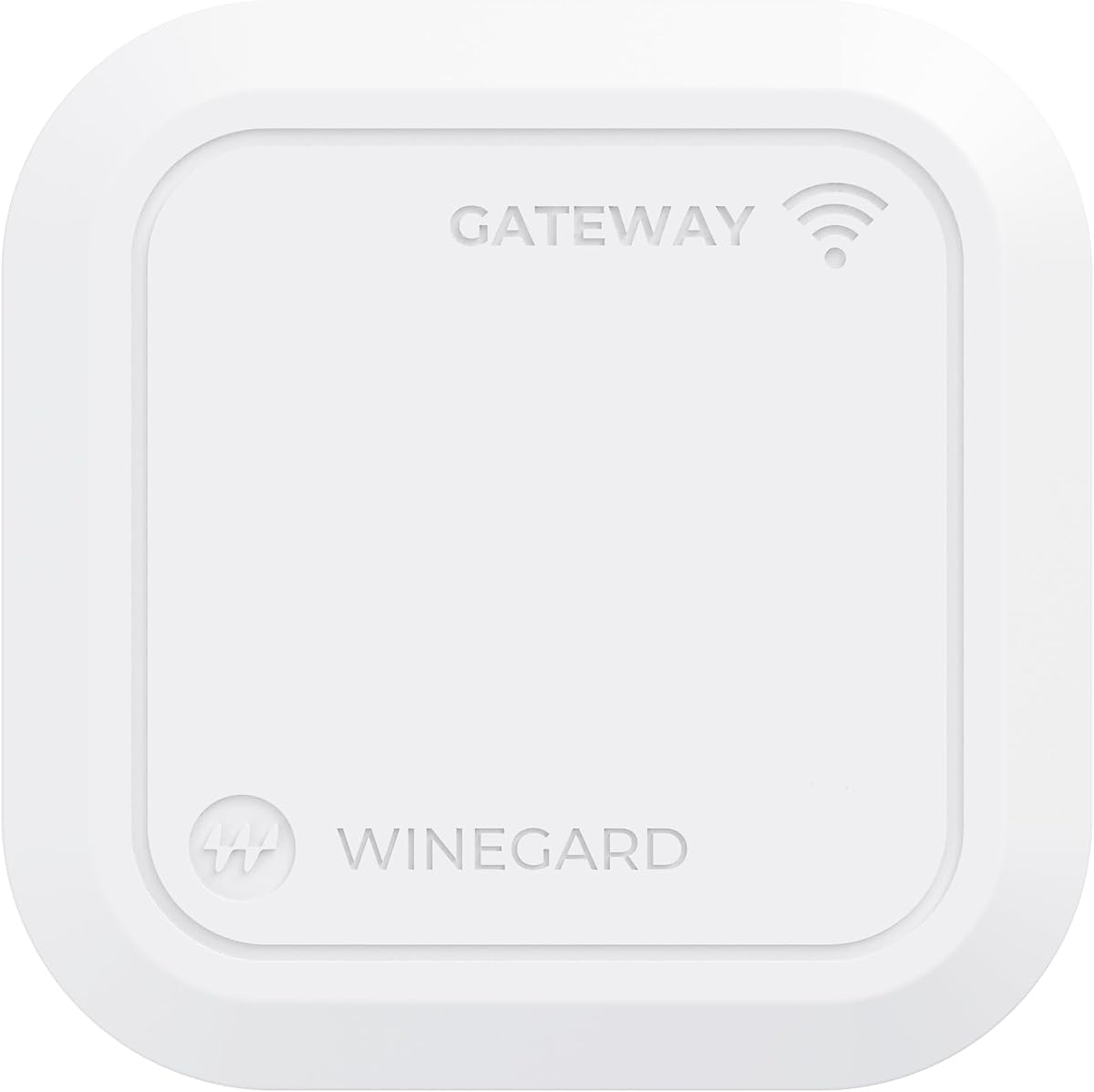
The Winegard Gateway 5G is tailored specifically for RV owners using the Air 360+ system. It integrates directly with the dome antenna to simplify cellular backhaul for your home. The design fits seamlessly into RV ceilings for a clean installation look.
We may earn a commission when you buy through this link, at no additional cost to you.
It supports hybrid internet connections allowing you to combine Starlink and cellular networks effectively. You can choose from multiple carriers including T-Mobile and AT&T for better coverage on the road. This flexibility helps ensure you stay online even in remote areas.
While functional for RVs, it uses older Wi-Fi AC standards compared to newer models. The price point is higher relative to the performance compared to standalone 5G routers. These limitations are acceptable if you need the specific compatibility with Winegard hardware.
Best for RV owners who already own a Winegard dome and want a unified setup. If you want simplicity and dedicated support for your mobile lifestyle without complex wiring, this works well. It offers convenience that standard routers cannot match for recreational vehicles.
Combine different internet sources like Starlink and cellular to ensure continuous connection wherever you park.
Use compatible sensors to make your RV smarter and more secure with automated alerts while traveling.
We may earn a commission when you buy through this link, at no additional cost to you.
The GL-E5800 is a portable powerhouse offering cutting-edge Wi-Fi 7 technology on the go. It includes a built-in battery so you can use it without an outlet for over 13 hours. This makes it perfect for travel or temporary setups in hotels and events.
We may earn a commission when you buy through this link, at no additional cost to you.
It features a touchscreen for quick controls like switching SIMs or enabling VPNs. The device supports eSIM and physical SIMs for flexible carrier options worldwide. High-speed USB-C ports allow for fast data transfers and external storage connections.
The high price reflects its advanced specs and portable nature compared to stationary routers. Battery dependency also means it is less practical for permanent home use. However, these factors are minimal for travelers who prioritize speed and convenience over stationary power.
Best for business travelers or content creators needing top-tier speeds while moving around. If you want a single device that acts as a modem router and hotspot with great flexibility, this is unique. It brings desktop-class performance to your backpack.
Travel without worrying about power outlets with the included battery and fast charging options for all-day use.
Change data plans instantly with eSIM support for international trips without needing local physical SIM cards.
We may earn a commission when you buy through this link, at no additional cost to you.
The QuadMini is a specialized antenna designed to improve signal for routers with 4 ports. It uses 4×4 MIMO isolation to boost data rates without needing complex aiming. The kit includes all cables needed to install it through a window or wall easily.
We may earn a commission when you buy through this link, at no additional cost to you.
Its omnidirectional design means you can place it on a window facing the cell tower direction without precision. The low profile makes it unobtrusive on your home or vehicle exterior. It improves cell signal significantly given proper signal conditions in your area.
Users must note this is an antenna accessory not a standalone router device. It requires a compatible router with external antenna ports to function correctly. While specific, it solves the physical placement challenge that limits most internal router antennas significantly.
Best for those who already own a 5G router and need better outside signal capture. If you have poor reception but cannot relocate your router, this antenna helps bridge the gap. It is a practical upgrade to maximize your existing network hardware.
Enjoy a stable connection without fiddling with direction or aiming the antenna at specific cell towers.
Everything needed to install your new antenna including cables and weatherproofing boots in one package.
We may earn a commission when you buy through this link, at no additional cost to you.
Selecting the right router involves weighing several technical and practical factors. We outline the key elements to consider before making your final decision.
Look for routers with SMA or TS9 ports to connect external antennas. This capability is crucial for boosting signal in rural or remote areas where internal antennas struggle. Check how many ports the device offers to determine how many antennas you can connect simultaneously for better MIMO performance.
Ensure the router explicitly states support for external high-gain antennas before purchase.
Different carriers use different frequency bands for 5G. Verify that the modem inside the router supports the bands used by your preferred carrier. This compatibility ensures you get the fastest possible speeds in your specific region without signal dropouts or throttling.
Confirm your carrier's supported bands match the router's modem capabilities for optimal performance.
Dual SIM slots offer redundancy by allowing you to use two different carriers. If one network fails or becomes congested, the router can switch to the other automatically. This feature is vital for remote workers or travelers who cannot afford internet downtime in critical moments.
Choose a model with dual SIM failover to maintain continuous connectivity during travel or emergencies.
Newer routers use Wi-Fi 6 or Wi-Fi 7 to handle more devices efficiently. These standards reduce congestion when many devices connect to your network simultaneously. Consider your current device compatibility and future needs when selecting a Wi-Fi generation.
Prioritize Wi-Fi 6 or higher for better performance with multiple connected devices in your home.
Rugged enclosures are important if you plan to install the device outdoors or in vehicles. Industrial-grade materials protect against temperature changes and dust that could damage internal components. A durable build ensures long-term reliability in challenging environmental conditions.
Check for weatherproof ratings or metal housings if you need the device in harsh environments.
Firmware determines how much control you have over your network. OpenWrt-based systems offer advanced customization for power users. Others provide simpler interfaces with cloud management for easy remote updates. Decide how much control you need versus ease of use.
Match the software complexity to your technical expertise and network management preferences.
Some routers come with battery backups or PoE support for flexible installation. This is useful when outlets are scarce or when mounting devices on poles or walls. Ensure the power requirements match your available infrastructure at the installation location.
Consider devices with flexible power inputs like PoE if you need non-standard mounting locations.
Built-in VPN support secures your connection when using public Wi-Fi or roaming. Look for devices that support modern protocols like WireGuard for better speeds. This feature protects your data and allows you to access home networks securely from anywhere.
Verify that the router supports the VPN protocols you trust for secure data transmission.
First, place your router in a central location with clear access to windows if you plan to route cables outside. This placement ensures the device picks up cellular signals effectively while distributing Wi-Fi evenly throughout your home or RV.
Second, secure any external antennas tightly to their connectors and route cables carefully to avoid damage. Use cable clips to keep wires organized and protect them from weather elements. Proper cable management prevents signal loss and extends the lifespan of your hardware components.
Third, keep the device firmware updated to benefit from security patches and performance improvements. Most routers allow you to check for updates through the admin panel. Regular updates ensure your network stays protected from threats and operates at peak efficiency.
Not all 5G routers come with external antenna ports. Many consumer models have internal antennas only, which limits their range in remote areas. Always check the product specifications for SMA or other connector types before buying to ensure it supports external connections.
You can use a high-gain antenna with any router that supports external connectors. However, you need to match the connector type like SMA or TS9 to your router's ports. Also ensure the router supports MIMO configurations to take full advantage of the antenna's performance.
Rural areas often lack fiber or cable infrastructure, making cellular data the primary option. A 5G router leverages cellular networks to deliver fast broadband-like speeds. Using external antennas further improves reliability where standard signals may be weak or inconsistent.
Most routers with external ports support two to four antennas simultaneously. Some models like the GL.iNet GL-X3000 include six detachable antennas. More antennas allow for better MIMO performance, which improves speed and stability in challenging environments.
Not all routers are weatherproof. Only specific industrial or outdoor models like the NetBox 5 have IP ratings for moisture and dust. For outdoor use, ensure you select a device designed for weather resistance to prevent damage.
Some routers support hybrid setups where you can connect Starlink and cellular internet simultaneously. This is useful for redundancy in RVs or remote homes. Check if the router supports multi-WAN features to manage different connection types.
Yes, most cellular routers require a SIM card with a data plan to connect to mobile networks. Some newer models also support eSIM or physical eSIM cards for easier switching between carriers. Check carrier compatibility before purchasing to ensure support for your provider.
If the signal is weak, you can connect high-gain external antennas to improve reception. Positioning the router near a window or outdoors on a pole also helps. Some routers allow you to configure signal strength monitoring to optimize placement effectively.
We reviewed ten top models ranging from budget-friendly options to industrial-grade powerhouses. Each router brings unique strengths such as dual-SIM support or advanced firmware customization for specific needs.
Prioritize features that match your usage environment whether that is industrial durability or portable battery power. Choosing the right device ensures your internet remains stable even in remote locations with weak signals.
Prices and stock vary so always check current listings before making your final purchase decision. This guide helps you narrow down choices based on reliable performance and external antenna compatibility needs.