
LONELY BINARY Logic Analyzer Kit
4.2Editor score
8 Channel 24MHz Sampling
Includes Breakout Boards
Dual USB Connectivity
This guide compares ten top logic analyzers for electronics projects including budget models and premium tools to help you choose the right device.
Logic analyzers are essential tools for anyone working with digital electronics. They capture signal timing to help debug circuits. Choosing the right one depends on your project needs and budget constraints.
We compared ten real products based on sampling rates channel channel counts and software support. Each entry offers unique strengths for hobbyists and professionals. We focused on ease of use and protocol decoding capabilities.
Each pick shows key specs and real-world performance notes. Prices change frequently so check current listings before buying. These tools simplify debugging embedded systems and microcontroller projects significantly.
4.2Editor score

4.5Editor score
4.8Editor score
This table presents side by side specs for all ten products. Compare channel counts sampling rates and features to find your match.


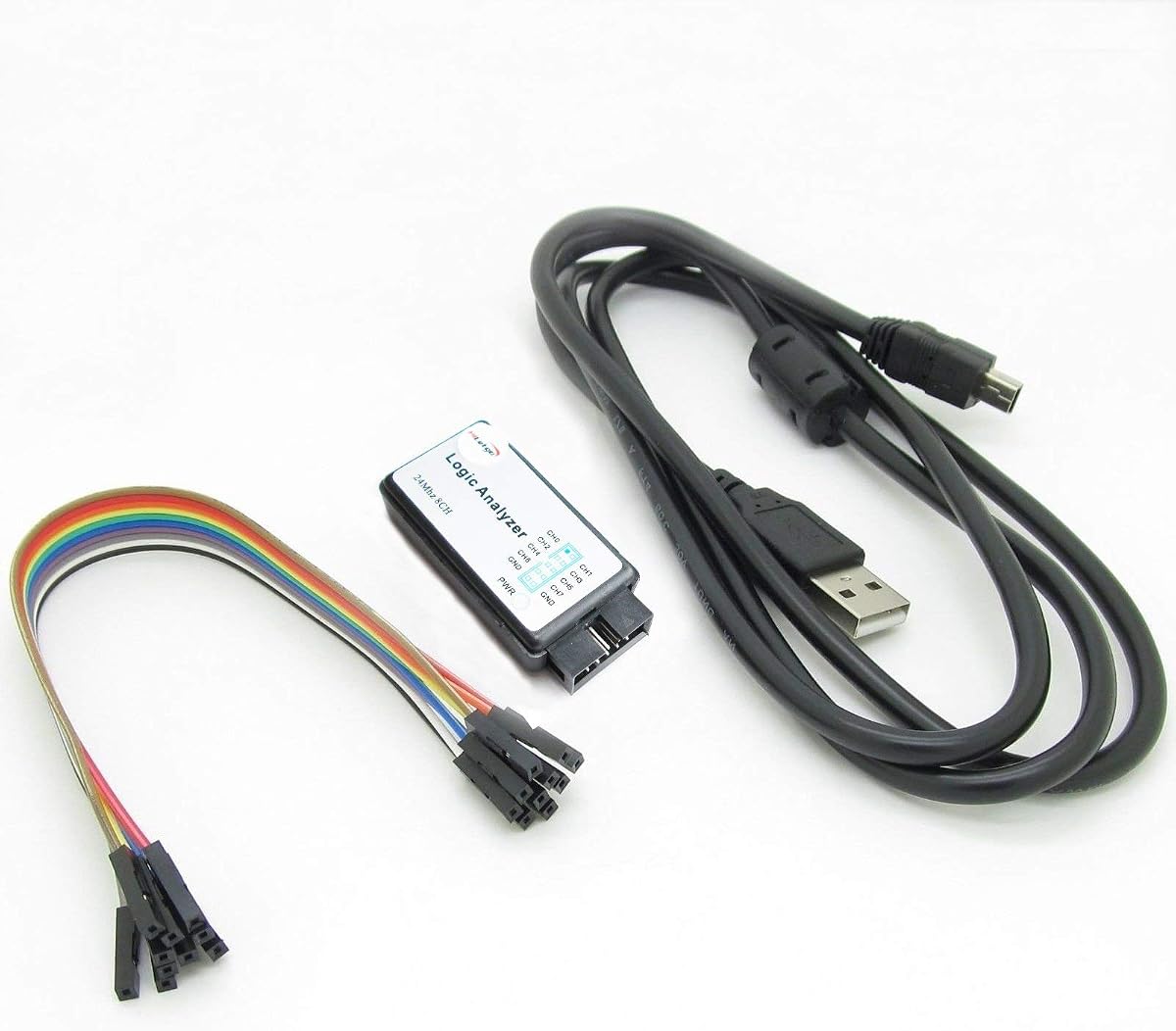


The LONELY BINARY Logic Analyzer Kit is a top choice for budget conscious hobbyists. It offers 8 channels at 24MHz sampling which covers most common protocols. Users appreciate the included breakout boards and storage case for organization.
We may earn a commission when you buy through this link, at no additional cost to you.
This kit simplifies connections with dedicated breakout boards for breadboards. It supports I2C SPI and UART protocols easily. The dual USB cables ensure compatibility with both modern and older computers without extra adapters.
Trade-offs include a lower sampling rate compared to higher end models. It lacks analog input options. However for basic digital debugging this does not hinder most educational or small scale projects.
Buy this if you need an affordable tool for learning digital logic. It is ideal for students and beginners. The included accessories save time and money on initial setup costs significantly.
All necessary cables and clips are included for immediate use without extra purchases.
Dedicated adapters make connecting to prototyping boards fast and secure for testing.
We may earn a commission when you buy through this link, at no additional cost to you.
The LA1010 stands out for its 16 channels and 100MHz sampling. It delivers professional grade features at a mid range price. The KingstVIS software provides real time visualization for quick debugging.
We may earn a commission when you buy through this link, at no additional cost to you.
It decodes over 30 protocols including CAN and I2C. This helps developers extract human readable data from complex signals. The device works on Windows Mac and Linux with auto install drivers.
Some users find the software interface less intuitive than premium tools. Analog signals are not supported. Still the channel count and speed make it a strong contender for embedded systems work.
Recommend this for engineers needing more channels without breaking the bank. It handles long term monitoring well. The portable design fits easily into toolkits for fieldwork or lab use.
Captured signals display instantly on screen for immediate analysis and error spotting.
Automated decoding saves hours of manual trace inspection during development phases.
We may earn a commission when you buy through this link, at no additional cost to you.
The Saleae Logic Pro 16 is the top tier choice for serious engineers. It offers 500 MS/s digital sampling and analog support. The software is polished and supports over 23 protocols seamlessly.
We may earn a commission when you buy through this link, at no additional cost to you.
Its ability to capture 10 billion digital samples ensures detailed analysis. The 16 inputs allow full system debugging. USB 3.0 connectivity ensures fast data transfer without bottlenecks.
The high price may deter casual users. It relies on PC memory which can be heavy. However the precision and ease of use justify the cost for professional teams.
Choose this for critical projects requiring high fidelity signal analysis. It saves time with intuitive controls. The portability allows use anywhere without sacrificing performance capabilities.
Multi use inputs handle both digital and analog signals for complete system visibility.
Wide range of decoders reduce manual decoding work for complex communication buses.
We may earn a commission when you buy through this link, at no additional cost to you.
Logic Pro 8 delivers the same speed as the 16 channel model with fewer inputs. It offers 500 MS/s digital sampling and supports analog inputs. The software remains intuitive and powerful for debugging.
We may earn a commission when you buy through this link, at no additional cost to you.
It captures 10 billion digital samples using USB 3.0. The cross platform support works on Mac Windows and Linux. Its ultra portable design fits easily into pockets or bags.
Users needing more than 8 channels will need the Pro 16. It also depends on PC memory. Still the performance per dollar makes it a strong value for most projects.
Select this for advanced debugging needing analog capture. It balances cost and performance well. The trusted software reduces frustration during complex signal analysis tasks daily.
Fast sampling rates combined with small size enable quick analysis anywhere.
Works on major operating systems without extra configuration or drivers needed.
We may earn a commission when you buy through this link, at no additional cost to you.
This USB logic analyzer is tailored for Arduino and FPGA users. It offers 8 channels at 24MHz. It works with Saleae Logic software for easy protocol decoding.
We may earn a commission when you buy through this link, at no additional cost to you.
The device supports various sampling rates from 50KHz to 24MHz. Voltage thresholds are adjustable for different logic levels. It handles UART SPI and IIC protocols efficiently.
It is limited to lower speeds and basic hardware. Not suitable for high frequency signals. However it is sufficient for common microcontroller debugging needs.
Buy this for hobbyist Arduino work. It provides a quick entry into protocol debugging. The price point makes it accessible for students or casual makers.
Uses Saleae Logic software so users get a familiar interface immediately.
Flexible threshold settings allow testing with different logic levels safely.
We may earn a commission when you buy through this link, at no additional cost to you.
DSLogic Plus offers 16 channels and 400MHz sampling with 256Mbits memory. It supports stream and buffer modes for flexible capture. The DSView software is open source with many protocol decoders.
We may earn a commission when you buy through this link, at no additional cost to you.
Adjustable thresholds and shielded wires ensure clean waveforms. The aluminum case protects it during transport. It works on Windows Mac and Linux with good driver support.
USB 2.0 can limit stream mode speeds. The software may require some technical knowledge. However the on board memory allows high speed capture without PC bottlenecks.
Ideal for users who value open tools and speed. It provides deep control over signals. The hardware quality ensures reliable results in professional labs.
Dual modes let you choose between long duration or high speed capture easily.
Source code on Github allows customization and community driven improvements.
We may earn a commission when you buy through this link, at no additional cost to you.
HiLetgo provides a compact and inexpensive solution for basic debugging. It features 8 channels at 24MHz. The USB cable includes an EMI ferrite ring to reduce noise.
We may earn a commission when you buy through this link, at no additional cost to you.
It supports UART SPI and IIC protocols with automatic decoding. Input voltage ranges suit most logic levels. Sampling rates are adjustable down to 25KHz.
Limited to 8 channels and 24MHz it is not for high speed tasks. Build quality is minimal. Yet it serves well for simple hobby and learning needs.
Choose this for tight budgets on basic projects. It adds value with noise reduction. The compact size fits well into small workspaces.
Ferrite ring on cable minimizes interference during signal capture sessions.
Multiple sampling options allow tuning for specific protocol needs precisely.
We may earn a commission when you buy through this link, at no additional cost to you.
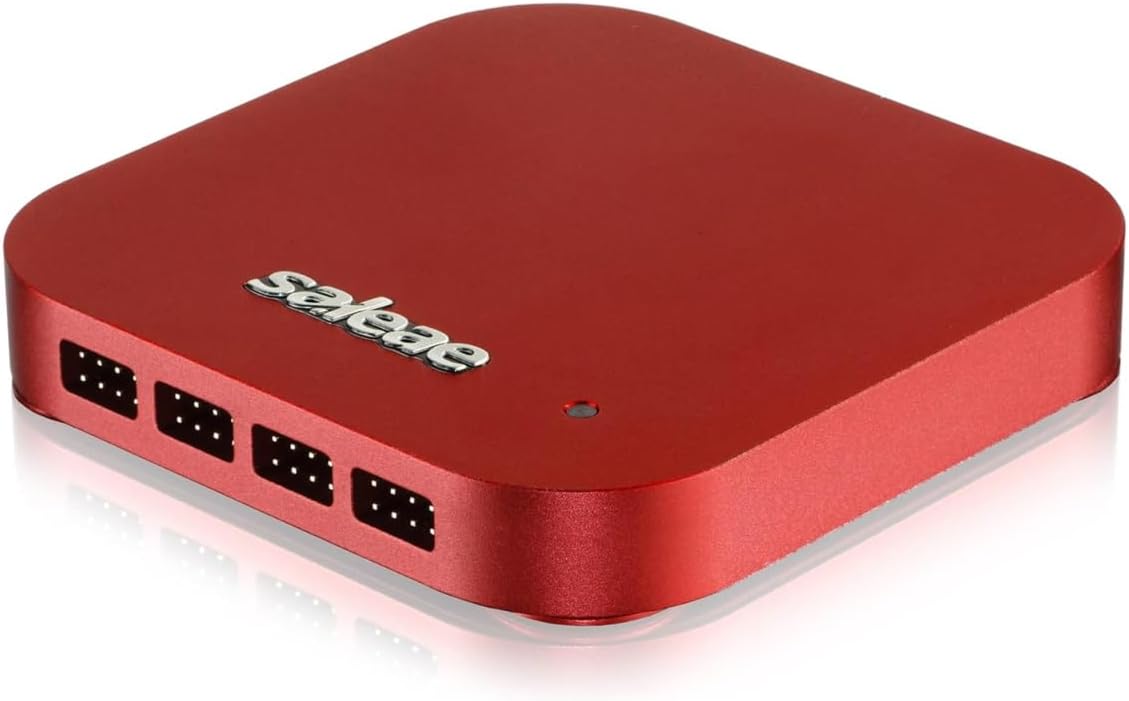
Logic 8 is the entry point into the Saleae ecosystem. It offers 8 channels at 100 MS/s. The software remains top notch with over 23 decoders.
We may earn a commission when you buy through this link, at no additional cost to you.
It captures up to 10 billion samples via USB 2.0. It works on Mac Windows and Linux seamlessly. Its ultra portable design fits easily into tool kits.
Slower speeds and fewer channels limit complex tasks. It lacks analog inputs. But for digital logic it remains a trusted choice among hobbyists.
Buy this for reliable basic logic debugging. It balances simplicity and quality. The software experience remains consistent with premium models.
Saleae Logic software provides familiar intuitive controls for users.
Plug and play design reduces setup time for quick tests.
We may earn a commission when you buy through this link, at no additional cost to you.
This DSLogic Plus model adds massive depth for long captures. It offers 16 channels and 400MHz sampling. Stream mode supports up to 16G sample depth.
We may earn a commission when you buy through this link, at no additional cost to you.
DSView software is open source with nearly 100 decoders. It works on Windows Mac and Linux. Shielded wires ensure clean signal capture.
It relies on USB 2.0 for transfers. The software may require setup time. However the memory depth supports extended monitoring sessions.
Choose this for long duration signal monitoring. It combines high speed with deep capture. The open tools invite customization for advanced users.
Transfer data in real time for very long recording sessions.
Shielded wires reduce noise for clearer waveform analysis.
We may earn a commission when you buy through this link, at no additional cost to you.
Analog Discovery 3 combines oscilloscope waveform generator and logic analyzer. It offers 16 digital IO and 125 MS/s sampling. It includes programmable power supplies.
We may earn a commission when you buy through this link, at no additional cost to you.
SDK support enables automation in Python C and MATLAB. Waveforms are customizable with modulation. It supports many protocol decoders and scripting.
It is complex to learn. Price is higher than basic analyzers. But the all in one tool replaces multiple devices.
Buy this for comprehensive lab needs. It reduces bench clutter. The SDK and tools empower advanced development and testing.
Oscilloscope and power supply included for full project setup.
Script in Python and C for automation and integration.
We may earn a commission when you buy through this link, at no additional cost to you.
Choosing the right logic analyzer involves balancing channels sampling rate and software needs. This guide covers key factors to consider.
Channel count determines how many signals you can monitor at once. Most basic projects need 8 channels. Complex systems may require 16 or more to trace entire buses.
Choose at least 8 channels. Go for 16 for embedded work with multiple components.
Sampling rate captures signal transitions quickly. Higher rates like 100MHz detect timing issues. Rates under 24MHz may miss fast edges.
Select 50MHz or higher for accuracy. Ensure it exceeds your highest protocol speed.
Decoders translate binary traces into human readable text. Look for UART SPI I2C support. Advanced tools add CAN JTAG and custom options.
Confirm the device decodes your target protocols automatically. Save time on manual inspection.
Software turns raw data into waveforms. Check OS support like Windows Mac or Linux. Open source tools offer customization. Paid tools often provide better stability.
Choose software you can run easily. Ensure it supports your OS and protocols.
Memory depth defines how long you can capture data. More memory allows longer recordings. On board memory helps avoid PC dependency.
Look for at least 1 million samples. Deep memory aids long duration debugging.
Some analyzers offer analog inputs for mixed signals. Pure digital units focus on logic levels. Analog support helps debug power and signal noise.
Pick hybrid units if testing mixed signals. Otherwise standard digital suffices for most.
Durable cases and shielded wires reduce damage and noise. Compact devices suit field use. Check for USB types and cable length.
Choose sturdy builds. Ensure cables and connectors fit your workspace.
Prices range from budget to high end. Basic tools under $50 work for learning. Premium units cost more but offer reliability.
Set a budget that matches your needs. Avoid overspending for unused features.
Connect the analyzer to your target circuit using ground and signal probes. Ensure power levels match logic thresholds. Use breakout boards for breadboards to avoid damage.
Launch the software and set the sampling rate above your signal frequency. Enable protocol decoders to auto parse data. Adjust thresholds to clean noise if needed.
Store the device in a case to protect cables. Avoid bending wires sharply. Keep firmware updated. Regular calibration ensures accurate readings over time.
For most Arduino projects 24MHz suffices. It covers SPI and UART speeds comfortably. Higher rates help debug faster FPGA or ARM projects effectively.
Oscilloscopes show voltage over time. Logic analyzers show digital states across many channels. Use both for complex embedded systems needing multi signal timing.
Basic units handle digital logic only. Some premium models include analog inputs. Always check specs before buying to match your signal types.
Saleae Logic and DSView are user friendly. They offer good tutorials and protocol support. Open source tools allow customization as you advance.
I2C needs 2 channels for SDA and SCL. But extra channels help debug multiple peripherals. Consider 8 channels for room to grow.
USB 3.0 allows faster transfers for high speed capture. USB 2.0 works for slower tools. Check your sampling needs before deciding.
The LONELY BINARY Kit LA1010 and Saleae Logic Pro 16 lead this list. They cover budget value and professional needs effectively.
Prioritize channel count and protocol support for your projects. Ensure software compatibility with your OS to avoid setup issues.
Check current prices before buying as offers change often. These tools will streamline your debugging process significantly.