
Monitor Light Bar, Eye-Care USB Computer Monitor Lamp
4.2Editor score
Ultrawide coverage for large screens
Stepless dimming control
Space-saving counterweight clip
Protecting your vision is crucial during long work or gaming sessions. A light behind monitor for eye care helps reduce eye strain by balancing ambient light with your screen output. Proper lighting minimizes glare and creates a comfortable workspace environment.
We evaluated ten leading models based on eye care technology, adjust, and user feedback. Our analysis focuses on features like blue light filtering, glare-free design, and brightness control. This ensures you find a solution that truly supports your visual health.
Each pick highlights specific strengths like RGB gaming effects or professional color accuracy. We include detailed specs and pros to help you decide quickly. Remember that availability and pricing can change, so check current listings before purchasing your ideal lamp.
4.2Editor score

4.7Editor score

4.6Editor score
As an Amazon Associate we earn from qualifying purchases.
This side-by-side comparison highlights key specifications for all ten models reviewed. Look at dimensions, lighting modes, and control methods to find the best match for your desk setup.


The BenQ ScreenBar Halo 2 stands out as a top choice for eye care lighting. With a high rating, it delivers precise illumination without screen glare. Its wireless controller makes adjustments effortless.
We may earn a commission when you buy through this link, at no additional cost to you.
Key strengths include the Asym-Light technology which ensures light hits the desk but not the screen. The backlight reduces contrast in dark rooms to minimize eye strain. The color accuracy is excellent for design work.
Trade-offs involve the premium price compared to basic bars. However, the build quality and smart features like motion sensors justify the cost. It is a long-term investment for visual health.
This lamp is ideal for professionals and gamers seeking premium comfort. Its ergonomic design and eye-care tech make it the best overall option. We highly recommend it for dedicated workspaces.
This precision engineering ensures light only hits your desk and not your screen. It prevents reflections that cause headaches and strain.
Adjust brightness and color temperature without reaching for buttons on the bar. The dial includes a display for precise settings.
We may earn a commission when you buy through this link, at no additional cost to you.
This monitor light bar offers exceptional value for users needing wide coverage. It fits ultrawide monitors well and provides 900 lux brightness. The simple design makes it easy to use.
We may earn a commission when you buy through this link, at no additional cost to you.
The 15.7-inch span ensures light covers large desks evenly. Stepless dimming allows you to find the perfect brightness level. The clip is sturdy and does not scratch the screen.
While it lacks advanced smart features like auto-sensing, it performs its core task well. It is a solid choice for budget-conscious buyers. The mechanical switch is intuitive and reliable.
Buyers looking for an economical solution should consider this bar. It balances cost and performance effectively. It is perfect for gamers or students needing wide desk light.
The extended optical design eliminates dark spots across large desks. It ensures even light for wide-screen setups.
Use the mechanical switch to toggle power and adjust brightness. It is straightforward and avoids complex menus.
We may earn a commission when you buy through this link, at no additional cost to you.
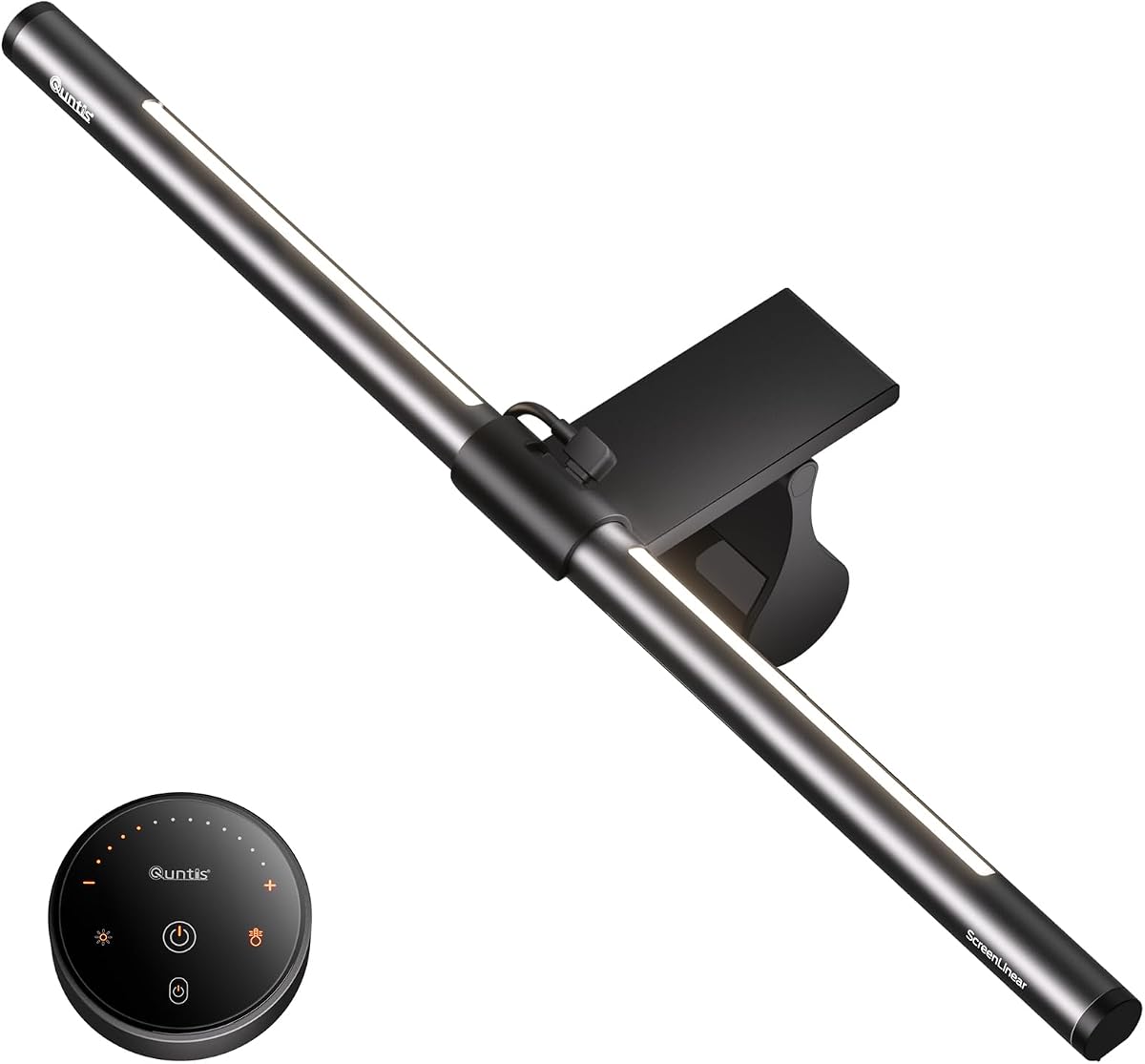
The Quntis Computer Monitor Lamp prioritizes eye care with certified standards. It eliminates blue light hazard and provides flicker-free light. The auto-dimming feature adapts to room conditions automatically.
We may earn a commission when you buy through this link, at no additional cost to you.
With a Ra98 Color Rendering Index, it offers true-to-life colors for designers. The asymmetrical optical design ensures no glare on your screen. The weighted clip is very stable on any monitor.
The only downside is the higher cost compared to standard bars. However, the eye safety certifications make it worth the investment. It provides consistent comfort during long hours.
This lamp is perfect for professionals concerned about long-term eye health. The premium build and smart features justify the price. We recommend it for those seeking top-tier protection.
The sensor monitors ambient light to prevent visual fatigue. It adjusts brightness automatically to optimal levels.
It meets strict standards for blue light and flicker safety. This ensures it is safe for extended daily use.
We may earn a commission when you buy through this link, at no additional cost to you.
The SAMPHON bar combines task lighting with RGB atmosphere features. It offers both a front light for work and RGB backlights for gaming. The design allows independent control of both modes.
We may earn a commission when you buy through this link, at no additional cost to you.
The front light protects eyes by avoiding glare on the screen. The RGB backlights add a vibrant mood lighting option. You can save your favorite settings with the memory function.
While the build feels slightly less premium, it offers great versatility. The USB-C power allows flexible placement options. It is suitable for both office and gaming setups.
Buyers wanting both work and gaming lighting will appreciate this model. It saves desk space by combining two lights. We recommend it for users who value ambiance.
You get a focused front light and a vibrant RGB backlight. This offers both task lighting and atmosphere in one bar.
The cable is universal and works with power banks. This allows you to place the lamp without needing a wall outlet.
We may earn a commission when you buy through this link, at no additional cost to you.
The YEELIGHT bar features a premium full-metal body for durability. It holds a high RG0 safety rating for blue light. The low profile ensures it does not block your camera.
We may earn a commission when you buy through this link, at no additional cost to you.
Color accuracy is excellent with Ra95 rendering for designers. The stepless dimming offers smooth transitions between brightness levels. The clip is retractable and fits curved monitors well.
It is a solid choice for users wanting a premium look. The metal body dissipates heat effectively. It is a great choice for daily use.
Those seeking a reliable metal bar should choose this model. It balances safety and style well. It is perfect for programmers and professionals.
This highest standard ensures no blue light damage risks. It safeguards your eyes during long computer sessions.
The full metal body is durable and conducts heat well. It keeps the unit cool during prolonged use.
We may earn a commission when you buy through this link, at no additional cost to you.
The LYMAX bar offers convenience with its wireless remote control. It allows you to change settings without touching the unit. The gravity damper base ensures it sits stably on the monitor.
We may earn a commission when you buy through this link, at no additional cost to you.
It supports multiple monitors with one remote which saves time. The metal enclosure feels solid and durable. It is a practical choice for shared desks.
The remote requires a small battery which must be replaced. However, the ease of use is a major benefit. The design is sleek and professional.
Users wanting remote convenience will like this model. It is ideal for office setups. We recommend it for those seeking easy control.
This design uses gravity to hold the lamp securely. It avoids the need for clamps on thin bezels.
One remote can control multiple light bars at once. This makes setup for multi-monitor systems very fast.
We may earn a commission when you buy through this link, at no additional cost to you.
This lamp features a 16.14 inch bar for wide desks. It provides ample light coverage for larger setups. The memory function saves your last brightness and color setting.
We may earn a commission when you buy through this link, at no additional cost to you.
The asymmetric design reduces glare effectively. It fits most monitors from thin to thick easily. The installation process takes only seconds.
It lacks advanced dimming but covers the basics well. The metallic finish adds a nice touch to the desk. It is a sturdy and reliable option.
If you need extra length for a large desk this is it. It is simple and effective. We recommend it for straightforward lighting needs.
The clip fits screens from 0.12 to 2.2 inches thick. It adapts to various desk setups effortlessly.
The patented clip on design requires no tools. You can install it in seconds without hassle.
We may earn a commission when you buy through this link, at no additional cost to you.
The Pzloz lamp offers high flexibility with swing arms. It allows you to position light exactly where needed. It has 25 light modes for various tasks like drafting.
We may earn a commission when you buy through this link, at no additional cost to you.
The wireless remote makes adjustments very easy. It features eye-friendly technology to reduce strain. The clamp secures it to your desk firmly.
While it is larger than a bar, it offers more reach. It is great for reading or drawing tasks. The build is solid and durable.
Buyers wanting an adjustable lamp over a bar will prefer this. It offers unique positioning options. We recommend it for versatile workspaces.
The 180 degree swing arms allow precise light positioning. You can direct light exactly where you need it.
You get 5 brightness and 5 color combinations. It suits every task from reading to drafting.
We may earn a commission when you buy through this link, at no additional cost to you.
This Quntis bar excels with 24 RGB backlight modes. It creates an immersive gaming environment perfectly. The front light ensures task lighting is effective too.
We may earn a commission when you buy through this link, at no additional cost to you.
The triangular clamp is stable and does not block your webcam. It fits many monitor types including curved screens. The color accuracy is great for creative work.
It is a great mix of style and function. The smart memory saves your last RGB and brightness setting. It simplifies daily usage significantly.
Gamers will love the vibrant atmosphere it provides. It balances eye care and aesthetics well. We recommend it for gaming setups.
You get 24 different effects to match your mood. It adds a unique style to your desk.
The triangular design ensures a stable grip. It leaves your webcam unobstructed for calls.
We may earn a commission when you buy through this link, at no additional cost to you.
The Quntis Glow model offers dual light sources for balance. It uses a softening cover to prevent glare. The remote is intuitive and easy to use.
We may earn a commission when you buy through this link, at no additional cost to you.
It has 84 LED beads for even illumination. The color rendering is excellent for true colors. It creates a comfortable atmosphere for all tasks.
The backlight brightness cannot be adjusted separately. However, the overall comfort is high. It is a robust choice for eye care.
Those prioritizing eye comfort will find this model suitable. The dual light balance is a plus. We recommend it for home and office.
The textured cover reduces harsh light beams. It ensures a comfortable viewing experience.
The touch remote is more durable than mechanical ones. It offers a clear interface for control.
We may earn a commission when you buy through this link, at no additional cost to you.
Selecting the right light requires considering several key factors. We outline the main features to look for to ensure you get the best eye care benefits.
The optical design determines if light hits your screen or just your desk. Look for asymmetric designs that prevent glare effectively. This feature is critical for eye comfort.
Always choose a lamp that directs light downwards.
CRI measures how accurately colors appear under the light. For designers, aim for a CRI above 95. It ensures your work looks true to life.
High CRI improves visual clarity significantly.
Adjustable brightness lets you match the light to your room. Stepless dimming offers more precise control than fixed levels. This helps prevent sudden brightness changes.
Look for smooth dimming ranges for best results.
Certifications like RG0 indicate safe blue light levels. This reduces long-term strain and damage risks. IEC standards ensure the light is flicker-free.
Certified lamps are safer for extended use.
The clip or base must fit your monitor thickness. Retractable or counterweight clips are often more stable. Ensure it does not scratch the screen.
Check thickness compatibility before buying.
Controls can be touch, buttons, or a remote. Remotes offer convenience but add battery needs. Touch controls are sleek but can be sensitive.
Choose based on your workflow preference.
Larger desks need longer bars for even coverage. A 15.7 inch bar fits most standard monitors well. Ensure the length matches your screen width.
Oversized bars may look clunky.
USB power allows flexible connection to computers or hubs. USB-C offers better efficiency than older USB versions. Ensure your port supports the required wattage.
Power compatibility is key for reliability.
Install the light bar on the top center of your monitor. Ensure the clip grips firmly without damaging the screen bezel. Adjust the angle so it shines on your desk area.
Connect the USB cable to a power source or PC. Use the control to set your preferred brightness. For night work, use a lower color temperature.
Clean the surface gently with a soft cloth. Avoid harsh chemicals that could scratch the finish. Regular maintenance ensures better light output.
Yes, they can replace desk lamps by saving space. They focus light specifically on your keyboard and desk area. They are more efficient for computer work.
Most certified bars use blue light safe technology. They reduce flicker and glare to minimize strain. Look for RG0 certification for safety.
Many modern bars fit curved monitors easily. Check the clip specifications for thickness range. Retractable clips offer more flexibility.
Most use a USB cable for power. You can plug into a PC or USB hub. Some models support USB-C for better efficiency.
Use a soft dry cloth to wipe the surface. Avoid spraying liquid directly on the unit. Regular cleaning keeps the light output clear.
Yes but they are best for relaxation. Front lights should be used for task work. RGB helps reduce contrast but focus on task light.
We have reviewed ten models ranging from budget to premium options. The BenQ ScreenBar Halo 2 offers the best overall experience for professionals. The Quntis Monitor Lamp provides excellent eye protection.
Prioritize optical design and eye safety certification when choosing. Avoid lights that cause screen glare at all costs. Look for high CRI if you work with colors.
Prices and availability may vary so check listings before buying. A good light is an investment in your long-term health. Select the model that fits your desk best.