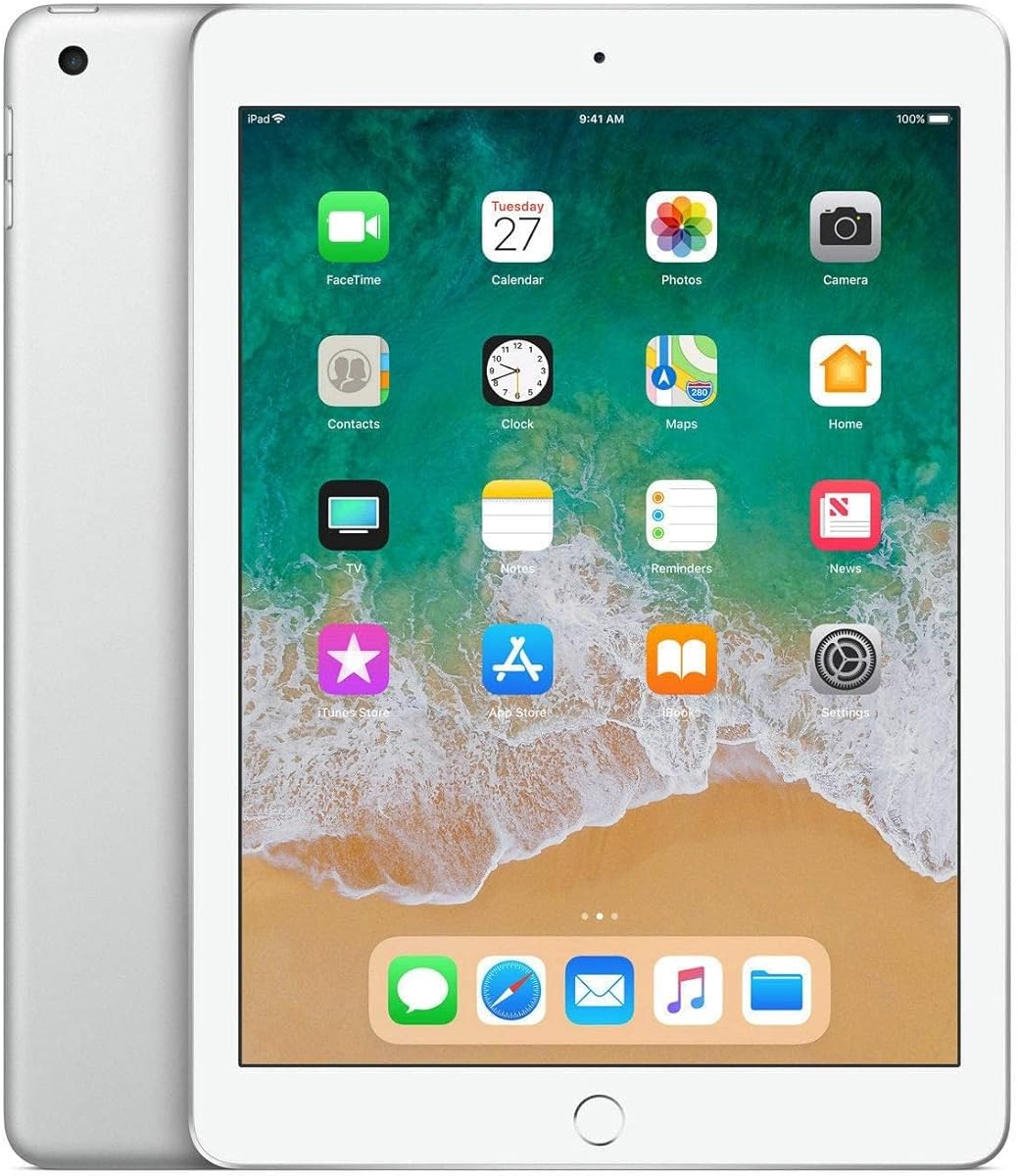
Apple iPad 2018 (Renewed)
4.3Editor score
9.7 inch Retina Display
A10 Fusion Chip
Supports Apple Pencil
Touch ID Sensor
This guide compares the top ten cheap iPad models available in October 2026, evaluating performance, display quality, and value for budget-conscious buyers
Finding an affordable tablet does not mean sacrificing quality or performance. The market offers several iPads that balance cost with capability, making them ideal for students, professionals, and casual users alike.
We evaluated each model based on processing power, display quality, battery life, and overall user experience. Our comparison focuses on real-world usability and long-term value for everyday tasks and creative work.
Each pick highlights key strengths and potential trade-offs to help you decide. Note that stock and pricing fluctuate frequently, so verify current availability before making your final purchase decision online.
4.3Editor score
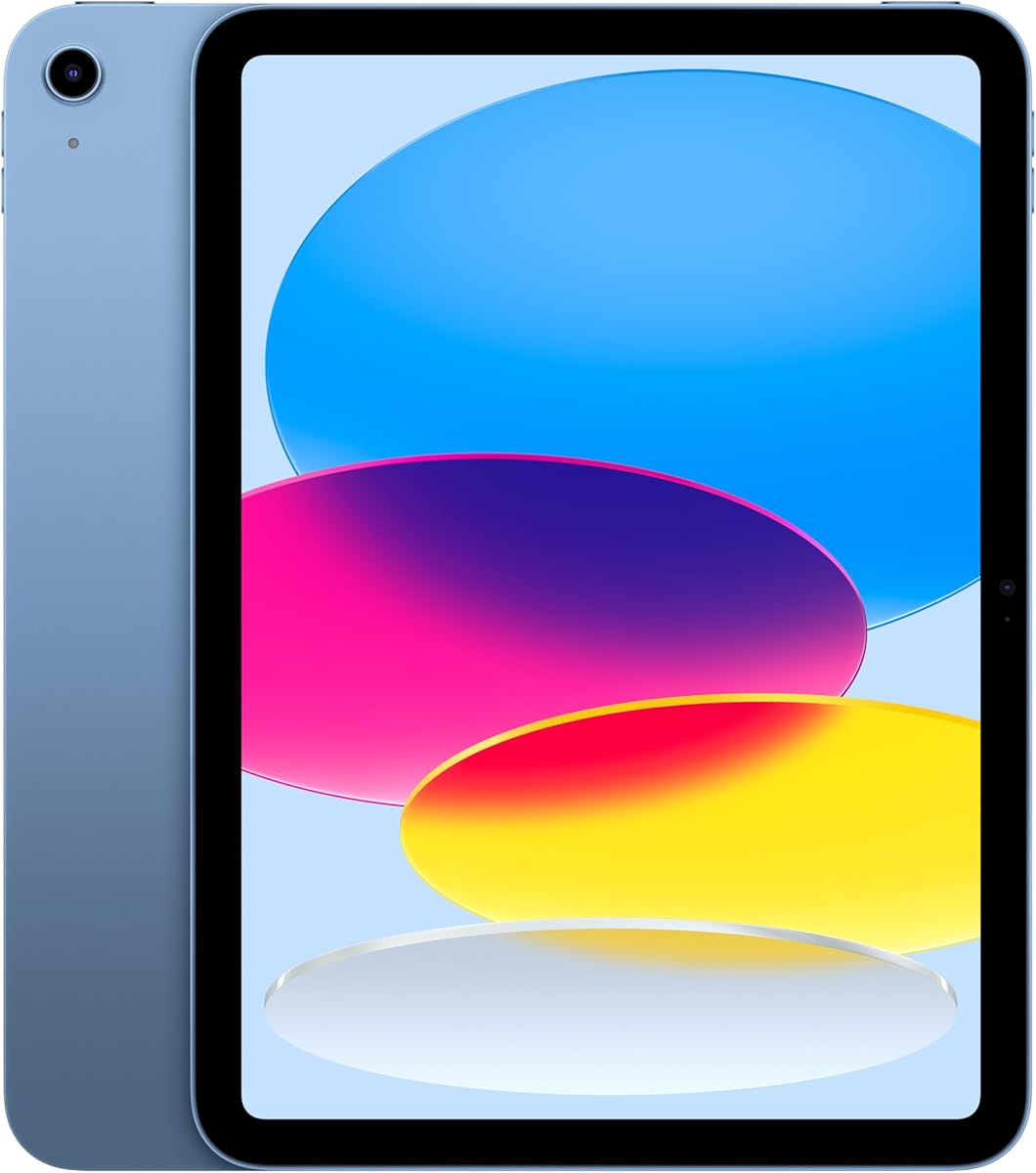
4.7Editor score

4.7Editor score
The following table provides a side-by-side overview of all ten models included in this guide. It highlights key specifications and features to help you quickly identify which device aligns with your specific needs and preferences.


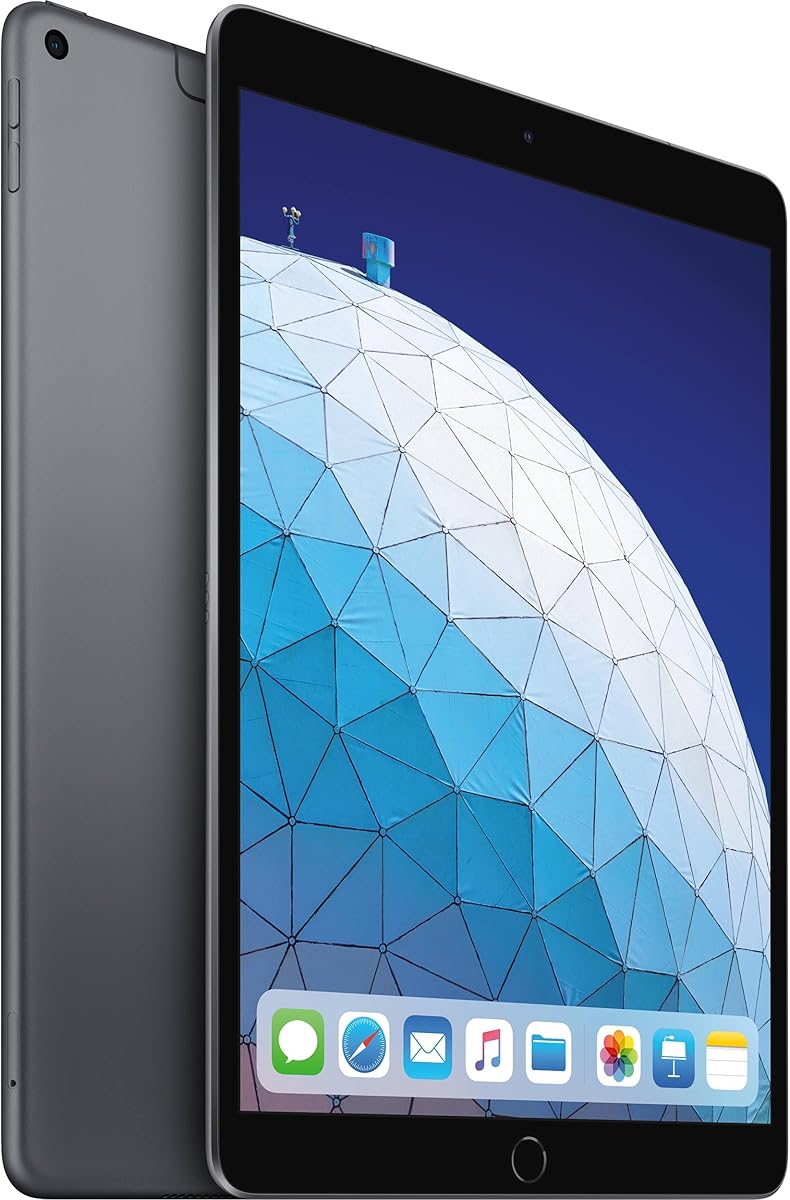

This model stands out as the top recommendation for most buyers seeking a balance of performance and value. It features the powerful A16 chip and a stunning Liquid Retina display that delivers crisp visuals for work and play.
We may earn a commission when you buy through this link, at no additional cost to you.
The device supports Wi-Fi 6 for faster connectivity and includes a USB-C port for universal charging and accessories. Its all-day battery life ensures you can work or stream without constantly searching for an outlet.
While it costs more than older refurbished models, the longevity and speed justify the investment for users needing reliability. The touch ID sensor provides secure and quick access to apps and content.
If you want an iPad that will remain fast and useful for years, this is the strongest choice. It handles multitasking and creative tasks with ease, making it ideal for students and professionals alike.
The A16 chip delivers smooth performance for demanding apps and multitasking without lag.
USB-C allows for faster charging and compatibility with a wide range of accessories.
We may earn a commission when you buy through this link, at no additional cost to you.
This renewed model offers an excellent entry point into the iPad ecosystem without breaking the bank. It provides solid performance for browsing, video streaming, and light productivity tasks.
We may earn a commission when you buy through this link, at no additional cost to you.
The A13 Bionic chip handles everyday apps smoothly, making it a reliable choice for students or casual users. The 10.2-inch display is comfortable for reading and watching content over long periods.
While it lacks the latest features like USB-C, its lower cost makes it attractive for those on a tight budget. The renewed status means it has been inspected and tested for quality.
If you need a dependable tablet for basic use and want to save money, this is a smart pick. It delivers the core iPad experience with enough power to get things done efficiently.
Buying renewed allows you to access a reliable iPad at a significantly reduced cost.
The A13 chip ensures smooth operation for common apps and web browsing tasks.
We may earn a commission when you buy through this link, at no additional cost to you.
This silver variant offers the same premium performance and features as the other 11-inch models. It stands out for its exceptional display quality and fast processor, ideal for creative work.
We may earn a commission when you buy through this link, at no additional cost to you.
The Liquid Retina display with True Tone ensures colors look natural in any lighting condition. Combined with the A16 chip, it handles video editing and graphic design apps with remarkable speed.
While it comes at a higher price point, the build quality and longevity justify the expense for power users. The 12MP cameras are excellent for documentation and video calls.
If you prioritize screen quality and performance over saving a few dollars, this model is ideal. It provides a polished, professional experience that rivals more expensive tablets in its class.
True Tone adjusts the white balance to match ambient light for comfortable viewing.
The A16 chip provides the speed needed for complex creative and productivity apps.
We may earn a commission when you buy through this link, at no additional cost to you.
This model is a solid value for those who need a functional tablet without high costs. The A12 Bionic chip provides enough power for most common tasks like browsing and video streaming.
We may earn a commission when you buy through this link, at no additional cost to you.
Its 10.2-inch display offers a comfortable viewing area, though it is slightly smaller than newer 11-inch models. The renewed condition ensures it works well despite its age.
Storage is limited, so you may need cloud solutions for large files. However, for basic tasks and web-based apps, this limitation is rarely an issue for average users.
If your main goal is to find a cheap iPad that gets the job done, this is a strong contender. It offers a reliable experience at a price point that is hard to beat.
Pricing makes this an accessible option for first-time buyers or backup devices.
The A12 chip ensures smooth operation for everyday apps and tasks.
We may earn a commission when you buy through this link, at no additional cost to you.
The 2020 model offers a balanced mix of performance and affordability for everyday use. It features stereo speakers that provide decent sound for media consumption and video calls.
We may earn a commission when you buy through this link, at no additional cost to you.
The A12 Bionic chip handles basic tasks efficiently, making it suitable for reading, gaming, and web browsing. The space gray finish gives it a sleek look despite its older design.
Storage remains a limitation, so it is best for users who rely on cloud services or streaming apps. Battery life is reliable for a full day of light to moderate usage.
If you are looking for a cheap iPad that offers a complete package without frills, this fits well. It delivers a solid experience for students and families on a budget.
Built-in stereo speakers offer better sound quality for media and calls.
The device is easy to hold for extended periods during reading or viewing.
We may earn a commission when you buy through this link, at no additional cost to you.
This yellow variant brings a fresh and vibrant look to the standard iPad lineup while maintaining top-tier performance. It is perfect for those who want a device that stands out visually.
We may earn a commission when you buy through this link, at no additional cost to you.
Beyond the color, it offers the same powerful A16 chip and Liquid Retina display as the other models in its class. This ensures a seamless experience for work, creativity, and entertainment.
The USB-C port provides modern connectivity options and faster charging compared to older Lightning ports. All-day battery life supports long sessions without needing frequent recharges.
If you want a mix of style and substance, this model is an excellent choice. It combines the practicality of a premium tablet with a fun design that adds personality to your setup.
The yellow finish adds a unique and cheerful touch to your tech setup.
USB-C enables quick charging and versatile accessory connections.
We may earn a commission when you buy through this link, at no additional cost to you.
This pink model offers the same high performance as other 11-inch options but with a distinct aesthetic appeal. It is designed for users who want reliability and a personalized look.
We may earn a commission when you buy through this link, at no additional cost to you.
The A16 chip ensures smooth multitasking, and the Liquid Retina display delivers vibrant colors for media. Touch ID provides a secure and convenient way to unlock the device.
It is a great fit for professionals or students who value both function and form. The device integrates well with other Apple products, enhancing overall productivity and connectivity.
If you appreciate modern design and powerful features, this is a compelling choice. It offers a polished experience that supports everything from note-taking to video editing.
The pink color adds a stylish flair to a highly functional tablet.
Touch ID ensures your data remains secure with quick fingerprint recognition.
We may earn a commission when you buy through this link, at no additional cost to you.
This model serves as a basic utility device for simple tasks and media consumption. It features a headphone jack, which is a welcome addition for those who prefer wired audio.
We may earn a commission when you buy through this link, at no additional cost to you.
The A10 Fusion chip is adequate for light browsing and video streaming but may struggle with heavy multitasking. The screen is decent for reading and watching content in well-lit areas.
Given its age and lower performance, it is best suited for casual users or as a secondary device. The renewed condition ensures it is functional without the high cost of newer units.
If you need a simple, no-frills tablet for basic home use, this fits the bill. It provides essential features without complexity, making it accessible for all ages.
The 3.5mm jack allows for use with standard wired headphones.
The chip handles light tasks easily but is not for heavy apps.
We may earn a commission when you buy through this link, at no additional cost to you.
This silver model offers a classic and reliable experience for users seeking simplicity. It maintains a sleek look while providing the basics needed for everyday digital tasks.
We may earn a commission when you buy through this link, at no additional cost to you.
The battery life is robust, allowing for a full day of moderate use on a single charge. The lightweight build makes it easy to carry and hold for extended reading sessions.
While the storage is limited, cloud storage solutions can mitigate this for most users. The A10 Fusion chip is sufficient for web browsing and streaming without lag.
If you want a cheap iPad that works reliably without complex features, this is ideal. It focuses on core functionality, making it a practical tool for daily life.
Battery life supports all-day use for reading and browsing tasks.
The device is easy to hold and carry around the home or school.
We may earn a commission when you buy through this link, at no additional cost to you.
This is one of the most affordable options available for those who need a basic tablet. Its 9.7-inch display is compact and easy to handle for long periods.
We may earn a commission when you buy through this link, at no additional cost to you.
Night Shift helps reduce blue light in the evening, making it friendlier for bedtime reading. Apple Pencil support adds some utility for note-taking and sketching.
While storage is tight, it serves well for streaming, reading, and web browsing. The build quality is durable enough to withstand regular use in homes or classrooms.
If your primary constraint is budget, this model delivers essential features at the lowest cost. It is a practical entry point into the tablet world for minimal spending.
Night Shift reduces eye strain by adjusting color temperature at night.
The 9.7-inch screen is easy to hold and carry anywhere.
We may earn a commission when you buy through this link, at no additional cost to you.
Selecting the right cheap iPad involves balancing performance, storage, and display quality with your specific needs. This section outlines key factors to consider before making a decision.
Display quality determines how sharp text and images appear on screen. Larger screens offer more workspace for multitasking and media, while smaller ones are more portable and easier to hold for long periods.
Look for Retina or Liquid Retina displays to ensure clarity and color accuracy across your daily tasks.
The processor handles all apps and tasks on your device. Newer chips like A16 or A15 provide faster speeds and better longevity, allowing the tablet to remain useful for years.
If you plan to use demanding apps, prioritize models with the latest available processor to avoid slowdowns over time.
Storage dictates how many photos, apps, and files you can keep locally. While cloud services help, local storage is crucial for offline access and speed.
For basic users, 32 or 64GB may suffice, but creative work often requires 128GB or more to avoid constant file management.
Modern iPads use USB-C for charging and data transfer, offering versatility and speed. Older models rely on Lightning ports, which may limit accessory choices and future compatibility.
Choose a device with USB-C if you want to simplify your charging setup and ensure broader accessory support.
Battery life is essential for all-day use without needing frequent charges. Most current models offer reliable power for streaming and work but vary based on screen brightness and usage patterns.
Look for devices marketed with all-day battery life to ensure they last through long days of activity.
Accessories like keyboards and styluses extend the functionality of your iPad. Ensure your chosen model supports the tools you need to enhance your productivity and creative workflow.
Check compatibility lists before buying to avoid mismatched accessories that may not work with your specific device generation.
Buying renewed devices can save money while still delivering a reliable product. Ensure the seller provides clear testing and return policies to protect your investment.
Choose renewed options when you need to minimize costs but still require a fully functional and quality-checked device.
Your iPad will work best if it integrates smoothly with other devices like iPhones or Macs. Features like Handoff and AirDrop rely on shared ecosystem compatibility for seamless workflows.
Prioritize models that support the latest OS features if you already use other Apple products for better integration.
Start by charging your device fully before first use to ensure battery health and proper calibration. This initial charge helps establish a baseline for accurate battery reporting.
Set up security features like Touch ID or a passcode immediately to protect your personal data. Enable Find My to locate your device if it ever gets lost or misplaced.
Clean the screen regularly with a soft, lint-free cloth to maintain clarity. Avoid harsh chemicals or paper towels that could scratch the display or damage the coating.
Buying a renewed iPad can save money while still providing a fully functional device. Most vendors test these units for quality and battery health, offering peace of mind for budget-conscious buyers. It is a smart choice if you want to avoid the premium cost of brand-new units.
Many models support Apple Pencil and smart keyboards, but compatibility varies by generation. Some require the first-generation pencil, while newer ones need USB-C or second-generation options. Always verify accessory compatibility before purchasing to ensure it fits your workflow.
The 11-inch models offer larger screens and often more powerful chips for multitasking. The 10.2-inch versions are more compact and affordable, ideal for reading and basic tasks. Choose based on your need for screen real estate versus portability.
Newer iPads use USB-C, so Lightning accessories may need an adapter. Older models still support Lightning, allowing direct use of existing cables and accessories. This transition may require updating your gear if you switch to modern devices.
Yes, many models are excellent for note-taking with support for Apple Pencil and productivity apps. The screen size and battery life make them suitable for lectures and research. Their value and versatility make them ideal for education and study.
iPads usually receive major iOS updates for five to seven years after release. This long support means devices remain secure and functional for many years. Even older models can continue running current apps reliably for most users.
Each of these models offers distinct benefits depending on your priorities and budget. Whether you need raw performance or basic reliability, there is a fit for most users seeking affordable value.
Consider how you plan to use the device daily before selecting. Prioritize display quality and performance if you work often, or opt for older models for simple media consumption.
Remember to verify current stock and warranty details before purchasing. Prices and availability change often, so checking the latest offers ensures you get the best deal possible today.