
AOC 27 Gaming Monitor QHD 260Hz Overclocked IPS NVIDIA G-SYNC Q27G41ZE
4.6Editor score
240Hz refresh rate via DisplayPort
IPS panel with wide viewing angles
Adaptive-Sync support for AMD and NVIDIA
Finding the right display for high-speed gaming requires balancing resolution and refresh rate. A 1440p gaming monitor at 240Hz offers sharp visuals and smooth motion, ideal for competitive shooters and fast-paced titles where every frame counts.
We evaluated ten top models based on panel type, response times, adaptive sync support, and ergonomics. Our analysis focuses on real-world performance, color accuracy, and build quality to ensure you get the best value for your gaming setup.
Each pick below highlights key strengths and trade-offs so you can decide quickly. Prices and availability change frequently, so verify the latest deals before purchasing. Use the links provided to check current stock and warranty terms on retailer sites.
4.6Editor score

4.3Editor score

4.6Editor score
As an Amazon Associate we earn from qualifying purchases.
This side-by-side comparison highlights the key specifications of each monitor to help you decide which model fits your needs best. Focus on panel type, refresh rate options, and connectivity to find the right match for your GPU.


The AOC Q27G41ZE delivers excellent value for gamers seeking 240Hz performance without breaking the bank. Rated 4.6 stars, this monitor balances price and performance effectively. Its 27-inch QHD IPS panel ensures crisp details and vibrant colors suitable for both games and media.
We may earn a commission when you buy through this link, at no additional cost to you.
Key strengths include a blazing-fast 240Hz refresh rate via DisplayPort and ultra-responsive 0.3ms MPRT response time. Adaptive-Sync support ensures smooth gameplay across both AMD and NVIDIA GPUs. The frameless design enhances immersion while saving desk space in multi-monitor configurations.
Trade-offs involve limited ergonomic adjustments like only tilt and lower contrast compared to VA panels. However, the 300-nit brightness ensures visibility in bright rooms. These compromises are acceptable given the aggressive price point and high refresh performance.
Buyers looking for an entry-level 1440p 240Hz option should consider this model first. It suits budget-conscious gamers who prioritize speed and clarity over premium build quality. Verify warranty terms and port availability before purchasing to ensure compatibility with your system.
240Hz refresh rate enables smooth motion in fast-paced competitive shooters and racing games.
QHD resolution and IPS technology provide sharp image quality and wide viewing angles.
We may earn a commission when you buy through this link, at no additional cost to you.
The Acer Nitro XV272U offers a balanced package with a fully ergonomic stand and reliable 240Hz performance. While rated 4.2 stars, it delivers solid color accuracy and motion clarity. Its IPS panel ensures consistent visuals across different viewing angles during gaming sessions.
We may earn a commission when you buy through this link, at no additional cost to you.
Strengths include AMD FreeSync Premium technology and a 0.5ms GtG response time that minimizes blur. The stand allows height tilt and swivel adjustments for comfortable viewing. HDMI and DisplayPort inputs provide flexibility for connecting consoles or PCs simultaneously.
Trade-offs include average brightness levels and a slightly lower rating compared to newer models. Some users report minor ghosting in dark scenes due to the IPS panel limitations. However, the build quality and ergonomics make it a practical choice for long sessions.
Consider this monitor if you need adjustability and solid performance without premium pricing. It suits general gaming and productivity tasks. Check recent user reviews for specific quality control issues before buying to ensure satisfaction with your purchase.
Height adjustable stand reduces neck strain during long gaming or work sessions.
FreeSync Premium ensures tear-free visuals compatible with AMD graphics cards.
We may earn a commission when you buy through this link, at no additional cost to you.
The LG 27GR83Q-B stands out for its versatile connectivity and color performance. With a 4.4 rating, it appeals to gamers wanting both PC and console support. The 240Hz refresh rate and 1ms response time ensure smooth gameplay in competitive titles.
We may earn a commission when you buy through this link, at no additional cost to you.
Its HDMI 2.1 port enables high bandwidth support ideal for next-gen consoles. The IPS panel covers 95% of the DCI-P3 gamut for vivid visuals. Adaptive sync features reduce tearing across both NVIDIA and AMD systems effectively.
Trade-offs include limited HDR impact due to 400 nit brightness ceiling. OSD navigation can be tedious compared to newer models. However, the ergonomic stand with pivot and height adjustment adds significant value for desk setups.
Choose this monitor if you need a flexible display for gaming and media. It balances speed and color accuracy well. Confirm current pricing and warranty coverage to ensure the best value for your specific gaming requirements.
HDMI 2.1 allows 240Hz performance on compatible next-gen gaming consoles.
DCI-P3 coverage delivers rich and accurate colors for creative work and games.
We may earn a commission when you buy through this link, at no additional cost to you.
The Acer Predator X27U brings OLED technology to the 240Hz gaming space with stunning contrast. Rated 4.5 stars, it offers infinite contrast ratios and deep blacks unmatched by LCDs. Its QD-OLED panel ensures cinematic color reproduction across the screen.
We may earn a commission when you buy through this link, at no additional cost to you.
Performance highlights include 240Hz refresh rate and 0.03ms response time eliminating motion blur. FreeSync Premium ensures smooth synchronization with AMD GPUs. The ZeroFrame design maximizes screen real estate for immersive viewing experiences.
Trade-offs involve higher cost and potential OLED burn-in over time. Image retention refresh features mitigate risks but require user attention. Still, the visual fidelity justifies the investment for enthusiasts seeking top-tier picture quality.
Invest in this monitor if picture quality is your priority and you want OLED performance. It suits immersive games and media consumption. Check burn-in protection settings and warranty terms carefully before committing to this premium display.
OLED self-emitting pixels provide perfect blacks and infinite contrast ratios.
0.03ms response time eliminates ghosting even in the fastest games.
We may earn a commission when you buy through this link, at no additional cost to you.
The KTC H27E6S offers overclocking potential up to 275Hz for competitive edge. While ratings remain unverified, user feedback suggests reliable performance for speed-focused gamers. Its Fast IPS panel provides decent color and clarity at this refresh rate.
We may earn a commission when you buy through this link, at no additional cost to you.
Key strengths include 1ms MPRT response time and Adaptive Sync support. The stand allows height adjustment and pivot for flexible positioning. Built-in speakers and headphone jack reduce cable clutter on compact desks.
Trade-offs involve basic build materials and potential variability in quality control. The lack of established rating data requires careful purchase consideration. However, the price and performance ratio appeal to budget overclocking enthusiasts.
Consider this model if you prioritize refresh rate over aesthetics. It suits FPS players wanting smooth motion. Verify warranty terms and return policies before buying to ensure satisfaction with this emerging brand option.
275Hz overclock offers slight speed boost for competitive esports titles.
Integrated audio and headphone jack reduce peripheral needs.
We may earn a commission when you buy through this link, at no additional cost to you.
The ASUS ROG XG27ACMG balances speed and connectivity perfectly. Rated 4.3 stars, it features 270Hz refresh rate and USB-C input. Its Fast IPS panel ensures sharp visuals and accurate color gradation for games and content creation.
We may earn a commission when you buy through this link, at no additional cost to you.
Strengths include ELMB SYNC technology reducing ghosting while maintaining refresh rates. USB-C simplifies setup for laptops and consoles. Advanced gray-scale tracking ensures uniformity across the screen during varied lighting conditions.
Trade-offs include premium pricing and limited RGB customization. Some users may find the design too corporate. However, the performance and connectivity options justify the cost for serious gamers needing versatility.
Buy this monitor if you want top-tier speed and versatile connectivity. It suits professional gamers and creators. Check warranty terms and current promotions to maximize value when purchasing this high-performance display.
270Hz overclock gives competitive edge in fast-paced games.
USB-C reduces cable clutter for laptop or single-cable setups.
We may earn a commission when you buy through this link, at no additional cost to you.
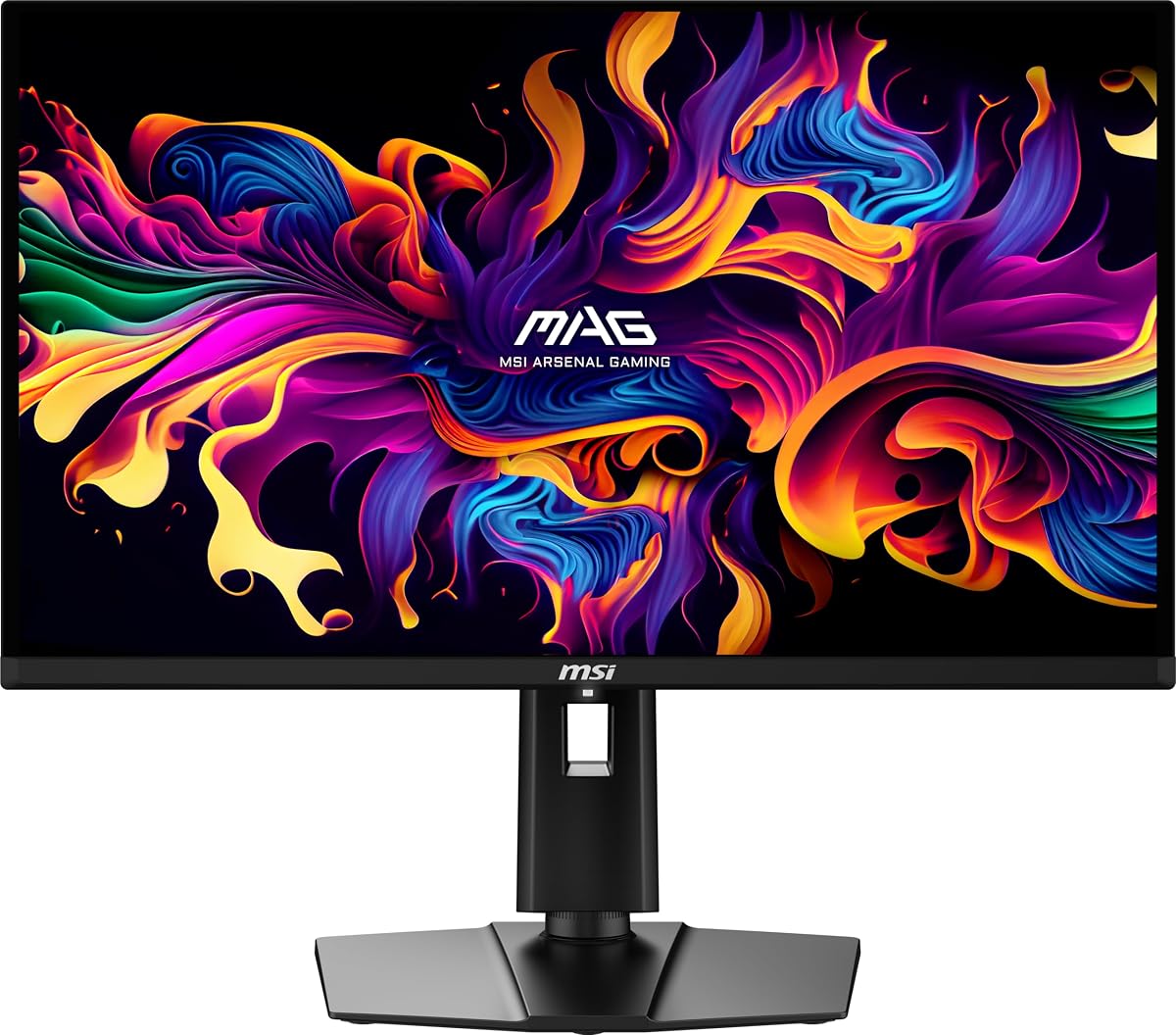
The MSI MAG 274QP delivers premium OLED visuals at competitive pricing. Rated 4.6 stars, it offers 1.07 billion colors with Delta E less than two accuracy. Its 240Hz rate and 0.03ms response ensure ultra-smooth gaming experiences.
We may earn a commission when you buy through this link, at no additional cost to you.
Strengths include OLED Care 2.0 software reducing burn-in risk significantly. HDMI 2.1 supports high-bandwidth gaming needs. The graphene heatsink ensures silent operation without active cooling fans inside the chassis.
Trade-offs involve higher price and potential burn-in over time. Users should avoid static HUDs without care. Still, the picture quality offers unmatched depth and clarity for modern gaming and media.
Choose this model if you need OLED performance with advanced protection features. It suits media lovers seeking immersion. Verify warranty and care guidelines to ensure longevity with this advanced panel technology.
10-bit Quantum Dot OLED delivers precise and vivid color reproduction.
OLED Care 2.0 actively mitigates burn-in risks during use.
We may earn a commission when you buy through this link, at no additional cost to you.
The Alienware AW2723DF combines performance with iconic design aesthetics. Rated 4.3 stars, its InfinityEdge screen minimizes bezels for immersion. IPS Nano Color technology provides 95% DCI-P3 coverage for vivid and accurate visuals.
We may earn a commission when you buy through this link, at no additional cost to you.
Strengths include G-Sync Compatible certification for NVIDIA GPU owners. Fully adjustable stand allows optimal ergonomics for long sessions. HDR600 support enhances dynamic range in supported games effectively.
Trade-offs involve higher cost and potential static image retention concerns. Limited OSD customization may frustrate advanced users. Still, the build quality and brand reputation justify the premium for design-conscious gamers.
Consider this monitor if you value aesthetics and reliable performance. It suits those building a cohesive setup. Check current pricing and warranty terms to ensure satisfaction with this high-end gaming display option.
InfinityEdge bezels minimize distraction and maximize screen real estate.
Compatible with NVIDIA cards for tear-free gaming performance.
We may earn a commission when you buy through this link, at no additional cost to you.
The Acer Nitro KG271U offers competitive pricing for 240Hz users. Rated 4.4 stars, it features zero-frame design maximizing usable screen space. Its 0.5ms response time delivers smooth motion for FPS and racing titles.
We may earn a commission when you buy through this link, at no additional cost to you.
Strengths include 99% sRGB accuracy ideal for creators and gamers alike. AMD FreeSync Premium support prevents tearing effectively. The simple OSD menu ensures intuitive setup without complex configuration steps.
Trade-offs involve minimal ergonomic adjustments and average brightness. Stand tilt only limits optimal positioning. However, the price-to-performance ratio remains strong for entry-level competitive setups.
Choose this model if you need cost-effective speed. It suits gamers prioritizing frame rates. Verify current stock and warranty conditions before purchasing to ensure a smooth experience with this budget-friendly option.
Affordable pricing brings 240Hz to entry-level builds.
99% sRGB covers common color needs for creative work.
We may earn a commission when you buy through this link, at no additional cost to you.
The MSI MAG 271QPX brings OLED speed and silence to gaming. Rated 4.6 stars, its QD-OLED display provides true blacks and vivid colors. The 240Hz refresh rate ensures fluid motion in all game types.
We may earn a commission when you buy through this link, at no additional cost to you.
Strengths include graphene film heatsink for silent operation. 0.03ms GtG response time eliminates motion blur completely. Customized heatsink design extends panel lifespan effectively without active cooling components.
Trade-offs include high price and modest HDR brightness compared to mini-LED. Users should manage static content carefully to prevent burn-in. Still, the visual fidelity justifies the investment for enthusiasts.
Invest in this model if silent, high-contrast gaming is needed. It suits media creators and gamers. Check warranty and burn-in protection policies carefully before purchasing this advanced panel option.
Fanless design ensures quiet operation even during intensive tasks.
QD-OLED provides exceptional brightness and color depth.
We may earn a commission when you buy through this link, at no additional cost to you.
Selecting the right monitor involves balancing refresh rates, panel types, and connectivity. Understanding each feature helps you find the best display for your GPU and gaming style.
IPS panels offer wide viewing angles and excellent color accuracy but may have lower contrast than VA. OLED provides true blacks and fast response times but costs more. TN panels are fastest but lack color depth and viewing angles for most users.
Choose IPS for versatility or OLED for premium quality depending on your budget and needs.
240Hz refresh rate ensures smooth motion in competitive games. Look for response times under 5ms to minimize ghosting and motion blur. Faster response improves clarity in fast action and helps aim precision.
Verify actual performance claims and reviews before purchasing to ensure consistency.
G-Sync and FreeSync synchronize the monitor with your GPU to reduce tearing and stuttering. Ensure the monitor supports your GPU brand effectively. Some models support both standards for broader compatibility.
Choose a monitor with your GPU's native sync technology for optimal performance.
Wide color gamuts like DCI-P3 or sRGB ensure vivid and accurate visuals. Look for high coverage percentages and Delta E ratings below two. Good color reproduction benefits media consumption and creative work too.
Prioritize models with wide gamut and calibration options if color matters to you.
Modern monitors offer DisplayPort 1.4, HDMI 2.1, and sometimes USB-C. Ensure cables and ports support 240Hz at QHD resolution. USB-C simplifies laptop connections and may support power delivery.
Check port availability to avoid bottlenecks when connecting your PC or consoles.
Adjustable stands with height tilt swivel and pivot help reduce strain. Fixed stands may require VESA mounting for customization. Look for VESA 100mm compliance if you plan to mount the monitor on a wall arm.
Prioritize ergonomic features for long sessions to maintain comfort and health.
Sturdy chassis and bezel-free designs improve aesthetics and longevity. OLED models often include anti-burn-in features and care software. Verify warranty coverage and support quality from the manufacturer.
Choose brands with strong customer support and warranties for peace of mind.
Higher refresh rates and OLED panels cost more than basic IPS models. Determine which features matter most before buying. Sometimes slightly lower refresh rates save money without sacrificing much performance.
Balance your budget with essential features to get the best value.
Always enable adaptive sync and set the correct refresh rate in your GPU control panel. This ensures the monitor runs at optimal performance without unnecessary strain. Use DisplayPort 1.4 or HDMI 2.1 to get 240Hz at 1440p.
Adjust brightness and contrast to match your room's ambient lighting. This reduces eye strain during long sessions and improves image clarity. Use pre-set gaming modes to fine-tune colors without manual calibration.
Keep the screen clean with a soft microfiber cloth to avoid scratches. Avoid leaving static images on the screen for hours to prevent burn-in on OLED models. Follow manufacturer guidelines for firmware updates and care.
While 144Hz is often enough, 240Hz offers smoother motion and faster input response in competitive shooters. Casual gamers may not notice much difference, but competitive players benefit from the added clarity.
IPS panels offer great balance between speed and color quality. OLED panels excel in contrast and response times but cost more. TN panels are fastest but lack color depth for most users.
Yes, reaching 240Hz at 1440p requires a powerful GPU. Entry-level cards may struggle to push frames that high consistently in modern titles.
Most consoles cap at 120Hz, but HDMI 2.1 monitors support future titles. PC gaming benefits most from 240Hz refresh rates.
Use DisplayPort 1.4 or HDMI 2.1 cables to achieve 240Hz at 1440p. Lower versions may limit refresh rates or resolution options.
HDR adds dynamic range but requires high brightness to look good. Many budget monitors include HDR but performance is limited.
Avoid static HUDs and use screen savers. Enable anti-burn-in features if your monitor supports them.
27 inches is ideal for 1440p, balancing detail and field of view without excessive movement.
This guide reviewed ten top monitors balancing speed quality and value. From budget-friendly IPS models to premium OLED displays, each offers unique strengths.
Prioritize your needs such as competitive speed versus visual fidelity when buying. Choose panel type and connectivity that match your system and goals.
Verify current prices and stock before purchasing to get the best deal. Monitor availability fluctuates and prices change frequently so check retailer sites often.