
Cosmo Mini 100 Copy Stand
4.3Editor score
Adjustable column height range
Floating Magnet Board included
Smartphone and camera compatible
Discover the top copy stands for film scanning and photo digitizing in October 2026. Compare features, stability, and compatibility for perfect archival
Finding the right copy stand for film scanning and photo digitizing is essential for preserving your memories accurately. A good stand ensures your camera stays perfectly aligned over flat or 3D objects, reducing blur and distortion. Whether you use a smartphone or DSLR, stability and adjustability are key to high-quality scans.
We compared ten leading copy stands based on build quality, adjustability, and included accessories like magnet boards. Our analysis focused on real-world usability for hobbyists and professionals alike. Each product was evaluated for its ability to handle different formats, from small photos to large documents, ensuring versatility for every user.
Each pick in this guide highlights specific strengths, from budget-friendly options to premium professional models. You will see detailed reviews, specs, and pros and cons to help you decide. Please note that prices change frequently, so check current listings before making your final purchase decision today.
4.3Editor score

4.6Editor score

4.8Editor score
This side-by-side comparison highlights the key specifications and features of all ten selected copy stands. We evaluate build materials, baseboard sizes, and compatibility options to help you find the perfect fit for your digitizing needs.




The Cosmo Mini 100 Copy Stand is an excellent entry point for anyone looking to digitize photos and small items without spending a fortune. It holds a solid rating of 4.3 stars from users who appreciate its simplicity and effectiveness for casual tasks. Its standout quality lies in its compact design and the inclusion of a Floating Magnet Board for securing originals flat.
We may earn a commission when you buy through this link, at no additional cost to you.
This stand features a durable dark gray melamine baseboard that measures 10.5 by 8.5 inches, providing a stable surface for your documents. The adjustable column allows you to set heights between 11 and 16 inches, which works well for most smartphones and light cameras. The side hole ensures your phone aligns perfectly over the center, reducing parallax errors during shooting.
While it is not designed for professional heavy duty use, the trade-off is a lightweight unit that packs away easily. The assembly takes under one minute, making it ideal for students or hobbyists who need quick access. The magnetic strips on the board keep papers from curling, ensuring consistent focus across the frame.
You should buy this if you need an affordable solution for archiving old photos or checking checks with your phone. It is perfect for social media posts or personal records. For the price, it delivers reliable performance and is a great starting point for your digitizing journey without breaking the bank.
The one minute assembly ensures you can start digitizing immediately without wrestling with complex parts or tools.
The Floating Magnet Board uses strips to hold pages flat, preventing movement that could blur your photos.
We may earn a commission when you buy through this link, at no additional cost to you.
The Cosmo Mini 300 stands out for its larger baseboard and extended height range compared to the Mini 100. It rates highly among hobbyists who need a bit more room for larger documents or multiple photos at once. Its construction focuses on durability with a steel tube column that resists bending during use.
We may earn a commission when you buy through this link, at no additional cost to you.
You get a 12 by 9.5 inch baseboard that offers more workspace for your items. The adjustable bracket allows vertical movement from 7 to 17 inches, accommodating taller camera setups. The 1 inch horizontal travel helps you fine tune your framing without moving the entire stand.
While it lacks a ball head for complex angles, it is robust enough for straight down shots. The black wrinkle powder coating protects against scratches and wear over time. This makes it a solid choice for those who plan to use their stand regularly over several years.
Choose this model if you need a step up in size from the Mini 100 but still want portability. It is ideal for home archiving projects where you digitize a few photos at a time. The stability it provides ensures your scans remain sharp and consistent every time.
The larger baseboard lets you lay out more items at once, speeding up your digitizing workflow.
The steel tube column provides rigidity, reducing sway when using heavier cameras or lenses.
We may earn a commission when you buy through this link, at no additional cost to you.
This Copy Macro Stand is built specifically for film digitization and macro photography tasks. It features a heavy duty aluminum alloy frame that supports DSLR cameras and lenses without wobbling. The bubble level ensures your camera is perfectly aligned, which is critical for scanning 135 or 120 negatives accurately.
We may earn a commission when you buy through this link, at no additional cost to you.
The 450mm column height gives you plenty of vertical space to frame your subjects. It includes a quick release plate for fast mounting and dismounting of your camera. This is especially useful if you move between shooting and scanning frequently.
While it does not come with a magnet board, its stability makes it a professional tool for serious film archivists. The base is designed to keep items steady. You may need to add your own accessories, but the core build quality is superior for demanding work.
Buy this if you are focused on digitizing negatives with a DSLR and need maximum stability. It is not designed for casual smartphone use, but for dedicated scanning it excels. The leveling controls prevent tilt, ensuring your digital copies are straight and true to the original.
The built-in bubble level allows you to correct tilt quickly, avoiding distorted scans of negatives.
The aluminum alloy frame handles heavier DSLR setups, ensuring the stand does not tip over.
We may earn a commission when you buy through this link, at no additional cost to you.
The Kaiser 205411 Copy Stand RS 2-XA is a classic choice for professionals who need precise control. It holds a high rating of 4.6 stars due to its robust build and functional design. Its standout quality is the rotatable column and non-reflective base, which minimizes glare during scanning.
We may earn a commission when you buy through this link, at no additional cost to you.
The baseboard features printed fine grids and inch/cm scales, allowing you to measure your subjects directly. The column is made of matte black anodized aluminum, which is light yet strong. You can rotate it 180 degrees to adjust the arm for different camera positions.
While it is more expensive than other options, the warranty and build quality justify the cost. It supports cameras up to 3.3 pounds, enough for most DSLRs. The lack of a magnet board means you may need to buy one separately, but the base is ready for use.
This is the pick for serious archivists or studios where precision matters most. The scales and non-reflective surface make it ideal for high-end digitizing tasks. It combines traditional engineering with modern reliability for those who prioritize accuracy over convenience.
Inch and cm scales on the base let you measure objects directly without needing external rulers.
The matte finish reduces reflections on shiny photos, ensuring your images capture true colors.
We may earn a commission when you buy through this link, at no additional cost to you.
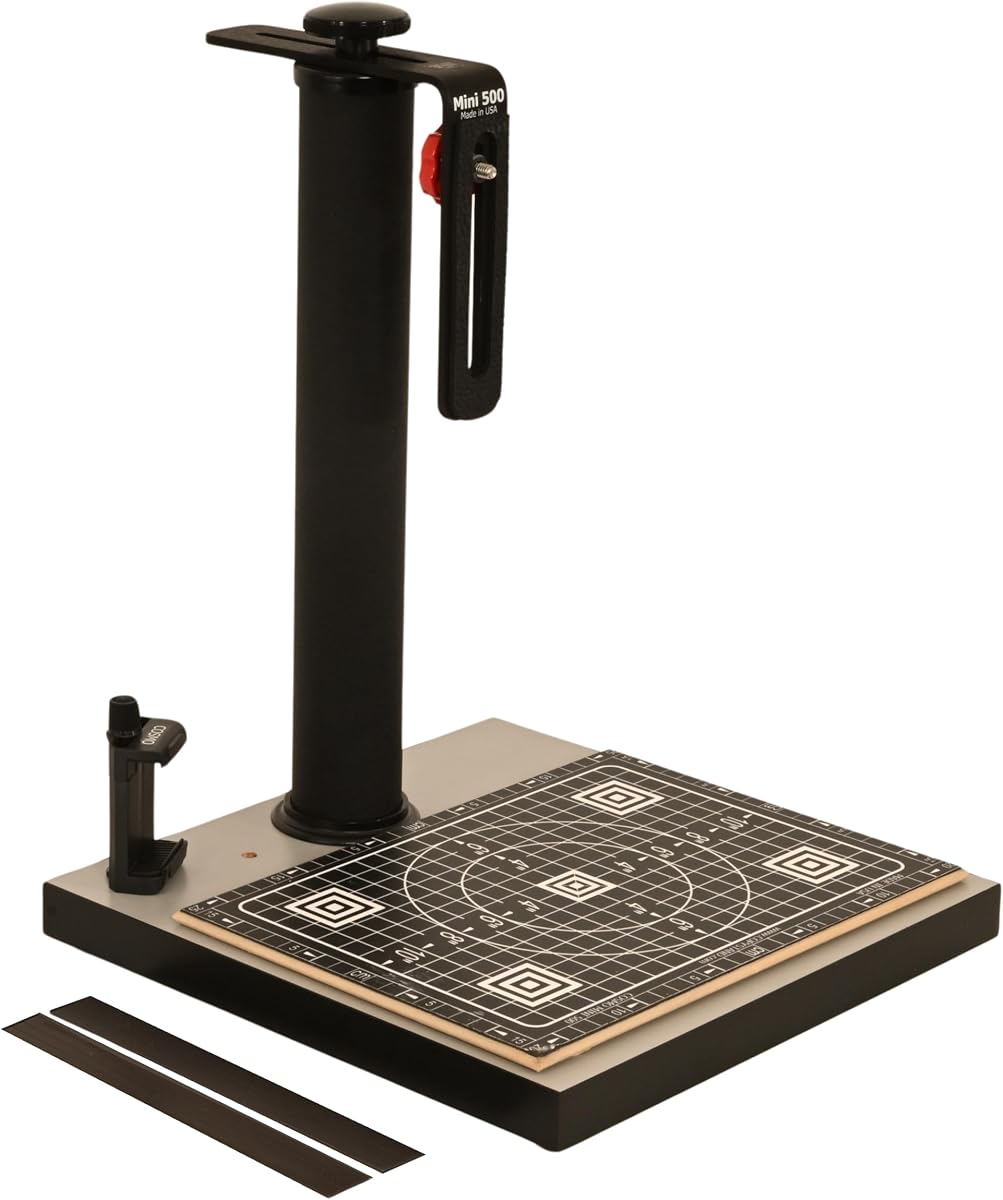
The Cosmo Mini 500 Copy Stand offers a sturdy solution for digitizing with a larger square baseboard. It is rated well by users who value durability and included accessories. The 12 by 12 inch board gives you a symmetrical workspace that suits both photos and small documents.
We may earn a commission when you buy through this link, at no additional cost to you.
Its steel column is fixed but robust, supporting cameras up to 3 lbs. The vertical adjustability from 9 to 19 inches covers most overhead shooting needs. The included Magnet Board with rubber steel and MDF ensures your items stay flat during the process.
While it weighs 9 lbs, the stability is worth the extra bulk for home use. You can move it easily between rooms but it sits firmly on the desk. This model is perfect for those who want a reliable all-in-one kit for their hobby.
Choose this if you need more surface area than the 300 model. The extra rigidity helps with heavier cameras. It is a great balance between portability and professional features, making it a versatile tool for various digitizing tasks at home.
The square baseboard provides balanced framing options for both vertical and horizontal images.
The steel column and base ensure the stand does not flex under the weight of DSLRs.
We may earn a commission when you buy through this link, at no additional cost to you.
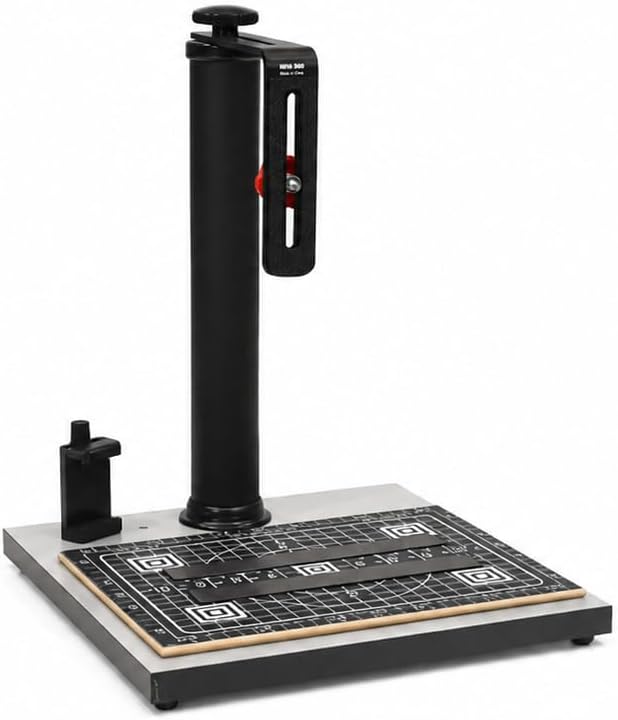
This variation of the Cosmo Mini 500 offers a slightly larger baseboard for more flexibility. It shares the same durable build and Magnet Board as the original 500. Users appreciate the integrated phone holder that makes smartphone alignment much easier for digital shots.
We may earn a commission when you buy through this link, at no additional cost to you.
The baseboard measures 13 by 12.5 inches, giving you more room for larger documents. The steel column supports up to 3 lbs of camera weight. The bracket allows for vertical adjustments between 9 and 19 inches to suit your setup height.
While it shares most features with the 500, the baseboard size difference can matter for bigger prints. The weight of 9 lbs ensures stability but makes it less portable. It is ideal for a permanent desk setup where space is not an issue.
Buy this if you need that bit of extra width for your digitizing projects. The phone holder simplifies setup for mobile users. It is a solid investment for anyone planning to digitize photos regularly with a smartphone or lightweight camera.
The dedicated phone holder ensures your device stays aligned without needing extra clamps.
The 13 inch width allows you to place more items on the board for bulk scanning.
We may earn a commission when you buy through this link, at no additional cost to you.
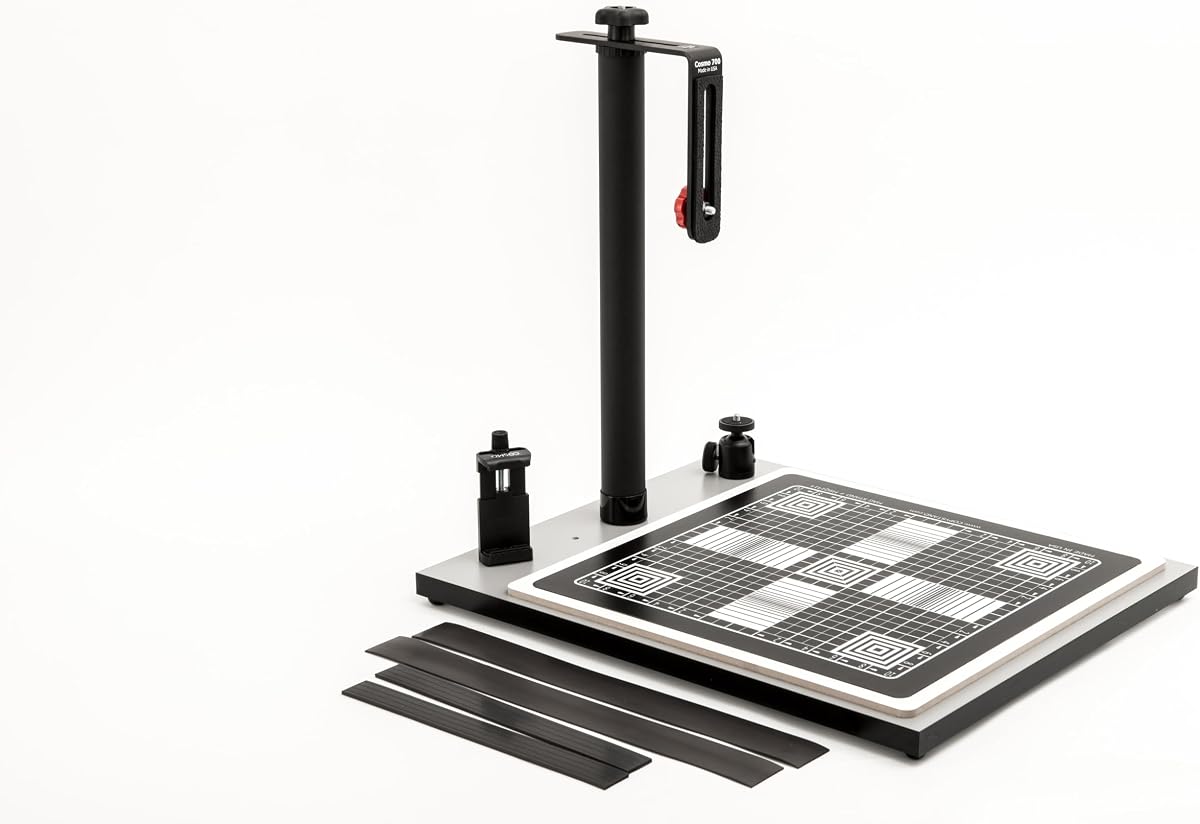
The Cosmo Mini 700 Copy Stand is designed for larger objects and more versatile shots. It rates well for its inclusion of a ball head and large magnet board. This makes it unique among the Mini series for handling 3D objects and big documents effortlessly.
We may earn a commission when you buy through this link, at no additional cost to you.
The baseboard measures 15.5 by 18.5 inches, providing plenty of room for your items. The included ball head allows smooth angle adjustments, perfect for food photography or detailed collectibles. The Floating Magnet Board is 15 by 15 inches, covering most standard documents.
While it weighs 14 lbs, the stability is unmatched for overhead work. The steel column and multiple positioning holes give you precise control. It is ideal for sellers who need high-quality images of products or plates for online listings.
Choose this if you need a large platform for diverse digitizing tasks. The ball head adds professional functionality without extra cost. It is the best choice for those who work with varied sizes and need flexibility in their workflow.
The included ball head allows you to tilt and rotate, perfect for non-flat 3D objects.
The 15 by 15 board keeps large documents flat for sharp, consistent captures.
We may earn a commission when you buy through this link, at no additional cost to you.
The Cosmo Mini 700 Copy Stand earns the top spot for its exceptional versatility and high rating of 4.8 stars. It includes a ball head and large magnet board, making it ideal for professional food vendors and detailed product photography. Its build quality justifies the higher price.
We may earn a commission when you buy through this link, at no additional cost to you.
With a baseboard of 15.5 by 18.5 inches, you have ample room for chef plates and large documents. The ball head allows smooth tilting for creative angles. This is especially useful for capturing depth in 3D objects or food textures accurately.
The weight of 14 lbs ensures it stays put on the desk even with heavy gear. The steel column supports up to 3 lbs, handling DSLRs well. While it is not portable, it is a robust workstation for dedicated creators.
Buy this if you need a premium all-in-one solution for large items. The included accessories save you from buying extra parts. It is the best choice for food photographers or online sellers who demand quality and flexibility.
The large surface and ball head make it perfect for capturing meal plates from above.
The heavy steel construction ensures stability for high-resolution shoots with heavy cameras.
We may earn a commission when you buy through this link, at no additional cost to you.
The Kaiser RS1 Copy Stand is a professional-grade tool designed for maximum stability and precision. It is built with an extra-wide column that resists vibration, ensuring sharp images even with heavy cameras. It rates highly among studio users who need reliable performance.
We may earn a commission when you buy through this link, at no additional cost to you.
The roll-off spring mechanism compensates for weight, allowing smooth height adjustments. This makes it easy to position your camera without shaking the stand. The column is made of matte black anodized aluminum for durability and a clean look.
While it is expensive and does not include a baseboard, the build quality is superior. The bushings allow interchangeable connections for various cameras. It is the top choice for studios where consistency and precision are non-negotiable.
Choose this if you have the budget for professional studio gear. The vibration resistance and smooth mechanics offer a level of control you cannot find elsewhere. It is a long-term investment for high-end scanning and photography.
The spring mechanism ensures smooth vertical movement without jerking, keeping your frame stable.
You can swap thread bushings to fit different camera models, adding to its versatility.
We may earn a commission when you buy through this link, at no additional cost to you.
The Mag Stand # 1612DTM is a unique desktop solution that focuses on holding your originals flat. It rates perfectly among users who need a simple, affordable surface for their photos. It is designed to sit on a table or a base of a copy stand.
We may earn a commission when you buy through this link, at no additional cost to you.
Its 16 by 12 inch base features precision grids and magnetic strips to keep items steady. The three layer construction ensures the board stays flat without warping. This makes it ideal for consistent scanning of documents and photos.
While it lacks a vertical arm, you can pair it with any camera setup. The light weight makes it easy to move around your workspace. It is the best budget option for those who already have a stand but need a better surface.
Buy this if you need a high-quality surface for flat scans. The precision grids help with alignment for cropping. It is a simple yet effective tool that complements your existing camera gear well.
The laminated grid helps you center subjects quickly for accurate cropping.
The layered wood base stays flat over time, ensuring your photos remain crisp.
We may earn a commission when you buy through this link, at no additional cost to you.
Selecting the right copy stand requires understanding your specific needs for size, weight, and stability. This guide breaks down the most critical factors to consider.
The baseboard size determines how much space you have to place documents or photos. Larger boards are better for big items but take up more desk space. Material matters too; melamine is durable and easy to clean, while wood may warp if exposed to moisture.
Choose a baseboard that fits your largest items. If you scan books or large prints, go for 15 inches wide or more.
Vertical adjustability ensures your camera aligns with your subject. Look for stands with at least 9 inches of travel. A wider range helps if you use different camera sizes or shoot different types of media.
Check the max height to ensure it clears your tallest camera setups. Too short a range limits your flexibility.
A heavy camera needs a sturdy column to avoid shaking. Aluminum is light but strong; steel offers more rigidity. Weight capacity is listed on product specs; ensure it matches your gear.
Heavier stands are stable but harder to move. Balance your portability needs with your camera weight.
Many stands come with Floating Magnet Boards or holders. These save you money and ensure compatibility. Without a board, you may need to buy one separately.
Prioritize models that include the magnet board and phone holder. This ensures you have all you need in one box.
Check if the stand works with your smartphone or DSLR. Some holders are fixed, while others adjust. Ensure the holes align for your device.
If you switch between devices often, look for a versatile mounting system. This avoids buying extra adapters later.
If you move often, a lightweight unit that assembles in minutes is ideal. Heavy units like the Mini 700 are great for home studios but not travel.
Consider your workspace. If it is shared, a quick setup unit keeps your desk clear when not in use.
Professional brands like Kaiser offer reliable parts and support. Look for a warranty of at least one year. USA-made stands often have better quality control.
A good warranty protects you from manufacturing defects. This is worth the extra cost if you scan daily.
Entry-level stands cost under $150, while premium ones go higher. Set a budget but consider long-term value. A durable stand lasts years longer than a cheap one.
Don't pay for features you won't use. Focus on what matches your current gear and needs.
Start by assembling the stand on a flat surface. Ensure all locking knobs are tight to prevent wobbling during shooting.
Place your document or photo on the baseboard. Use the magnetic strips to hold flat items in place. For 3D objects, use the provided supports or tape.
Set your camera to the desired height using the vertical column. Use the grid to align your device. Lock the knobs before taking the photo.
The Kaiser 205411 is the best choice for DSLR film scanning due to its non-reflective base and robust construction. It supports heavy cameras and offers precise alignment for negatives. The roll-off spring mechanism on the RS1 is also great for professional use.
Yes, most models like the Cosmo Mini 300 and 500 have integrated holders for smartphones. Ensure your phone width matches the slot. The Mini 700 also supports phones with its flexible arm setup.
Most stands work for books if opened flat. Use a book cradle or heavy weights to keep pages steady. The Cosmo Mini 700 offers the largest surface for bigger open books.
For 35mm negatives, a height of 12 to 14 inches is usually optimal. This gives a clear view without distortion. Use the grid lines to center the frame precisely.
Use a heavier model with a steel column like the Mini 500 or 700. Ensure all locks are tight. Adding weights to the base can also help stabilize the setup.
Most stands assemble in under a minute. They come with simple instructions and require no tools. The Mini 300 and 500 are among the quickest to set up.
We reviewed ten top copy stands to help you find the right fit. The Cosmo Mini 100 offers great value, while the Kaiser 205411 stands out for pros. The Mini 700 is our top pick for versatility.
Prioritize stability and size for your specific needs. A heavy stand may cost more but ensures sharp results. Always check the weight capacity before buying.
Prices for these stands fluctuate. Check current listings for the best deals. Ensure you get the right model for your camera and scanning needs today.