
Seagate 2TB Game Drive for Xbox
4.5Editor score
2TB Capacity for Game Vault
Xbox-Certified Compatibility
Built-in LED Bar Design
This guide compares the top external SSDs for Xbox Series X storage to help gamers expand capacity with fast load times and reliable performance.
Modern gaming consoles demand massive storage solutions to handle increasingly large game files. An external SSD for Xbox Series X storage provides the speed and capacity needed to keep your library accessible without compromising performance.
We evaluated ten top-rated drives based on compatibility, speed, durability, and design. Our comparison covers official expansion cards, portable SSDs, and high-capacity external drives suitable for next-generation gaming needs.
Each pick highlights key features and real-world usability for Xbox owners. Please note that availability and pricing can change rapidly, so verify current details before making your final purchase decision.
4.5Editor score

4.8Editor score

4.7Editor score
This side-by-side comparison lists all ten selected products with their core specifications to help you find the right storage solution for your console.


The WD_Black C50 is the top choice for Xbox Series X owners seeking seamless storage expansion. With a 4.8 rating it delivers the exact performance required for next gen titles without compromises.
We may earn a commission when you buy through this link, at no additional cost to you.
Its NVMe core unlocks the full potential of the Xbox Velocity Architecture ensuring blazing fast access to your library. The official license guarantees it meets Microsoft quality standards.
The cost is higher than standard USB drives but justified by the raw performance and integration. You cannot play Xbox Series X games directly from standard USB storage making this unique.
If you want the best experience without limitations this card is the clear winner. It bridges the gap between internal and external storage perfectly.
Being officially licensed means this card works flawlessly with the console firmware ensuring no compatibility issues or errors during updates.
This storage allows you to suspend multiple games and switch instantly between them without reloading data due to optimized architecture support.
We may earn a commission when you buy through this link, at no additional cost to you.
The Seagate 2TB Game Drive offers massive storage at a budget friendly price point. It scores 4.5 stars for providing a large game vault to store your titles securely.
We may earn a commission when you buy through this link, at no additional cost to you.
Its Xbox certification ensures compatibility and the design complements your console setup. The built-in LED adds a nice visual touch to your gaming center.
Keep in mind you can only archive Series X games here and play older titles. The USB 3.0 speed is slower than NVMe options but sufficient for storage.
This is the ideal pick if you need space on a budget and do not mind moving games between drives for play.
The illuminated Xbox green bar enhances your setup visuals matching the console design language effectively.
Included services provide peace of mind against data loss ensuring your valuable game saves remain safe.
We may earn a commission when you buy through this link, at no additional cost to you.
The Western Digital 4TB P50 combines massive capacity with premium SSD speed. With a 4.7 rating it serves as a powerhouse for serious gamers with large libraries.
We may earn a commission when you buy through this link, at no additional cost to you.
Its SuperSpeed USB 20Gb/s interface delivers up to 2000MB/s read speeds ensuring quick access to stored games. The 4TB capacity holds hundreds of titles easily.
The shock resistant build protects your investment during travel or accidental drops. It is pricier than standard drives but offers unmatched performance per gigabyte.
Choose this if you need the fastest external performance with maximum space and do not mind the higher cost.
This drive works seamlessly with PlayStation and Xbox allowing you to use one drive for multiple consoles.
The durable structure ensures your games stay safe even if you move your setup frequently or travel.
We may earn a commission when you buy through this link, at no additional cost to you.
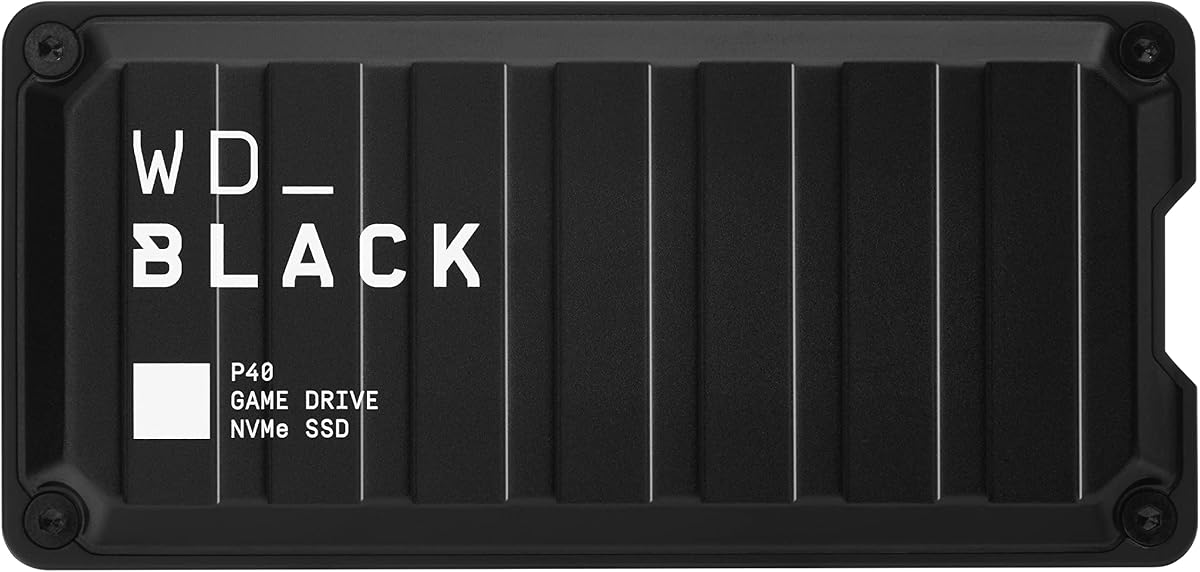
The WD Black P40 Game Drive offers high performance with visual flair. Rated 4.6 it brings gaming aesthetics to your setup with customizable RGB lighting.
We may earn a commission when you buy through this link, at no additional cost to you.
Powered by USB 3.2 Gen2x2 it achieves read speeds up to 2000MB/s matching top internal drives. It is compatible with PS5 and Xbox Series X.
Note the RGB customization requires the WD_BLACK Dashboard on Windows systems. However the performance and durability remain excellent for console use.
This drive fits best if you prioritize speed and style in your gaming environment setup.
This advanced port delivers double the bandwidth of standard USB 3.2 Gen 2 for maximum throughput.
Designed with shock resistance it survives drops up to two meters protecting your data reliably.
We may earn a commission when you buy through this link, at no additional cost to you.
The Lexar ES3 is designed for portability without sacrificing speed. With a 4.4 rating it weighs only 42g making it easy to carry anywhere.
We may earn a commission when you buy through this link, at no additional cost to you.
Its USB 3.2 Gen 2 interface provides read speeds up to 1050MB/s suitable for fast file transfers. The drive also includes AES encryption for data safety.
While it is thin and stylish it may not support the newest MagSafe features. It works well for Xbox Series S and X storage needs though.
Select this if you need a compact drive for travel that still delivers reliable performance.
DataShield software secures your files with industry standard encryption preventing unauthorized access.
At just 10.5mm thick it slips easily into a pocket or small bag for on-the-go use.
We may earn a commission when you buy through this link, at no additional cost to you.
The Seagate 1TB Game Drive SSD provides solid state performance in a trusted form factor. Rated 4.5 it balances capacity and speed for everyday gaming.
We may earn a commission when you buy through this link, at no additional cost to you.
It connects via USB 3.2 Gen 1 and features a green LED to show activity. Xbox Series X and S users can store and play titles here easily.
The included 3-year Rescue Data Recovery Services add significant value. It is slightly larger than portable SSDs but offers robust performance.
This is a great middle ground for those wanting SSD reliability without the high cost of top-tier drives.
Designed to work seamlessly with Xbox Game Pass allowing easy access to your subscription titles.
The recovery service ensures you can restore data even if the drive fails unexpectedly.
We may earn a commission when you buy through this link, at no additional cost to you.
The Samsung T7 is a versatile SSD known for reliability and speed. With a 4.7 rating it works well for Xbox storage despite being general purpose.
We may earn a commission when you buy through this link, at no additional cost to you.
Its USB 3.2 Gen 2 connection provides fast read and write speeds for efficient file management. The aluminum unibody is sturdy and portable.
While it lacks Xbox specific badges it still archives and plays games without issues on Series X. It is ideal if you want one drive for all devices.
Choose this if you value brand reputation and multi-platform flexibility over specific console branding.
Constructed from solid aluminum it withstands daily wear and tear while dissipating heat effectively.
This drive supports high-resolution video files making it useful for media creation tasks too.
We may earn a commission when you buy through this link, at no additional cost to you.
The Lexar 2TB ES3 delivers solid mid-range performance with double the capacity. Rated 4.5 it features unique graphite sheets to keep temperatures low.
We may earn a commission when you buy through this link, at no additional cost to you.
With read speeds up to 1050MB/s it handles file transfers quickly. The drop resistant build ensures durability during travel.
It comes with a 2-in-1 cable for flexible connection options on Xbox consoles. It lacks specific Xbox branding but functions reliably as storage.
This option suits users needing more space than 1TB without spending on premium drives.
Double layer graphite sheets dissipate heat to prevent throttling during extended transfers.
The drive survives drops up to 2 meters ensuring data integrity in various environments.
We may earn a commission when you buy through this link, at no additional cost to you.
The ADATA SE880 delivers exceptional speed in a compact frame. With a 4.5 rating it supports USB 3.2 Gen2 x2 for rapid transfers.
We may earn a commission when you buy through this link, at no additional cost to you.
Its Titanium finish adds a premium look to your setup. The lightweight form factor makes it easy to move around the room.
Although it lacks Xbox specific features it works well for archiving Series X games. Performance is high though you pay more per terabyte.
Choose this if raw speed and design aesthetics matter most in your buying decision.
This interface provides double the lanes of standard Gen2 allowing faster throughput.
The durable coating resists wear while giving the drive a distinct premium appearance.
We may earn a commission when you buy through this link, at no additional cost to you.
The WD Black P10 6TB is the ultimate solution for archiving massive libraries. With a 4.7 rating it holds up to 150 games in one portable drive.
We may earn a commission when you buy through this link, at no additional cost to you.
Its mechanical drive offers slower speeds but unmatched storage capacity at a lower cost than SSDs. It is perfect for long-term storage.
You can play Xbox One games directly and archive Series X titles safely. The sleek metal top adds style to your gaming center.
Pick this if you want maximum space and do not need active SSD-level performance.
The 6TB space allows you to keep favorites saved without constant management.
The metal covering protects the internal components while matching modern console designs.
We may earn a commission when you buy through this link, at no additional cost to you.
Selecting the right storage requires understanding how capacity speed and compatibility work together for your needs.
Consider how many games you play simultaneously. Modern titles can exceed 100GB so 1TB might fill up quickly.
Higher capacity drives like 4TB or 6TB offer more freedom but cost more per unit.
Look for USB 3.2 Gen 2 or NVMe speeds to ensure fast loading and transfer times. Slower drives may cause lag.
NVMe expansion cards are fastest but limited to the console slot. USB SSDs are versatile and portable.
Xbox Official Expansion Cards guarantee compatibility and support features like Quick Resume. Unbranded drives may lack specific integrations.
Using non-official drives is generally safe but might limit access to certain Xbox specific functions.
If you move your console often choose a lightweight SSD. Heavy desktop drives might be less convenient for travel.
Design elements like LED bars or metallic finishes add style but do not impact performance directly.
Shock resistance and drop protection are crucial for portable drives. Look for rugged builds if you transport your setup.
Warranty length varies from one to three years. Longer coverage adds peace of mind against hardware failures.
Balance cost with performance. SSDs offer speed while HDDs offer cost-effective space. Determine which is your priority.
Budget drives save money but may be slower. Premium models offer higher speeds but cost more overall.
Connect your drive to a USB port on the console. Format it when prompted to ensure it is recognized properly for storage.
Always eject the drive safely through the console settings before unplugging to prevent data corruption or loss.
Keep the drive clean and cool by avoiding direct sunlight or high heat. Regular cleaning ensures it stays functioning longer.
Generally no Xbox Series X games must be played from internal storage or an official expansion card. You can store them on an external SSD but must move them to play.
For the best experience aim for USB 3.2 Gen 2 or faster speeds around 1050MB/s or higher. This ensures quick load times and file transfers.
Yes if you want to play native Xbox Series X games without moving files. It offers full performance and seamless integration with Quick Resume.
Most USB SSDs work with both. Xbox Series X and S may require formatting for console use but the drive remains usable elsewhere.
Use the console's storage settings to eject the drive before unplugging. This prevents data loss or corruption.
Not all drives are optimized. Xbox Series X recognizes USB 3.0 and later drives but specific expansion cards work best.
We explored ten top storage options from budget HDDs to premium NVMe expansion cards. Each offers distinct benefits depending on your budget and performance needs.
Prioritize official cards for native Series X play or SSDs for versatile speed. HDDs provide massive space for archiving large libraries affordably.
Always check current prices and availability before purchasing to get the best deal available now.