
Acer Aspire 14 AI Copilot+ PC
4.3Editor score
Intel Core Ultra 7 Processor
Up to 47 Tops NPU
16GB LPDDR5X Memory
This guide compares the top 10 AI laptops with NPU processors for 2026, evaluating performance, battery life, and AI features for professionals and creators.
The landscape of personal computing has shifted dramatically with the introduction of dedicated Neural Processing Units in portable devices. These specialized chips enable local artificial intelligence tasks that were once cloud dependent. As we move through November 2026, finding the right machine requires understanding how these components interact to deliver speed and efficiency.
We have evaluated ten leading models that feature dedicated NPUs capable of handling complex workloads like real-time translation and image generation. Our analysis focuses on real-world performance metrics, battery longevity under AI loads, and the practicality of integrated AI features for daily productivity workflows.
Each selection below highlights specific strengths ranging from budget-friendly entry points to high-end professional stations. While we provide detailed specifications and feature breakdowns, remember that market availability and pricing fluctuate frequently. Always verify the latest details before making your final purchase decision.
4.3Editor score

5.0Editor score

5.0Editor score
The following table provides a side-by-side comparison of the ten selected models to help you identify the best fit for your specific computational needs.


This model stands out as the premier choice for those seeking a balanced mix of aesthetics and raw computational power. It carries a perfect five-star rating from users who appreciate its seamless integration of local AI features into daily tasks.
We may earn a commission when you buy through this link, at no additional cost to you.
The AMD Ryzen AI 9 processor ensures that complex applications run smoothly without throttling. Its dedicated NPU handles background AI tasks efficiently, freeing up the CPU for other heavy workloads.
While the performance is exceptional, the cost reflects the high-end materials and display technology used in its construction. Users should be prepared to invest more than standard ultrabooks for this level of quality.
It is the ideal device for creative professionals who need a reliable machine for design and video editing on the go. The combination of speed and portability makes it a top recommendation for 2026.
The 16-inch OLED screen provides deep blacks and vibrant colors that make creative work look stunning.
With a 70Wh battery, you can expect to work for extended periods without needing a power outlet.
We may earn a commission when you buy through this link, at no additional cost to you.
This device represents the pinnacle of current portable AI computing technology with an NPU capable of up to 80 TOPS. It is designed for users who require the absolute fastest local processing speeds available on the market.
We may earn a commission when you buy through this link, at no additional cost to you.
The inclusion of 48GB of high-speed memory allows for extreme multitasking and handling of massive datasets without slowdowns. This is crucial for power users running multiple virtual machines or heavy AI workloads simultaneously.
While it offers unparalleled power, the cost is significant and may not be necessary for average consumers. It is a specialized tool for those who demand maximum performance regardless of the financial investment.
If you need a workstation that fits in a backpack and can handle enterprise-level AI tasks, this is the ultimate solution. The Windows 11 Pro integration further solidifies its place as a premium business tool.
The Snapdragon X2 Elite Extreme ensures this laptop remains relevant as AI models grow more complex.
The 3K OLED touchscreen offers professional-grade color accuracy for graphic design and video editing.
We may earn a commission when you buy through this link, at no additional cost to you.
This laptop brings AI features to a broader audience by offering a capable NPU at a much lower price point. It is an excellent entry point for students or professionals who need local AI without breaking the bank.
We may earn a commission when you buy through this link, at no additional cost to you.
The Intel Core Ultra 7 processor delivers responsive performance for daily tasks like document editing and web browsing. Its NPU supports essential features like background noise cancellation and smart search functions.
To keep costs down, some materials are less premium than higher-end models. The screen is functional but lacks the color vibrancy of OLED panels found in more expensive options.
For anyone looking to try AI-enhanced computing without a major financial commitment, this is the safest bet. It provides the essential features needed for a modern productivity workflow.
The lightweight design and long battery life make it perfect for taking notes and researching in class.
Handles standard office tasks and light creative work with ease due to the efficient processor.
We may earn a commission when you buy through this link, at no additional cost to you.
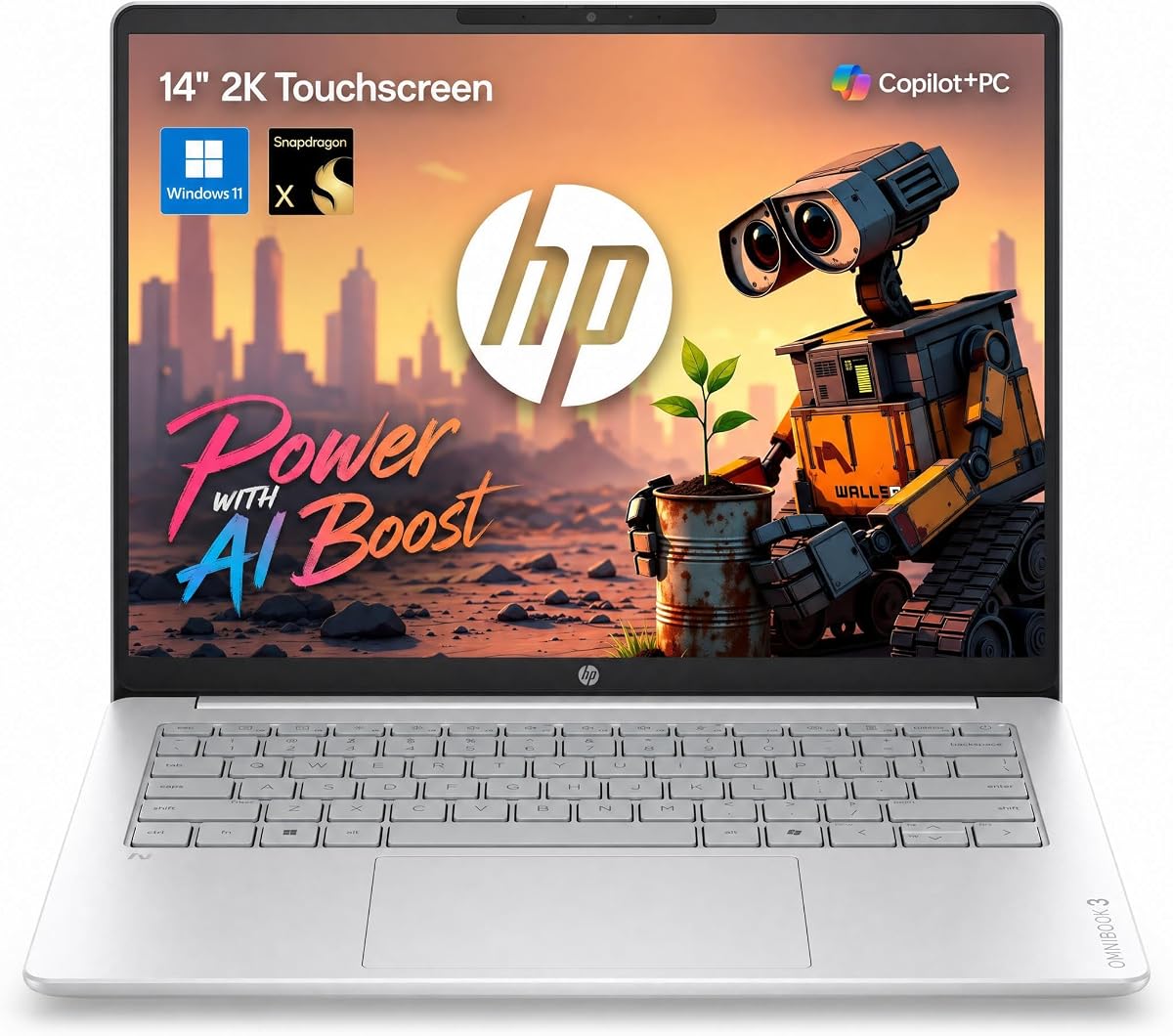
This model from HP brings a strong balance of portability and performance to the AI laptop category. It features a Snapdragon X processor that delivers consistent speeds for general productivity applications.
We may earn a commission when you buy through this link, at no additional cost to you.
The 30-hour battery life claim suggests it can easily last through long travel days or intense work sessions. This endurance is a major selling point for remote workers who are often away from power sources.
While the performance is good, the limited port selection means you may need adapters for older peripherals. Users should consider their current hardware ecosystem before making a purchase decision.
It is a great choice for travelers who need a reliable machine that stays light in the bag. The integration of Windows 11 features ensures a smooth user experience.
The lightweight chassis and long battery life make it an ideal companion for frequent flyers.
Fast charge technology allows you to regain significant battery power in just minutes of plugging in.
We may earn a commission when you buy through this link, at no additional cost to you.
This device is engineered for developers and creators who need substantial resources locally. With 128GB of memory, it can handle large language models and complex datasets without external assistance.
We may earn a commission when you buy through this link, at no additional cost to you.
The 165Hz display ensures smooth visuals for fast-paced work or gaming. It also supports high bandwidth data transfer through its specialized ports.
The weight and size are significant drawbacks for casual users but necessary for the performance it offers. The battery life may vary heavily under full load due to the high power components.
If you are building local AI models or editing 8K video, this is one of the few laptops capable of the task. It effectively acts as a mobile workstation.
The massive memory allows for training and running advanced AI models directly on the device.
The high refresh rate screen makes scrolling through code and video timelines feel incredibly smooth.
We may earn a commission when you buy through this link, at no additional cost to you.
This laptop offers a large 17.3-inch screen for users who need more real estate for multitasking. It is well suited for those who work with multiple windows or complex spreadsheets frequently.
We may earn a commission when you buy through this link, at no additional cost to you.
The integrated Radeon graphics allow for decent gaming capabilities alongside AI productivity tasks. This dual purpose makes it a versatile option for hybrid use cases.
While the screen size is beneficial, it adds to the weight making it less portable than smaller models. It is best used as a semi-permanent desk setup rather than a daily carry.
It is a strong contender for home office setups where desk space is available. The warranty support provides additional peace of mind for long-term use.
The wide screen allows for comfortable side-by-side application usage without constant window switching.
Dual M.2 slots allow you to add more storage easily as your data needs grow.
We may earn a commission when you buy through this link, at no additional cost to you.
This model is tailored for business users who require robust security and reliable performance. It runs Windows 11 Pro which provides additional tools for enterprise management.
We may earn a commission when you buy through this link, at no additional cost to you.
The 2TB storage ensures you can keep extensive project files and archives locally. The 32GB of RAM supports heavy multitasking for complex business applications.
The battery life is decent but falls short of the ultra-efficient models in this list. Users may need to carry a charger for full workdays away from the office.
It is a solid choice for corporate environments where data security and storage are top priorities. The touchscreen adds a layer of versatility for presentations.
Windows 11 Pro and hardware security features ensure your business data remains protected.
The massive hard drive capacity means you rarely need to worry about running out of space.
We may earn a commission when you buy through this link, at no additional cost to you.
Dell continues to deliver a refined business machine with advanced connectivity and security. The Core Ultra 9 processor provides the stability needed for critical business operations.
We may earn a commission when you buy through this link, at no additional cost to you.
Wi-Fi 7 ensures you stay connected at high speeds even in congested network environments. This is particularly useful for remote workers in public spaces.
The lack of a high-end discrete GPU limits its use for heavy graphical rendering. It is designed for productivity rather than creative media production.
For corporate employees who need a reliable daily driver with modern connectivity, this is a great fit. The build quality is consistent with Dell's high standards.
Wi-Fi 7 support prepares the device for future network standards ensuring fast internet access.
The fingerprint reader and camera shutter provide physical and digital security for your data.
We may earn a commission when you buy through this link, at no additional cost to you.
This laptop combines a clean design with solid efficiency for general users. It is designed to handle daily workloads without excessive power consumption.
We may earn a commission when you buy through this link, at no additional cost to you.
The display is sharp and supports touch input which makes navigation intuitive. Privacy features like the camera shutter help maintain security during video calls.
While it is efficient, it may not handle the heaviest sustained loads without throttling. It is best suited for consistent moderate tasks rather than bursts of intense performance.
It is a good option for users who want a no-nonsense laptop that gets things done. The overall rating reflects its reliability for standard usage.
Physical camera shutters and microphone mutes ensure your privacy when you are not actively using them.
The anti-glare screen makes it comfortable to use in bright office environments or outdoors.
We may earn a commission when you buy through this link, at no additional cost to you.
This 16-inch model offers a larger screen experience at a competitive price point. It includes Wi-Fi 7 which is a forward-thinking choice for future proofing.
We may earn a commission when you buy through this link, at no additional cost to you.
The 120Hz display makes motion look smoother which is great for scrolling and light gaming. The color accuracy is also praised for visual work.
The storage is smaller than competitors which means you might need external drives for large files. It is a solid value option but has some limitations compared to higher specs.
For users who want a larger display and modern connectivity without paying a premium, this is a viable choice. It balances cost and features well.
The 120Hz refresh rate provides a fluid experience that reduces eye strain during long sessions.
Wi-Fi 7 support ensures you get the fastest wireless speeds available on current networks.
We may earn a commission when you buy through this link, at no additional cost to you.
Selecting the right AI laptop requires understanding the balance between processor power memory and specific AI needs.
The Neural Processing Unit is the heart of AI capabilities in these laptops. Look for a higher TOPS rating to ensure the device can handle advanced local models without lag. This is critical if you plan on running background AI tasks while working.
Aim for an NPU with at least 45 TOPS to ensure future compatibility with evolving software features.
AI applications often require significant amounts of RAM to run smoothly. If you intend to use large language models or edit video, 32GB or more is highly recommended. Storage should also be substantial to keep datasets local.
Prioritize laptops with 32GB of memory or higher to prevent slowdowns when running multiple heavy apps.
Since you will be viewing content for long periods, the screen quality matters. OLED panels offer better contrast which can reduce eye strain. A resolution of at least 1920×1200 ensures text remains crisp and readable.
Choose a display with high brightness and color accuracy if you work with visual media or design.
AI tasks can drain batteries quickly so look for efficient processors. Some models offer extended battery life due to optimized chipsets. This is essential if you work away from power sources frequently.
Check for reviews that specifically mention battery life under active workloads rather than idle times.
Modern laptops often lack ports so consider what you need to connect. A USB-C port that supports charging and data is vital. HDMI is useful for presentations to external screens.
Ensure the device has enough physical ports to match your peripherals or you will need a dongle.
Portability is a key factor if you travel often. Lighter devices are easier to carry but may sacrifice some power. Ensure the build quality is durable enough to withstand regular use in a backpack.
Weigh the trade-off between screen size and weight based on your travel habits and workspace needs.
Wi-Fi 7 is becoming standard in high-end models and provides faster speeds. Stable connectivity is required for cloud AI features when local power is insufficient. Look for strong signal reception in your typical environments.
Select a model with the latest wireless standards to ensure your connection remains fast and reliable.
To get the most out of your AI laptop, enable all background processing features in your system settings. This ensures the NPU is active and ready to assist with tasks like transcription and photo management.
Keep your operating system updated regularly to receive the latest security patches and AI feature improvements. Manufacturers often release firmware updates that optimize NPU performance for new applications.
Protect your device by using a cooling pad during heavy processing tasks to prevent overheating. Avoid covering ventilation slots and ensure the laptop is used on a hard flat surface.
An NPU or Neural Processing Unit is a specialized chip designed to handle AI workloads efficiently. It processes tasks like image recognition and language understanding faster than a standard CPU. This helps save battery life and keeps the system responsive.
Not necessarily for general AI tasks. Modern NPUs are designed to handle common AI features like noise cancellation and smart search without a dedicated GPU. However, heavy training of models might still benefit from a dedicated graphics card.
Battery life varies by model and usage but many AI optimized laptops claim over 20 hours of video playback. Under heavy AI workloads the battery will drain faster but usually lasts a full workday. Always check reviews for real-world estimates.
Many AI laptops have soldered memory which means it cannot be upgraded after purchase. You should choose a configuration with enough RAM for your future needs at the time of buying. Always verify the specific model's service manual.
Some models have capable integrated graphics that can handle light gaming well. However, they are primarily optimized for productivity and AI tasks. High-end gaming still requires a dedicated graphics card for the best experience.
Most AI features are built directly into the operating system or come pre-installed. You do not need to buy additional software for basic functions like search or transcription. Third-party apps may offer more advanced tools.
We have reviewed ten distinct models ranging from budget entry points to premium workstations. Each option offers a unique balance of speed display quality and portability to suit different needs.
When selecting your machine prioritize the NPU score and memory capacity to ensure it meets your workload requirements. Consider how much you travel and whether a larger screen or lighter chassis matters more to you.
Prices and availability change often so always check the latest listings before finalizing your order. This guide serves as a solid starting point to help you find the right AI laptop for your workflow.