
AOC 24 Gaming Monitor FHD 200Hz
4.6Editor score
24 inch Full HD display
200Hz refresh rate option
Frameless three sided design
This comprehensive guide compares ten top Aoc monitors for gaming and work, analyzing panel types, refresh rates, and features to help you choose.
Finding the right display is crucial for productivity and entertainment. Aoc monitors offer a wide range of options suitable for gamers, professionals, and casual users alike. Understanding the differences between panel types and refresh rates helps narrow down the best choice for your specific setup.
We have carefully selected ten distinct models from the Aoc lineup to provide a thorough comparison. Each product was evaluated based on its specifications, user ratings, and unique features. This list covers everything from budget-friendly options to high-performance gaming displays designed for competitive play.
Each pick in this guide highlights key strengths and ideal use cases for different audiences. While we focus on technical capabilities, we also consider ergonomic design and connectivity options. Please note that availability and pricing can change, so check current listings before purchasing.
4.6Editor score

4.6Editor score
4.4Editor score
The following table provides a side by side overview of all ten selected models. It highlights key specifications such as resolution, refresh rate, and panel technology to facilitate quick decision making.


This AOC monitor delivers a high-quality experience for gamers seeking sharp visuals and smooth motion. With a 27-inch QHD IPS panel, it offers vibrant colors and detailed imagery suitable for both work and play. The high refresh rate ensures that fast-paced games remain fluid without distracting screen tearing.
We may earn a commission when you buy through this link, at no additional cost to you.
The standout feature is the 240Hz refresh rate which allows for incredibly responsive gameplay. Combined with a 0.3ms response time, this display minimizes blur during rapid movement. Adaptive-Sync technology further enhances performance by synchronizing the monitor with your graphics card for seamless frame delivery.
While the performance is impressive, the stand only offers tilt adjustment rather than height or pivot. This might be a limitation for users who require precise ergonomic positioning. Additionally, the bezels are minimal but the base occupies a fair amount of desk space which could matter in smaller setups.
If you prioritize visual fidelity and speed, this monitor is a strong contender for your battle station. It balances high-end specs with reasonable usability making it a top pick for serious gamers. The frameless design also makes it easy to integrate into a multi-monitor configuration if needed.
The QHD IPS panel provides wide viewing angles and precise image quality that remains consistent from different positions.
With a 240Hz refresh rate and low response time, this display is designed to keep competitive players ahead of the action.
We may earn a commission when you buy through this link, at no additional cost to you.
This 24-inch monitor proves that you do not need to spend a fortune to get a competitive edge. It offers a crisp Full HD visual experience wrapped in a sleek frameless design. Gamers looking for fast performance without breaking the bank will find this model highly appealing for various gaming scenarios.
We may earn a commission when you buy through this link, at no additional cost to you.
The 200Hz refresh rate is a significant advantage in this price range allowing for smooth motion in fast games. The 126% sRGB color gamut ensures that images appear vivid and true to life. Low input lag modes further improve responsiveness making it suitable for console gaming as well as PC titles.
The main trade-off is the resolution which is Full HD rather than QHD. While acceptable for competitive play where speed matters more than detail, it may not satisfy users needing sharp text or intricate graphics. The stand is also limited to basic tilt adjustments limiting ergonomic customization.
For budget-conscious gamers who value speed and color quality this monitor is an excellent choice. It delivers reliable performance for most modern titles and consoles. The seamless design also facilitates easy integration into larger setups without visual distractions from thick bezels.
The 200Hz refresh rate provides lightning-fast motion handling that rivals much more expensive models in the market.
With over 116% sRGB coverage, this display delivers rich colors that enhance the visual experience of any game.
We may earn a commission when you buy through this link, at no additional cost to you.
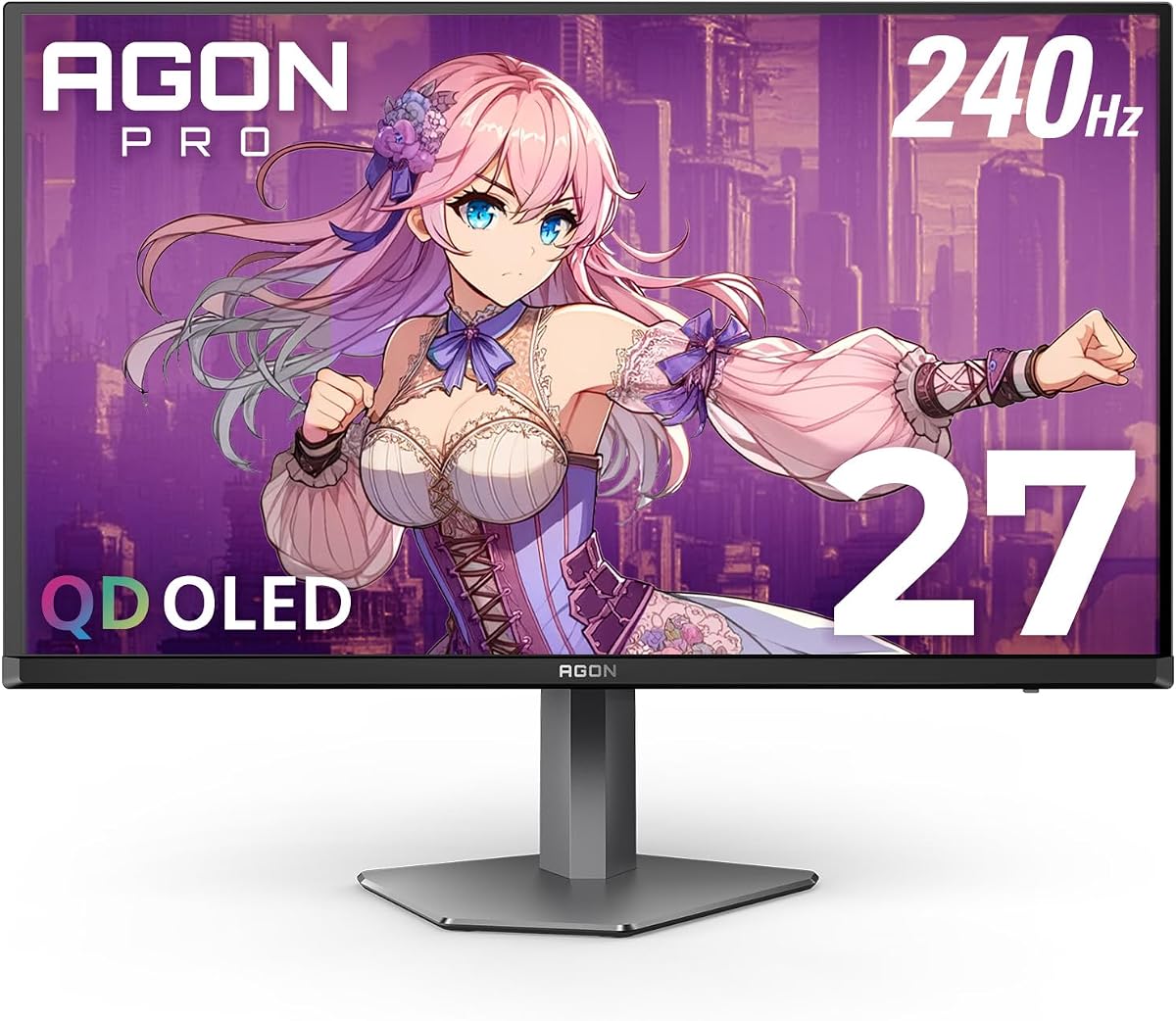
This Agon Pro model represents the pinnacle of AOC display technology with its self-luminous OLED panel. It delivers genuine blacks and extreme color accuracy that make every scene pop with realism. The combination of speed and visual fidelity makes it a top choice for enthusiasts seeking the best possible image quality.
We may earn a commission when you buy through this link, at no additional cost to you.
The 240Hz refresh rate paired with a 0.03ms response time ensures near-instantaneous feedback during gameplay. HDR10 support adds depth to contrast and brightness making visuals even more immersive. Additionally the built-in lighting system can sync with other devices to create an engaging gaming atmosphere around your desk.
The premium features come with a higher price point that may not fit every budget. There is also the inherent risk of OLED burn-in with static elements though modern safeguards help mitigate this. Users needing long static sessions might prefer a traditional panel for longevity over pure visual impact.
If you want the absolute best image quality and speed this monitor is unmatched in its class. It transforms games into vivid experiences with incredible detail and contrast. For those willing to invest in top-tier gear the rewards in visual performance are substantial and noticeable.
The OLED technology allows for over 1 billion colors and perfect blacks that make images look incredibly lifelike.
Special lighting on the back of the device illuminates your setup in various colors to sync with your game action.
We may earn a commission when you buy through this link, at no additional cost to you.
This monitor is designed primarily for users who value sharpness and detail over high-speed refresh rates. The 4K UHD resolution provides exceptional clarity for text and media making it ideal for office work or content consumption. The IPS panel ensures that colors remain accurate across wide viewing angles.
We may earn a commission when you buy through this link, at no additional cost to you.
Built-in speakers add convenience by removing the need for external audio devices for basic tasks. The three-sided frameless design allows for a clean look and easy multi-monitor setups if you need extra screen space. This makes it a practical choice for professionals working with multiple windows simultaneously.
Gaming performance is not the focus here as the refresh rate is standard rather than high. If you are looking for competitive gaming advantages like smooth motion this model will not deliver those specific benefits. It is better suited for static applications where detail and color precision are paramount.
For general computer use and media playback this monitor offers a solid balance of features and display quality. It fits well in a professional environment or home office where high resolution is preferred. The aesthetic appeal of the frameless design also complements modern workspaces effectively.
The 3840 x 2160 resolution delivers over a billion colors for rich details suitable for photo and video work.
Built-in speakers allow for basic audio output without requiring additional hardware for simple tasks.
We may earn a commission when you buy through this link, at no additional cost to you.
This model combines a large screen size with an exceptionally high refresh rate for fast-paced gaming. The 27-inch Full HD display offers a spacious viewing area while maintaining high speed performance. It is a great option for users who prioritize motion clarity over pixel density in their gaming setup.
We may earn a commission when you buy through this link, at no additional cost to you.
The 260Hz overclocked refresh rate ensures smooth visuals even during intense action sequences. Flicker-free technology and low power usage make it comfortable for long sessions without excessive energy consumption. The frameless design supports seamless integration into multi-monitor configurations for an immersive experience.
One trade-off is the resolution on a 27-inch panel which may appear less sharp than QHD. However for competitive gaming where speed matters most this is often a acceptable compromise. The stand lacks height adjustment but includes tilt and VESA compatibility for flexible mounting options.
Gamers who want a big screen with high refresh rates will find this monitor very satisfying. It delivers fluid gameplay and vibrant colors suitable for various genres. The ergonomic features ensure you can set it up comfortably for extended periods of use.
The 27-inch widescreen offers a large viewing area with wide angles for an engaging experience.
Flicker-free technology and eco mode help reduce eye strain during long gaming sessions.
We may earn a commission when you buy through this link, at no additional cost to you.
This 32-inch curved monitor creates an immersive environment that wraps around your peripheral vision. The VA panel delivers deep blacks and vibrant colors suitable for both gaming and media consumption. With a 180Hz refresh rate, it provides smooth motion that keeps up with most gaming demands.
We may earn a commission when you buy through this link, at no additional cost to you.
The SmartContrast ratio enhances the depth of the image making dark scenes more detailed. Connectivity options are generous with multiple DisplayPort and HDMI ports for various devices. The warranty coverage includes zero-bright-dot assurance which adds peace of mind for long-term use.
Curved displays are subjective and some users may prefer flat screens for productivity. The VA panel might have slightly slower response times compared to IPS or OLED panels in fast games. However for a mix of gaming and entertainment the immersion factor is a strong benefit.
If you want a large and engaging display for your setup this monitor is an excellent choice. It balances performance with visual depth to create a captivating experience. The included warranty and eye care features further support its suitability for daily use.
The 1500R curvature and 32-inch size put you at the center of the action for a realistic feel.
The VA panel and 120% sRGB coverage deliver vibrant lifelike images with deeper blacks.
We may earn a commission when you buy through this link, at no additional cost to you.
This monitor is engineered to maximize console performance with its high refresh rate and low latency. The 32-inch curved screen offers a wide field of view that enhances immersion in racing or shooter games. FreeSync Premium ensures smooth visuals when paired with compatible graphics cards or consoles.
We may earn a commission when you buy through this link, at no additional cost to you.
The 240Hz refresh rate provides super high motion clarity making it competitive for fast action. Low latency modes reduce input lag significantly giving you a responsive edge in multiplayer matches. The frameless design allows for seamless multi-monitor setups if you want to expand your visual area.
Resolution on a 32-inch Full HD panel means individual pixels are more visible compared to QHD. However for console gaming where speed and motion are key this is a minor concern. The included Re-Spawn warranty program adds extra value for protection against defects.
For console gamers looking for a large and responsive screen this model fits the bill well. It supports next gen consoles and delivers fluid gameplay without distractions. The immersive curve adds to the enjoyment of supported games effectively.
Designed to unleash up to 120Hz frame rates on consoles with ultra low latency for an edge.
The 240Hz refresh rate and low latency features ensure smooth and responsive gameplay.
We may earn a commission when you buy through this link, at no additional cost to you.
This OLED gaming monitor combines the benefits of self-luminous panels with high-speed performance. It delivers sharp details and vibrant colors that stand out in any setting. The 240Hz refresh rate ensures that even fast-paced games feel incredibly fluid and responsive.
We may earn a commission when you buy through this link, at no additional cost to you.
G-SYNC compatibility eliminates screen tearing and stuttering for a seamless viewing experience. HDR10 support brings rich details and contrast making content look more dynamic. The wide color gamut covers a significant portion of DCI-P3 and sRGB for accurate representation.
The main consideration is the cost which is higher than traditional IPS models. Long static image usage might carry a slight risk of burn-in though this is managed with modern features. For enthusiasts who want the best visual fidelity with high speed this model is compelling.
If you demand top-tier image quality and responsiveness this monitor will impress you greatly. It handles both PC and console gaming with excellence providing a premium experience. Investing in this level of performance ensures your setup remains competitive for years to come.
The 240Hz refresh rate and 0.03ms response time provide unprecedented fluidity for any action.
HDR10 and wide color gamut deliver rich details and contrast for full immersion.
We may earn a commission when you buy through this link, at no additional cost to you.
This model takes OLED gaming to the next level with added convenience features like a USB hub. It offers flawless image quality with superior contrast and color depth that enhance every scene. The 240Hz refresh rate ensures that your graphics card performs to its full potential.
We may earn a commission when you buy through this link, at no additional cost to you.
The height adjustable stand provides better ergonomics compared to fixed tilt options on other models. You can switch between presets for different game types to optimize visuals for each genre. The USB hub simplifies cable management by allowing peripheral connections directly to the monitor.
The price is among the highest in the category reflecting its premium features and panel tech. Care must be taken with static elements to avoid potential OLED issues over long periods. However for high-end setups this monitor offers a comprehensive package of performance and convenience.
If you want the best OLED experience with added ergonomic and connection features this is it. It delivers a smooth and visually stunning gaming environment for serious users. The adjustable stand and hub make it a practical choice for a clean and efficient desk setup.
The built-in USB hub simplifies connections for your peripherals and reduces cable clutter.
Height adjustable stands allow for better positioning to reduce strain during long sessions.
We may earn a commission when you buy through this link, at no additional cost to you.
This renewed model offers an affordable entry point into modern gaming monitor features. The 100Hz refresh rate provides twice the frame rate of standard displays for smoother motion. It is a solid choice for those looking to upgrade their display without a large investment.
We may earn a commission when you buy through this link, at no additional cost to you.
The 1ms response time helps reduce motion blur during gameplay keeping action clear. Adaptive Sync technology ensures tear-free experiences when paired with compatible GPUs. The frameless design allows for multi-monitor setups if you need more space later.
The 21.5-inch screen is smaller than many modern standards which limits immersion slightly. Connectivity options include HDMI and VGA which covers older and newer setups alike. However it lacks advanced features like USB hubs or high resolution found in pricier models.
For budget buyers or those with space constraints this monitor provides good value. It handles basic gaming and productivity tasks well without demanding too much budget. The renewed status also reduces cost while maintaining functional performance for everyday use.
The 100Hz refresh rate and 1ms response time deliver smooth and sharp visuals for games.
VESA mount support allows you to attach the monitor to wall mounts or other stands easily.
We may earn a commission when you buy through this link, at no additional cost to you.
Selecting the right monitor involves balancing several technical factors based on your specific needs. This section breaks down the key elements to consider before making a purchase.
The panel type determines color accuracy, contrast, and viewing angles. IPS panels offer wide angles and good colors, while VA panels provide better contrast and deeper blacks. OLED panels deliver the highest contrast and fastest response times but come at a higher cost.
Choose IPS for general use, VA for immersive gaming, and OLED for premium performance.
Refresh rate indicates how many times the screen updates per second. Higher rates like 144Hz or 240Hz make motion smoother which is crucial for competitive gaming. For office work or media, standard rates like 60Hz or 100Hz are often sufficient.
Prioritize high refresh rates for gaming and standard rates for productivity tasks.
Resolution defines the clarity and detail of the image on the screen. 1080p is standard for budget options, while 1440p and 4K offer sharper text and images. Higher resolutions require more powerful hardware to drive them effectively during gaming.
Select resolution based on your screen size and graphics card capabilities.
Response time measures how quickly a pixel changes color. Lower times reduce motion blur and ghosting during fast-paced action. Most gaming monitors offer response times between 1ms and 5ms, with OLED and fast IPS panels reaching even lower.
Aim for lower response times for competitive gaming to ensure clear visuals.
Adaptive Sync technologies like FreeSync and G-SYNC prevent screen tearing by syncing the monitor with your graphics card. This results in smoother gameplay without stuttering or frame drops. It is a key feature for any serious gaming setup.
Ensure the monitor supports your GPU's adaptive sync technology for best results.
Ergonomic features such as height adjustment, tilt, and pivot help maintain a healthy posture. A stand with limited options might lead to discomfort during long sessions. VESA mounting allows for flexible positioning on walls or monitor arms.
Look for stands with multiple adjustment options to reduce strain during use.
Check the available ports like HDMI, DisplayPort, and USB to ensure they match your devices. Modern setups often require HDMI 2.1 or DisplayPort 1.4 for high performance. Additional USB hubs can simplify connections for peripherals directly at the screen.
Verify that the monitor has the necessary ports for your current and future devices.
Screen size impacts immersion and desk space requirements. Curved screens offer a wider field of view and better immersion especially in racing or flight sims. Flat screens are generally preferred for productivity and text-heavy tasks.
Choose a size and curve that fits your room and your intended usage style.
Proper setup starts with ensuring your graphics card can support the monitor's resolution and refresh rate. Use high-quality cables like DisplayPort or HDMI 2.1 to access the full performance capabilities. Adjust in-display settings to match your usage whether for gaming or work.
Clean the screen regularly using a soft, lint-free cloth to avoid scratches. Do not use harsh chemicals or paper towels that might damage the coating. Keep the monitor in a well-ventilated area to prevent overheating during long sessions.
Enable eye care features like blue light filters or flicker-free modes during extended use. This reduces strain and makes the screen easier on your eyes over time. Regularly update the monitor firmware via the OSD menu to ensure optimal performance.
Yes, many AOC models are specifically designed for competitive gaming with high refresh rates and fast response times. Features like FreeSync and low input lag make them suitable for fast-paced titles. Their range includes options from budget-friendly to premium OLED displays.
IPS panels offer better color accuracy and wider viewing angles while VA panels provide higher contrast and deeper blacks. IPS is generally preferred for content creation and general gaming while VA excels in immersive dark room gaming. Both have unique strengths depending on your needs.
Many AOC monitors support adaptive sync technologies like FreeSync and some are G-SYNC compatible. This ensures smooth gameplay by synchronizing the refresh rate with your graphics card. Check the specific product details to confirm compatibility with your GPU.
Modern OLED monitors include features to reduce burn-in risk like pixel shifting and screen savers. However, static elements displayed for long periods should still be managed carefully. For mixed use, these models remain a top choice for image quality.
Most AOC monitors feature VESA mounting compatibility which allows them to be attached to wall mounts or monitor arms. This provides flexibility for cleaning up desk space. Check the specific model for VESA dimensions before purchasing a mount.
Standard warranties typically cover two years but some models include extended protection or specific features like zero-bright-dot guarantees. For certain products, additional programs like the Re-Spawn warranty may apply. Always review the warranty terms on the product page.
This guide has highlighted ten top AOC monitors ranging from budget options to premium OLED displays. Each model offers unique strengths whether for competitive gaming, productivity, or immersive entertainment. Selecting the right one depends on balancing performance needs with your budget.
For competitive gamers, high refresh rates and adaptive sync are critical to look for. Professionals may prefer higher resolution and color accuracy which the QHD and 4K models provide. Consider your primary use case to determine which features matter most to you.
Always check current availability and deals before finalizing your purchase. Monitor prices can fluctuate based on demand and stock levels. With these insights you can confidently choose a display that enhances your computing experience.