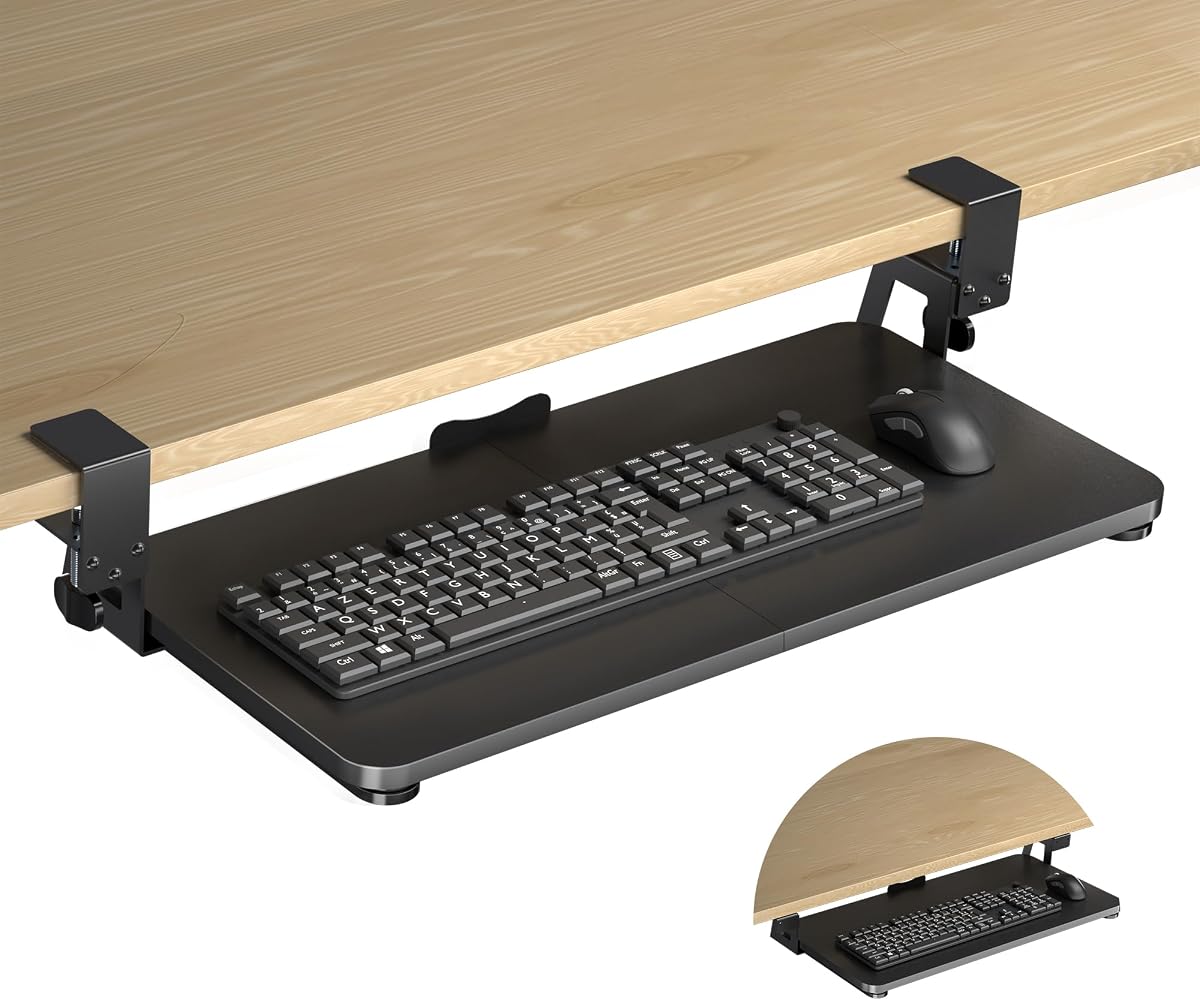
XINLEI Keyboard Tray Under Desk
4.4Editor score
25.6 by 11.8 inch large surface
Smooth metal sliding rail system
Sturdy C-clamp or screw mounting
This guide compares the top 10 keyboard trays for standing desks based on ergonomics, compatibility, and build quality to help you choose the perfect fit.
Finding the right keyboard tray for a standing desk can transform your workspace into a healthier, more productive environment. Ergonomic setups reduce strain on your wrists and shoulders, allowing you to work comfortably whether you are sitting or standing for long hours.
We evaluated ten top-rated models based on adjustability, installation ease, and compatibility with various desk types. Our analysis focuses on real-world usability, build quality, and how well each tray integrates with modern standing desk configurations.
Each pick below highlights specific strengths and ideal use cases to help you match a tray to your unique setup. Please note that product availability and specific features may vary over time, so checking the latest details before purchasing is always recommended.
4.4Editor score

4.4Editor score

4.2Editor score
The following table provides a side-by-side comparison of all ten featured keyboard trays. We highlight key specifications and unique features to help you quickly identify the model that aligns best with your ergonomic needs and desk constraints.
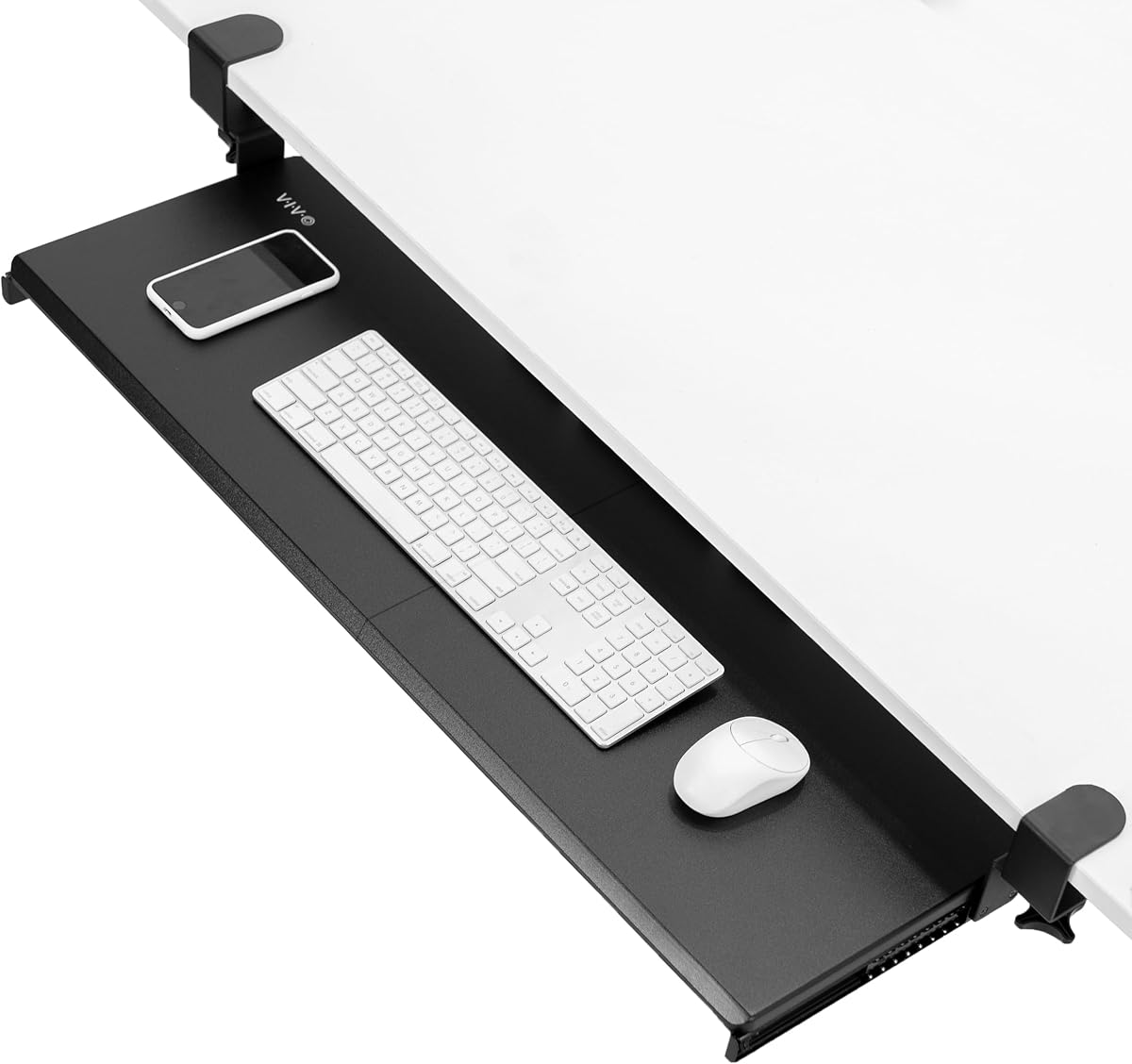


The Mount-It! Standing Keyboard Tray stands out as a versatile solution for those who frequently switch between sitting and standing. With a height range starting as low as 1.7 inches and extending to 15.6 inches, it accommodates nearly any seating or standing posture without needing to clamp onto the desk itself.
We may earn a commission when you buy through this link, at no additional cost to you.
Its scissor-lift mechanism allows for smooth height adjustments that lock securely in place. The platform is wide enough to hold a full-size keyboard and mouse side by side, or even a laptop up to 15.6 inches. Since it arrives ready to use with no assembly required, you can set it up immediately upon unboxing.
While the lack of clamps means it sits under your desk rather than attaching to it, this design avoids any potential damage to your work surface. The trade-off is that it occupies some floor space, which might be a consideration in smaller offices. However, its stability and adjustability make it a strong choice for shared workstations.
This tray is ideal for office managers or individuals who need a reliable, adjustable typing surface that works for multiple users. If you value ease of setup and a warranty that lasts as long as you own the product, this model offers excellent value and performance for ergonomic typing.
Unlike many competing risers that only work for standing, this tray goes low enough for comfortable seated typing, ensuring true flexibility throughout your workday.
The product arrives fully assembled, saving you time and effort while ensuring that all components are securely fitted before you begin typing.
We may earn a commission when you buy through this link, at no additional cost to you.
The XINLEI Keyboard Tray offers a spacious under-desk solution at a very competitive price. Measuring 25.6 by 11.8 inches, it provides ample room for your keyboard, mouse, and other small accessories, helping to free up valuable desktop space for monitors or documents.
We may earn a commission when you buy through this link, at no additional cost to you.
Installation is flexible with either sturdy C-clamps or a screw mounting option for thicker desks. The high-quality metal sliding rails ensure a smooth glide that lets you tuck the tray away when not in use. A back baffle design adds security by preventing your keyboard from sliding off the rear edge.
While the tray is robust, you must ensure your desk thickness does not exceed 1.63 inches for the clamp to fit properly. Additionally, the total length of 30 inches includes the clamps, so measure your available space carefully before purchasing.
This model is perfect for budget-conscious users who need a reliable, large platform without compromising on build quality. If you want to maximize your desk area and enjoy ergonomic typing angles without a significant investment, the XINLEI tray is a solid choice.
The ability to slide the tray in and out smoothly means you can quickly reclaim your desktop surface for other tasks when typing is not required.
Having both clamp and screw mounting methods allows this tray to adapt to a wider variety of desk structures, including thicker surfaces that might otherwise be problematic.
We may earn a commission when you buy through this link, at no additional cost to you.
The Klearlook Upgraded Adjustable Keyboard Tray brings a premium approach to ergonomic typing by combining both above-desk and under-desk capabilities. This dual installation flexibility allows you to adapt the tray to your specific workflow preferences, whether you need a raised surface or a tucked-away solution.
We may earn a commission when you buy through this link, at no additional cost to you.
Beyond basic typing support, this tray includes practical organization features like a convenient drawer for small items and a dedicated phone slot. A built-in headphone hanger keeps your headset within reach, and the integrated mouse pad ensures a smooth surface for precise cursor control.
The adjustment capabilities are extensive, offering 360-degree horizontal rotation and significant tilt options to suit various typing positions. However, this feature-rich design comes with a higher price tag and might be more complex to set up than simpler clamp-on models.
If you seek a comprehensive workspace organizer that elevates your keyboard while providing extra storage and cable management, this tray is worth the investment. It is ideal for users who value customization and want a tidy, high-tech desk setup that supports long hours of work or gaming.
Being able to mount the tray either above or below the desk gives you the freedom to switch between typing angles based on your daily needs.
The inclusion of drawers and slots for accessories helps keep your desk clutter-free, ensuring that essential items are always organized and accessible.
We may earn a commission when you buy through this link, at no additional cost to you.
The HUANUO Under Desk Keyboard Tray is specifically engineered to work with desks that have cross beams, a common feature in many electric standing desks. This unique compatibility solves a major installation headache for users who previously struggled with standard clamps hitting support bars.
We may earn a commission when you buy through this link, at no additional cost to you.
It features a high-quality metal roller track system tested for 20,000 cycles, ensuring smooth sliding and long-lasting durability. The tray also offers 6.3 inches of height adjustment and allows for 180-degree tilting, which enhances comfort during both seated and standing typing sessions.
However, installation requires specific desk conditions. It is compatible only with desks made of wood, plywood, or particle board, and you need at least 35 inches of under-desk width for a full 360-degree swivel. Checking these dimensions before purchasing is crucial to avoid fitment issues.
This tray is an excellent choice for standing desk owners with cross beams who need a reliable under-desk solution. If you value durability and specific compatibility with modern electric desks, the HUANUO model offers the specialized features needed for a successful setup.
Special brackets included with this tray allow it to attach securely to cross beams, making it one of the few options that work well with electric standing desk frames.
The tested metal roller tracks provide a smooth glide that withstands frequent use, ensuring that the tray remains functional and quiet over many years.
We may earn a commission when you buy through this link, at no additional cost to you.
The VIVO Mount-KBST1 keyboard tray offers impressive flexibility with its width adjustment feature, allowing you to customize the platform from 23 to 30 inches. This makes it suitable for a wide range of desk sizes and user preferences regarding lateral space for your typing setup.
We may earn a commission when you buy through this link, at no additional cost to you.
It is particularly notable for supporting desks up to 3.4 inches thick, which is significantly thicker than most standard clamp-on trays allow. The package includes a keyboard wrist pad, mouse pad, and wrist rest, providing a comprehensive ergonomic setup right out of the box.
While the tray is split into two parts to accommodate the width adjustment, this design ensures stability without damaging your desk. However, it is not compatible with desktops that have beveled edges, so ensure your desk surface is flat before mounting.
This model is ideal for users with thicker desks who need a robust, adjustable solution that supports both keyboard and mouse comfortably. If you prioritize desk thickness compatibility and want included ergonomic accessories, the VIVO Mount-KBST1 delivers strong performance.
With the ability to clamp onto desks up to 3.4 inches thick, this tray supports heavy-duty workstations that might be incompatible with standard mounting hardware.
The inclusion of wrist pads and a mouse pad ensures that you have a complete typing surface that supports your posture without needing additional purchases.
We may earn a commission when you buy through this link, at no additional cost to you.
The VIVO Mount-KB15EB is designed for those who need extra space for their keyboard and mouse. With a tray size of 34 by 11 inches and a total length of 39.4 inches including clamps, it provides ample room for expansive typing setups or multiple devices.
We may earn a commission when you buy through this link, at no additional cost to you.
It extends up to 8.5 inches from the desk edge, allowing for deep ergonomic angles that can relieve stress on wrists and shoulders. The sturdy C-clamps attach the tray securely without damaging the desk, provided the desk thickness does not exceed 1.25 inches.
While the large size is a major benefit, it requires a desk with enough length to accommodate the clamps. Additionally, the thickness limitation means it may not fit very thick or heavy-duty workstations. Measuring your desk carefully is essential before purchase.
This tray is perfect for users with larger desks who prioritize space for peripherals. If you need a substantial platform to comfortably house a full-size keyboard and mouse with room to spare, the VIVO Mount-KB15EB offers the surface area you need.
The extra large dimensions ensure that even bulky mechanical keyboards and large mouse pads fit easily without feeling cramped during use.
Solid C-clamps hold the tray tightly in place, ensuring stability even during intense typing or gaming sessions where movement could be disruptive.
We may earn a commission when you buy through this link, at no additional cost to you.
The BONTEC Under Desk Keyboard Tray simplifies setup with a no-drill installation method that uses sturdy C-clamps. This approach allows you to mount the tray securely without making any permanent modifications to your desk surface, which is ideal for renters or those with high-value furniture.
We may earn a commission when you buy through this link, at no additional cost to you.
Measuring 25.6 by 11.8 inches, the platform offers enough space for standard keyboards and mice. Protective pads on the clamps help prevent scratches and improve grip, ensuring the tray stays put without damaging your desktop during use.
Before purchasing, ensure your desk has a flat, unobstructed underside without crossbars or rounded edges. The tray also requires a specific width and depth underneath your desk to slide in and out smoothly, so measuring is key.
This model is a great choice for users who want a straightforward, damage-free installation. If you have a standard flat-bottom desk and need a reliable platform to reclaim your desktop space, the BONTEC tray provides a practical solution.
The no-drill design allows you to install and remove the tray without leaving holes or marks, preserving the condition of your desk for future use.
With a weight capacity of 11 pounds and a wide footprint, the tray remains steady during typing, reducing wobble and improving comfort.
We may earn a commission when you buy through this link, at no additional cost to you.
The VIVO Mount-KB03B is a universal keyboard tray designed to fit under standard desks comfortably. With a 25 by 10 inch platform, it accommodates most keyboards and mice, making it a versatile choice for general office use or home setups.
We may earn a commission when you buy through this link, at no additional cost to you.
It includes rubber padding to reduce wrist soreness and offers 5 inches of height adjustment to help align your arms with elbow height. The track system allows for side-to-side rotation, providing additional flexibility for positioning your typing area.
One limitation is that if you are installing it on a height-adjustable standing desk, you may need a separate spacer bracket to fit over the frame crossbar. This extra step adds complexity compared to models that come with crossbar adapters.
This tray is well-suited for standard desks where you need a basic, functional under-desk solution. If you want to enhance posture with simple adjustments and padding without spending a lot, the VIVO Mount-KB03B is a reliable option.
The built-in rubber padding provides a soft surface for your wrists, helping to reduce pressure during long typing sessions and improving overall comfort.
Designed to fit most standard desks, this tray offers broad compatibility for users who need a generic solution for traditional office furniture.
We may earn a commission when you buy through this link, at no additional cost to you.
The HUANUO Under Desk Keyboard Tray features a unique 360-degree adjustable mouse platform, giving you the freedom to position your mouse wherever it is most comfortable. This level of rotation helps reduce strain on your arm and wrist by allowing you to find the best angle for mousing.
We may earn a commission when you buy through this link, at no additional cost to you.
The keyboard platform is 25 by 9.84 inches, designed to suit standard keyboards with space for a mouse. It also includes a wrist rest for added comfort and offers 6.3 inches of height adjustment for seated or standing typing.
To ensure the rotation works smoothly, you need at least 35.4 inches of width clearance on your desk. Additionally, you must tighten a knob when typing to keep the tray stable, which requires a small extra step during daily use.
This tray is ideal for users who prioritize mouse positioning and need a versatile platform. If you want a tray that offers full motion and adjustable height without a high price, the HUANUO model delivers significant ergonomic benefits.
The ability to rotate the platform 360 degrees allows you to place your mouse in a position that minimizes arm extension and improves control.
With 6.3 inches of height adjustment, you can optimize the tray position for both sitting and standing, ensuring your elbows stay at a comfortable level.
We may earn a commission when you buy through this link, at no additional cost to you.
The Mount-It! MI-7181 keyboard tray stands out with its extra-wide 30-inch platform, providing plenty of space for a full-size keyboard and mouse side by side. This width is significantly larger than many standard trays, making it ideal for users who need a generous typing surface.
We may earn a commission when you buy through this link, at no additional cost to you.
It features a no-drill C-clamp mount that secures to flat-edged desks up to 1.77 inches thick, which is more than most competitors allow. The premium steel gliding rails ensure a smooth slide that stays locked in position, eliminating drifting during use.
While the product boasts a lifetime warranty and US-based support, it has a slightly lower rating than some other options. This may be due to strict desk compatibility requirements, such as not working with beveled edges or crossbars.
This tray is a strong choice for users with standard flat desks who want maximum width and long-term warranty protection. If you prioritize a spacious platform and reliable support, the Mount-It! MI-7181 offers substantial value and durability.
The 30-inch width ensures that you have ample room for any keyboard size, including large ergonomic models, without feeling restricted by the edge of the tray.
Backed by a lifetime guarantee and real US-based specialists, this product offers peace of mind that your investment is protected for the long term.
We may earn a commission when you buy through this link, at no additional cost to you.
Selecting the right keyboard tray involves considering your desk type, ergonomic needs, and installation preferences. This guide breaks down the key factors to ensure you find a compatible and comfortable solution.
Check your desk surface thickness before purchasing a clamp-on tray. Most models support desks up to 1.25 inches thick, while some premium options allow up to 3.4 inches. Thicker desks may require a screw mounting method instead of clamps.
Ensure your desk is compatible with the tray's mounting system. Standard clamps may not work with beveled edges, rounded corners, or desks with crossbars underneath. Always measure carefully to avoid fitment issues.
For standing desk users, look for trays with significant height adjustment ranges. Models that allow both seated and standing heights help you maintain ergonomic posture throughout the day.
A tray that adjusts from 1.7 to 15.6 inches ensures versatility for different users and postures. Fixed-height trays may not suit those who frequently switch between sitting and standing.
Measure the space under your desk to ensure the tray will fit. Consider both the tray width and the total length including clamps to avoid overcrowding.
Larger trays provide room for full-size keyboards and mice, while compact ones suit smaller setups. Ensure the depth allows for comfortable arm extension without touching the desk edge.
Choose between clamp-on and screw mounting based on your needs. Clamp-on trays are easier to install and remove, while screw mounting offers stability for thicker desks.
No-drill options are great for renters or those who want to preserve their desk surface. Ensure the mounting hardware is included and easy to follow.
Smooth rails are crucial for a hassle-free user experience. Metal roller tracks that are tested for durability ensure the tray slides silently and stays in place.
Look for trays with locking mechanisms to prevent wobbling or drifting during typing. A smooth slide allows you to easily tuck the tray away when not in use.
Features like wrist pads, tilt options, and swivel capabilities enhance comfort. A tray that tilts or swivels can help you find the most natural typing angle.
Consider models with non-slip feet or protective pads to keep the tray stable and protect your desk. Ergonomic design reduces strain on wrists and shoulders over time.
Ensure the tray can support the weight of your keyboard and mouse. Most standard trays hold up to 11 pounds, which covers most mechanical and standard keyboards.
Heavier setups or multiple devices may require a sturdier tray. Check the load limit to ensure stability during intense typing or gaming sessions.
Look for products with solid warranty terms. Some manufacturers offer lifetime warranties, which can protect against defects and wear over the long term.
US-based support can be helpful for troubleshooting installation issues. A good warranty ensures that your investment is protected for years of daily use.
Before installing your keyboard tray, carefully measure your desk's thickness and underside structure. Ensure there is enough clearance for the tray to slide in and out without hitting any obstacles or beams.
Attach the clamps or mounting hardware securely according to the provided instructions. Use protective pads to prevent scratching your desk surface and tighten all knobs to ensure stability.
Regularly check the sliding mechanism and adjust the height to maintain a comfortable typing position. Clean the tray and rails with a soft cloth to keep the slide smooth and free of dust buildup.
Measure your keyboard and mouse to determine the required platform size. A 25 by 11 inch tray typically fits standard setups, while larger models provide extra room for mechanical keyboards or additional accessories.
Yes, many trays are designed specifically for standing desks with cross beams or adjustable heights. Ensure the model you choose is compatible with your desk's structure and thickness for a secure fit.
You need enough depth under the desk for the tray to extend comfortably. Most models require at least 17 inches of desktop depth to ensure the tray slides fully out without hitting the desk front.
Yes, some models support desks up to 3.4 inches thick. Check the product specs to confirm the maximum thickness limit, or opt for a screw mounting option for thicker surfaces.
Adjustable height trays allow you to switch between seated and standing typing positions. This flexibility promotes better posture and reduces strain on your wrists and shoulders during long work sessions.
Most trays come with all necessary hardware, but you may need a screwdriver for assembly. Clamp-on models generally require no drilling, making them easier to install without specialized tools.
Use a damp cloth to wipe down the surface and rails regularly. Avoid harsh chemicals that could damage the finish, and keep the sliding tracks free of dust for smooth operation.
Wobbling is often caused by loose clamps or insufficient clearance. Tighten all mounting screws and ensure the tray is positioned away from desk edges or crossbars that might interfere with stability.
We have explored ten top-rated keyboard trays that offer various features for different desk types and user needs. Whether you need a wide platform, cross-beam compatibility, or adjustable height, there is a model to suit your setup.
Prioritize comfort and stability when making your choice. Look for trays that provide smooth sliding, secure mounting, and ergonomic adjustments to ensure long-term satisfaction and health benefits.
Remember to check the latest product details and availability before buying. Prices and features may change, so reviewing the current listing on the retailer site will help you make the best decision for your workspace.