
AMD Ryzen 7 7800X3D
4.8Editor score
8 cores 16 threads
96MB L3 cache
5nm process technology
This guide compares the top Cpus for Machine Learning including NVIDIA and AMD options to help you choose the right hardware for your AI projects.
Machine learning workloads require powerful processors capable of handling complex computations efficiently. Choosing the right CPU is essential for optimizing performance and reducing training times.
We analyzed leading models based on core counts architecture compatibility and real world performance metrics. Our list covers both desktop processors and specialized AI desktop systems.
Each pick highlights key strengths ideal use cases and potential trade offs. Please note that pricing and availability can change frequently on retailer sites.
4.8Editor score

5.0Editor score

4.4Editor score
The following table provides a side by side overview of all ten selected processors and AI systems. Use this to quickly compare specs and features.


The NVIDIA DGX Spark 2 Pack stands out as the premier choice for serious machine learning professionals. With a perfect rating and enterprise grade specs it delivers unprecedented local AI performance.
We may earn a commission when you buy through this link, at no additional cost to you.
This system features the GB10 Grace Blackwell chip providing up to one petaFLOP of AI compute. The 128GB unified memory per unit allows for seamless fine tuning of large models directly on your desktop.
While the cost is significant the ROI comes from reduced cloud dependency and faster iteration cycles. It integrates natively with the full NVIDIA AI software stack ensuring smooth deployment workflows.
If you need a workstation that rivals data center capabilities this is the ultimate solution. It empowers developers to prototype and innovate without waiting for cloud resources or remote access.
Experience server grade performance at your desk with one petaFLOP of AI acceleration.
Build and deploy models effortlessly with native support for the NVIDIA AI software stack.
We may earn a commission when you buy through this link, at no additional cost to you.
The AMD RYZEN 7 9800X3D offers excellent value for users who need strong CPU performance alongside GPU based AI workloads. Its Zen5 architecture provides significant efficiency gains over previous generations.
We may earn a commission when you buy through this link, at no additional cost to you.
With 96MB of L3 cache and speeds up to 5.2GHz this processor handles data preprocessing and logic tasks exceptionally well. It is an ideal companion for GPU driven training pipelines.
Though primarily marketed for gaming the raw single core speed benefits many AI scripting and inference scenarios. The AM5 socket ensures long term upgradeability for future component swaps.
Budget conscious builders will appreciate the balance of price and power. Just remember to pair it with a robust cooling solution since no cooler is included in the box.
Handle complex data preparation tasks quickly with high single core performance.
The AM5 platform ensures you can upgrade your system without changing motherboards.
We may earn a commission when you buy through this link, at no additional cost to you.
Intel Core Ultra 9 285K brings a unique hybrid architecture to desktop AI tasks. With 24 cores split between performance and efficiency cores it optimizes power usage during variable workloads.
We may earn a commission when you buy through this link, at no additional cost to you.
This design allows background processes to run on E cores while main training jobs utilize P cores. The unlocked clock speeds up to 5.7GHz offer headroom for enthusiasts wanting maximum speed.
Integrated graphics provide a fallback for basic display tasks without needing a dedicated GPU immediately. PCIe 5.0 support ensures your storage and GPU connections stay ahead of the curve.
Users planning multi tasking setups will find this processor versatile. However be prepared to invest in a high end cooling system due to the heat generated under full load.
Performance and efficiency cores automatically manage tasks to save energy.
PCIe 5.0 support ensures your hardware stays compatible with next gen devices.
We may earn a commission when you buy through this link, at no additional cost to you.
The AMD Ryzen 9 9950X3D delivers substantial core counts for parallel processing tasks. Its 16 cores are perfect for running multiple virtual machines or compiling code during model development.
We may earn a commission when you buy through this link, at no additional cost to you.
Zen 5 architecture ensures that each core runs efficiently even under heavy sustained loads. Boost speeds up to 5.7GHz provide the burst power needed for responsive user interfaces.
This processor is well suited for content creation environments that also involve AI tooling. It balances productivity features with the raw compute power needed for complex simulations.
If you need a workstation CPU that handles everything from rendering to data prep this is a strong candidate. Just ensure your power supply and cooling can handle the wattage requirements.
Sixteen cores allow you to run numerous apps without performance bottlenecks.
Reach speeds of 5.7GHz to tackle single threaded tasks with ease.
We may earn a commission when you buy through this link, at no additional cost to you.
AMD Ryzen 9 9900X strikes a great balance between core count and pricing. With 12 cores and 24 threads it provides plenty of parallelism for typical AI development workflows.
We may earn a commission when you buy through this link, at no additional cost to you.
The Zen 5 architecture delivers strong performance per watt ensuring efficient operation. Support for DDR5 5600 memory and PCIe 5.0 keeps your system future ready for faster components.
This unlocked processor invites overclocking enthusiasts to squeeze out extra performance. It is particularly well suited for systems where GPU compute handles the heavy lifting.
You should budget for a quality cooler since none is included in the package. Overall it is a reliable choice for developers needing robust CPU assistance without breaking the bank.
DDR5 5600 support ensures fast data transfer to your processor.
PCIe 5.0 ensures compatibility with the latest storage and expansion cards.
We may earn a commission when you buy through this link, at no additional cost to you.
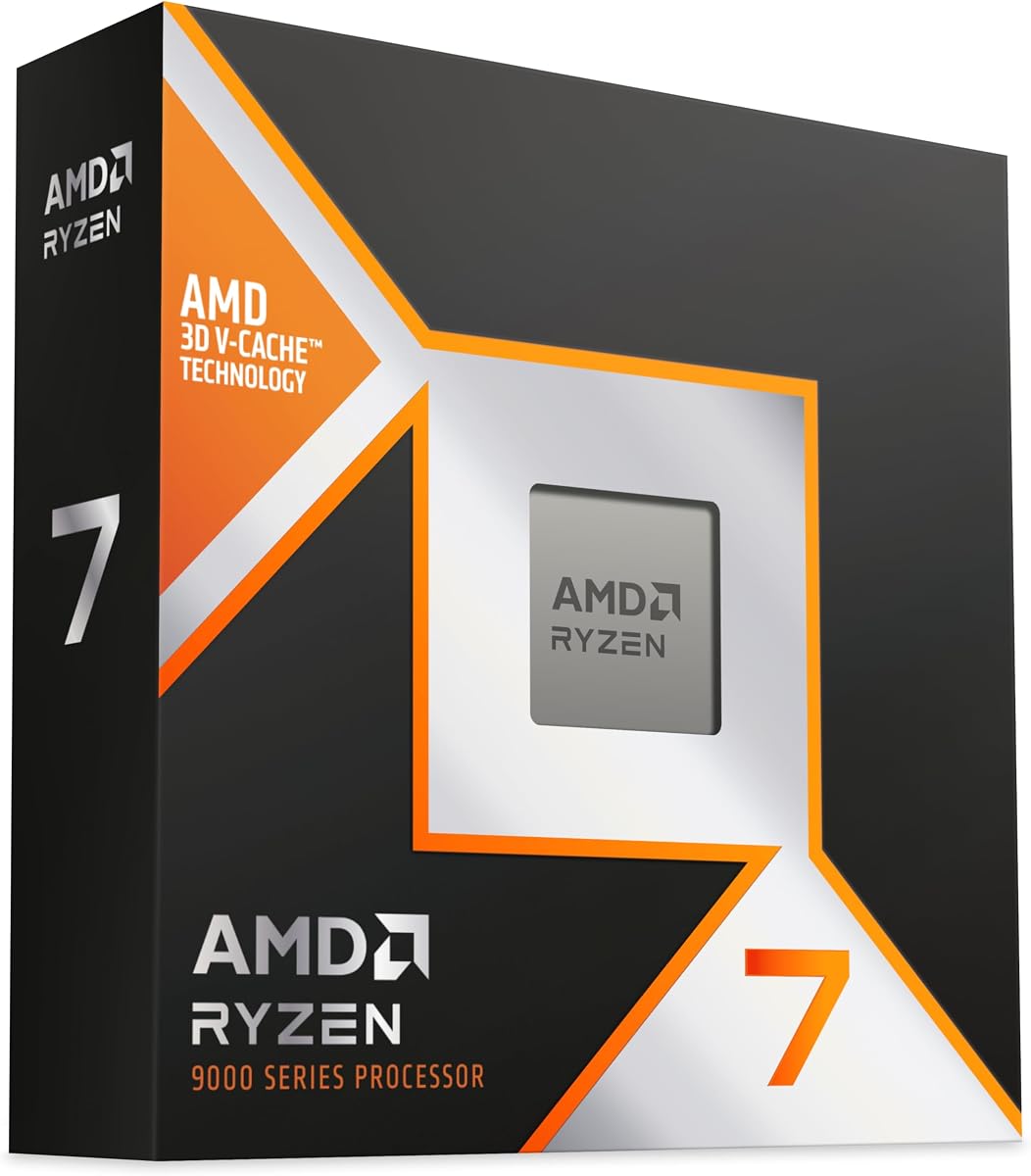
The AMD Ryzen 7 7800X3D is a budget friendly option that punches above its weight class. Its massive 96MB L3 cache makes data access exceptionally fast for preprocessing steps.
We may earn a commission when you buy through this link, at no additional cost to you.
Built on 5nm technology it delivers reliable performance while keeping thermal output manageable. The eight cores allow for solid multitasking when managing datasets and scripts simultaneously.
Although not the highest clocked chip it excels in latency sensitive tasks. This makes it a great value for students or hobbyists building their first AI setup.
If you are looking to save money without sacrificing too much performance this is a smart pick. Just ensure your motherboard supports the AM5 platform for compatibility.
Massive L3 cache reduces latency when accessing frequently used data.
5nm process technology keeps power consumption in check.
We may earn a commission when you buy through this link, at no additional cost to you.
The AMD Ryzen AI Halo is purpose built for local AI development and inference. It comes with 128GB unified memory and a powerful XDNA 2 NPU designed specifically for neural networks.
We may earn a commission when you buy through this link, at no additional cost to you.
This system runs Linux and includes preloaded tools and workflows to accelerate your projects. It supports models up to 200 billion parameters making it versatile for complex tasks.
Developers will appreciate the compact connected design with 10GbE LAN and Wi-Fi 7. It eliminates the need to build a custom machine for AI experiments.
While it lacks Windows flexibility it offers a streamlined environment for serious testing. If you want a ready to go AI machine this platform delivers immediate value.
XDNA 2 NPU provides up to 50 TOPS for neural inference.
Preloaded tools help you start working on models immediately.
We may earn a commission when you buy through this link, at no additional cost to you.
The Intel Core i9-14900K pushes clock speeds to impressive heights reaching up to 6.0GHz. This frequency advantage helps with single thread workloads common in many Python scripts.
We may earn a commission when you buy through this link, at no additional cost to you.
With 24 cores and 32 threads it offers ample room for running parallel tasks. Integrated UHD Graphics mean you can test visual outputs without a dedicated GPU.
Platform support for both DDR4 and DDR5 gives you flexibility in building your system. However this power comes with significant heat that requires robust thermal management.
If you prioritize raw frequency over efficiency this CPU performs well. It is suitable for enthusiasts who want to push their hardware to the absolute limit.
Up to 6.0GHz provides incredible speed for burst tasks.
Support for both DDR4 and DDR5 offers budget flexibility.
We may earn a commission when you buy through this link, at no additional cost to you.
The AMD Ryzen 7 9850X3D represents the latest in high performance computing. As a desktop processor it is designed to handle intensive workloads with ease.
We may earn a commission when you buy through this link, at no additional cost to you.
It belongs to the Ryzen 7 line known for balancing power and affordability. Its architecture supports efficient task execution which is key for AI preprocessing.
Although specific details are limited its model number indicates advanced capabilities. It is a strong candidate for users seeking a modern and reliable CPU.
You should consider this for builds requiring high throughput. It fits well into AM5 platforms offering a path for future upgrades.
Latest architecture ensures compatibility and efficiency.
Part of the trusted Ryzen 7 series.
We may earn a commission when you buy through this link, at no additional cost to you.
The NVIDIA DGX Spark brings enterprise scale AI to your personal desk. It features 128GB of unified memory and can experiment with models up to 200 billion parameters.
We may earn a commission when you buy through this link, at no additional cost to you.
Its Grace Blackwell chip delivers up to one petaFLOP of AI performance. This enables you to fine tune models locally rather than relying on external cloud services.
Integration with the NVIDIA AI stack simplifies deployment and testing. It is designed to be energy efficient yet powerful enough for serious innovation.
If budget allows this unit transforms how you work with large language models. It delivers exceptional ROI through increased productivity and rapid iteration capabilities.
Fine tune massive models directly on your desktop securely.
Powerful AI performance with a compact energy footprint.
We may earn a commission when you buy through this link, at no additional cost to you.
Selecting the right CPU involves evaluating core count architecture memory bandwidth and power requirements for your specific tasks.
Higher core counts allow for more parallel processing which is crucial for data preprocessing. Look for at least 8 cores to ensure smooth multitasking.
More threads help manage background tasks while training models. A balance of performance and efficiency cores is often ideal.
Modern architectures like Zen 5 offer better Instructions Per Clock which improves single thread speed. This helps with scripting and lightweight tasks.
Newer CPUs often include better AI instructions. Check for support of AVX 512 or other relevant instruction sets.
L3 cache size significantly impacts how fast the CPU can access data. Larger caches reduce latency when processing large datasets.
Aim for chips with 64MB or more of L3 cache for optimal performance in compute heavy workflows.
High clock speeds benefit tasks that rely on single core performance. Many ML scripts run better on faster cores.
Look for boost clocks above 5GHz to ensure responsiveness during development and interactive sessions.
Power consumption affects cooling needs and electricity costs. High TDP models require robust cooling solutions.
Efficient CPUs keep your system quieter and cooler during long training sessions.
Ensure the CPU matches your motherboard socket. AM5 and Intel 800 series are current standards.
Check if your motherboard supports PCIe 5.0 for future proofing against faster GPUs.
Some CPUs include iGPUs which can help with display output without a dedicated GPU. This is useful for initial testing.
While not ideal for heavy training it saves money for basic setups.
DDR5 support is essential for high bandwidth needs. It matches well with modern GPU setups.
Faster memory speeds reduce bottlenecks when feeding data to the processor.
Ensure your cooling system is properly installed to prevent overheating during long computation sessions. Apply thermal paste correctly and check fans regularly.
Keep drivers up to date especially for your chipset and BIOS. Updates often improve stability and unlock performance features for your CPU.
Avoid overclocking beyond safe limits without adequate cooling. Maintain clean airflow in your case to prevent dust buildup over time.
A high core count helps significantly with data preprocessing and multitasking. However training itself relies mostly on GPUs. Aim for at least 8 to 16 cores for balanced performance.
Both brands offer excellent options depending on your needs. AMD typically offers better efficiency while Intel provides strong single core speeds. Choose based on your specific workload.
Yes many gaming CPUs handle AI preprocessing well. Models like the Ryzen 7 7800X3D offer large caches that help with data tasks.
For single threaded scripts clock speed is vital. For parallel tasks core count matters more. A balanced approach is best for most developers.
Aim for at least 64GB of system RAM to avoid bottlenecks. More RAM helps when loading large datasets into memory before processing.
Most high performance CPUs do not include coolers. Invest in a high end air or liquid cooler to maintain performance and longevity.
NVIDIA DGX systems are specialized for AI with unified memory. They are expensive but offer unmatched local performance for fine tuning models.
Newer generations generally offer better efficiency and speed. Check specific benchmarks for your tasks to see the real world difference.
We covered ten top options ranging from budget processors to specialized AI desktop systems. Each provides a unique balance of power and value for developers.
Prioritize core count and cache if you do local data prep. If you rely on GPUs choose a CPU that pairs well with modern PCIe standards.
Remember to check current prices and availability as they change often. Investing in the right CPU today ensures a smoother workflow tomorrow.